
In recent years, eSIM technology has started to replace traditional SIM cards, offering users greater convenience and flexibility. But many people still wonder: “is my phone support eSIM?” In this guide, we’ll help you understand eSIM, check if your device supports it, and explore the pros and cons of using eSIM.
What is eSIM?
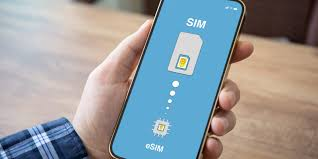
An eSIM (embedded SIM) is a digital SIM card built directly into your phone. Unlike traditional SIM cards that you physically insert into your device, eSIMs are programmed digitally. This means you can activate a cellular plan without needing to swap SIM cards.
- Is my Device eSIM Compatible?
- Is My Phone eSIM Compatible Check(2026)
- Check if My Phone is eSIM Compatible iPhone 2026
How eSIM Works
- Your phone contains a small chip that acts like a SIM card.
- The eSIM can store multiple carrier profiles.
- Switching networks is simple: you just scan a QR code or activate it through your carrier’s app.
- eSIM supports 4G, 5G, and sometimes even dual-SIM functionality alongside a physical SIM.
How to Check Is my Phone Support eSIM
Finding out if your phone supports eSIM is easier than you think. Here are some methods:
1. Check Your Phone’s Specifications

- Apple iPhone: iPhone XS, XS Max, XR, and later models support eSIM. You can check Apple’s official website or your device’s “Settings > General > About” section.
- Android Phones: Many newer Samsung Galaxy models (S20, S21, S22, S23) and Google Pixel phones (Pixel 3 and above) support eSIM.
- Other Brands: Some Huawei, Oppo, and Xiaomi phones also support eSIM, but you should confirm with the manufacturer.
2. Look in Your Phone Settings
- iPhone: Go to Settings > Cellular > Add Cellular Plan. If you see the option to add a plan, your iPhone supports eSIM.
- Android: Go to Settings > Network & Internet > SIMs > Add mobile plan. The wording may differ slightly depending on the manufacturer.
3. Contact Your Carrier
Some carriers enable eSIM while others do not. Check with your local carrier to see if they support eSIM activation for your phone model.
Popular Phones That Support eSIM in 2026
Here’s a quick list of phones widely supporting eSIM:

Apple
- iPhone XS, XS Max, XR
- iPhone 11 series
- iPhone 12, 13, 14, and 15 series
Samsung
- Galaxy S20, S21, S22, S23 series
- Galaxy Z Fold 3, Z Fold 4
- Galaxy Note 20
- Pixel 3, 3a
- Pixel 4, 4a, 5, 6, 7 series
Others
- Huawei P40, P50
- Oppo Find X3, X5
- Xiaomi Mi 11, 12 series
Benefits of Using eSIM

Using an eSIM has several advantages over traditional SIM cards:
1. Convenience
No need to physically swap SIM cards when changing carriers or traveling internationally. You can add or switch plans digitally.
Example: While traveling to France, you can add a local eSIM plan without visiting a store or buying a physical SIM.
2. Dual-SIM Functionality
Many eSIM-enabled phones can operate both a physical SIM and an eSIM at the same time. This is useful for managing personal and work numbers on one device.
3. Space-Saving Design
Phones with eSIM do not require large SIM trays, allowing manufacturers to save space for other hardware like larger batteries.
4. Enhanced Security
eSIMs are embedded and harder to remove or steal. This provides an extra layer of security for your phone.
Drawbacks of eSIM
While eSIM technology is impressive, it also has some limitations:
1. Carrier Compatibility
Not all carriers support eSIM. Before buying a phone, ensure your carrier allows eSIM activation.
2. Limited International Support
Some countries have limited eSIM support. Travelers may still need a physical SIM for certain regions.
3. Switching Devices
Moving an eSIM from one device to another can be less straightforward than transferring a physical SIM. Some carriers require scanning QR codes or contacting support.
How to Activate eSIM on Your Phone
Activating an eSIM is usually simple and quick:
Step 1: Contact Your Carrier
Ask for an eSIM activation QR code or download the carrier’s app.
Step 2: Scan QR Code
- iPhone: Settings > Cellular > Add Cellular Plan > Scan QR code.
- Android: Settings > Network & Internet > SIMs > Add mobile plan > Scan QR code.
Step 3: Confirm Activation
Once scanned, your carrier profile will be added. You can choose the primary line for calls, texts, and data.
Practical Examples of eSIM Usage
Travel Example
Suppose you’re visiting Japan. Instead of buying a local SIM card, you can activate a Japanese eSIM plan on your phone while keeping your home number active.
Business Example
You run a small business and want a separate number. With eSIM, you can have a work number on the same phone without needing a second device.
Frequently Asked Questions (FAQs)
1. How can I check if my phone supports eSIM?
Check your phone’s settings or specifications online. For iPhones, look for Settings > Cellular > Add Cellular Plan. For Android, look under Network & Internet > SIMs.
2. Can I use eSIM and a physical SIM at the same time?
Yes. Many phones support dual-SIM functionality, allowing both eSIM and a physical SIM to be active simultaneously.
3. Is eSIM safe to use?
Yes. eSIMs are embedded in the device, making them harder to remove or steal, which enhances security.
4. Can I switch carriers easily with eSIM?
Yes. Switching carriers is usually as simple as scanning a new QR code or activating a plan through your carrier’s app.
5. Do all carriers support eSIM?
No. While eSIM support is growing, not all carriers or countries provide this service. Always check before relying solely on eSIM.
6. Can I transfer my eSIM to a new phone?
Yes, but the process may vary depending on your carrier. Some require scanning a new QR code, while others allow digital transfer via their app.
7. How do I know if my phone supports eSIM?
You can check in three ways:
- Phone Settings: On iPhone, go to Settings > Cellular > Add Cellular Plan. On Android, go to Settings > Network & Internet > SIMs > Add mobile plan.
- Manufacturer Specs: Look up your model on the official website.
- Carrier Confirmation: Contact your mobile operator to confirm if your device is eSIM compatible.
8. Can I use eSIM and a physical SIM at the same time?
Yes, many modern phones support dual SIM functionality. This means you can have one number on a physical SIM and another on an eSIM simultaneously. It’s useful for separating work and personal numbers or for traveling internationally.
9. Is eSIM secure?
Yes. eSIM is embedded into your phone, making it harder to remove or steal. Additionally, carrier activation and encryption add layers of security compared to traditional SIM cards.
10. Will all carriers support eSIM?
Not yet. eSIM adoption is growing, but some carriers and regions do not provide eSIM support. Always confirm with your carrier before relying solely on eSIM.
11. Can I switch carriers with eSIM?
Yes. Switching is usually simple: scan a new QR code or activate a new plan through your carrier’s app. Some carriers also allow online transfer of eSIM profiles.
12. Can I transfer my eSIM to a new phone?
Yes, but the process depends on your carrier:
- Some carriers allow a direct digital transfer via their app.
- Others require you to scan a new QR code on your new phone.
13. Are there extra costs for using eSIM?
Usually, no. Your carrier treats eSIM like a regular SIM, and standard charges apply. However, some carriers may have a small activation fee. Always check with your provider.
14. Can I use eSIM while traveling internationally?
Yes, that’s one of the biggest advantages. You can activate a local plan digitally without needing to buy a physical SIM. Just ensure your phone is unlocked and your destination country supports eSIM.
15. Can older phones use eSIM?
No. Only certain phones released in recent years support eSIM. For example, iPhone XS and newer, Pixel 3 and newer, Samsung Galaxy S20 and above. Older phones require physical SIM cards.
16. What happens if my eSIM is lost or my phone is stolen?
Since eSIM is embedded, it cannot be physically stolen. If your phone is lost, contact your carrier to deactivate the eSIM and prevent misuse.
Conclusion
eSIM is a game-changer in mobile technology, offering convenience, security, and flexibility. Checking if your phone supports eSIM is straightforward — look into your device specifications, explore the settings menu, or confirm with your carrier.
While eSIM may have some limitations, such as carrier compatibility and international support, its benefits often outweigh the drawbacks. Whether you are a traveler, a business professional, or someone who likes flexibility in mobile plans, eSIM can make life easier.
If you’re wondering “Is my phone support eSIM?”, follow the steps in this guide and you’ll know in just a few minutes. Embracing eSIM could be the step that makes managing mobile plans effortless.

