
A free USA VPN extension is one of the easiest ways to access US-based websites, enhance online privacy, and browse securely without installing a full VPN application. Whether you want to unlock geo-restricted content, protect your data on public Wi-Fi, or access websites available only in the United States, a browser VPN extension can provide a quick and convenient solution.
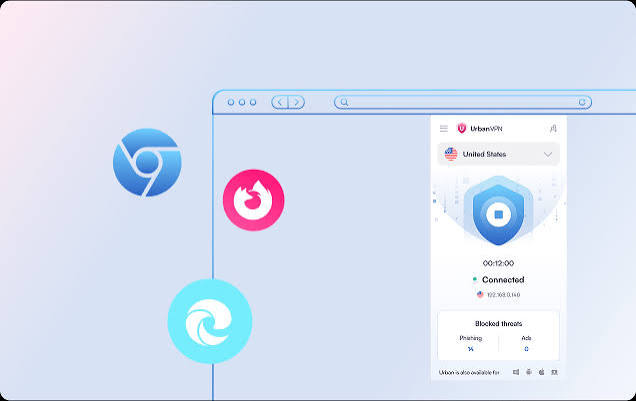
In 2026, several free VPN extensions offer reliable US servers, strong encryption, and user-friendly interfaces for browsers like Chrome, Edge, Firefox, and Opera. While free VPNs may have some limitations, such as data caps or fewer server locations, many still provide excellent performance for everyday browsing and streaming. In this guide, we’ll explore the best free USA VPN extensions, compare their features, and help you choose the right option for secure and unrestricted internet access.
If you need a US IP address quickly and don’t want to pay for a full VPN subscription, a free VPN browser extension is often the fastest solution. Install it, click connect, and done. No apps to download, no monthly fee, no complicated setup.
But not all free VPN extensions are equal. Some are genuinely useful. Some are slow, unreliable, or — in a few cases — worse than having no VPN at all from a privacy standpoint.
This guide covers the best free VPN USA extensions available right now, how they actually work, what their real limitations are, and how to pick the right one for what you need.
What Is a Free VPN USA Extension?
A VPN browser extension is a lightweight add-on for Chrome, Firefox, or Edge that routes your browser traffic through a VPN server. When you connect to a USA server, websites see a US IP address instead of your real one.
It’s different from a full VPN app in one important way: it only protects your browser traffic, not your entire internet connection. If you’re downloading a file through a torrent client or using another app while the extension is active, that traffic is NOT going through the VPN.
For most people who just need a US IP to access a website, stream something, or browse privately, the extension is perfectly fine.
Who Actually Needs a Free VPN USA Extension?
Before getting into the list, here’s a quick reality check on who this actually helps:
Travelers outside the US who want to access US-only content — streaming platforms, banking portals, or websites that block non-US IPs.
Privacy-conscious users who don’t want their ISP or network admin to see their browsing history on a specific session.
People testing geo-restricted content — developers, marketers, or researchers checking how a website or ad appears to US users.
Students on campus networks where certain sites are blocked and a quick browser-level workaround is all that’s needed.
Users who want something free before committing to a paid VPN subscription.
Best Free VPN USA Extensions in 2026
1. Proton VPN — Best Free Option Overall
Proton VPN is the most trustworthy free VPN extension available, full stop. It’s made by the same team behind ProtonMail, a Swiss-based privacy company with a strong track record.

What makes it stand out:
Unlike most free VPNs, Proton VPN has no data limits on the free plan. You can use it all day without hitting a cap. The trade-off is that free users only get access to servers in the US, Netherlands, and Japan — but since you’re specifically looking for a US server, that works fine.
The extension is available for Chrome and Firefox and connects quickly. Speeds on the free tier are slower than paid, but usable for general browsing and light video.
Practical example: You’re traveling in Europe for a month, nd your US bank’s website keeps blocking your login because of the foreign IP. Install the Proton VPN extension, connect to the US server, and log in normally. Takes about two minutes to set up.
Free plan limits:
- Unlimited data
- 1 device at a time
- Slower speeds (medium priority on servers)
- US, Netherlands, Japan servers only
Pros:
- No data cap — rare for a free VPN
- Strong privacy policy, no-logs, audited
- Based in Switzerland (strong privacy laws)
- No ads within the extension
Cons:
- Slower speeds compared to the paid tier
- Limited server locations on the free plan
- Doesn’t unblock Netflix US reliably on the free tier
2. Windscribe — Best for Data Allowance Flexibility
Windscribe is a Canadian VPN with a generous free plan and a browser extension that works well on Chrome, Firefox, and Edge.
Free plan gives you 10GB/month without signing up with a payment method — just an email address. If you tweet about them (yes, really), you get an extra 5GB. And if you refer someone, more data gets added.

The US server locations on the free plan include cities like New York, Los Angeles, and Chicago, which is useful if you need a specific US city rather than just any US IP.
Practical example: A content marketer in India needs to check how Google search results and ads appear for users in different US cities. They use Windscribe’s free extension to switch between New York and Los Angeles servers and compare results — without paying for a full VPN subscription.
Free plan limits:
- 10GB/month (extendable to 15GB with actions)
- Multiple US city servers available
- Includes an ad blocker and tracker blocker
Pros:
- Generous data cap for a free plan
- US city-level server selection
- Built-in ad blocker is actually useful
- Clean, easy-to-use extension interface
Cons:
- 10GB runs out fast if you’re streaming video
- Free servers can get congested during peak hours
- Requires email signup
3. Tunnelbear — Best for Beginners
TunnelBear is probably the friendliest VPN extension for someone who has never used one before. The interface is simple, the setup takes about 90 seconds, and it has a bear animation that makes the whole thing feel less intimidating.
The free plan gives you 500MB/month, which is genuinely limited. But for specific, occasional tasks — accessing one website, doing a quick geo-check, browsing for 20–30 minutes — it’s more than enough.

TunnelBear has been independently audited multiple times, which puts it ahead of a lot of free VPNs from a trust standpoint. The company is now owned by McAfee, which some privacy advocates note as a concern, though the no-logs policy has remained in place through audits.
Practical example: You’re on a work trip and need to quickly access a US government website that’s blocking non-US IPs. Open Chrome, install Tunnelbear, connect to the US server, do what you need, done. The 500MB is more than enough for a 10-minute session.
Free plan limits:
- 500MB/month
- All server locations available (including the US)
- 1 device
Pros:
- Extremely beginner-friendly
- Independently audited
- Works on Chrome, Firefox, and Opera
- All country servers are available, even on the free plan
Cons:
- 500MB is very limited — not for regular use
- Not suitable for streaming
- Owned by McAfee (concerns for some privacy users)
4. Hotspot Shield — Best for Speed
Hotspot Shield has one of the fastest free VPN extensions, particularly for US servers. The extension is available for Chrome and works without creating an account.
The free version gives you 500MB/day, which resets every 24 hours. That’s more practical than a monthly cap for daily casual users.
However, Hotspot Shield’s free plan is ad-supported, and the company’s privacy practices have been criticized in the past. It’s fine for accessing geo-restricted content or doing general browsing, but if privacy is your main concern, Proton VPN is a better pick.
Practical example: You’re outside the US and want to watch a live sports stream on a US-only website. Hotspot Shield’s speed holds up better than most free options for this kind of light streaming. The 500MB/day limit is usually enough for an hour of lower-quality video.
Free plan limits:
- 500MB/day
- US servers are only available on the free plan
- Ad-supported
Pros:
- Fast connection speeds for a free VPN
- Daily data reset (500MB/day) is practical for regular use
- No account required to start
- Chrome extension is clean and simple
Cons:
- Ad-supported — ads appear while browsing
- Privacy policy is less transparent than Proton or Windscribe
- Only US servers on the free plan
5. Urban VPN — Best for Unlimited Free Browsing (With Caveats)
Urban VPN offers unlimited free usage with US server access and no data cap. It sounds too good to be true — and there’s a catch worth knowing about.
Urban VPN uses a peer-to-peer network model, which means your device may be used as a relay node for other users’ traffic when you’re connected. This is how they keep the service free. It’s the same model used by Hola VPN (which has faced serious criticism for this).
For low-stakes browsing — accessing a US website, checking geo-restricted content that isn’t sensitive — it works. But you shouldn’t use it for anything involving passwords, banking, or personal information.
Practical example: A developer wants to test how their website’s content appears to users in the US. They install Urban VPN, connect to a US server, check the site, and disconnect. For this kind of non-sensitive, quick check, it does the job.
Free plan:
- Unlimited data
- Multiple US city servers
- No account required
Pros:
- Truly unlimited and free
- Multiple US locations
- No signup needed
Cons:
- The peer-to-peer model means your bandwidth may be shared
- Not safe for sensitive activities
- Privacy policy is not as strong as premium-tier options
- Slower and less consistent than other options
How to Install a Free VPN Extension (Step-by-Step)
Using Chrome as an example:
- Open the Chrome Web Store (chrome.google.com/webstore)
- Search for the VPN name (e.g., “Proton VPN” or “Windscribe”)
- Click Add to Chrome
- Click Add Extension when prompted
- The extension icon appears in your toolbar
- Click it, sign in, or create a free account if required
- Select USA as your server location
- Click Connect
That’s it. Your browser traffic now appears to come from the US. To verify, go to whatismyip.com — it should show a US location.
Pros and Cons of Free VPN USA Extensions
Pros
Zero cost. The obvious one. For occasional use, there’s no reason to pay ₹500–₹1,000/month for a full VPN subscription when a free extension does the job.
Fast setup. Install and connect in under two minutes. No configuration, no apps, no technical knowledge required.
Browser-level privacy. Your browsing activity on that session is hidden from your ISP and local network. Useful on public Wi-Fi or office networks.
Works for most geo-restriction use cases. Accessing US-only websites, checking US search results, or reaching content that’s blocked in your region all work fine through a browser extension.
Try before you buy. Using Proton VPN or Windscribe’s free tier is the best way to evaluate whether their paid plans are worth it for you.
Cons
Only protects browser traffic. Apps, games, system-level traffic — none of it is covered. If you need full-device protection, you need a full VPN app.
Data caps are real. Most free extensions cap you at 500MB to 10GB per month. Streaming even one HD movie blows through that instantly.
Slower speeds. Free users are typically on lower-priority servers. During peak hours, speeds can drop noticeably.
Some are not actually private. Ad-supported free VPNs often collect browsing data and sell it to advertisers. That’s the exact opposite of what a VPN is supposed to do. Research the privacy policy before installing anything.
Limited server options. Free plans restrict which servers you can access. Some only give you one or two US cities with no control over which one you connect to.
Not reliable for streaming platforms. Netflix, Hulu, and similar services actively block known VPN IP addresses. Free VPNs — with their limited server pools — get blocked more often than paid services.
What to Avoid: Red Flags in Free VPN Extensions
Not every free VPN extension in the Chrome Web Store is safe. Here’s what to watch for:
Extensions with no identifiable company behind them. If you can’t find a privacy policy, a company name, or any information about who made it, don’t install it.
Extensions asking for excessive permissions. A VPN extension needs to manage your network traffic. It does NOT need access to your clipboard, your file system, or permission to read data on all websites. If an extension asks for unusual permissions, decline.
Peer-to-peer VPNs for sensitive use. Services like Hola and Urban VPN route traffic through other users’ devices. Your IP gets shared with strangers. Fine for casual browsing, not fine for anything involving personal data.
Extensions with thousands of reviews that are all five stars and generic. Fake reviews are common in the VPN extension space. Look for detailed reviews that mention specific experiences, good and bad.
FAQs
Q: Is it legal to use a free VPN extension in the USA?
Yes, using a VPN is legal in the United States and in most countries. However, using a VPN to access content you don’t have rights to (like bypassing a streaming service’s regional licensing) may violate that service’s terms, which is a separate issue from legality.
Q: Can a free VPN extension unblock Netflix USA?
Usually not reliably. Netflix actively detects and blocks VPN IP addresses, and free VPNs — with their small server pools — get blocked faster and more consistently than paid services. Proton VPN’s paid plan works, but the free tier is inconsistent for Netflix.
Q: Will a VPN extension slow down my browsing?
Yes, slightly. All VPN connections add some latency because your traffic is being routed through an extra server. Free VPNs tend to be slower than paid ones because free users share a smaller pool of servers. For general browsing, the slowdown is usually acceptable. For video calls or gaming, it may be noticeable.
Q: Is the PrProtonPN free extension really safe?
Yes — Proton VPN is one of the most trustworthy free VPN options available. It’s based in Switzerland, has a verified no-logs policy, and has been independently audited. It’s the recommended starting point for anyone who prioritizes privacy.
Q: What’s the difference between a VPN extension and a full VPN app?
A browser extension only routes traffic from your browser through the VPN. A full VPN app routes all internet traffic from your device — including apps, system updates, and other programs. For browser-only use cases, the extension is sufficient. For full-device privacy, you need the app.
Q: Can I use a free VPN extension on my phone?
Browser extensions work on desktop browsers (Chrome, Firefox, Edge). On mobile, Chrome and Firefox don’t support extensions the same way. For mobile VPN use, you’d need a VPN app instead.
Q: Does using a VPN extension hide my activity from my employer or school?
It hides the content of your browsing from network administrators who monitor traffic. However, it doesn’t hide the fact that you’re using a VPN — that’s often visible on the network level. Whether that’s an issue depends on your organization’s policies.
Conclsion
For most people looking for a free VPN USA extension, Proton VPN is the best starting point — no data cap, strong privacy, and it works reliably for general browsing. If you need more US city options, Windscribe is worth trying for the 10GB monthly allowance.
Avoid any extension that doesn’t have a clear privacy policy, or that routes traffic through other users’ devices if you’re doing anything beyond anonymous, casual browsing.
And if you find yourself using the free extension regularly, it’s usually worth upgrading to a paid plan. The speed difference alone — plus reliable streaming access — tends to justify the cost quickly.

