
free USA VPN for your MacBook in 2026 can help you browse more privately, secure your connection on public Wi-Fi, and access U.S.-based websites and services. However, not all free VPNs are created equal. Many impose data limits, restrict server locations, or lack essential privacy features. Some free VPNs have also been criticized for weak privacy practices, so choosing a reputable provider is important.
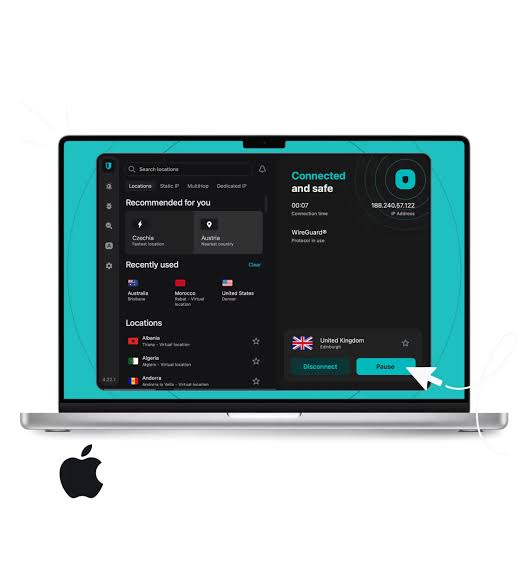
The best free VPNs for macOS offer strong encryption, a no-logs policy, user-friendly Mac apps, and reliable U.S. servers. Options such as Proton VPN Free, PrivadoVPN Free, Windscribe Free, and hide.me Free provide a good balance of security and performance, although each comes with different limitations, such as monthly data caps or fewer server locations. Proton VPN stands out for offering unlimited data on its free plan, while PrivadoVPN and Windscribe provide generous free allowances with access to U.S. servers.
In this guide, we’ll compare the best free USA VPNs for MacBook in 2026, covering their features, security, speed, data limits, and ideal use cases so you can choose the option that best fits your browsing, streaming, or everyday privacy needs.
Free USA VPN for MacBook 2026: a free VPN that actually gives you a US server on your MacBook, without draining your battery or slowing your Mac to a crawl? You’re not alone. Whether you’re trying to access US-only content, keep your browsing private on public Wi-Fi, or just want an extra layer of security without paying a subscription, finding a genuinely free option that works well on macOS isn’t as simple as it sounds.
Most “free” VPNs come with a catch — data caps, painfully slow speeds, or servers that vanish just when you need them. This guide breaks down what’s actually free, what’s worth trying on your MacBook, and what to watch out for before you install anything.
Do Free VPNs Actually Work on Mac?
Yes, but with real limitations. Macs handle most VPN protocols smoothly, and modern MacBooks with Apple Silicon chips actually run VPN encryption more efficiently than older Intel models, so you shouldn’t notice much battery drain from a well-built app. The bigger issue isn’t compatibility — it’s what free plans hold back.
Here’s what typically separates free from paid VPN plans on Mac:
- Server locations — free plans usually limit you to a handful of countries, sometimes without letting you pick which one you connect to
- Data caps — many free VPNs cut you off after a few gigabytes each month
- Speed — free servers are often more crowded, so expect some slowdown compared to paid tiers
- Streaming access — most free VPNs struggle to reliably unblock services like Netflix or Hulu
Knowing these trade-offs upfront helps you pick a tool that fits what you actually need instead of getting frustrated halfway through setup.
Best Free USA VPN for MacBook in 2026
1. Proton VPN Free
Proton VPN is one of the very few free VPNs that includes a US server location, which makes it stand out immediately if a USA connection is your main goal.

Proton VPN Free is widely regarded as one of the best free VPNs for MacBook users in 2026 because it offers unlimited data, a feature that is rare among free VPN services. Developed by the team behind Proton Mail, Proton VPN focuses on privacy, security, and transparency. Its native macOS app works seamlessly on both Intel-based Macs and Apple Silicon devices, including M1, M2, M3, and newer MacBook models, making it an excellent choice for everyday secure browsing. USA
One of Proton VPN Free’s biggest advantages is that it places no monthly data limits on users. Unlike many free VPNs that restrict usage to 10 GB or less per month, Proton VPN allows unlimited browsing, making it suitable for daily internet use, remote work, online banking, and extended browsing sessions. The free plan also includes no advertisements, ensuring a clean and distraction-free experience.
Security is a major strength of Proton VPN. It uses AES-256 encryption along with secure VPN protocols such as WireGuard and OpenVPN to protect internet traffic. The service follows a strict no-logs policy, meaning it does not record your browsing history or online activities. Additional features such as a kill switch, DNS leak protection, and Always-On VPN help ensure your real IP address remains protected if the VPN connection is interrupted.
The macOS application is modern, intuitive, and easy to navigate. While the free plan provides access to a limited number of server locations, including servers in the United States, users still benefit from Proton VPN’s reliable infrastructure and strong privacy protections. Those needing more server choices, faster speeds, or streaming-optimized servers can upgrade to a paid plan. USA
What makes it different: Unlike most free VPN plans, Proton VPN Free comes with no data cap and no speed throttling, backed by a strict no-logs policy and independent security audits. Its free tier connects you to servers in a small set of countries, including the United States, though you can’t always manually pick which one you land on.
Practical example: If you’re mainly using your MacBook for everyday browsing and want a private connection through a US server without worrying about running out of data mid-month, Proton VPN Free covers that well. It’s less reliable if your main goal is unblocking US streaming libraries, since consistent streaming access is reserved for paid plans.
Pros:
- No data limits and no speed throttling on the free tier
- Includes the United States among its free server locations
- Strong privacy reputation, open-source apps, independently audited
- Clean, simple macOS app
Cons:
- You often can’t manually choose the exact server you connect to
- Streaming support isn’t guaranteed on the free plan
- Only one device connection allowed at a time
- Free servers can get crowded, affecting speed during peak hours
2. Windscribe Free
Windscribe takes a different approach by letting you pick your server location, including the US, but caps your usage at a set amount of data per month.
Windscribe Free is one of the most feature-rich free VPNs available for MacBook users in 2026. It offers a secure and easy-to-use macOS application with access to multiple server locations, including the United States, making it an excellent choice for users who want to browse privately, protect their data on public Wi-Fi, and access U.S.-based websites. The app runs smoothly on both Intel Macs and Apple Silicon devices, including M1, M2, M3, and newer MacBook models.
One of Windscribe Free’s biggest strengths is its generous 10 GB monthly data allowance for users who verify their email address. For users who don’t verify their email, the free plan includes a smaller data allowance. This monthly quota is sufficient for everyday tasks such as web browsing, online shopping, email, video conferencing, and occasional streaming.USA
Windscribe protects your internet traffic using AES-256 encryption and supports modern VPN protocols, including WireGuard, OpenVPN, and IKEv2. The service follows a no-identifiable-logs policy, helping keep your online activities private. Its built-in Firewall (kill switch) automatically blocks internet traffic if the VPN connection drops, preventing accidental exposure of your real IP address.
Another standout feature is ROBERT, Windscribe’s customizable blocker that can block ads, trackers, malware domains, phishing websites, and other unwanted content. This improves browsing speed, enhances privacy, and provides an extra layer of protection without requiring additional software.

Practical example: If you’re a light user — checking US-only websites occasionally or securing your connection while working from a coffee shop for a few hours a week — Windscribe’s monthly data allowance is usually enough without feeling restrictive.
Pros:
- Lets you manually choose a US server, unlike many free competitors
- Reasonably good at unblocking some streaming platforms
- Clean privacy record and transparent policies
- Works well on both Intel and Apple Silicon Macs
Cons:
- Monthly data allowance runs out quickly with regular use
- Interface feels less polished compared to paid competitors
- Support can be slow to respond to issues
3. Hide.me Free
Hide.me has built a reputation for being one of the more “actually free” options, without pushing hard upsells at every turn.
Hide.me Free is a reliable and privacy-focused VPN service that offers one of the best free plans for MacBook users in 2026. It provides a native macOS app that’s easy to install and fully compatible with both Intel-based Macs and Apple Silicon devices, including M1, M2, M3, and newer models. The free plan is ideal for users who want to protect their online privacy, secure public Wi-Fi connections, and browse safely without paying for a VPN subscription.
A major advantage of hide.me Free is its strong commitment to user privacy. The service follows a strict no-logs policy, meaning it does not track or store your browsing activity. It uses AES-256 encryption to protect your internet traffic and supports modern VPN protocols such as WireGuard, IKEv2, and OpenVPN, allowing users to choose the best balance of speed and security.
The free plan includes 10 GB of high-speed data each month, which is suitable for everyday activities such as browsing, checking email, online banking, video calls, and light streaming. Unlike many free VPNs, hide.me does not display ads or sell user data, making it a trustworthy option for privacy-conscious Mac users.
hide.me also includes advanced security features such as a kill switch, DNS leak protection, split tunneling, and automatic Wi-Fi protection. These tools help ensure your internet connection remains secure, even if the VPN disconnects unexpectedly. The intuitive interface makes it simple for beginners while still offering advanced customization options for experienced users.

Practical example: If you want to test whether a US-based VPN connection improves your access to certain websites before committing to a paid plan, Hide.me’s free tier is a reasonable way to try it out without a data cap forcing you to stop halfway through your session.
Pros:
- No hard data cap on the free plan
- Straightforward macOS app, minimal clutter
- Includes a US server option
- No aggressive ads pushing you toward upgrades
Cons:
- Speeds can be inconsistent depending on server load
- Limited number of total server locations on the free plan
- Fewer advanced privacy features compared to paid tiers
4. PrivadoVPN Free
PrivadoVPN offers a monthly data allowance alongside a decent spread of server locations, including the US, and tends to perform well in speed tests relative to other free options.
PrivadoVPN Free is one of the best free VPNs for MacBook users in 2026, offering a strong combination of privacy, speed, and access to U.S. servers without requiring a paid subscription. Designed with security and ease of use in mind, the free plan includes a native macOS application that is simple to install and works smoothly on both Intel-based Macs and Apple Silicon models, including M1, M2, M3, and newer chips.
One of PrivadoVPN Free’s biggest advantages is its access to free U.S. VPN servers, making it a great choice for users who want to browse with a U.S. IP address or improve privacy while using public Wi-Fi. The service uses AES-256 encryption, supports secure VPN protocols such as WireGuard and OpenVPN, and follows a strict no-logs policy, helping keep your online activity private.
The free plan includes 10 GB of high-speed data each month, which is suitable for web browsing, online banking, video calls, and occasional streaming. After the monthly data allowance is used, users can still access the VPN at reduced speeds, allowing continued protection without additional cost.
PrivadoVPN also includes helpful security features such as a kill switch, DNS leak protection, and automatic Wi-Fi protection. These features ensure your internet traffic remains encrypted, even if the VPN connection unexpectedly drops. The clean macOS interface makes it easy for beginners to connect with a single click while still offering advanced settings for experienced users.
Practical example: If speed matters more to you than unlimited data — say, you need quick access for streaming or downloading something specific — PrivadoVPN’s free tier often outperforms competitors on raw connection speed, even if you’ll want to keep an eye on your monthly usage.
Pros:
- Competitive speeds compared to other free VPNs
- Includes US server access
- Reasonable monthly data allowance for moderate use
Cons:
- Data cap can run out with heavier use like streaming or large downloads
- Fewer simultaneous device connections on the free tier
- Customer support options are limited for free users
How to Set Up a Free VPN on Your MacBook
Getting started is usually simple, but here’s a general walkthrough that applies to most free VPN apps:
- Download the official app directly from the provider’s website or the Mac App Store — avoid third-party download sites.
- Create a free account, usually just an email and password.
- Open the app and sign in.
- Select or connect to a US server, either automatically or manually depending on the provider.
- Check your connection by searching “what’s my IP” to confirm your MacBook now shows a US-based location.
If your Mac has Apple Silicon (M-series chip), most modern VPN apps run natively without any compatibility issues, so you shouldn’t need to change any settings beyond the basics.
What to Watch Out For With Free VPNs
Not all free VPNs are trustworthy, and this matters more on a device where you’re logging into email, banking, and other personal accounts. Before installing anything, keep these points in mind:
- Check how the company makes money. If a VPN is free and vague about its business model, it may be collecting and selling your browsing data instead of charging a subscription.
- Look for a clear no-logs policy, ideally one that’s been independently audited rather than just claimed on a marketing page.
- Avoid VPNs with excessive permissions requests that go beyond what a VPN actually needs to function.
- Be cautious with unknown browser extensions claiming to be free VPNs — these carry more risk than dedicated macOS apps.
- Don’t rely on free VPNs for sensitive tasks like online banking if the provider’s privacy practices aren’t transparent.
Free vs Paid: Is It Worth Upgrading?
For casual browsing, checking region-locked websites occasionally, or adding a layer of privacy on public Wi-Fi, a free VPN is often genuinely enough. But if any of these apply to you, it’s worth considering a paid plan instead:
- You need to reliably stream US content from outside the country
- You want to connect multiple devices at once
- You do a lot of downloading or use data-heavy apps regularly
- You need consistent, faster speeds without server crowding
A lot of providers offer affordable paid tiers with money-back guarantees, so you can test the difference without much financial risk if a free plan starts feeling too limited.
Frequently Asked Questions
1. Can I really get a US server for free on my MacBook?
Yes. Proton VPN, Windscribe, Hide.me, and PrivadoVPN all offer free tiers that include US server access, though features like manual server selection and data limits vary between them.
2. Will a free VPN slow down my MacBook?
It can slightly reduce your connection speed, since traffic is being encrypted and routed through another server. Apple Silicon Macs generally handle this more efficiently than older Intel models, so the impact is usually minor for everyday browsing.
3. Are free VPNs safe to use on a Mac? It depends entirely on the provider. Stick to well-known VPNs with clear no-logs policies and transparent business models. Avoid unfamiliar apps or browser extensions that ask for excessive permissions.
4. Can free VPNs unblock Netflix or other US streaming services?
Rarely, and rarely consistently. Most free VPNs either block streaming outright or work inconsistently. If reliable streaming access matters to you, a paid plan is usually necessary.
5. Do I need a VPN if I already use a Mac’s built-in security features?
Yes, they serve different purposes. macOS security features protect your device from malware and unauthorized access, while a VPN encrypts your internet traffic and hides your location from websites and networks you connect to.
6. Is it better to use a free VPN or a paid VPN’s free trial?
It depends on your needs. A dedicated free plan is better for ongoing casual use, while a paid VPN’s free trial (often backed by a money-back guarantee) is better if you want to fully test premium features like streaming access and faster speeds before deciding.
7. Do free VPNs work with all macOS versions, including the latest ones?
Most established providers keep their macOS apps updated for the newest system versions, but always check the provider’s compatibility page before installing, especially if you’re running a very new or very old macOS version.
Conclsion
A genuinely free VPN with a working US server on Mac isn’t a myth, but it does come with real trade-offs. If unlimited data matters most to you, Proton VPN Free is hard to beat. If picking your exact server location matters more, Windscribe gives you that control at the cost of a data cap. Either way, the smartest approach is to match the VPN to what you actually plan to use it for, rather than chasing whichever one claims to be “the best” the loudest.
Start with one option, test it for real daily use over a week or two, and see whether the limitations actually bother you. If they do, upgrading to a paid plan on the same provider is usually painless since your setup and settings carry over.

