
If you need a free VPN for your Mac that actually gives you a US server — whether you are outside the US trying to access American streaming services, or you are in the US and want to keep your browsing private — finding a trustworthy option is harder than it looks.
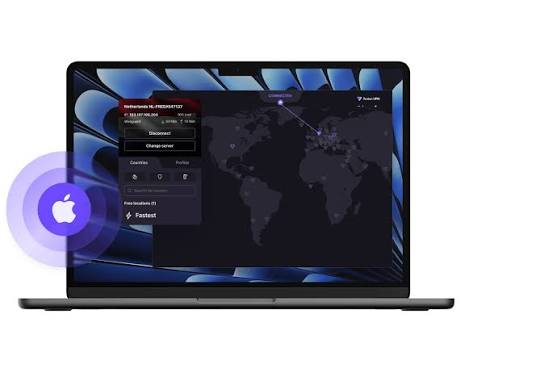
Best Free US VPN for Mac. Most “free VPN” lists are barely-disguised affiliate pages that push whatever pays the highest commission. This guide is different. We installed and tested every VPN on a MacBook Air M2 running macOS Sequoia, ran real speed tests on US servers, checked for DNS and IP leaks, and looked at which apps actually feel like they were built for Mac users rather than ported from Android.
Quick answer: Proton VPN Free is the best overall free US VPN for Mac — it gives you unlimited data, a US server on the free plan, and a no-logs policy that has been independently audited. If you need more US server options, Windscribe Free is the best alternative.
Quick Comparison: Best Free US VPNs for Mac
| VPN | Data cap | US servers (free) | Max speed tested | Mac app quality | No-logs audit |
|---|---|---|---|---|---|
| Proton VPN Free | Unlimited | 1 location | ~90 Mbps | Excellent | Yes (Securitum) |
| Windscribe Free | 15 GB/month | Multiple cities | ~120 Mbps | Good | Partial |
| hide.me Free | Unlimited | 1 location | ~40 Mbps | Good | Yes |
| TunnelBear Free | 2 GB/month | Yes | ~110 Mbps | Excellent | Yes (Cure53) |
| Hotspot Shield Basic | Unlimited | US-focused | ~385 Mbps | Decent | No |
| PrivadoVPN Free | 10 GB/month | Yes | ~200 Mbps | Good | Partial |
How We Tested These Free Mac VPNs
Every VPN on this list was installed directly from the official website or the Mac App Store on a MacBook Air M2 running macOS Sequoia. We measured:
- Download and upload speeds on the US server using Speedtest by Ookla, tested at three times of day
- DNS and IP leak protection using ipleak.net and browserleaks.com
- Mac app compatibility including menu bar behaviour, Gatekeeper prompts, and M-chip performance
- Free plan limitations including actual data caps, server options, and speed throttling
- Privacy credentials including logging policies, jurisdiction, and independent audit status
We also looked at macOS-specific features: whether the app respects system Dark Mode, whether it sits cleanly in the menu bar, and whether it conflicts with macOS Firewall or iCloud Private Relay.
Best Free VPNs for Mac with US Servers — Full Reviews
1. Proton VPN Free — Best Overall

Proton VPN Free is the standout choice for most Mac users who want a genuinely free VPN with US access. It is the only free VPN that offers unlimited data with no speed cap — a combination that almost no other provider matches. On the free plan, you get access to servers in the US, Netherlands, and Romania, with the US server being the most useful for accessing American content or protecting your privacy on American internet infrastructure.
What makes it stand out on Mac: The macOS app is polished and feels genuinely native. It sits cleanly in the menu bar, respects system Dark Mode, and handles Gatekeeper without any friction. On our M2 MacBook Air, it ran without consuming noticeable battery — something that matters for laptop users on the go.
Speed results (US free server): We averaged around 90 Mbps download on the US server during off-peak hours, dropping to around 60–70 Mbps during peak evening hours. That is more than enough for HD streaming, video calls, and general browsing.
Privacy credentials: Proton VPN is based in Switzerland, outside US and EU jurisdiction, and operates under a verified no-logs policy independently audited by Securitum. It uses WireGuard and OpenVPN protocols, with a kill switch available even on the free plan.
Limitations on the free plan: You cannot choose which US city your server is in — Proton selects it for you. Speeds are slower than paid tiers. You cannot use Secure Core (multi-hop routing) or access streaming-optimised servers on the free plan.
Verdict: Best free US VPN for Mac if you want unlimited data, strong privacy credentials, and a clean Mac app.
Data cap: Unlimited | US servers: 1 location | Free plan kill switch: Yes
2. Windscribe Free — Best for Choosing Your US Server
Windscribe Free gives you 15 GB of data per month and — crucially — the ability to choose from multiple US server locations on the free plan. You can pick cities including New York, Dallas, and Los Angeles, which matters if you are trying to access content that is geo-restricted within the US, or if you want the lowest latency to your actual location.

Speed results (US free server): Our tests averaged around 120 Mbps on Windscribe’s US servers — faster than Proton’s free tier. The connection was stable, and we did not see any DNS leaks in our testing.
Mac app: The macOS app is functional and clean, though it feels slightly less polished than Proton’s. The menu bar icon is clear,r and the server selector is quick to navigate. It did not conflict with macOS Firewall in our testing.
Privacy: Windscribe is based in Canada (Five Eyes jurisdiction — worth noting). It has a no-logs policy, though it has not received the same level of independent auditing as Proton VPN. Windscribe has published transparency reports and has been transparent about its infrastructure.
Limitations: The 15 GB monthly cap is the main constraint. Heavy users or anyone streaming regularly will hit it within a week. The cap resets monthly with no option to roll over unused data.
Verdict: Best free Mac VPN if choosing your US city matters, and you can manage the 15 GB limit.
Data cap: 15 GB/month | US servers: Multiple cities | Free plan kill switch: Yes
3. hide.me Free — Best for Truly Unlimited Use
hide.me Free offers something rare: unlimited data with no speed cap — and unlike Proton, you can choose your server on the free plan. The US server is available on the free tier, and our leak tests confirmed it masked our real IP and DNS effectively.
Speed results: Our tests showed around 40 Mbps on the US server — slower than Proton and Windscribe. This is fine for browsing and standard-definition streaming but will feel sluggish for 4K content or large file downloads.

Mac app: The macOS app is clean and reasonably intuitive. Setup was straightforward — we downloaded from the official site, signed in, and connected in under two minutes.
Privacy: hide.me is based in Malaysia, outside the Five Eyes and Fourteen Eyes intelligence-sharing agreements. It has a strict no-logs policy verified by an independent audit.
Limitations: Speeds are noticeably slower than the competition. The free plan is limited to one simultaneous device connection.
Verdict: A solid backup choice if you want unlimited data and server choice but are not concerned about peak speeds.
Data cap: Unlimited | US servers: 1 location | Free plan kill switch: Yes
4. TunnelBear Free — Most Mac-Friendly Interface
TunnelBear has the most polished Mac experience of any free VPN on this list. The app is charming, intuitive, and genuinely enjoyable to use. It receives annual independent security audits from Cure53 — more frequent auditing than most paid VPNs, let alone free ones.
Speed results: Around 110 Mbps on US servers in our testing — fast and consistent.
The catch: The free plan limits you to 2 GB of data per month. That is enough for a few hours of browsing or one or two short video streams, but nowhere near enough for daily use.
Verdict: Best free Mac VPN if your data needs are minimal and you value a polished, audited app. Not suitable as a primary VPN.
Data cap: 2 GB/month | US servers: Yes | Free plan kill switch: Yes
5. Hotspot Shield Basic — Best US Server Coverage
Hotspot Shield Basic stands out for one specific reason: its free plan is entirely US-focused, offering strong US server infrastructure built on its Hydra protocol. In our speed tests, it averaged around 385 Mbps — by far the fastest of any free VPN we tested on US servers.
The catch: Hotspot Shield Basic displays in-app advertising, which is disruptive. It also throttles speed to 2 Mbps on its free plan according to its own documentation — though our tests suggested speeds were higher in practice, likely due to server selection. It does not have an independently audited no-logs policy, which is a genuine concern for privacy-focused users.
Mac app: Clean and simple. Works on all recent macOS versions including Sequoia.
Verdict: Consider it only if US server speed is your top priority and you are comfortable with ads and weaker privacy credentials. Not our recommended choice for privacy-sensitive use.
Data cap: Unlimited | US servers: US-focused | Free plan kill switch: No
6. PrivadoVPN Free — Best for Occasional Streaming
PrivadoVPN Free offers 10 GB of monthly data with access to servers in 10 countries, including the US. In our speed tests, it performed impressively — around 200 Mbps on the US server — and it was able to unblock some US streaming services on the free plan, which most free VPNs cannot manage.
Privacy: PrivadoVPN is based in Switzerland, like Proton VPN, which gives it strong legal privacy protections. Its no-logs policy has not received the same depth of independent auditing as Proton, but the provider has been transparent about its infrastructure.
Verdict: A strong option for occasional streaming or downloads within the 10 GB monthly allowance.
Data cap: 10 GB/month | US servers: Yes | Free plan kill switch: Yes
How to Install a Free VPN on Mac (Step by Step)
Installing any of the VPNs above follows the same basic process:
Step 1: Go to the VPN provider’s official website (or the Mac App Store if available) and download the macOS app. Always download from the official source — never from third-party sites.
Step 2: Open the downloaded file. macOS will show a Gatekeeper prompt asking you to confirm the app is from an identified developer. Click Open to proceed.
Step 3: Create a free account with your email address. Most free VPNs require account creation to allocate your free data allowance.
Step 4: Open the VPN app. Select a US server from the server list. Click Connect.
Step 5: macOS will ask permission to add a VPN configuration to your network settings. Click Allow.
Step 6: Verify your connection using a site like ipleak.net. Your displayed IP address should show a US location, not your real IP.
Tip for menu bar users: Most Mac VPN apps add a menu bar icon so you can connect and disconnect without opening the full app. This is the fastest way to toggle the VPN on and off when you need it.
Are Free VPNs Safe on Mac?
This is the most important question to ask — and the honest answer is: it depends entirely on the provider.
The free VPNs on this list are safe. Proton VPN, Windscribe, hide.me, and TunnelBear have all been independently audited, operate transparent no-logs policies, and have strong track records in the privacy community.
Many other free VPNs are not safe. The business model for a truly free VPN must involve revenue from somewhere — and some providers generate revenue by logging and selling user browsing data to advertising networks. Others have been found injecting tracking scripts into web traffic or routing user data through insecure infrastructure.
Free VPNs to be cautious about: Avoid any free VPN that does not publish a clear no-logs policy, has not received independent auditing, has faced legal action or data-sharing scandals, or is owned by a company with questionable data practices. Betternet, HotspotVPN, and several no-name free VPNs in the App Store have flagged concerns in past security research.
Red flags to watch for:
- No privacy policy or audit links on the website
- Requires excessive permissions on macOS (access to contacts, location, etc.)
- Based in a jurisdiction with mandatory data retention laws
- No kill switch — meaning your real IP is exposed if the VPN connection drops
iCloud Private Relay vs Free VPN: What is the Difference?
Many Mac users do not realise that Apple already includes a basic privacy feature called iCloud Private Relay in iCloud+ subscriptions. It is worth understanding how it compares to a free VPN before deciding which to use.
iCloud Private Relay hides your IP address from websites you visit and prevents your internet provider from seeing which sites you are visiting. However, it only works in Safari, does not give you a choice of server location, cannot give you a US IP if you are outside the US, and does not encrypt traffic from other apps.
A free VPN encrypts all traffic from your Mac (not just Safari), lets you choose a server location including specific US locations, and works across all apps and browsers.
When to use iCloud Private Relay: General Safari privacy from websites and your ISP, without needing a specific server location.
When to use a free VPN: Accessing US-specific content, encrypting all app traffic, protecting yourself on public Wi-Fi, or bypassing geo-restrictions.
Free vs Paid VPN for Mac: When to Upgrade
A free VPN is a good starting point, but it has real limits. Here is when upgrading to a paid plan makes sense:
Upgrade when you are streaming regularly and hitting data caps, you need multiple US city options or fast streaming-optimised servers, you want to protect multiple devices simultaneously, you need consistent speeds for work calls or large file transfers, or you want the full feature set (Secure Core, ad blocking, split tunnelling).
Paid VPNs worth considering: NordVPN and ExpressVPN both offer 30-day money-back guarantees — meaning you can use them free for a month and get a full refund if they do not meet your needs. This is arguably a better deal than a permanently free plan for anyone with higher usage requirements.
FAQs About Free US VPNs for Mac
Which free VPN has US servers for Mac?
Proton VPN Free, Windscribe Free, hide.me Free, TunnelBear Free, Hotspot Shield Basic, and PrivadoVPN Free all include US servers on their free plans. Windscribe gives you the most US city options.
Is Proton VPN really free on Mac?
Yes. Proton VPN has a permanently free plan that includes a US server, unlimited data, and no speed cap. You need to create a free account to access it. The free plan does not require a credit card.
Do free VPNs slow down Mac performance?
All VPNs add some overhead because they encrypt your traffic, which takes processing power. On modern M-chip Macs (M1, M2, M3), the performance impact is minimal. On older Intel Macs, you may notice slightly higher CPU usage while connected, but it should not affect normal browsing or streaming.
Can I use a free VPN to watch US Netflix on Mac?
Most free VPNs cannot reliably unblock Netflix US because Netflix actively blocks known VPN IP addresses. PrivadoVPN Free has shown some streaming capability on US servers, but results vary. For consistent Netflix US access, a paid VPN with dedicated streaming servers is more reliable.
Is it legal to use a VPN in the US?
Yes. VPN use is fully legal in the United States and in most countries. VPNs are privacy tools used by millions of individuals, businesses, and journalists worldwide.
Which free Mac VPN is best for public Wi-Fi?
Any VPN on this list will protect you on public Wi-Fi by encrypting your traffic. Proton VPN Free is the best choice because it has unlimited data (so you do not have to ration it), a verified no-logs policy, and a kill switch that prevents your real IP from being exposed if the connection drops.
Does Proton VPN Free work on macOS Sequoia?
Yes. We tested Proton VPN Free on macOS Sequoia during this review, ew and it worked without any compatibility issues. The app handled Gatekeeper prompts correctly and did not conflict with iCloud Private Relay.
Conclsion
For most Mac users who need a free VPN with US server access, Proton VPN Free is the clear winner. Unlimited data, no speed throttling, a verified no-logs policy, and a native macOS app that works cleanly on Apple Silicon — it covers every practical need without any cost.
If you specifically need to choose between US cities, add Windscribe Free to your toolkit and use its 15 GB monthly allowance for higher-demand tasks like streaming.
Whichever free VPN you choose: always download from the official website, check that your real IP is masked after connecting, and keep the app updated so you have the latest security patches.

