
Free VPN for Mac without sign-up in 2026? You’re not alone. Many Mac users want a VPN that works instantly without creating an account, sharing personal information, or entering payment details. Whether you want to browse privately, access public Wi-Fi safely, or unblock basic content, several free VPNs now offer quick access with little or no registration required.
While completely account-free VPNs are becoming less common, a few trusted providers still let you connect immediately or keep the sign-up process to a minimum. The best options offer strong encryption, reliable speeds, a no-logs policy, and native support for the latest macOS versions, including Apple Silicon (M1, M2, M3, and newer Macs).

Mac Without Sign Up: In this guide, we’ll compare the best free VPNs for Mac without sign-up in 2026, highlighting their features, limitations, and which one is the right choice for your needs. Whether you’re a student, traveler, remote worker, or casual user, you’ll find a secure option that lets you protect your privacy without spending a penny or creating an unnecessary account.
You want to protect your Mac, but you don’t want to hand over your email to some random VPN app. That’s a fair concern — and more people are asking the same question.
The good news? There are solid free VPNs for Mac that work without asking for your personal details. Some let you download, install, and connect in under two minutes — no account, no credit card, no email.
In this guide, you’ll find:
- The best free VPNs for Mac that require no sign-up (or very minimal info)
- An honest comparison of each option — features and limitations both
- A simple step-by-step install guide, even if you’re not tech-savvy
- Real situations where a free VPN actually helps
No inflated claims. No hidden catches. Just practical advice you can use today.
- Check now –Best Free US VPN for Mac in 2026
Do You Really Need a VPN on Your Mac?
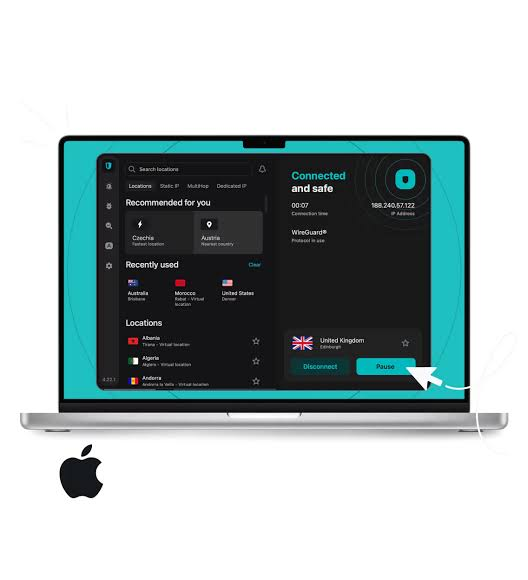
Macs have a strong reputation for security, and that reputation is mostly earned. They’re harder to target with malware than Windows machines. But “harder to target” is not the same as “safe.”
The biggest risk isn’t your Mac itself — it’s the network you connect to.
When you use public Wi-Fi at a café, airport, or hotel, your internet traffic can be read by others on the same network. This includes passwords, banking sessions, and personal messages if the sites you visit aren’t fully encrypted. A VPN creates an encrypted tunnel between your Mac and the internet, so your data is scrambled before it leaves your device.
A VPN also hides your IP address, which means websites and advertisers can’t track your location as easily.
You don’t need a VPN at home on a trusted private network. But the moment you connect to public Wi-Fi, a VPN is a simple and smart layer of protection.
What Does “No Sign-Up” Actually Mean?

Not all free VPNs mean the same thing when they say “free.” It helps to understand two categories:
Truly no sign-up: Download the app, open it, and connect. No email, no account, no verification. X-VPN and Planet VPN work like this.
Free with a basic email: You create a free account using any email address. No payment required. ProtonVPN falls here — you sign up, but it’s completely free, and they don’t ask for payment details.
Why does it matter? Because the whole point of a VPN is privacy. If a provider asks for your real email, phone number, or payment info, you’ve already shared personal data before even connecting.
For most people, a free email sign-up is an acceptable trade-off if the VPN itself is trustworthy. But if you want zero data shared, a truly no-sign-up option is what you need.
Keep in mind: VPNs that require no personal info at all tend to have fewer servers and more limitations. That’s a fair trade-off — you’re getting privacy tools for free.
Is a Free VPN Safe for Mac?
This is the right question to ask, and the honest answer is: it depends entirely on the provider.
The VPN market is full of apps that call themselves “free” but make money by logging your browsing data and selling it to advertisers. That defeats the entire purpose of using a VPN.
Green flags — signs a free VPN is trustworthy:
- Clear no-logs policy (ideally verified by an independent audit)
- Operated by a company with a known track record
- Open-source code or transparent privacy policy
- Based in a privacy-friendly country
Red flags — stay away from VPNs that:
- Ask for excessive device permissions
- Have no privacy policy or a vague one
- Are from unknown developers with no company background
- Have consistently negative reviews about data privacy
Every VPN in this article has been selected based on these criteria. They’re not perfect — free plans always come with limitations — but they won’t sell your data.
One honest note: free VPNs are not the right tool if you need maximum anonymity for sensitive work. For everyday privacy, public Wi-Fi protection, and basic browsing — they do the job.
Best Free VPNs for Mac Without Sign Up (Quick Comparison)
Here’s a side-by-side look at the top options so you can find what fits your needs:
| VPN | Sign-Up Required | Data Limit | Free Servers | Speed | Streaming |
|---|---|---|---|---|---|
| ProtonVPN | Yes (free email) | Unlimited | 10 countries | Good | No |
| X-VPN | No | Unlimited | 26 locations | Good | No |
| Planet VPN | No | Unlimited | 5 countries | Medium | No |
| Windscribe | Optional | 10GB/month | 11 countries | Good | Limited |
| hide.me | No | 10GB/month | 7 countries | Good | No |
Quick verdict: For most users, ProtonVPN (free email only) or X-VPN (truly no sign-up) are the safest and most reliable picks. If streaming is your goal, a free plan from any provider will disappoint — you’ll need a paid plan for that.
Top Picks — Honest Reviews
ProtonVPN Free — Best Overall (Needs a Free Email Sign-Up)
ProtonVPN is built by the same team behind ProtonMail — a well-known privacy company based in Switzerland. That matters, because Switzerland has some of the strongest privacy laws in the world.
What you get for free:
- Unlimited data — no monthly cap
- Servers in 10 countries including the US, Netherlands, and Japan
- Strong encryption (AES-256) and a no-logs policy
- Works well for general browsing and everyday use
What it limits:
- You need to create a free account with an email address
- Only 1 device on the free plan
- Slower speeds compared to their paid tier
- No streaming — Netflix and similar services are blocked on free servers
Best for: Anyone who wants the most trustworthy free VPN and doesn’t mind signing up with an email. The unlimited data makes it genuinely useful as a daily driver.
X-VPN Free — Best Truly No Sign-Up Option
X-VPN stands out because you genuinely don’t need to create an account. Download the app, open it, and connect. That’s it.
What you get for free:
- No account or email required
- Unlimited data and bandwidth
- Access to servers across 26 locations
- Kill switch included — cuts your internet if the VPN drops, keeping you protected
- Available on the Mac App Store and official website
What it limits:
- Free plan does not support streaming platforms
- Speed can vary depending on server load
- Fewer advanced settings compared to paid VPNs
Best for: Users who want the simplest possible setup with zero personal data shared. Great for public Wi-Fi protection and everyday private browsing.
Planet VPN Free — Good for Beginners
Planet VPN keeps things very simple. No sign-up, no data cap, and an interface that anyone can figure out in under a minute.
What you get for free:
- No account needed
- Unlimited data with no time limit
- Kill switch to prevent accidental data exposure
- AES-256 encryption
- Works on macOS from High Sierra through Sequoia
What it limits:
- Only 5 countries on the free plan — very limited server choice
- Speeds are average compared to ProtonVPN and X-VPN
- Smaller company — less transparency than Proton
Best for: First-time VPN users who want something that just works without any setup friction.
Windscribe Free — Best for Light Users
Windscribe takes a different approach. You can use it without signing up at all, but if you create a free account with an email, you get 10GB of data per month instead of 2GB.
What you get for free:
- Servers in 11 countries (witha free account)
- Good speeds and reliable connections
- Ad and tracker blocking built-in
- Optional sign-up — use anonymously if you prefer
What it limits:
- 10GB/month cap — fine for occasional use, not for daily browsing
- Streaming is limited and inconsistent on free servers
Best for: Someone who only needs a VPN occasionally — checking emails on hotel Wi-Fi, a quick secure session while travelling. The data cap means it’s not suitable for daily use.
How to Install a Free VPN on Your Mac (Step-by-Step)
This guide uses X-VPN as the example because it requires no sign-up and works for both install methods. The steps are nearly identical for other VPNs.
Method 1 — Download from the Official Website
This is the recommended method for most users.
- Open Safari or your browser and go to the official X-VPN website (xvpn.io)
- Click the Download for Mac button
- The file will download as a .dmg file — you’ll see it in your Downloads folder
- Double-click the .dmg file to open it
- A window will appear — drag the X-VPN icon into your Applications folder
- Open Launchpad or Finder → Applications, then click X-VPN to launch it
- macOS may show a security pop-up asking if you trust this app — click Open
- Once the app opens, tap the Connect button
You’re now connected. Your IP is hidden, and your traffic is encrypted.
About the macOS permission pop-up: When you first connect, macOS will ask permission to add a VPN configuration to your network settings. This is completely normal — click Allow. It’s the same prompt you’d see with any VPN app, and it’s required for the VPN to work.
Method 2 — Download from the Mac App Store
If you prefer to install through Apple’s official store:
- Open the App Store on your Mac
- Search for the VPN name (e.g., “X-VPN” or “ProtonVPN”)
- Click Get, then Install
- Once installed, open the app from Launchpad
- Follow the on-screen steps to connect
One important note: Always download VPN apps from either the official website or the Mac App Store. Avoid downloading from third-party download sites — some carry modified versions of apps that may contain malware.
Real-World Situations Where a Free VPN Helps
A VPN isn’t something you need running 24/7 at home. But in these situations, it genuinely makes a difference:
At a café or airport, public Wi-Fi networks are unsecured. Other people on the same network can potentially intercept your traffic. Connect your VPN before you open your browser — especially before checking email, banking, or logging into accounts.
Working remotely from a hotel: The hotel Wi-Fi is public Wi-Fi with a password. The password doesn’t make it secure for your data. A VPN encrypts your work traffic so sensitive files and logins stay protected.
Traveling abroad: Some countries restrict access to websites and services you rely on. A VPN lets you connect through a server in your home country to access what you normally use. It also protects your data on unfamiliar networks.
Basic everyday privacy: Your internet service provider (ISP) can see every website you visit. A VPN hides your browsing from them. If online privacy matters to you, running a VPN during regular browsing is a simple habit to build.
Honest Limitations of Free VPNs
Free VPNs are useful, but they’re not perfect. Here’s what you should realistically expect:
Slower speeds. Free servers are shared among many users. You’ll usually notice some slowdown, especially during peak hours. For general browsing and email, this is manageable. For video calls or large downloads, it can be frustrating.
Limited server locations. Free plans typically offer servers in 5 to 11 countries. If you need to connect to a specific country that isn’t available, you’ll hit a wall.
No streaming. Almost every free VPN blocks access to Netflix, Hulu, BBC iPlayer, and similar platforms. Streaming services actively block VPN IP addresses, and free VPN providers don’t invest in bypassing those blocks.
Data caps on some. Windscribe and hide.me cap your free usage at 10GB per month. That’s enough for light use, but not daily browsing.
One device at a time. Most free plans let you connect only one device. If you want to protect your phone and Mac at the same time, you’ll need a paid plan.
No live customer support. If something stops working, you’ll need to rely on help articles and forums. Free users generally don’t get priority support.
If you use a VPN daily or need streaming, a paid plan makes sense — quality plans are available for a few dollars a month. But for occasional use and basic privacy, a free option works fine.
FAQ
Can I use a free VPN on Mac without creating an account?
Yes. X-VPN and Planet VPN both work without any account or email address. Download the app, install it, and connect. No registration required.
Is it legal to use a VPN on a Mac?
In most countries — yes, absolutely. VPNs are legal in the US, UK, Canada, Australia, India, and across Europe. A small number of countries restrict VPN use, but for the vast majority of users reading this, there are no legal concerns.
Will a free VPN slow down my Mac?
A VPN adds a small amount of processing overhead, but modern Macs handle this easily. The bigger factor is server load — free servers are shared, so speeds can dip during busy times. For most browsing tasks, the slowdown is barely noticeable.
Can a free VPN protect me on public Wi-Fi?
Yes, and this is one of the best use cases for a free VPN. When you connect to a public network at a café, airport, or hotel, your traffic is vulnerable. A VPN encrypts it so even if someone intercepts your connection, they can’t read what you’re sending or receiving.
What’s the difference between a free VPN and a paid one?
Speed, server choice, and features. Paid VPNs offer faster connections, servers in 60+ countries, streaming support, and multiple devices. Free plans cover the basics well, but they’re deliberately limited to encourage upgrades. For occasional privacy needs, free is genuinely sufficient.
Does Mac have a built-in VPN?
macOS has built-in VPN settings that let you connect to corporate VPN servers — but it doesn’t come with a VPN service included. You still need a provider (like the ones in this guide) to actually connect through a VPN server. iCloud Private Relay, available on paid iCloud plans, offers some privacy protection but only works in Safari and is not a full VPN.
Conclusion
Protecting your Mac doesn’t have to cost anything or require giving up your email address.
For a genuinely no-sign-up experience, X-VPN and Planet VPN are the easiest options — download, install, connect. If you’re comfortable using a free email to sign up and want the most trustworthy option with unlimited data, ProtonVPN is the strongest pick overall.
Download one today and test it — most take under two minutes to set up. Start with public Wi-Fi protection, and you’ll quickly see how easy it is to browse with a little more confidence.

