best free VPN for Mac in India in 2026, you’re not alone. Whether you want to protect your privacy on public Wi-Fi, access geo-restricted websites, or browse securely, a reliable free VPN can help without requiring a paid subscription.
However, not all free VPNs are safe. Some collect your browsing data, display intrusive ads, or offer weak security. The best free VPNs for macOS provide strong encryption, a strict no-logs policy, and stable performance while keeping your personal information protected. Security-focused options such as Proton VPN Free, Windscribe Free, hide.me Free, PrivadoVPN Free, and TunnelBear Free continue to be among the most trusted choices for Mac users in India.

In this guide, you’ll discover the best free VPNs for Mac in India in 2026, compare their features, understand their limitations, and learn how to choose the right one for streaming, browsing, work, or everyday online privacy. By the end, you’ll know which free VPN offers the best balance of speed, security, and ease of use for your Mac.
free VPN for Mac in India is harder than it looks. Most free VPNs are either too slow, too limited, or quietly selling your data to third parties. A handful of them actually work well enough for everyday use — and this guide covers exactly those.
Whether you need a VPN for privacy, accessing geo-restricted content, or using public Wi-Fi safely, here are the best free VPN options for Mac users in India in 2026.
Why Indians Need a VPN on Mac
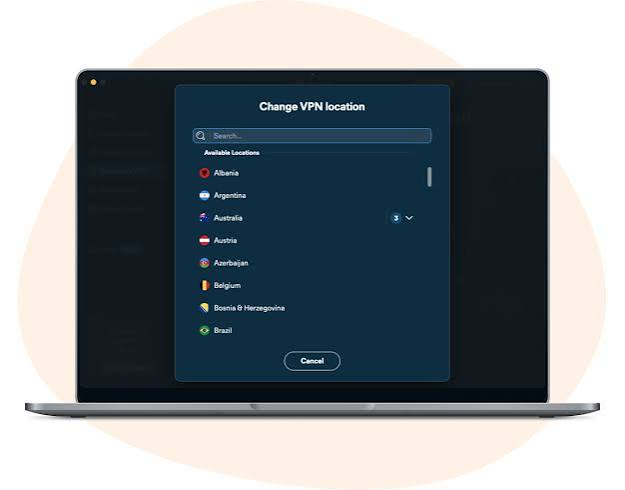
India’s internet landscape has changed significantly over the past few years. Content geo-restrictions, ISP throttling on streaming platforms, and increasing concerns around data privacy have pushed more users toward VPNs.
Specific reasons Mac users in India look for VPNs:
Access geo-restricted content — Some streaming platforms, sports broadcasts, and websites restrict access based on your Indian IP address. A VPN lets you appear to be browsing from another country.
Public Wi-Fi security — Coffee shops, airports, and coworking spaces in Indian cities often have unsecured networks. A VPN encrypts your connection and protects your data from sniffers on the same network.
ISP throttling — Some Indian ISPs throttle bandwidth on streaming platforms during peak hours. A VPN can bypass throttling by encrypting traffic so your ISP cannot identify what you’re doing.
Privacy from trackers — A VPN masks your real IP address, reducing the amount of data advertisers and websites can collect about you.
What to Look for in a Free Mac VPN
Before jumping into recommendations, understand what separates a good free VPN from a dangerous one:
No-logs policy — The VPN should not store records of your browsing activity. Look for independently audited no-logs claims.
Encryption standard — AES-256 encryption is the industry standard. Anything less is not worth using.
Data limits — Most free VPNs cap monthly data. Know the limit before committing.
Server locations — More server options mean better speeds and more flexibility.
macOS compatibility — The app should support recent macOS versions including macOS Sequoia (15.x) and be available on the Mac App Store or as a verified direct download.
No data selling — Some free VPNs monetize by selling user data to advertisers. Avoid any VPN that lacks a clear, audited privacy policy.
- Check now-Best VPN USA India
Best Free VPNs for Mac in India 2026
1. Proton VPN Free — Best Overall Free VPN for Mac
Proton VPN’s free plan is the most trustworthy free VPN available in 2026. It is run by the same Swiss team behind ProtonMail, with a strong privacy-first reputation.

Free plan features:
- Unlimited data — no monthly cap
- 3 server locations (USA, Netherlands, Japan)
- One device at a time
- AES-256 encryption with WireGuard and OpenVPN protocols
- Strict no-logs policy (independently audited)
- No ads, no data selling
Pros
- Unlimited free bandwidth.
- Excellent privacy and security features.
- Clean and beginner-friendly Mac application.
- No advertisements.
- Trusted provider with a strong reputation.
Cons
- Free users can access only a limited number of server locations.
- Streaming support is limited on the free plan.
- Does not support P2P (torrenting) on the free tier.
- Advanced features are available only with the paid version.
Best For
Proton VPN Free is ideal for:
- Everyday secure browsing.
- Protecting your Mac on public Wi-Fi.
- Students and remote workers.
- Privacy-conscious users.
- Anyone who wants a reliable free VPN without data limits.
macOS support: Full native Mac app, supports macOS 12 and above. Available on the Mac App Store and direct download from the Proton website.
Speed: Free plan servers are slower than paid servers because free users share limited bandwidth. For general browsing, privacy, and light streaming, speeds are acceptable. HD video streaming can be inconsistent depending on server load.
What it does well: Proton VPN Free is the only major free VPN with no data cap. For Mac users in India who want a trustworthy, privacy-focused VPN for daily use without paying anything, this is the top recommendation.
Limitations: Only 3 server locations. Cannot access Netflix India or other streaming platforms reliably on the free plan. Only one simultaneous connection.
Verdict: Best free VPN for Mac in India if you want privacy and unlimited data without spending anything.
2. Windscribe Free — Best for Data Flexibility

Windscribe offers one of the more generous free plans among VPN providers, with a monthly data allowance that can be extended.
Free plan features:
- 10GB data per month (base)
- Extra 5GB if you tweet about Windscribe (15GB total possible)
- 10+ server locations on the free plan (more than most free competitors)
- AES-256 encryption
- Built-in ad and tracker blocker (R.O.B.E.R.T.)
- No-logs policy
Pros
- Generous free monthly data allowance.
- Multiple free server locations.
- Fast performance for everyday browsing.
- Easy-to-use Mac application.
- Strong privacy and security protections.
- Includes ad and tracker blocking features.
Cons
- Free data is limited compared to unlimited plans.
- Some premium servers and advanced features require a paid subscription.
- Streaming support may be inconsistent on the free plan.
- Free server speeds can slow down during peak hours.
Best For
Windscribe Free is ideal for:
- Students and casual internet users.
- Secure browsing on public Wi-Fi.
- Remote workers needing occasional VPN access.
- Users who want more server location choices than most free VPNs.
- People looking for a balance between privacy, speed, and free monthly data.
macOS support: Native Mac app available for macOS 11 and above. Clean interface, easy to use.
Speed: Generally faster than Proton VPN Free because server selection is better. Speeds are solid for browsing and SD streaming.
What it does well: 10+ free server locations is unusually generous. The built-in ad blocker is a bonus — it blocks ads and trackers at the VPN level, not just in the browser. Works well for Indian users who want occasional VPN use throughout the month.
Limitations: 10–15GB monthly cap is enough for light use but not for heavy streaming. Free servers in India itself are not always available.
Verdict: Best free option for Mac users who need more server location variety than Proton VPN Free offers.
3. Tunnelbear Free — Best for Simplicity
Tunnelbear is known for having the friendliest interface of any VPN. The free plan is limited but the app experience is excellent.
Free plan features:
- 2GB data per month (can earn small extras through promotions)
- 47+ server locations (same access as paid users)
- AES-256 encryption
- GhostBear obfuscation (helps on restrictive networks)
- Independent security audit (one of the few VPNs to publish full audit results)
Pros
- Extremely easy to use for beginners.
- Attractive and intuitive interface.
- Strong security and privacy protections.
- Access to a wide range of server locations.
- Compatible with the latest versions of macOS.
Cons
- Free plan is limited to 2 GB of data per month.
- Not ideal for HD streaming or large downloads.
- Some advanced features require a premium subscription.
- Speeds may vary depending on server load.
Best For
TunnelBear Free is ideal for:
- First-time VPN users.
- Casual web browsing.
- Protecting your connection on public Wi-Fi.
- Travelers needing occasional secure internet access.
- Anyone looking for a hassle-free VPN on Mac.
macOS support: Full Mac app, supports recent macOS versions. Also available on the Mac App Store.
Speed: Good speeds when connected. The limitation is the 2GB data cap, not the speed itself.
What it does well: Tunnelbear’s security audit transparency is rare in the VPN industry. The app is genuinely the easiest to use — one click connects you. GhostBear obfuscation can be useful if your ISP or network is blocking standard VPN connections.
Limitations: 2GB per month is very little — roughly 2 hours of SD video streaming. This makes Tunnelbear Free suitable only for occasional, light use.
Verdict: Best for Mac users who want a simple, trustworthy VPN for occasional use and don’t need much data.
4. Hide.me Free — Best for Speed
Hide.me is a Malaysia-based VPN with a solid free plan and a reputation for good speeds.
Free plan features:
- 10GB data per month
- 5 server locations (including one in India)
- AES-256 encryption with WireGuard support
- Strict no-logs policy
- No registration required for the free plan
Pros
- Fast and consistent connection speeds.
- 10 GB of free monthly data.
- Strong privacy with a verified no-logs policy.
- Beginner-friendly macOS application.
- Supports modern VPN protocols.
- No ads or unnecessary tracking.
Cons
- Monthly data limit may not be enough for heavy streaming.
- Free users have access to a limited number of server locations.
- Premium features require a paid subscription.
- Some streaming platforms may detect the free servers.
Best For
hide.me Free is ideal for:
- Fast and secure everyday browsing.
- Remote work and video conferencing.
- Protecting personal information on public Wi-Fi.
- Students and professionals using macOS.
- Users who prioritize speed and privacy over unlimited data.
macOS support: Native Mac app available. Supports macOS 11 and above. Straightforward installation.
Speed: Hide.me consistently ranks among the fastest free VPNs in independent speed tests. WireGuard support on the free plan is a significant advantage — WireGuard is faster and more efficient than older VPN protocols.
What it does well: An Indian server on the free plan is genuinely useful for Indian users — it lets you access India-specific content when traveling abroad, or simply test the VPN on local infrastructure. The no-registration option means you can try the service without giving up your email address.
Limitations: 10GB monthly cap. Only 5 server locations. Free plan does not support P2P/torrenting.
Verdict: Best free VPN for Mac if speed is your top priority.
5. PrivadoVPN Free — Best for Streaming
PrivadoVPN is a Swiss-based provider that has emerged as a strong free option, particularly for streaming access.
Free plan features:
- 10GB high-speed data per month
- After 10GB, unlimited data at reduced speeds (throttled)
- 12 server locations
- AES-256 encryption
- No-logs policy
- Supports Netflix on select free servers
Pros
- Excellent streaming performance for a free VPN.
- Fast and reliable connection speeds.
- 10 GB of high-speed data every month.
- Easy setup on macOS.
- Strong security and privacy features.
- Supports the latest Mac devices and macOS versions.
Cons
- High-speed data is limited to 10 GB per month.
- Fewer server locations than the premium plan.
- Some streaming services may still detect free servers.
- Premium features require a paid subscription.
Best For
PrivadoVPN Free is ideal for:
- Watching videos and streaming content.
- Secure everyday browsing.
- Students and remote workers.
- Travelers needing a reliable VPN on public Wi-Fi.
- Mac users looking for a balance between speed and privacy.
macOS support: Native Mac app available, supports macOS 12 and above.
Speed: Fast on the high-speed allocation. The throttled unlimited data after 10GB is slower but still usable for browsing.
What it does well: PrivadoVPN Free is one of the few free VPNs that can access Netflix libraries on certain servers. The throttled unlimited data after the high-speed cap runs out is a nice safety net — you’re never completely cut off, just slowed down.
Limitations: The 10GB high-speed limit goes quickly if you’re streaming. Throttled speeds after the cap are not suitable for HD video.
Verdict: Best free VPN for Mac users in India who occasionally want to access international streaming content.
Free VPNs to Avoid in India
Not all free VPNs are worth your time — or safe to use. These are the categories and specific examples to avoid:
Free VPNs with no clear privacy policy — If a VPN doesn’t have a published, detailed privacy policy, assume they are selling your data.
Hola VPN — Hola routes your traffic through other users’ devices, not servers it controls. This means your connection is being used by strangers and their traffic may route through your IP. Avoid completely.
Opera VPN (built-in) — Opera’s built-in “VPN” is actually a proxy, not a true VPN. It only protects browser traffic, not other apps. It also collects and sells usage data.
Super VPN / Turbo VPN / Snap VPN — These low-quality free VPNs have repeatedly appeared in security research for data logging, malware distribution, and privacy violations. Avoid all of them.
Any VPN with pop-up ads inside the app — Legitimate VPN providers don’t fund their free plans through in-app advertising. If a free VPN shows you ads, your data is the product.
Mac-Specific Setup Tips
Setting up a VPN on Mac is straightforward, but a few tips make the experience better:
Use the native Mac app, not the browser extension — Browser extensions only protect browser traffic. The Mac app encrypts all traffic from all apps on your device.
Enable Kill Switch if available — A kill switch cuts your internet connection if the VPN drops, preventing your real IP from being exposed. Proton VPN and Hide.me offer this on their free plans.
Check for macOS compatibility — If you’re running macOS Sequoia (15.x), verify the VPN app has been updated for the latest version. Older VPN apps sometimes break after major macOS updates.
Allow VPN configuration in System Settings — When you first install a VPN on Mac, macOS will ask permission to add VPN configurations to System Settings. This is normal — approve it.
Test your IP after connecting — Visit a site like ipleak.net after connecting to verify your Indian IP address is masked and there are no DNS leaks.
Free vs. Paid VPN: When to Upgrade
A free VPN works well for:
- General privacy and browsing security
- Occasional public Wi-Fi protection
- Light streaming or accessing geo-blocked websites occasionally
- Testing a VPN before committing to a subscription
A paid VPN makes more sense when:
- You stream video regularly and need consistent speeds
- You need more than one device connected simultaneously
- You need reliable access to international Netflix, BBC iPlayer, or other premium streaming platforms
- You’re torrenting or doing anything that needs consistent high-speed connections
- You travel frequently and need a VPN you can rely on anywhere
For Indian users who upgrade, ExpressVPN, NordVPN, and Surfshark all offer dedicated Indian servers, fast speeds, and apps optimized for macOS.
FAQs
Q: Is using a VPN legal in India in 2026?
Yes, using a VPN is legal in India for individuals. However, CERT-In (Indian Computer Emergency Response Team) requires VPN providers operating servers in India to log user data and share it with authorities on request. This is why many premium VPNs have removed their physical Indian servers while still offering virtual Indian IP addresses. It does not affect the legality of using a VPN as an individual.
Q: Will a free VPN slow down my Mac’s internet?
Yes, all VPNs add some speed overhead due to encryption. Free VPNs typically have slower speeds than paid ones because more users share fewer servers. For general browsing, the slowdown is minimal. For HD streaming, free VPN speeds can be inconsistent.
Q: Can I use a free VPN on my MacBook for Netflix?
Most free VPNs are blocked by Netflix. PrivadoVPN Free works on select servers. Proton VPN Free does not reliably unblock Netflix. If Netflix access is your primary need, a paid VPN is more reliable.
Q: How many devices can I connect on a free VPN?
Most free VPN plans allow only one simultaneous connection. Proton VPN Free allows one device. Windscribe Free allows one device. If you need to protect your iPhone, Mac, and iPad simultaneously, you’ll need a paid plan.
Q: Which free VPN is fastest for Mac in India?
Hide.me and Windscribe consistently show the best speeds in independent testing. Hide.me’s WireGuard protocol support gives it an edge for raw speed.
Q: Is Proton VPN Free safe to use in India?
Yes. Proton VPN is based in Switzerland (strong privacy laws), has an independently audited no-logs policy, and does not require payment details for the free plan. It is one of the safest free VPNs available globally.
Q: Can a VPN protect me on Jio or Airtel networks?
Yes. A VPN encrypts your traffic on any network, including Jio and Airtel mobile data connections. Your ISP can see that you are connected to a VPN but cannot see what websites you visit or what data you send.
Conclusion
For Mac users in India looking for a free VPN in 2026, the clear first choice is Proton VPN Free — unlimited data, strong privacy credentials, and a solid Mac app with no watermarks or data selling. If server variety matters more to you, Windscribe Free is the next best option.
Avoid the temptation of random free VPNs found in app stores. The VPN market is full of products that are free because they profit from your data. The options listed in this guide are free because they use the free plan as a gateway to paid subscriptions — which means they have a legitimate business model that doesn’t rely on monetizing your traffic.
Start with Proton VPN Free, use it for a month, and decide from there whether a paid plan makes sense for your needs.