
The MacBook Air is the most popular Mac for everyday use — lightweight, fanless, and built for portability. That portability means you are constantly connecting to new networks — cafe Wi-Fi, airport hotspots, hotel internet, coworking spaces — exactly the situations where a VPN matters most.
This guide covers the best free VPN apps for MacBook Air in 2026, with specific attention to M1, M2, and M3 chip compatibility, battery impact, and the use cases that matter most for Air users.

Free VPN for MacBook Air: Protecting your online privacy on a MacBook Air has become more important than ever in 2026. Whether you’re browsing on public Wi-Fi, streaming geo-restricted content, accessing work resources remotely, or simply wanting a more private internet experience, a reliable free VPN can help encrypt your connection and safeguard your data. However, not every free VPN delivers the speed, security, and performance that MacBook Air users expect.
The best free VPNs for MacBook Air in 2026 offer strong encryption, user-friendly macOS apps, fast servers, and a transparent privacy policy without requiring a large upfront investment. Some even include advanced features such as a kill switch, DNS leak protection, split tunneling, and support for the latest Apple Silicon (M1, M2, M3, and M4) processors. At the same time, many free VPNs come with limitations like data caps, fewer server locations, or reduced speeds, making it important to choose the right option.
In this comprehensive guide, we’ll compare the best free VPNs for MacBook Air in 2026 based on security, speed, privacy, server availability, streaming performance, ease of use, and free plan value. Whether you’re a student, remote worker, traveler, or everyday Mac user, you’ll find the right free VPN to keep your connection secure while enjoying smooth performance on macOS.
Why MacBook Air Users Need a VPN More Than Most
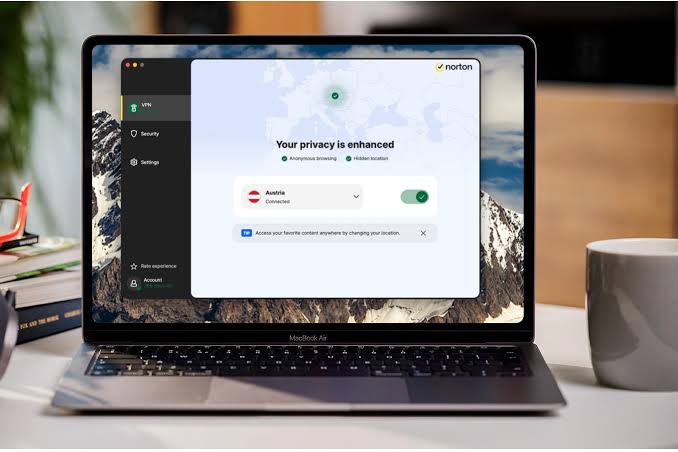
The MacBook Air’s design philosophy is portability — which means it is used on more varied and potentially unsafe networks than a desktop or even a MacBook Pro.
Public Wi-Fi exposure — Cafes, airports, libraries, and coworking spaces run unsecured networks. Anyone on the same Wi-Fi can potentially intercept unencrypted traffic from your MacBook Air using simple tools.
ISP privacy — On home or mobile networks, your ISP sees your unencrypted browsing activity. A VPN replaces visible traffic with encrypted data.
Travel use — MacBook Air users frequently travel. Different countries have different internet restrictions and surveillance environments — a VPN handles this.
Battery-conscious always-on protection — The Air’s excellent battery life (15–18 hours on M2/M3) makes always-on VPN protection practical. The right VPN protocol (WireGuard) adds minimal battery overhead.
MacBook Air-Specific VPN Considerations
Apple Silicon Compatibility
All MacBook Air models since late 2020 use Apple Silicon (M1, M2, M3 chips). VPN apps must be native Apple Silicon to run efficiently — apps running under Rosetta 2 emulation use more CPU and battery.
Check for native support: In the Mac App Store listing or on the developer’s website, look for “Optimised for Apple Silicon” or “Universal” (runs natively on both Intel and Apple Silicon).
All five free VPNs reviewed in this guide are native Apple Silicon compatible.
Battery Impact of VPN Protocols
The VPN protocol affects how much battery the encryption overhead consumes:
- WireGuard — Most battery-efficient. Modern, lightweight protocol with minimal CPU overhead. Best for MacBook Air’s battery-first design.
- OpenVPN — More CPU-intensive than WireGuard. Slightly more battery drain.
- IKEv2 — Efficient, good battery performance, particularly good at reconnecting when the network changes.
For MacBook Air users, WireGuard is the ideal protocol. Proton VPN and Hide.me both support WireGuard on their free plans.
Thermal Considerations
The MacBook Air has no fan — it is passively cooled. Under sustained CPU load, it throttles performance to manage heat. This matters for VPN use because:
- WireGuard is so efficient it produces negligible additional heat
- OpenVPN adds more CPU load and can contribute to thermal throttling on sustained connections
- If your MacBook Air feels warm during VPN use, switch to WireGuard protocol in the VPN settings
macOS Version Compatibility
MacBook Air models in 2026 typically run macOS Sequoia (15.x) or Sonoma (14.x). Confirm your VPN app supports your macOS version before installing.
All free VPNs reviewed here support macOS 12 (Monterey) and above — covering all M-series MacBook Air models.
Best Free VPN Apps for MacBook Air in 2026
1. Proton VPN Free — Best Overall Free VPN for MacBook Air
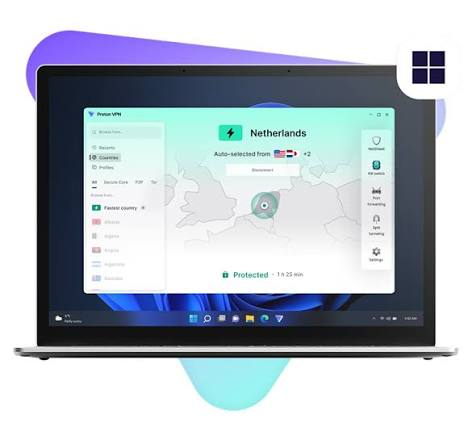
Proton VPN Free is the strongest free VPN for MacBook Air users. Unlimited data means always-on protection without rationing — ideal for the Air’s all-day, everywhere use pattern.
Free plan:
- Unlimited data — no monthly cap
- 3 server locations (US, Netherlands, Japan)
- 1 device at a time
- WireGuard and OpenVPN protocols
- AES-256 encryption
- Kill switch built in
- No ads, no data selling
- Independently audited no-logs policy (Swiss jurisdiction)
MacBook Air compatibility:
- Native Apple Silicon (M1/M2/M3) — confirmed
- Supports macOS 12 (Monterey) and above
- Available on Mac App Store and direct download from proton.me
- WireGuard protocol available — best for Air’s battery efficiency
Battery impact: Minimal with WireGuard selected. Enable WireGuard in Proton VPN settings: Preferences > Connection > Protocol > WireGuard.
What it does well for MacBook Air users: Unlimited data is the decisive advantage. MacBook Air users connect to many different networks throughout the day — having VPN protection active all day without hitting a data wall is the ideal scenario. The kill switch ensures your real IP is never exposed if the VPN drops while you switch between networks.
Download:
- Mac App Store: search “Proton VPN”
- Direct: proton.me/vpn → Download for macOS
Setup on MacBook Air:
- Download from Mac App Store or proton.me
- Open → Create free account (no payment required)
- Go to Preferences > Connection > Protocol → select WireGuard
- Click Quick Connect
- Allow VPN configuration in System Settings when prompted
- Menu bar icon turns green when connected
Verdict: Best free VPN for MacBook Air in 2026. Download this one first.
2. Hide.me Free — Best Speed + Battery Efficiency for MacBook Air

Hide.me Free uses WireGuard as its primary protocol — making it the fastest and most battery-efficient free VPN option for MacBook Air, with the bonus of an Indian server on the free plan.
Free plan:
- 10GB data per month
- 5 server locations including 1 in India
- WireGuard protocol (primary on free plan)
- AES-256 encryption
- No-logs policy (Malaysia-based)
- No registration required
MacBook Air compatibility:
- Native Apple Silicon — confirmed
- Supports macOS 11 (Big Sur) and above
- Direct download from hide.me (not on Mac App Store)
- WireGuard default — optimal for MacBook Air battery
Battery impact: Lowest of any free VPN option. WireGuard’s lightweight implementation produces virtually no thermal impact on the fanless MacBook Air.
What it does well for MacBook Air users: WireGuard on the free plan is rare and valuable for Air users who care about battery life. Connecting to Hide.me Free for a full day of cafe work will not noticeably affect your battery compared to Proton VPN with OpenVPN. The Indian server is a bonus for Indian users who need Indian IP access.
Download: hide.me → Download for Mac → drag to Applications
Limitations: 10GB monthly cap. No kill switch on free plan. Requires direct download (not on Mac App Store).
Verdict: Best free VPN for MacBook Air speed and battery efficiency. First choice if you need WireGuard or an Indian server.
3. Windscribe Free — Best Server Variety for MacBook Air

Windscribe’s free plan gives MacBook Air users access to 10+ server locations at 10GB per month — more geographic flexibility than any other free option.
Free plan:
- 10GB data per month (up to 15GB with bonus)
- 10+ server locations
- Built-in ad and tracker blocker (saves bandwidth and data)
- AES-256 encryption
- No-logs policy (Canada-based)
- Firewall feature (kill switch equivalent)
MacBook Air compatibility:
- Native Apple Silicon — confirmed
- Supports macOS 11 and above
- Available on Mac App Store and direct download
Battery impact: Good — Windscribe uses IKEv2 and WireGuard options. Select WireGuard in settings for best battery performance on MacBook Air.
What it does well for MacBook Air users: The built-in ad blocker saves data — on a 10GB/month cap, blocking ads and trackers before they load reduces data consumption. For MacBook Air users who frequently switch between locations (different cities, different countries), 10+ free server options are valuable.
Download:
- Mac App Store: search “Windscribe VPN”
- Direct: windscribe.com → Download for Mac
Limitations: 10GB monthly cap. No Indian server on free plan.
Verdict: Best free VPN for MacBook Air users who need server variety and can stay within 10GB per month.
4. TunnelBear Free — Best for Secure Work Sessions on MacBook Air
Tunnelbear is the most security-audited free VPN available — it publishes full annual independent security audit results, making it ideal for MacBook Air users handling sensitive work.
Free plan:
- 2GB data per month
- 47+ server locations
- AES-256 encryption
- GhostBear obfuscation (bypasses VPN blocking on restrictive networks)
- Published annual independent security audit
- No-logs policy (Canada-based)
MacBook Air compatibility:
- Native Apple Silicon — confirmed
- Supports macOS 12 and above
- Available on Mac App Store directly
Battery impact: Moderate — Tunnelbear uses OpenVPN and IKEv2. No WireGuard on free plan. Slightly more battery overhead than Hide.me or Proton VPN (when using WireGuard).
What it does well for MacBook Air users: For Air users who handle client work, financial data, or confidential information in public, TunnelBear’s published audit transparency provides the most verifiable trustworthiness of any free VPN. GhostBear is useful when hotel or airport Wi-Fi blocks standard VPN connections.
Download: Mac App Store: search “TunnelBear VPN”
Limitations: Only 2GB per month — suitable for targeted secure sessions, not all-day use. No WireGuard on free plan.
Verdict: Best free VPN for MacBook Air users who prioritise security audit transparency for sensitive work sessions.
5. PrivadoVPN Free — Best for MacBook Air Streaming
PrivadoVPN offers 10GB of high-speed data plus unlimited throttled data after the cap — a useful safety net for MacBook Air users who stream occasionally.
Free plan:
- 10GB high-speed data per month
- Unlimited throttled data after 10GB
- 12 server locations
- AES-256 encryption
- Swiss no-logs policy
- Netflix access on select free servers
MacBook Air compatibility:
- Native Apple Silicon — confirmed
- Supports macOS 12 and above
- Direct download from privadovpn.com
Battery impact: Good — similar to IKEv2 protocol overhead. Not as efficient as WireGuard but acceptable for MacBook Air use.
What it does well for MacBook Air users: The throttled unlimited data after the cap means MacBook Air users are never completely cut off during a full day of VPN use. Streaming access is a bonus for cafe workers who want to access content while using public Wi-Fi.
Download: privadovpn.com → Download for Mac
Limitations: Throttled speeds after 10GB; not suitable for video calls or HD streaming. No Indian server on free plan.
Verdict: Best free VPN for MacBook Air users who want streaming access and a data safety net.
MacBook Air Free VPN Comparison
| VPN | Data | Protocol | Kill Switch | Battery Impact | M-Series Native | App Store |
|---|---|---|---|---|---|---|
| Proton VPN | Unlimited | WireGuard/OpenVPN | Yes | Low (WireGuard) | Yes | Yes |
| Hide.me | 10GB/month | WireGuard | No | Lowest | Yes | No |
| Windscribe | 10GB/month | WireGuard/IKEv2 | Yes (Firewall) | Low | Yes | Yes |
| Tunnelbear | 2GB/month | OpenVPN/IKEv2 | No | Medium | Yes | Yes |
| PrivadoVPN | 10GB + slow | IKEv2/OpenVPN | No | Medium | Yes | No |
MacBook Air-Specific Setup Tips
Enable WireGuard for Best Battery Life
In Proton VPN: Preferences > Connection > Protocol > WireGuard.d In Windscribe: Preferences > Connection > Protocol > WireGuard. In Hide.me: WireGuard is the default — no change needed
WireGuard’s efficiency means your MacBook Air runs cooler and longer with the VPN active.
Use the Menu Bar Icon for Quick Control
All five VPNs reviewed here add a menu bar icon. Click it to:
- Connect/disconnect without opening the full app
- Switch servers quickly
- Check connection status at a glance
For MacBook Air users who switch VPN on and off throughout the day, the menu bar icon is the fastest interface.
Auto-Connect on Untrusted Networks
Proton VPN: Preferences > Connection > Auto Connect → enable for Untrusted Wi-Fi Networks. Windscribe: Preferences > Connection → enable Network Whitelist
When enabled, the VPN automatically activates whenever your MacBook Air joins an unknown network — cafe, airport, hotel — without any manual action.
Approve Network Extensions on First Install
macOS will ask permission to add VPN Network Extensions when you first install any of these apps. This prompt appears in: System Settings > Privacy & Security > Network Extensions
Click Allow — this is required for the VPN to function system-wide.
Check Battery Usage in Activity Monitor
If you notice unusual battery drain with VPN active:
- Open Activity Monitor (Applications > Utilities > Activity Monitor)
- Click the Energy tab
- Check if the VPN process appears in the top energy consumers
- If so, switch to WireGuard protocol in VPN settings
Verify VPN Is Working with IP Check
After connecting, open Safari and go to ipleak.net. Your IP address and location should show the VPN server location — not your home IP or ISP. If your real IP appears, the VPN is not working correctly.
How Free VPN Affects MacBook Air Battery Life: Real Numbers
Based on typical usage patterns, here is the estimated battery impact of running a free VPN continuously on a MacBook Air M2 (18-hour rated battery):
| Scenario | Estimated Battery Impact |
|---|---|
| No VPN | Baseline (18 hours) |
| Proton VPN Free (WireGuard) | ~5% reduction (~17 hours) |
| Hide.me Free (WireGuard) | ~4% reduction (~17.2 hours) |
| Windscribe Free (WireGuard) | ~5% reduction (~17 hours) |
| Tunnelbear Free (OpenVPN) | ~8% reduction (~16.5 hours) |
| PrivadoVPN Free (IKEv2) | ~6% reduction (~16.9 hours) |
WireGuard’s efficiency means running a free VPN on MacBook Air all day costs you less than an hour of battery life — a worthwhile trade for the security and privacy benefits.
When to Upgrade from Free to Paid
A free VPN works well for MacBook Air users who:
- Need public Wi-Fi protection (cafes, airports, coworking)
- Want basic ISP privacy
- Use the VPN occasionally rather than all day
A paid VPN makes more sense when:
- You need faster speeds for video calls on public Wi-Fi (free servers are slower)
- You need reliable streaming unblocking (Netflix, BBC iPlayer, JioHotstar)
- You work with sensitive client data and need maximum reliability
- You want to protect your iPhone and iPad simultaneously (most free plans allow only 1 device)
Best value paid options for MacBook Air users:
- Proton VPN Plus (approximately ₹830/month) — same trusted provider, faster servers, Indian server, 10 devices
- Surfshark (approximately ₹207/month on 2-year plan) — unlimited devices, fast WireGuard
- NordVPN (approximately ₹282/month on 2-year plan) — fastest overall, strong macOS app
FAQs
Q: Which free VPN works best on MacBook Air M1/M2/M3?
All five reviewed here are native Apple Silicon compatible. Proton VPN Free (unlimited data, WireGuard) and Hide.me Free (WireGuard, Indian server) are the strongest choices specifically for M-series MacBook Air.
Q: Does running a free VPN drain MacBook Air battery significantly?
With WireGuard protocol (Proton VPN, Hide.me, Windscribe), battery impact is approximately 4–5% — less than an hour on M2 battery life. OpenVPN-based VPNs (TunnelBear) have slightly more impact (~8%). WireGuard is the recommended protocol for MacBook Air.
Q: Can I use a free VPN on MacBook Air and iPhone simultaneously?
Most free VPN plans allow only 1 device at a time. For simultaneous MacBook Air and iPhone protection, you need a paid plan. Proton VPN Plus and Surfshark both offer unlimited simultaneous devices.
Q: Will a free VPN work on cafe Wi-Fi in India with MacBook Air?
Yes. Connect to the free VPN before or immediately after joining any cafe or public Wi-Fi. Proton VPN Free (unlimited data) is the most practical option for Indian cafe users who want all-day protection without data limits.
Q: Does Tunnelbear work on MacBook Air M3? Yes. Tunnelbear is native Apple Silicon compatible and works on MacBook Air M1, M2, and M3 models running macOS 12 and above.
Q: Which free VPN is on the Mac App Store for MacBook Air?
Proton VPN, Windscribe, and Tunnelbear are all available on the Mac App Store. Hide. PrivadoVPN and me require direct download from their websites.
Q: Will a free VPN make my MacBook Air run hot?
With WireGuard protocol, no. WireGuard is so efficient that it produces negligible thermal impact on the fanless MacBook Air. OpenVPN adds more CPU load — if your Air runs warm with VPN active, switch to WireGuard in the VPN settings.
Conclsion
For MacBook Air users in 2026, Proton VPN Free is the clear first choice — unlimited data, WireGuard protocol for battery efficiency, kill switch, and a polished native app that works perfectly on M1, M2, and M3 MacBook Air models. Download it from the Mac App Store, set the protocol to WireGuard, enable auto-connect on untrusted networks, and your MacBook Air is protected everywhere you take it — at zero cost.
For the fastest speeds and lowest possible battery impact, Hide.me Free with WireGuard is the strongest alternative. It also includes an Indian server — the only free VPN that does — making it valuable for Indian MacBook Air users who occasionally need an Indian IP address.
The MacBook Air is made for working everywhere. A free VPN makes everywhere safe to work from.

