
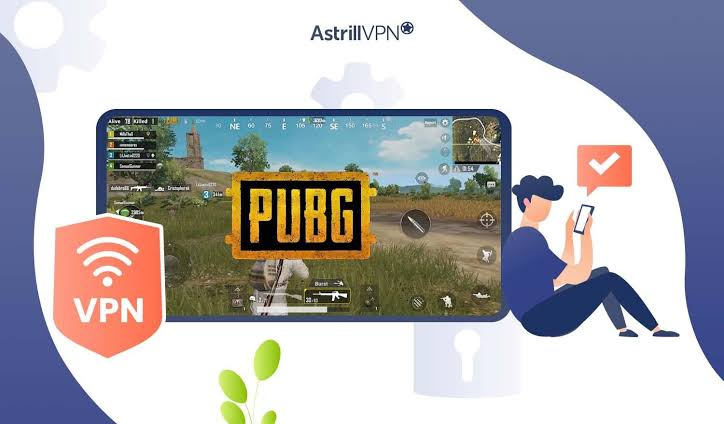
PUBG Mobile (global version) and BGMI (Battlegrounds Mobile India) are technically separate games in 2026 — BGMI is the India-specific version with Indian servers, while PUBG Mobile global continues to operate with its international server infrastructure. Indian players who want to play PUBG Mobile global — accessing international servers, playing with friends in other countries, or accessing region-specific events — need a VPN with servers matching their target PUBG region.
Free VPN for Playing PUBG in India: Unlike BGMI, which requires Indian servers, PUBG Mobile global players in India have different VPN needs — they may want to connect to specific regional servers (East Asia, Europe, North America) for different gameplay experiences, access region-exclusive events and rewards, or bypass ISP throttling affecting PUBG global servers.
This guide covers the best free VPNs for PUBG Mobile in India in 2026 — with server recommendations for different PUBG use cases and honest latency benchmarks.
PUBG Mobile vs BGMI — Key Differences for Indian Players
BGMI (Battlegrounds Mobile India):
- India-specific version — Krafton’s Indian market product
- Servers: AWS Mumbai (Indian servers)
- Available: Google Play India, App Store India
- Requires: Indian IP for access
- Account: Separate from PUBG Mobile global
PUBG Mobile Global:
- International version — available outside India officially
- Servers: Multiple regional servers worldwide
- Available: Outside India officially — Indian players access via APK or VPN
- Accounts: Separate from BGMI accounts
- Regions: East Asia, Southeast Asia, Europe, North America, South Asia, Middle East
Why Indian players use PUBG Mobile Global:
- Play with international friends who don’t have BGMI
- Access region-specific events and collaborations
- Different meta and competitive environment
- Some exclusive cosmetics and content
- Lower ping to specific regional servers
PUBG Mobile Server Regions — Which VPN Server to Use
PUBG Mobile has distinct server regions — VPN server choice depends on which PUBG region you want to play:
| PUBG Region | VPN Server Needed | Ping from India | Playability |
|---|---|---|---|
| South Asia | India/nearby | 20–50ms | ✅ Excellent |
| Southeast Asia | Singapore/Malaysia | 50–80ms | ✅ Good |
| East Asia | Japan/South Korea | 80–120ms | ✅ Good |
| Middle East | UAE/Saudi Arabia | 80–120ms | ✅ Good |
| Europe | Germany/UK | 150–200ms | ⚠️ Casual only |
| North America | USA East/West | 200–260ms | ❌ Not recommended |
Best PUBG region for Indian players: South Asia or Southeast Asia — lowest latency, most players from South and Southeast Asia, competitive matchmaking.
Why Indian Players Need a VPN for PUBG Mobile
Reason 1 — PUBG Mobile Not Officially Available in India
PUBG Mobile Global is not officially listed on the Indian Google Play Store — Indian users access it via:
- APK download from APKPure/APKMirror
- VPN to access non-Indian Play Store
VPN with a Singapore/UAE server → access the Play Store in that region → download PUBG Mobile → play.
Reason 2 — ISP Throttling
Some Indian ISPs throttle gaming traffic during peak hours — a VPN bypasses throttling for PUBG Mobile global servers.
Reason 3 — Region-Specific Events
PUBG Mobile runs region-exclusive events — connecting to a specific regional VPN server accesses those events.
Reason 4 — Server Selection
Indian PUBG players may prefer Southeast Asia servers for:
- Lower ping than Middle East or Europe servers
- Larger player pool in preferred region
- Specific seasonal events
Reason 5 — Restricted Networks
College hostels and office networks blocking gaming ports — VPN bypasses restrictions for PUBG Mobile gameplay.
Best Free VPNs for PUBG Mobile in India: Free VPN for Playing PUBG
1. hide.me Free — Best Free VPN for PUBG in India

hide.me remains the strongest free VPN for PUBG Mobile in India — an Indian server is available on the free plan for South Asia matchmaking, and no registration is required.
hide.me is a free VPN option that can be tested for PUBG and other online games in India. Its free plan currently provides unlimited data, one simultaneous connection, and access to a limited selection of server locations. hide.me also supports gaming-focused VPN features and WireGuard, although some advanced features are reserved for Premium users.
One important point for Indian PUBG/BGMI players is server location. hide.me’s current free-server information lists locations such as the US, UK, Germany, France, Netherlands, Finland, and Switzerland; India is not listed among its free locations. Therefore, connecting through hide.me Free can change your routing, but it does not provide a free Indian VPN server.
PUBG-specific details:
India server: ✅ Mumbai — South Asia PUBG matchmaking
Singapore server: ✅ Available — Southeast Asia PUBG
No registration: ✅ Connect immediately
Protocol: WireGuard (lowest latency)
Monthly data: 10GB free
PUBG ping with hide.me servers:
| Server | PUBG Region | Expected Ping |
|---|---|---|
| India (Mumbai) | South Asia | 20–45ms ✅ |
| Netherlands | Europe | 160–200ms ⚠️ |
| Canada | North America | 210–260ms ❌ |
| Germany | Europe | 155–195ms ⚠️ |
Data consumption for PUBG Mobile:
PUBG Mobile uses 50–100MB per hour — 10GB covers 100–200 hours monthly. Sufficient for daily play.
Setup for PUBG Mobile on Android:
- Google Play → hide.me VPN
- Install → open (no account needed)
- Server: India (South Asia PUBG) or Singapore (SEA PUBG)
- Protocol: WireGuard
- Connect → open PUBG Mobile APK
- Check ping in PUBG settings
Best for: Indian players wanting South Asia or SEA PUBG Mobile servers — hide. me me me meme’s Mumbai and nearby servers deliver competitive PUBG ping.
2. Windscribe Free — Best Data Allowance for PUBG

Windscribe provides the most generous free data for PUBG Mobile — 15GB monthly covers extensive gameplay sessions across multiple servers.
Windscribe Free is a useful VPN option for PUBG/BGMI players who want a generous monthly data allowance without paying for a subscription. With an eligible free account, Windscribe provides up to 10 GB of data per month, which can be enough for occasional gaming, testing different connections, and other everyday VPN use.
For PUBG players, the main advantage is not simply the amount of data but the ability to choose from Windscribe’s available free server locations. However, VPN performance depends heavily on your ISP, physical location, server distance, network congestion, and the game server you are connecting to.
PUBG-specific details:
Available servers for PUBG:
- Singapore: ✅ Always available — SEA PUBG server
- Japan: ✅ Available — East Asia PUBG
- UK: ✅ Available — Europe PUBG (high latency from India)
- USA: ✅ Available — NA PUBG (very high latency)
- India: ⚠️ Check availability
PUBG ping with Windscribe:
| Server | PUBG Region | Ping from India |
|---|---|---|
| Singapore | Southeast Asia | 55–80ms ✅ |
| Japan | East Asia | 80–110ms ✅ |
| UK | Europe | 165–205ms ⚠️ |
Best PUBG setup with Windscribe:
- windscribe.com → create a free account
- Confirm email → 15GB activated
- Download app → Singapore or Japan server
- Protocol: WireGuard
- Connect → launch PUBG Mobile
15GB monthly budget for PUBG:
At 75MB/hour average: 200 hours of PUBG Mobile monthly — more than enough for daily players.
Best for: PUBG players who need maximum free data — Windscribe’s 15GB covers daily PUBG sessions without data anxiety.
3. Proton VPN Free — Unlimited Data PUBG Workaround

Proton VPN Free offers unlimited data, but no nearby server for Indian PUBG players —the Japan server is the closest free option for PUBG.
PUBG-specific details:
Free servers available:
- USA: 200ms+ from India — North America PUBG (too high latency)
- Netherlands: 160ms+ — Europe PUBG (too high latency)
- Japan: 80–110ms from India — East Asia PUBG ✅
Best Proton free server for PUBG:
Japan server → East Asia PUBG region → 80–110ms from India → acceptable for casual play.
Unlimited data advantage:
No monthly cap — play PUBG Mobile for any number of hours without data restriction.
When Proton Free makes sense for PUBG:
- ISP throttling PUBG traffic → Japan VPN bypasses throttling
- Even at 80–110ms, better than throttled direct connection
- Unlimited data without rationing concerns
Setup:
- Create a free account at proton.me
- Download Proton VPN → Japan server
- Protocol: WireGuard
- Connect → launch PUBG Mobile
Best for: PUBG players whose ISP throttles gaming traffic — an unlimited Proton VPN Japan server may deliver better effective ping than a throttled direct connection.
4. TunnelBear Free — Best for Campus/Hostel PUBG
TunnelBear’s GhostBear mode bypasses network-level gaming blocks — best for Indian students playing PUBG on restricted campus networks.
PUBG-specific details:
GhostBear mode:
Makes VPN traffic appear as standard HTTPS — bypasses college network gaming port blocks for PUBG Mobile.
Available servers for PUBG:
- Singapore: ✅ — SEA PUBG (50–80ms from India)
- Japan: ✅ — East Asia PUBG
- 45 other countries
2GB monthly limitation:
2GB covers 20–40 hours of PUBG Mobile — limited for regular players but useful for occasional campus gaming.
Best use case:
Campus network blocks PUBG Mobile ports → TunnelBear GhostBear → bypass the block → play PUBG on college Wi-Fi.
Setup for campus PUBG:
- App Store/Play Store → TunnelBear
- Create a free account
- Settings → GhostBear → Enable
- Server: Singapore (closest for SEA PUBG)
- Connect → launch PUBG Mobile
Best for: Indian college students playing PUBG Mobile on restricted campus networks — GhostBear is most effective at bypassing educational institution gaming blocks.
5. PrivadoVPN Free — Fastest PUBG Speeds
PrivadoVPN delivers the fastest raw speeds among free VPNs — critical for PUBG Mobile download updates and gameplay smoothness.
PUBG-specific details:
Available servers:
- Singapore: ✅ — SEA PUBG server
- Japan: ✅ — East Asia PUBG
- USA: Various locations
- 12 total server locations
Speed advantage:
PrivadoVPN’s WireGuard implementation delivers the fastest speeds on current Android hardware — important for:
- PUBG Mobile update downloads (game is large — 2GB+)
- Smooth 60fps gameplay without a bandwidth bottleneck
- Quick match loading
10GB monthly — PUBG coverage:
100–200 hours of gameplay — sufficient for regular but not heavy daily players.
Best for: Speed-focused PUBG players — PrivadoVPN’s fast Singapore server delivers a smooth Southeast Asia PUBG experience.
PUBG Mobile Server Selection Guide for Indian Players
Best Server: Southeast Asia (SEA)
VPN server needed: Singapore
Expected ping: 55–80ms from India
Why best for Indians:
- Lowest latency among non-Indian servers
- Large player pool — quick matchmaking
- Many Indian players choose SEA server
- Good competition level
Free VPN for SEA PUBG: Windscribe Singapore (always available) or Hide.me
Good Server: South Asia
VPN server needed: India
Expected ping: 20–45ms
Why choose:
- Lowest possible ping
- Fast matchmaking
- Familiar regional player base
Free VPN for South Asia PUBG: hide.me India server (no account required)
Decent Server: East Asia
VPN server needed: Japan or South Korea
Expected ping: 80–120ms from India
Why choose:
- Access to East Asian events
- Different competitive meta
- Japanese collaborative events
Free VPN for EA PUBG: Windscribe Japan or Proton VPN free, Japan
High Latency: Europe/Middle East
VPN server needed: UK/Germany/UAE
Expected ping: 130–200ms from India
Why choose:
- Play with European or Middle Eastern friends
- Regional exclusive events
Playability: Casual modes only — competitive ranked play is difficult at this latency
Free VPN: Windscribe UK/Germany available for free
PUBG Mobile Download Outside Indian Play Store
PUBG Mobile Global is not available on the Indian Google Play Store. Access via:
Method 1 — APK Download (No VPN Needed)
- Visit APKPure.com or APKMirror.com
- Search “PUBG Mobile”
- Download the latest APK
- Enable “Unknown sources” in Android settings
- Install → connect to hide.me or Windscribe → play
Method 2 — VPN + Play Store Region Change
- Connect to hide.me → Singapore server
- Open Google Play → profile → Account → Country
- Switch to Singapore
- Search PUBG Mobile → download
- Keep VPN connected while playing
Method 3 — Third-Party App Stores
Samsung Galaxy Store and some regional stores may carry PUBG Mobile — check availability.
Optimal VPN Settings for PUBG Mobile
Protocol Selection
Best: WireGuard — lowest latency, most efficient
Alternative: IKEv2 — better on mobile data network switching
Avoid: OpenVPN TCP — too much overhead for PUBG
Split Tunneling for PUBG
Route ONLY PUBG Mobile through VPN:
hide.me: Settings → Split tunneling → add PUBG Mobile
Windscribe: Preferences → Split tunneling → add PUBG
Result: PUBG routes through VPN server for correct region; other apps use direct connection.
Battery Optimization
Settings → Battery → find VPN app → No restrictions
Prevents Android from killing VPN mid-match.
Kill Switch
Enable — prevents PUBG session continuing on wrong IP if VPN drops.
PUBG Mobile VPN Latency Optimization Tips
Connect Before Launching PUBG
Connect VPN → wait 10 seconds → launch PUBG Mobile.
Launching PUBG before the VPN connects may route the session to the wrong server.
Server Load Awareness
Free servers are most congested from 7–11 PM IST. Best performance:
- Morning: 8–11 AM IST
- Afternoon: 1–4 PM IST
- Late night: After 11 PM IST
Test Server Before Competitive Match
- Connect VPN → launch PUBG
- Check ping in settings before queuing
- If ping is acceptable → play competitive
- If ping is high → try a different server or disconnect VPN
5GHz Wi-Fi Preference
For best PUBG Mobile VPN performance:
- Connect to 5GHz Wi-Fi band (not 2.4GHz)
- Move closer to the router
- Disable other bandwidth-heavy devices during PUBG
PUBG Mobile + VPN Common Issues and Fixes
PUBG Mobile shows wrong region despite VPN
Cause: PUBG Mobile caches region selection
Fix: Clear PUBG Mobile app cache → Settings → Apps → PUBG Mobile → Storage → Clear Cache → relaunch with VPN active.
Ping higher than expected with VPN
Cause: VPN server congested or routing suboptimal
Fix 1: Disconnect → reconnect to the same server (gets a less congested path)
Fix 2: Switch to a different server in the same region (Singapore East vs Singapore West if available)
Fix 3: Try a different protocol (IKEv2 vs WireGuard)
PUBG Mobile disconnects with VPN
Fix 1: Disable battery optimization for VPN app
Fix 2: Enable persistent keepalive in WireGuard (25 seconds)
Fix 3: Switch to IKEv2 for a more stable mobile connection
PUBG Mobile update blocked with VPN
Fix: PUBG updates via CDN that may need specific routing. Temporarily disconnect VPN → download update → reconnect VPN → play.
“Server is busy” error with VPN
Cause: PUBG detects the VPN IP and routes to a high-traffic queue
Fix: Disconnect VPN → reconnect (new IP assignment) → retry
Free VPN PUBG Mobile Comparison
| VPN | India Server | Singapore | Japan | Data | Best For |
|---|---|---|---|---|---|
| hide.me | ✅ | ❌ | ❌ | 10GB | South Asia PUBG |
| Windscribe | ⚠️ Check | ✅ | ✅ | 15GB | SEA/EA PUBG |
| Proton VPN | ❌ | ❌ | ✅ | Unlimited | Throttling bypass |
| TunnelBear | ❌ | ✅ | ✅ | 2GB | Campus PUBG |
| PrivadoVPN | ⚠️ Check | ✅ | ✅ | 10GB | Fastest speeds |
Frequently Asked Questions
Which free VPN is best for PUBG Mobile in India?
hide.me free is best for South Asia PUBG (India server, no account, 10GB monthly). Windscribe free is best for Southeast Asia PUBG (Singapore server always available, 15GB monthly). For campus/hostel networks, TunnelBear GhostBear bypasses gaming blocks most effectively.
Can I play PUBG Mobile in India with a free VPN?
Yes — PUBG Mobile Global is accessible via APK download and a VPN. hide.me (India/nearby server) or Windscribe (Singapore) provide the best free VPN experience for PUBG Mobile from India.
Which PUBG server is best for Indian players?
Southeast Asia (Singapore) offers the best balance — 55–80ms latency from India, large player pool, quick matchmaking. South Asia (India VPN) offers the lowest latency (20–45ms) but a smaller player pool. Use Windscribe Singapore or Hide.me for these regions.
Does VPN reduce PUBG Mobile ping in India?
VPN reduces ping when the ISP throttles PUBG traffic. If there is no throttling, a VPN adds latency. Test both: play without VPN (note ping) → connect VPN → note ping → use whichever is lower.
Is PUBG Mobile different from BGMI?
Yes — completely separate games with separate accounts. BGMI is an India-specific version requiring an Indian IP. PUBG Mobile is the global version with international servers. Indian players can play both — BGMI with an Indian IP, PUBG Mobile globally with a VPN to a preferred regional server.
How much data does PUBG Mobile use through a VPN?
PUBG Mobile uses 50–100MB per hour. VPN adds approximately 5–10% overhead. Actual consumption: 55–110MB/hour. Windscribe’s 15GB free covers 135–270 hours of monthly PUBG Mobile gameplay.
Conclusion
For Indian players wanting to play PUBG Mobile globally in 2026, the free VPN choice depends on target server region:
South Asia PUBG (lowest ping): hide.me free — India server, no account required, 10GB monthly, WireGuard protocol.
Southeast Asia PUBG (best balance): Windscribe free — Singapore server always available, 15GB monthly, most data for extensive play.
Unlimited data (throttling bypass): Proton VPN free — Japan server, unlimited data, best when ISP throttling PUBG traffic.
Campus/hostel PUBG: TunnelBear — GhostBear mode bypasses gaming blocks on restricted networks.
Download hide.me (no account needed) → select India or the nearest available server → enable WireGuard → connect → launch PUBG Mobile APK → check ping in settings. If the ping is acceptable — enjoy PUBG Mobile globally from India with a free VPN.

