
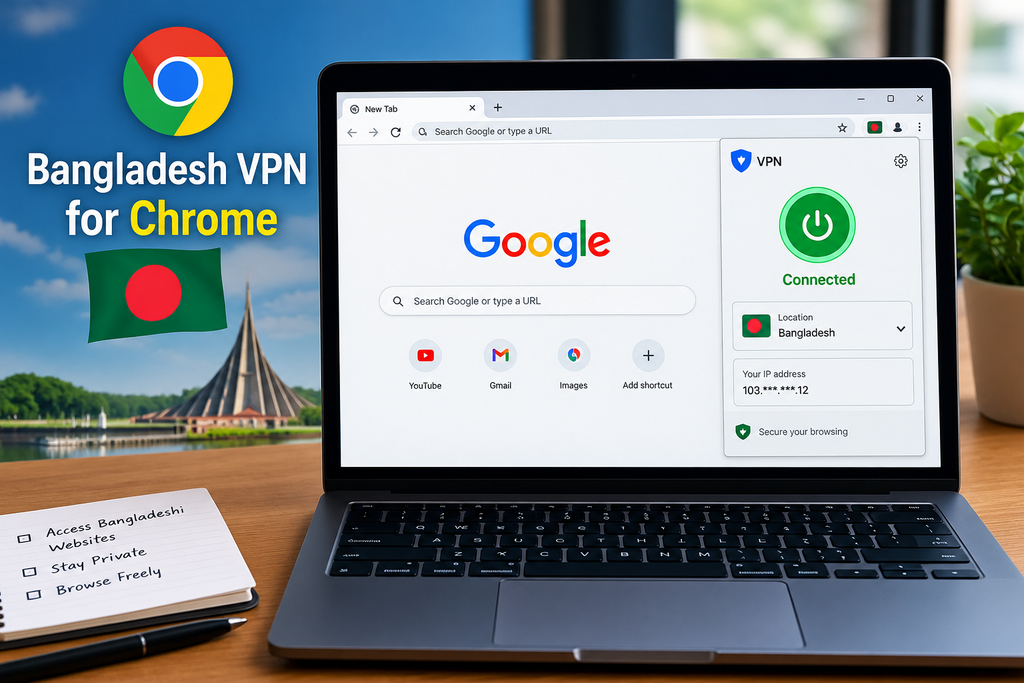
Chrome VPN extensions offer a fundamentally different experience from full device VPNs — they protect only your browser traffic rather than all device connections, install in seconds without system-level configuration, and can be switched on or off instantly without affecting other applications. For users who specifically need a Bangladesh IP address for browser-based activities — accessing Bangladeshi news sites, testing Bangladeshi e-commerce presence, accessing region-specific content — a Chrome extension VPN is often the most convenient solution.
Bangladesh VPN server availability in Chrome extensions follows the same challenging pattern as full VPN apps — less common than European or North American servers but more available than some other South Asian locations. This guide covers the best free Chrome VPN extensions with Bangladesh server access in 2026.
Chrome VPN Extension vs Full VPN App — Key Differences
Understanding this distinction helps choose the right tool:
Chrome VPN Extension
Protects: Browser traffic only (Chrome tabs)
Setup: Click → add to Chrome → done (30 seconds)
Speed: Generally faster — lighter than a full VPN
Coverage: Only Chrome — other apps unaffected
Best for: Browser-based Bangladesh content access, quick IP change for specific sites
Full VPN App
Protects: All device traffic — every app
Setup: Download → install → configure (5 minutes)
Speed: Slightly slower — encrypts all traffic
Coverage: Complete device protection
Best for: Comprehensive privacy, gaming, all-device Bangladesh IP
For Bangladesh Chrome-specific use: Extension is faster and simpler. For gaming, streaming apps, or complete privacy — a full VPN app is needed.
Bangladesh Server in Chrome Extensions — Honest Assessment
| Extension | Bangladesh Server | Notes |
|---|---|---|
| Windscribe Chrome | ⚠️ Check availability | Most likely free option |
| TunnelBear Chrome | ⚠️ Check current | 47 countries — may include BD |
| Hola VPN | ⚠️ Sometimes | Privacy concerns — use with caution |
| Urban VPN | ⚠️ Claims BD | Privacy concerns |
| SetupVPN | ⚠️ Claims BD | Limited trust verification |
| Browsec | ⚠️ Limited | Check current server list |
| Proton VPN Chrome | ❌ No Bangladesh | USA, Netherlands, Japan only |
Honest reality: Trusted Chrome extensions with verified Bangladesh servers are rare — same challenge as full VPN apps. Most options require verification of current server availability.
Best Free Chrome VPN Extensions for Bangladesh Server
1. Windscribe Chrome Extension — Best Overall Free Bangladesh Chrome VPN

Windscribe’s Chrome extension is the strongest trusted option for Bangladesh server access — occasionally including Bangladesh in its free server rotation with 15GB monthly data.
Windscribe is a popular VPN service that offers a Chrome browser extension for changing your virtual location and adding privacy while browsing. For users looking for a free VPN extension for Chrome, Windscribe is worth considering because its free plan provides access to selected server locations, browser-based protection features, and a straightforward interface.
Key Details:
- Extension: Chrome VPN extension
- Free plan: Yes
- Bangladesh location: Check current availability in the extension before relying on it for a Bangladesh IP
- Platform: Google Chrome and Chromium-based browsers
- Setup: Install the extension, sign in or create an account if required, choose an available location, and connect
- Privacy: Helps hide your real IP address from websites
- Best for: Chrome browsing, location testing, and basic privacy
Bangladesh-specific details:
Bangladesh server: ⚠️ Check windscribe.com/servers
Free data: 15GB monthly, shared across app and extension
Protocol: Encrypted browser proxy
Additional features: Ad blocker, tracker blocker, cookie monster
How to install and check Bangladesh availability:
- Chrome Web Store → search “Windscribe VPN”
- Click Add to Chrome → Add Extension
- Create a free Windscribe account
- Confirm email → 15GB monthly activated
- Click the Windscribe extension icon
- Server list → search “Bangladesh” or “Dhaka”
- If available → connect instantly
Windscribe Chrome extension extra features:
Unlike simple proxy extensions — Windscribe Chrome extension includes:
- Ad blocker: Removes ads across all Chrome tabs
- Tracker blocker: Prevents tracking scripts
- Cookie Monster: Auto-deletes cookies from closed tabs
- Split tunneling: Bypass VPN for specific websites within Chrome
Speed from India to Bangladesh (Windscribe):
- Download: 20–45 Mbps
- Latency: 40–80ms (geographically close)
- Suitable for news browsing and standard web use
Best for: Users wanting a trusted Chrome Bangladesh VPN with generous data — Windscribe’s 15GB monthly and additional privacy features make it the best overall Chrome extension choice when Bangladesh is available.
2. TunnelBear Chrome Extension — Most Country Options

TunnelBear’s Chrome extension mirrors its 47-country app selection — Bangladesh may be included if TunnelBear has added it to their server network.
TunnelBear offers a simple Chrome extension designed for users who want to change their browser location and add basic privacy while browsing. Its interface is beginner-friendly, making it easy to select a location and connect directly from Chrome.
Key Details:
- Extension: TunnelBear Chrome extension
- Free plan: Yes, with limited monthly data
- Country options: Multiple locations are available, with the exact selection depending on the current plan and service availability
- Platform: Google Chrome and Chromium-based browsers
- Setup: Install the extension, sign in, select a location, and switch the connection on
- Best for: Beginners, occasional browsing, and testing websites from different locations
- Main limitation: The free plan has a monthly data allowance, so it may not be suitable for heavy browsing
Bangladesh-specific details:
Bangladesh server: ⚠️ Check tunnelbear.com/server-locations
Free data: 2GB monthly (shared with mobile/desktop app)
Interface: Simple country dropdown in extension popup
TunnelBear Chrome extension installation:
- Chrome Web Store → “TunnelBear VPN”
- Add to Chrome
- Create a free account
- Open extension → select Bangladesh from country list
- Toggle On → connected
GhostBear in Chrome:
TunnelBear’s obfuscation is available in the Chrome extension — useful if accessing Bangladesh content from networks that detect VPN traffic.
2GB limitation for Chrome use:
Chrome extension data consumption is lower than streaming:
- News browsing: Very low (5–20MB/hour)
- Video streaming: High (500MB–1GB/hour)
- General web browsing: 10–50MB/hour
2GB covers extensive news browsing but minimal video streaming.
Best for: Specific Bangladesh country access when TunnelBear includes Bangladesh — widest country selection of trusted Chrome extensions.
3. Proton VPN Chrome Extension — Best Privacy, No Bangladesh

Proton VPN’s Chrome extension provides excellent privacy with unlimited data — but no Bangladesh server on the free plan.
Proton VPN provides a Chrome extension focused on privacy and secure browser connections. It can be useful for users who want VPN protection directly inside Chrome without installing a full desktop VPN application.
Relevant for:
Users who need privacy browsing from Bangladesh (within Bangladesh) rather than a Bangladesh IP specifically — Proton VPN Netherlands or US servers provide strong privacy regardless of geographic IP.
When Proton Chrome extension helps:
- Privacy browsing from within Bangladesh
- Accessing content blocked in Bangladesh
- Unlimited data without monthly cap concerns
No Bangladesh IP: Cannot provide a Bangladeshi IP address on the free plan.
Best for: Privacy-focused users within Bangladesh — not for obtaining a Bangladesh IP from outside.
4. Browsec Chrome Extension — Check Bangladesh Availability
Browsec is a dedicated browser VPN extension — simpler than full VPN clients, specifically designed for Chrome and Firefox.
Browsec is a Chrome VPN extension that lets users change their virtual location and route browser traffic through Browsec servers. The extension is currently available in the Chrome Web Store and was updated in July 2026.
Bangladesh availability: Browsec’s current official server-location list includes 46+ countries, but Bangladesh is not listed among its available locations. The listed Asian locations include countries such as India, Singapore, Japan, South Korea, Hong Kong, and others.
What this means: If your goal is to get a Bangladesh IP address, Browsec currently does not appear to offer a Bangladesh server/location. You can still use Browsec Chrome to connect through its other available locations.
Bangladesh-specific details:
Bangladesh server: ⚠️ Check the current server list at browsec.com
Free servers: Limited selection — premium has more countries
Protocol: Browser proxy (HTTP/HTTPS)
Interface: Simple — click server → connected
Browsec free limitations:
Free plan typically offers 4 server locations — Netherlands, USA, Singapore, UK historically. Bangladesh requires premium in most cases.
Premium option: Browsec Premium (~$3.99/month) may include Bangladesh — cost-effective if Bangladesh access is the primary need.
Best for: Users wanting a simple browser-only VPN — Browsec’s dedicated browser extension is lightweight and easy to use.
5. SetupVPN — Claims Bangladesh Server (Caution)
SetupVPN is a Chrome extension claiming a Bangladesh server among many locations — however requires careful consideration.
SetupVPN is a Chrome VPN extension that provides access to servers in multiple countries. Its Chrome Web Store listing currently states that it has 100+ servers worldwide, but the listing does not specifically confirm a Bangladesh server.
Bangladesh availability: SetupVPN’s official FAQ says its server locations can change frequently and that new servers are added regularly. However, I could not verify a current official listing that specifically confirms Bangladesh as an available location.
Why the caution matters: Some websites or VPN lists may claim that SetupVPN provides a Bangladesh location, but availability can change. Therefore, users should check the country list inside the current SetupVPN extension before relying on it for a Bangladesh IP.
Bangladesh availability: Claims to include Bangladesh in server list
Caution factors:
- Lesser-known provider — limited independent privacy audit
- Free model typically involves some form of monetization
- User data practices less transparent than major providers
If using SetupVPN for Bangladesh:
- Use only for non-sensitive browsing
- Do not log into banking, email, or personal accounts
- Treat as convenience tool rather than privacy tool
Best for: Non-sensitive Bangladesh IP access when no trusted alternative is available — use with privacy awareness.
Installing Chrome VPN Extension — Step by Step
Universal Installation Process
Step 1 — Open Chrome Web Store:
In Chrome browser → address bar → type:
chrome.google.com/webstore
Or click the three dots → More Tools → Extensions → Open Chrome Web Store
Step 2 — Search for VPN:
Search bar → type VPN name (e.g., “Windscribe VPN”)
→ Select the official extension (check that the developer name matches the official company)
Step 3 — Add Extension:
Click Add to Chrome → popup appears → click Add Extension
Extension icon appears in Chrome toolbar (puzzle piece icon)
Step 4 — Pin Extension:
Click the puzzle piece icon → find the VPN extension → click the pin icon
Extension icon now permanently visible in toolbar for quick access
Step 5 — Create Account and Connect:
Click extension icon → sign in or create account → select Bangladesh server → connect
Bangladesh Content Accessible via Chrome Extension
News and Media
Daily Star (thedailystar.net): Bangladesh’s leading English newspaper — accessible globally, no geo-restriction.
Prothom Alo (prothomalo.com): Leading Bangla newspaper — geo-restricted content accessible with a Bangladesh IP.
Bangladesh TV (btv.gov.bd): Bangladesh Television official streaming — Bangladesh IP may be required for full access.
Channel i Online: Bangladeshi entertainment channel online content.
RTV Online: Popular Bangladeshi news and entertainment.
Business and Government
Bangladesh Bank website: Central bank resources and publications.
BGMEA (garment industry): Bangladesh Garment Manufacturers and Exporters Association.
NBR (National Board of Revenue): Tax and customs information.
eChallan Bangladesh: Government services requiring a local IP.
E-commerce Testing
For businesses targeting the Bangladesh market:
- Test how Daraz.com.bd appears with a Bangladesh IP
- Verify Shajgoj (beauty e-commerce) regional pricing
- Check Chaldal (grocery delivery) regional availability
- Verify Shohoz (transport) local services
Chrome Extension VPN Settings for Bangladesh
Enabling Bangladesh Server
After installing the Windscribe or TunnelBear Chrome extension:
- Click the extension icon in the Chrome toolbar
- Location selector appears
- Type “Bangladesh” or “Dhaka” in search
- Click Bangladesh → instantly connected
- All Chrome traffic now routes through a Bangladesh IP
- Verify: visit whatismyip.com in a Chrome tab → should show Bangladesh
Split Tunneling in Chrome Extension
Available on Windscribe Chrome extension:
Allowlist mode: Only specified sites use VPN — all others direct
Blocklist mode: Specified sites bypass VPN — all others use VPN
Bangladesh use case:
Add only Bangladeshi news sites to VPN → those sites see Bangladesh IP
Other sites (banking, Gmail) use direct connection — avoids login issues from IP change
Setup:
Windscribe extension → Settings → Split Tunnel → select mode → add specific sites
Privacy Considerations for Chrome VPN Extensions
What Chrome Extensions Can Access
Chrome VPN extensions technically can access:
- All browsing history in Chrome
- All data on pages you visit
- Login credentials you enter
This is why extension trust matters more than app trust.
Trusted Chrome VPN Extensions (Verified Privacy Policies)
- Windscribe: Independent audit, verified no-logs policy, transparent business model
- TunnelBear: Annual independent security audits, transparent privacy policy
- Proton VPN: Swiss privacy laws, open-source code, verified no-logs
Extensions to Use With Caution
- Unknown providers with Bangladesh server claims
- Extensions with millions of installs but no independent audit
- Free extensions with unclear business model (data monetization risk)
Rule: If a Bangladesh server is critical — verify the provider’s privacy policy and audit status before installing.
Combining Chrome Extension with Full VPN App
For maximum flexibility — install both:
Chrome extension (Windscribe): Quick Bangladesh IP for browser
Full VPN app (hide.me or Proton VPN): Device-wide VPN for apps and gaming
Workflow:
- Need Bangladesh IP only in Chrome → use Chrome extension.
- Need Bangladesh IP for all apps → use full VP.N
- Need different countries simultaneously → extension for one country, app for another
This combination covers all Bangladesh IP use cases without compromise.
Speed Comparison — Chrome Extension vs Full VPN App
Chrome extensions typically deliver faster speeds for browser use:
| Connection Type | Download Speed | Latency |
|---|---|---|
| Direct (no VPN) | Full ISP speed | Lowest |
| Chrome Extension VPN | 80–95% of direct | Low overhead |
| Full VPN App (WireGuard) | 70–90% of direct | Slightly higher |
| Full VPN App (OpenVPN) | 50–70% of direct | Moderate overhead |
Why extensions are faster: Browser proxy handles only HTTP/HTTPS traffic — less processing than full device encryption handling all traffic types.
Frequently Asked Questions
Which free Chrome extension has a Bangladesh server in 2026?
Windscribe Chrome extension is the most likely trusted option — check windscribe.com/servers for current Bangladesh availability. TunnelBear Chrome extension may include Bangladesh in its 47-country selection — verify at tunnelbear.com. Less trusted extensions (SetupVPN, Urban VPN) claim Bangladesh servers but have lower privacy verification.
Is a Chrome VPN extension enough for a Bangladesh IP, or do I need a full VPN?
Chrome extension is sufficient for browser-based Bangladesh use — news sites, e-commerce testing, web browsing. For a Bangladesh IP in non-Chrome apps (streaming apps, games, mobile apps), a full VPN app is required. Chrome extension only protects Chrome browser traffic.
How do I add Bangladesh VPN to Chrome?
Chrome Web Store → search “Windscribe VPN” or “TunnelBear” → Add to Chrome → create account → open extension → select Bangladesh from server list → connect. The entire process takes under 2 minutes.
Does Chrome VPN extension slow down browsing?
Minimal impact — Chrome extensions route only browser traffic through the VPN server. For the Bangladesh server from India (geographically close at 1,500km), latency is 40–80ms — an imperceptible slowdown for web browsing. Video streaming may buffer slightly more than a direct connection.
Can I use Bangladesh VPN Chrome extension and Indian IP simultaneously?
With split tunneling (Windscribe Chrome extension feature): Yes — Bangladesh sites use VPN, other sites use direct Indian IP. Without split tunneling: All Chrome traffic uses Bangladesh IP — affects all sites including banking and Gmail (may trigger security alerts from unusual login location).
Conclusion
Free Chrome VPN extensions with Bangladesh servers face the same availability challenge as full VPN apps — trusted providers with verified Bangladesh servers are rare, requiring current availability checks before committing to any specific extension.
Best trusted Bangladesh Chrome extension: Windscribe — check Bangladesh availability at windscribe.com, 15GB monthly data, additional ad/tracker blocking, split tunneling for Chrome. Most complete free Chrome VPN extension when Bangladesh is available.
Best for country variety: TunnelBear — 47 countries potentially including Bangladesh, simple interface, GhostBear obfuscation, 2GB monthly.
Best privacy without Bangladesh: Proton VPN Chrome extension — unlimited data, verified no-logs, strongest privacy (no Bangladesh IP available free).
Practical recommendation: Install the Windscribe Chrome extension → check Bangladesh availability → if available, set as default for Bangladeshi browsing with split tunneling enabled for banking and personal sites. If Bangladesh is unavailable on Windscribe, check TunnelBear and install both — use whichever currently offers a Bangladesh server.

