
AI tools are software applications designed to perform tasks such as writing, designing, coding, analyzing data, and automating workflows. Each tool comes with specific features and technical specifications that determine how it works and what problems it can solve. Understanding these specifications helps users choose the right tool for their needs.
One of the most important specifications is functionality. Some tools focus on content creation, allowing users to generate blog posts, social media captions, or emails. Others specialize in image generation, turning text prompts into visuals. There are also tools built for coding, which can generate scripts, debug errors, or explain complex code in simple terms.
AI Tools and Their Specifications. Another key aspect is accuracy and performance. Good tools provide reliable outputs with minimal errors. Performance is often measured by speed, response time, and the ability to handle complex tasks without slowing down. High-performance tools are especially useful for businesses that need quick and consistent results.
User interface (UI) and ease of use are also critical specifications. A clean, simple dashboard makes it easier for beginners to get started, while advanced users may look for customization options. Tools that offer drag-and-drop features, templates, and guided workflows are usually more user-friendly.
Integration capability is another important factor. Many tools can connect with other platforms like websites, email services, or cloud storage. This allows users to automate tasks and create smoother workflows without switching between multiple apps.
Pricing and scalability play a big role as well. Some tools offer free plans with limited features, while others require monthly subscriptions. Scalable tools allow users to upgrade as their needs grow, making them suitable for both individuals and businesses.

Security and data privacy are essential specifications, especially when handling sensitive information. Reliable tools use encryption, secure servers, and clear privacy policies to protect user data.
For example, a content writing tool might include features like grammar correction, tone adjustment, and keyword optimization. An image tool might offer resolution settings, style options, and export formats. A coding tool could provide language support, auto-completion, and debugging assistance.
In simple terms, the specifications of AI tools define what they can do, how well they perform, and how easy they are to use. By comparing these features, users can select tools that match their goals, whether it’s creating content, building software, or improving productivity.
What Are AI Tools and Why Specifications Matter
AI tools are software applications that use data and algorithms to perform tasks like writing, designing, analyzing, coding, or automating workflows.
But here’s the truth:
👉 Not all tools are built the same.
Two tools may look similar, but their specifications—like speed, accuracy, integrations, and pricing—can make a huge difference in results.
Example:
- One writing tool may generate basic content
- Another may produce SEO-ready articles with better structure
That difference comes from specifications.
AI tools vary significantly based on their primary function—ranging from conversational chatbots to specialized research and coding platforms. “Specifications” for these tools generally refer to their underlying model architecture, input/output capabilities, integrations, and intended use cases. Kanerika +3
Top AI Tools and Their Key Specifications
| Tool | Category | Primary Use | Key Specifications & Features |
|---|---|---|---|
| ChatGPT | Chatbot / LLM | Conversational AI, coding, and writing | Multimodal (text, voice, image), file analysis, and GPT-4o model access. |
| Claude | Chatbot / LLM | High-quality writing and complex reasoning | Large context window for processing entire documents in one session. |
| Gemini | Chatbot / Ecosystem | Integrated Google ecosystem productivity | Deep integration with Google Workspace (Docs, Drive) and NotebookLM. |
| Perplexity | AI Search | Research-oriented information retrieval | Real-time web citations, multiple search personas (e.g., “explainer”), and deep research modes. |
| Midjourney | Image Gen | High-quality artistic image creation | Known for high aesthetic quality; operates primarily via Discord with extensive style parameters. |
| ElevenLabs | Voice AI | Text-to-speech and voice cloning | Supports 32+ languages with natural intonation and emotional expression. |
| Jasper | Writing | Marketing and brand-focused content | 50+ templates, SEO optimization, and brand voice customization. |
| Runway | Video Gen | AI-powered video creation and editing | Text-to-video, Gen-3 Alpha model, and advanced video-to-video transformations. |
General Specification Categories
“Specs” for AI tools often include these technical areas:
- Model Type: This may be a Large Language Model (LLM) for text, a Diffusion Model for images, or a Generative Adversarial Network (GAN).
- Multimodality: The capacity to handle different input types, such as images and audio, simultaneously.
- Deployment/Hardware: Some tools run locally on AI-certified PCs (Copilot+ PCs), while most are cloud-based.
- Integration Standards: Many advanced tools now use protocols like MCP (Model Context Protocol) to connect with external data sources like Figma, Slack, or GitHub.
- Compliance: Professional tools often specify SOC 2 Type II or GDPR compliance for data security.
Key Specifications to Check Before Choosing a Tool
Before you pick any tool, always look at these factors:
1. Accuracy and Output Quality
This is the most important factor.
- Does it produce correct results?
- Is the content natural or robotic?
- Does it need heavy editing?
👉 Example:
A content writer needs high-quality output with minimal editing.
2. Speed and Performance
How fast the tool works matters, especially if you’re doing bulk work.
- Can it generate results instantly?
- Does it lag or crash?
👉 Example:
A video creator needs fast rendering to save time.
3. Ease of Use (User Interface)
A tool should be easy to use, even for beginners.
- Simple dashboard
- Clear options
- Minimal learning curve
👉 If it takes hours to understand, it’s not efficient.
4. Features and Capabilities
Different tools offer different features.
Look for:
- Templates
- Automation
- Multi-language support
- Customization
👉 More features = more flexibility.
5. Integration Options
Can the tool connect with other platforms?
👉 Integration saves time and effort.
6. Pricing and Plans
Always compare:
- Free vs paid plans
- Monthly cost
- Value for money
👉 Expensive doesn’t always mean better.
7. Data Security and Privacy
Very important if you’re handling sensitive data.
- Does it store your data?
- Is it secure?
👉 Businesses must prioritize this.
8. Scalability
Can the tool grow with your needs?
- Suitable for individuals
- Suitable for teams
- Handles large workloads
Types of AI Tools and Their Specifications
Let’s explore the most popular categories with real examples.
1. Writing and Content Tools

These tools help create blog posts, ads, emails, and scripts. Writing and content tools help users quickly and easily create, edit, and improve text. They can generate articles, fix grammar and spelling mistakes, and improve sentence clarity.
These tools also allow tone adjustment, so you can write in a formal, casual, or persuasive style. Many include SEO features, such as keyword suggestions, to help content rank better on search engines.
Other useful features include paraphrasing, summarizing, and multi-language support. Some tools also offer real-time collaboration and cloud storage.
In short, writing tools save time, improve quality, and make content creation simple and efficient.
Common Specifications:
- Content generation speed
- Grammar accuracy
- SEO optimization
- Tone customization
Practical Example:
A blogger can generate a 2000-word article in minutes instead of hours.
Popular Use Cases:
- Blog writing
- Copywriting
- Email marketing
- Product descriptions
Pros:
✔ Saves time
✔ Improves productivity
✔ Helps beginners
Cons:
✘ Needs human editing
✘ Can sound repetitive
2. Image and Design Tools
Used for creating graphics, thumbnails, logos, and social media posts. Image and design tools help users create visuals such as graphics, social media posts, logos, and presentations without needing advanced design skills. These tools are widely used by marketers, content creators, and business owners.
One key feature is template-based design, where users can choose ready-made layouts and customize them easily. Another important feature is image generation and editing, including resizing, background removal, filters, and color adjustments.

These tools also offer drag-and-drop interfaces, making them simple for beginners. Many include branding options, allowing users to add logos, fonts, and brand colors for a consistent look.
Some tools support high-resolution exports and multiple file formats like PNG, JPG, and PDF. Others provide collaboration features, so teams can work on designs together.
In short, image and design tools make it easy to create professional-looking visuals quickly, even without design experience.
Key Specifications:
- Image quality (HD/4K)
- Design templates
- Editing tools
- Style customization
Example:
You can create YouTube thumbnails without hiring a designer.
Pros:
✔ No design skills needed
✔ Fast creation
✔ Cost-effective
Cons:
✘ Limited creativity sometimes
✘ Custom designs may need manual editing
3. Video Creation Tools
These tools help create videos from text, images, or scripts. Video creation tools help users create, edit, and produce videos for platforms like YouTube, social media, and websites. They are useful for content creators, marketers, and businesses who want to make engaging videos quickly.

One key feature is video editing, including trimming, cutting, adding transitions, and merging clips. Many tools also offer templates for intros, reels, and ads, which save time and improve quality.
Another important feature is text and voice integration, allowing users to add captions, subtitles, and voiceovers. Some tools also provide animation and effects to make videos more attractive.
These tools often include drag-and-drop interfaces, making them beginner-friendly. They also support high-quality export in formats like MP4 and different resolutions, including HD.
In short, video creation tools make it easy to produce professional and engaging videos without advanced editing skills.
Specifications:
- Video resolution (720p, 1080p, 4K)
- Rendering speed
- Voiceover options
- Animation features
Example:
Create marketing videos for social media in minutes.
Pros:
✔ Fast video production
✔ No editing skills required
Cons:
✘ Limited customization
✘ Premium features cost extra
4. Coding and Development Tools
Used by developers to write and debug code. Coding and development tools help users write, test, and manage software applications efficiently. They are used by developers, students, and businesses to build websites, apps, and systems.
One key feature is code generation and auto-completion, which helps write code faster and reduces errors. These tools also offer syntax highlighting and error detection, making it easier to understand and fix code.

Another important feature is debugging support, allowing users to identify and solve issues in their programs. Many tools also support multiple programming languages, such as Python, JavaScript, and Java.
Version control integration is another useful specification, helping teams track changes and collaborate on projects. Some tools also provide testing and deployment features, making it easier to launch applications.
In short, coding and development tools simplify the process of building software, improve productivity, and help developers create reliable applications faster.
Specifications:
- Language support (Python, JavaScript, etc.)
- Code accuracy
- Debugging capabilities
- Integration with IDEs
Example:
Developers can generate code snippets instantly.
Pros:
✔ Speeds up development
✔ Reduces errors
Cons:
✘ Not always 100% correct
✘ Requires knowledge to verify
5. Productivity and Automation Tools
These tools automate repetitive tasks. Productivity and automation tools help users save time, manage tasks, and streamline daily work. They are commonly used by individuals, teams, and businesses to improve efficiency and reduce manual effort.
One key feature is task management, allowing users to create to-do lists, set deadlines, and track progress. Another important feature is workflow automation, where repetitive tasks like sending emails, updating data, or scheduling posts can be handled automatically.
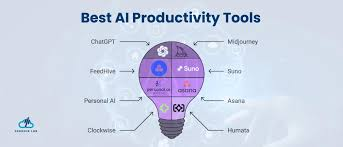
These tools also offer integration with other apps, so users can connect email, calendars, and software in one place. Reminders and notifications help users stay organized and never miss important tasks.
Some tools include data tracking and reporting, which provide insights into performance and productivity. Many also support team collaboration, allowing multiple users to work together smoothly.
In short, productivity and automation tools make work faster, more organized, and more efficient by reducing manual tasks and improving workflow management.
Specifications:
- Workflow automation
- Task scheduling
- Integration with apps
- Data processing
Example:
Automatically send emails or manage tasks.
Pros:
✔ Saves time
✔ Reduces manual work
Cons:
✘ Setup can be complex
✘ Errors in automation can cause issues
6. Chatbots and Customer Support Tools

Used by businesses to handle customer queries. Chatbots and customer support tools help businesses handle customer queries quickly and efficiently. They are widely used on websites, apps, and messaging platforms to provide instant responses.
One key feature is automated replies, which allow chatbots to answer common questions 24/7 without human involvement. These tools can handle queries about products, services, pricing, and support issues.
Another important feature is live chat integration, where complex queries can be transferred to human agents. This ensures a better customer experience when automation is not enough.
These tools also offer multi-channel support, working across websites, email, and platforms like WhatsApp or Messenger. Personalization is another feature, where responses are tailored based on user behavior and history.
Some tools include analytics and reporting, helping businesses track customer interactions and improve service quality. Many also support ticketing systems, which organize and manage customer issues efficiently.
In short, chatbots and customer support tools improve response time, enhance customer experience, and reduce the workload on support teams.
Specifications:
- Response accuracy
- Multi-language support
- Integration with websites
- 24/7 availability
Example:
E-commerce stores use chatbots to answer FAQs.
Pros:
✔ Instant responses
✔ Reduces support cost
Cons:
✘ Limited understanding
✘ Complex queries need humans
How to Choose the Right Tool (Step-by-Step)
Choosing the right tool is simple if you follow this process:
Step 1: Define Your Goal
Ask yourself:
- Do you need content?
- Design?
- Automation?
Step 2: Compare Features
Check:
- What features are included?
- Are they useful for your task?
Step 3: Test Free Version
Always try before buying.
Step 4: Check Reviews
Look at real user feedback.
Step 5: Start Small
Don’t invest heavily at the beginning.
Real-Life Use Cases
1. Blogger
A blogger uses writing tools to:
- Generate articles
- Optimize SEO
- Save time
2. YouTuber
Uses tools for:
- Script writing
- Thumbnail design
- Video editing
3. Business Owner
Uses tools for:
- Customer support
- Marketing automation
- Data analysis
Advantages of AI Tools
✔ Save time and effort
✔ Increase productivity
✔ Reduce costs
✔ Easy for beginners
✔ Available 24/7
Disadvantages of AI Tools
✘ Not always accurate
✘ Requires human review
✘ Some tools are expensive
✘ Limited creativity
✘ Dependence on technology
Common Mistakes to Avoid
❌ Choosing tools based on hype
❌ Ignoring specifications
❌ Not testing before buying
❌ Overpaying for unused features
❌ Relying completely without human review
Future of AI Tools
These tools are improving rapidly.
In the future, you can expect:
- Better accuracy
- More automation
- Smarter integrations
- Lower costs
👉 Businesses and creators who adapt early will benefit the most.
FAQs
1. What are AI tools used for?
They are used for writing, design, coding, automation, and business tasks.
2. Are AI tools free?
Some tools offer free plans, but advanced features are usually paid.
3. Can beginners use AI tools?
Yes, most tools are beginner-friendly and easy to use.
4. Are AI tools accurate?
They are useful but not perfect. Always review the output.
5. Which AI tool is best?
It depends on your needs. There is no one-size-fits-all solution.
6. What are AI tools and how do they work?
AI tools are software programs that use data and algorithms to perform tasks like writing, designing, coding, or automating work. They analyze input and generate output based on patterns and trained models.
7. Why are specifications important when choosing a tool?
Specifications help you understand how well a tool performs. They show details like speed, accuracy, features, and integrations, which directly affect your results and efficiency.
8. What is the most important specification to check?
The most important factor is output quality and accuracy. If the results are not useful or need heavy editing, the tool won’t save you time.
9. Are free AI tools good enough?
Free tools are good for beginners and basic tasks. However, paid versions usually offer better quality, advanced features, and faster performance.
10. Can beginners use AI tools easily?
Yes, most tools are designed with simple interfaces, making them easy for beginners to use without technical knowledge.
11. Do AI tools replace human work completely?
No, they assist and speed up tasks, but human creativity, judgment, and editing are still important for the best results.
12. How do I choose the right AI tool for my needs?
Start by:
- Defining your goal
- Comparing features
- Testing free versions
- Checking user reviews
Then select the tool that fits your workflow.
13. Are AI tools safe to use?
Most popular tools are safe, but always check:
- Privacy policies
- Data storage rules
- Security features
Avoid sharing sensitive information on unknown platforms.
14. Can AI tools help in earning money online?
Yes, they can help with:
- Content creation
- Freelancing
- Blogging
- Marketing
- Automation
They save time and improve productivity, which can increase income opportunities.
15. What are the common mistakes when using AI tools?
Common mistakes include:
- Relying completely without editing
- Choosing tools based on hype
- Ignoring specifications
- Not testing before buying
16. Do AI tools support multiple languages?
Many tools support multiple languages, but the accuracy may vary depending on the language.
17. Will AI tools become more advanced in the future?
Yes, tools are improving rapidly with better accuracy, faster performance, and smarter features. They will become more useful over time.
Conclusion
AI tools have become powerful helpers for anyone working online—whether you’re a blogger, YouTuber, developer, or business owner. But the real advantage doesn’t come from just using these tools—it comes from understanding their specifications.
When you focus on things like accuracy, speed, features, integrations, and pricing, you make smarter decisions. Instead of wasting time on tools that don’t fit your needs, you choose ones that actually improve your workflow and results.
The key is to start simple. Test a few tools, understand how they work, and use them for specific tasks like content creation, design, or automation. Over time, you can build a complete system that saves time, reduces effort, and increases productivity.

