
Research design is the foundation of every study — get it wrong and even the best data cannot save your conclusions. AI tools in 2026 have made the design phase faster, more rigorous, and more accessible for researchers at every level. From formulating research questions to selecting methodologies, designing instruments, and planning analysis — the right AI tools compress weeks of work into days without compromising quality.
This guide covers the best AI tools specifically for research design in 2026 — what each does well, where it falls short, and which tool fits which stage of the design process.
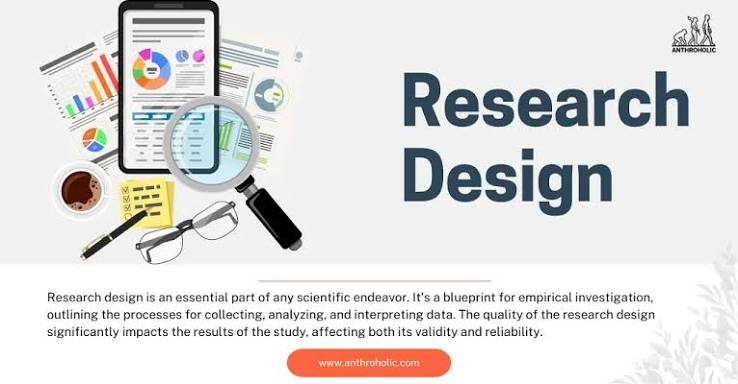
Designing a successful research project requires careful planning, strong methodology, and efficient data organization. In 2026, AI-powered research tools have made the process faster and more accurate by helping researchers generate research questions, build conceptual frameworks, review literature, create study designs, and organize references. Whether you’re a student, academic, scientist, or business researcher, the right AI tool can significantly improve the quality and efficiency of your research design.
In this guide, we’ll explore the best AI tools for research design in 2026, comparing their features, strengths, pricing, and ideal use cases. By the end, you’ll know which tools are best for planning high-quality research projects while saving valuable time and maintaining academic standards.
- Check now: Best AI Tools for Research Articles 2026
What Research Design Involves

Research design covers the decisions made before data is collected:
- Research question formulation — Defining a clear, answerable, and original research question
- Literature review for design — Understanding what methodologies have been used and why
- Methodology selection — Choosing between qualitative, quantitative, or mixed methods
- Study design — Experimental, observational, longitudinal, cross-sectional, case study, etc.
- Sampling strategy — Who or what to include and why
- Instrument design — Surveys, interview guides, observation protocols, experimental protocols
- Analysis planning — Deciding which statistical or analytical methods will answer the question
- Ethics planning — IRB/ethics board preparation, informed consent design, data protection planning
AI tools help at every stage — but differently. The right tool depends on where you are in the design process.
Best AI Tools for Research Design in 2026:-
1. Claude — Best AI Tool for Research Design Overall
Claude is the most capable AI tool for the intellectual work of research design — formulating questions, evaluating methodology choices, structuring study designs, and developing research instruments.

Key capabilities for research design:
- Research question refinement — paste a broad topic, and Claude helps narrow it to a specific, answerable research question
- Methodology evaluation — describe your research goals, and Claude compares relevant methodologies with rationale
- Study design consultation — discuss trade-offs between experimental designs, observational approaches, and mixed methods
- Survey and interview guide development — generate draft instruments aligned with your research question
- Ethics planning — help drafting informed consent documents, identifying potential ethical risks, and structuring IRB applications.
- Sampling strategy advice — recommends appropriate sampling approaches for your study type and population.n
- Analysis plan drafting — outlines appropriate statistical or qualitative analysis methods for your design.
- Literature-informed design — upload relevant papers and Claude identifies what designs have worked and what gaps remain.
What it does well: Claude handles the nuanced reasoning that research design requires — understanding the connections between research questions, methodology, sampling, and analysis. Unlike general-purpose AI tools that generate generic content, Claude engages with the specific constraints of your research context. It reasons about trade-offs: why a randomised controlled trial is stronger but less feasible than a quasi-experimental design for your specific population, for example.
How to use it for research design:
- Describe your research topic, population, and goals
- Ask: “What research questions could I ask about this topic that have not been well-addressed in the literature?”
- Follow up: “What methodology would best answer this question given my constraints?”
- Ask Claude to draft a methodology section rationale for your proposal
- Upload your literature review and ask: “What gaps in research design does this literature suggest?”
Limitations: Claude does not search live databases — provide the literature to it rather than expecting it to find sources. Always verify methodological recommendations against established research methods texts.
Best for: Research proposal writing, methodology selection, instrument development, ethics documentation, research question refinement.
Pricing: Free tier available. Claude Pro at $20/month (₹1,670/month).
2. Perplexity AI — Best for Research Design Literature Discovery

Before designing your study, you need to understand how similar research has been designed. Perplexity is the fastest way to map existing research designs in your area.
Key capabilities for research design:
- Search academic databases (PubMed, arXiv, Semantic Scholar) for methodology-specific literature
- Find what study designs have been used for similar research questions
- Identify validated instruments and measurement scales in your field
- Discover methodological debates and emerging design approaches
- Find sample size justifications used in comparable studies
- Locate IRB/ethics documentation templates and examples
What it does well: Perplexity answers methodology-specific questions with cited sources. Ask “what study designs have been used to research X in Indian populations?” and it returns a synthesised answer with links to relevant papers. This informs your own design decisions and helps you justify choices in your proposal.
How to use it for research design:
- Ask: “What research designs are most commonly used to study [your topic]?”
- Follow up: “What validated survey instruments exist for measuring [your construct]?”
- Ask: “What sample sizes are typically used in [your study type] research?”
- Use findings to inform methodology choices and justify them in your prop. osal
Limitations: Synthesises and summarises — always verify sources directly. Coverage of very niche methodological literature can be incomplete.
Best for: Pre-design literature mapping, finding validated instruments, identifying comparable study designs, methodology justification.
Pricing: Free plan available. Pro at $20/month (₹1,670/month).
3. Consensus — Best for Evidence-Based Methodology Selection

Consensus searches peer-reviewed literature to show what research designs have produced reliable evidence on specific questions — invaluable for evidence-based methodology selection.
Key capabilities for research design:
- Shows what study designs produce the strongest evidence for your topic area
- Consensus Meter — quantifies agreement across studies on methodological effectiveness
- Filters by study type — RCT, systematic review, meta-analysis, qualitative, mixed methods
- Identifies which designs are considered gold standard vs acceptable alternatives
- Helps justify methodology choice with evidence rather than preference
What it does well: When reviewers question your methodology choice, Consensus gives you evidence-based justification. “The consensus in the literature supports X design for this type of research question” is a stronger argument when backed by Consensus data showing that 80% of high-quality studies use that approach.
How to use it for research design:
- Ask: “What research designs produce reliable results for studying [your research question]?”
- Review the Consensus Meter — what does the evidence say about design effectiveness?
- Filter by study type to understand the hierarchy of evidence in your field
- Use findings to justify your chosen methodology in proposals and papers
Limitations: Strongest in medical, psychology, and social sciences. Thinner coverage in humanities, education research, and emerging fields.
Best for: Evidence-based methodology justification, understanding the hierarchy of evidence in your field, responding to reviewer methodology questions.
Pricing: Free plan with limited searches. Premium at approximately $9.99/month (₹835/month).
4. Qualtrics — Best for Survey Research Design

Qualtrics is the industry standard for survey research design and data collection, with AI features that assist the design process.
Key capabilities for research design:
- ExpertReview AI — automated feedback on survey design quality (question clarity, bias, length)
- Survey flow design — branching logic, skip patterns, randomisation
- Validated question libraries — access to pre-validated scales and instruments
- Sample size calculators built in
- IRB-compliant survey templates
- Pilot testing infrastructure
- Multi-language survey design for cross-cultural research
- Mobile-optimised survey design
What it does well: ExpertReview AI catches common survey design problems before data collection — leading questions, double-barrelled items, ambiguous response options, survey fatigue triggers. This quality check at the design stage prevents costly errors that would otherwise only be discovered during analysis. The validated question library gives access to established instruments with known psychometric properties.
How to use it for research design:
- Draft your survey in Qualtrics using the drag-and-drop builder
- Run ExpertReview AI to identify design problems before launching
- Browse the validated question library for established scales in your research area
- Use the built-in sample size calculator to determine required respondents
- Set up branching logic for complex survey designs
Limitations: Expensive for individual researchers without institutional access. Most researchers access Qualtrics through university institutional licenses.
Best for: Survey-based research design, questionnaire development, quantitative social science research, market research.
Pricing: Individual pricing from approximately $1,500/year. Most researchers access via a university institutional license at no direct cost.
5. Elicit — Best for Systematic Review of Research Designs
Elicit searches millions of academic papers and extracts structured methodological information — essential for designing a study that builds meaningfully on existing work.
Key capabilities for research design:
- Extract study designs, sample sizes, measurement instruments, and outcomes from multiple papers simultaneously
- Compare research designs across similar studies in a structured table
- Identify most commonly used designs for your research area
- Find gaps in existing research designs that your study could address
- Identify validated instruments used in comparable research
- Filter by study type — find only RCTs, only qualitative studies, only longitudinal designs
What it does well: Elicit systematically extracts the methodological details from existing research that inform your own design decisions. Instead of reading 30 papers to understand how similar research has been designed, Elicit reads them and produces a structured comparison — sample sizes, instruments used, designs chosen, and limitations noted. This is the fastest way to position your study design within the existing literature.
How to use it for research design:
- Search your research topic in Elicit
- Extract methodology, sample size, and instruments from the top 15–20 papers
- Review the structured table — what designs dominate? What instruments recur?
- Identify design gaps — what has not been done that your study could do?
- Use findings to justify your chosen design approach
Limitations: Coverage limited to Semantic Scholar-indexed papers. Verify extracted details against originals for critical values.
Best for: Systematic review of existing designs, instrument identification, sample size benchmarking, design gap analysis.
Pricing: Free tier with limited use. Paid from approximately $12/month (₹1,000/month).
6. ChatGPT (GPT-4o) — Best for Research Proposal Drafting
ChatGPT is a strong iterative tool for drafting and refining research proposals, grant applications, and methodology sections.
Key capabilities for research design:
- Draft methodology sections from your design decisions
- Generate research proposal structures aligned with specific funding bodies or journal formats
- Develop theoretical frameworks for qualitative research designs
- Create concept maps and research design diagrams (described textually)
- Draft operational definitions of variables
- Generate data collection protocol drafts
- Iterative refinement — develop proposals through conversational back-and-forth
- Simplify complex designs for lay summaries (required by many ethics boards)
What it does well: ChatGPT’s conversational interface is well-suited to the iterative nature of proposal development. Draft a methodology section, get feedback, revise — the back-and-forth mirrors how a supervisor or collaborator engages with a developing proposal. For researchers who think through writing rather than before it, this model is productive.
How to use it for research design:
- Describe your research question and design decisions
- Ask: “Draft a methodology section for this study design”
- Iterate: “Revise this to better justify the sample size” or “Explain the operationalisation of [variable] more clearly”
- Ask: “What methodological weaknesses might a reviewer identify in this design?”
- Use to draft lay summaries for ethics applications
Limitations: Without specific literature, ChatGPT may generate generic methodological advice. Provide your specific context — population, constraints, research question — for relevant recommendations.
Best for: Research proposal drafting, methodology section writing, grant application development, ethics lay summary writing.
Pricing: Free tier available. ChatGPT Plus at $20/month (₹1,670/month).
7. SurveyMonkey Genius — Best AI for Quick Survey Design
SurveyMonkey Genius is an AI-powered survey design assistant that analyses your survey questions and provides real-time design quality feedback.
Key capabilities for research design:
- AI question analysis — identifies biased, leading, or unclear questions
- Predicted completion rate based on survey length and complexity
- Question type recommendations — when to use Likert scales, ranking, open-ended, etc.
- Smart survey builder — generates survey drafts from a topic description
- Benchmark data — compares your survey design against SurveyMonkey’s database of high-performing surveys
- Response quality predictions
What it does well: SurveyMonkey Genius provides immediate feedback on survey quality metrics — predicted response rate, identified design problems, and benchmarked performance. For researchers who need quick survey design iteration without advanced statistical expertise, this AI assistance reduces common design errors.
Limitations: Less academically rigorous than Qualtrics — better for applied and market research than academic survey research with strict psychometric requirements. Validated scale library is smaller than Qualtrics.
Best for: Applied research, market research, organisational surveys, student research projects, quick instrument design.
Pricing: Basic free plan available. SurveyMonkey Advantage from approximately $39/month (₹3,250/month) for AI features.
8. Notion AI — Best for Research Design Project Management
Research design involves managing many interconnected decisions — research questions, methodology rationale, instrument versions, ethics documentation, and timeline planning. Notion AI helps organise this complexity.
Key capabilities for research design:
- AI-generated research design outlines from your topic description
- Database views for tracking design decisions and rationale
- Document templates for research proposals, ethics applications, and methodology sections
- Q&A across your design documents — ask “what did I decide about my sampling strategy?”
- Version tracking for instrument iterations
- Timeline and milestone planning for study design phases
- Collaboration features for research teams
What it does well: Research design generates a lot of documentation — draft proposals, instrument versions, ethics submissions, methodology notes. Notion AI helps organise this material and find connections across documents. The Q&A feature across your workspace is particularly useful: ask “what justification did I give for my sample size?” and Notion searches all your design documents.
How to use it for research design:
- Create a research design database in Notion — one row per design decision
- Use Notion AI to generate a design outline from your research question
- Document methodology decisions with rationale as you make them
- Use Q&A to quickly locate specific design decisions when writing your proposal
- Share with supervisors or collaborators for tracked feedback
Limitations: Organisational tool, not a research discovery or drafting tool. Works best in combination with Claude, Perplexity, and Elicit.
Best for: Complex multi-component study designs, research teams, PhD students managing years of design documentation, anyone running multiple studies simultaneously.
Pricing: Free plan available. Notion AI add-on at approximately $10/month per member (₹835/month).
9. ATLAS.ti / NVivo with AI Features — Best for Qualitative Research Design
For qualitative research designs — grounded theory, phenomenology, ethnography, thematic analysis — ATLAS.ti and NVivo both offer AI features that assist the design and analysis planning stages.
Key capabilities for research design:
- AI-assisted coding framework development
- Interview guide design with thematic alignment checking
- Automatic preliminary coding of pilot transcripts to test your design
- Theoretical framework mapping
- Research question alignment checking against your instrument design
- Mixed methods design visualisation
What it does well: For qualitative research design, testing whether your interview guide or observation protocol will actually generate data that answers your research question is a critical pre-collection step. ATLAS.ti and NVivo’s AI features allow you to run preliminary coding on pilot data and check whether themes are emerging as expected — before committing to full data collection.
Limitations: Expensive for individual researchers. Primarily analysis tools — design assistance is a secondary feature. Better suited to later phases of qualitative design when instruments are being tested.
Best for: Qualitative and mixed-methods researchers designing interview guides, observation protocols, and coding frameworks.
Pricing: ATLAS.ti from approximately $429/year (₹35,800/year). NVivo from approximately $594/year. University licenses significantly cheaper.
Recommended Workflow for Research Design in 2026
Phase 1: Research Question Development
- Claude → refine broad topic into specific, answerable research questions
- Perplexity AI → check what questions have and have not been addressed
- Consensus → understand the state of evidence on your topic
Phase 2: Methodology Selection
- Elicit → extract designs used in comparable research
- Claude → evaluate methodology options given your constraints
- Consensus → justify your methodology choice with evidence
Phase 3: Instrument Design
- Qualtrics / SurveyMonkey Genius → design and quality-check surveys
- Claude → develop interview guides, observation protocols, experimental protocols
- ChatGPT → iterate on instrument drafts
Phase 4: Ethics and Proposal Writing
- Claude → draft ethics documentation, informed consent, IRB applications
- ChatGPT → draft lay summaries and proposal sections
- Notion AI → organise all design documentation for submission
FAQs
Q: Can AI design my entire research study?
AI tools can significantly accelerate research design — generating questions, suggesting methodologies, drafting instruments — but the intellectual decisions about what is worth studying, what design is appropriate for your context, and what your findings mean remain yours. AI is a design partner, not a design replacement.
Q: Which AI tool is best for designing a survey in 2026?
Qualtrics with ExpertReview AI is the most rigorous for academic survey research. SurveyMonkey Genius is faster and more accessible for applied research. Claude is the best for developing the question content and structure before moving to a survey platform.
Q: Can I use AI tools for ethics board applications?
Yes. Claude is particularly useful for drafting IRB/ethics board documentation — informed consent forms, risk assessment sections, data protection plans, and lay summaries. Always have your supervisor or institution review AI-drafted ethics documentation before submission.
Q: Which free AI tools are most useful for research design?
Claude’s free tier for methodology consultation and instrument drafting. Perplexity AI’s free tier for design literature discovery. Elicit’s free tier for comparable design extraction. Research Rabbit (completely free) for discovering related studies. This combination covers the full design workflow at zero cost.
Q: Which AI tool is best for mixed-methods research design?
Claude handles the conceptual integration of quantitative and qualitative components well — explaining how to sequence and integrate different methods. Elicit helps identify existing mixed-methods studies in your area. For the qualitative component specifically, ATLAS.ti offers the strongest AI-assisted design tools.
Q: Are these tools suitable for Indian university research?
Yes. All tools are accessible from India. Claude, ChatGPT, and Perplexity are widely used by Indian academic researchers and PhD students. Qualtrics is available through many Indian university institutional licenses. Check your institution’s academic integrity and data privacy policy regarding AI tool use before submission.
Conclsion
Research design in 2026 is where AI tools add the most structural value — helping you ask better questions, choose more appropriate methods, design stronger instruments, and document your decisions more rigorously.
The core design stack: Claude for intellectual design consultation, Perplexity AI for design literature mapping, Consensus for evidence-based methodology justification, Elicit for systematic design benchmarking, and Qualtrics for survey instrument design and testing.
Start with Claude — describe your research topic and ask it to help you develop a research question and evaluate methodology options. The quality of what it produces with good context will give you a strong foundation for everything that follows.
Research design decisions made carefully at the beginning save enormous time and effort during data collection and analysis. AI tools in 2026 give you more support at this critical stage than any previous generation of researchers had — use them well.

