
Writing a research paper is hard enough without spending money on tools you’re not sure will work. The good news? In 2026, some genuinely useful free tools can help you research faster, write better, and organize your ideas without getting lost in a mess of browser tabs.
This guide covers the best free tools available right now for research paper writing — broken down by what they actually do, how to use them practically, and who they work best for.
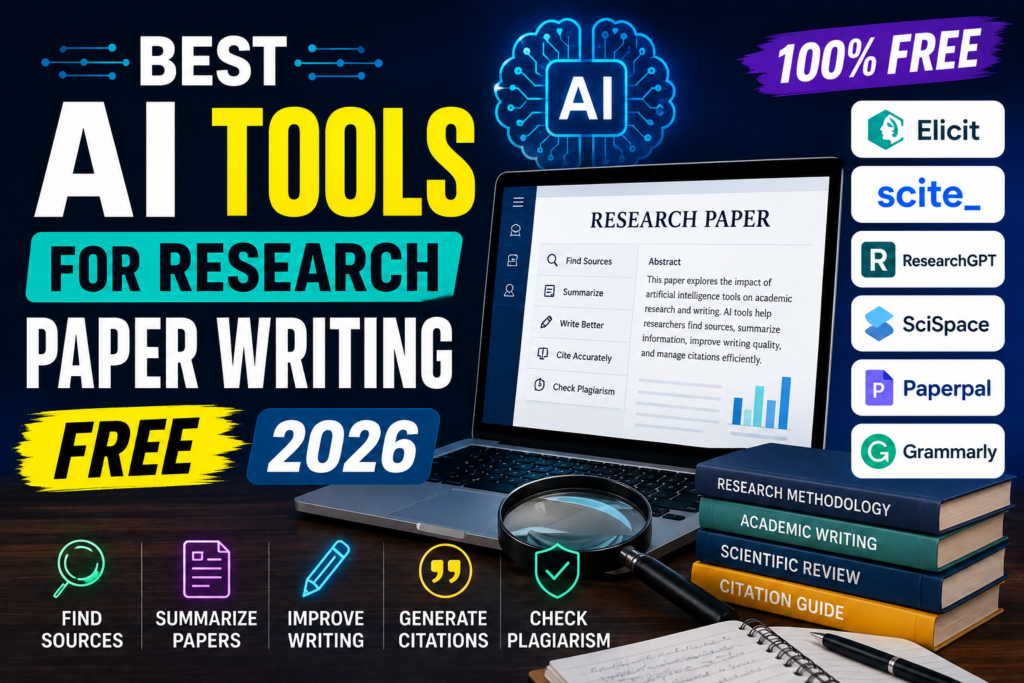
Writing a high-quality research paper takes time, careful planning, and extensive research. From finding credible sources to organizing ideas, improving grammar, creating citations, and checking for plagiarism, the process can be challenging for students, researchers, and academics alike. Fortunately, many free AI-powered research and writing tools in 2026 help simplify these tasks, allowing you to work more efficiently while maintaining academic quality.
The best free AI tools for research paper writing can help you discover scholarly articles, summarize complex research papers, generate outlines, improve writing clarity, create accurate citations, and proofread your work. Many platforms also offer free plans or trial versions, making them accessible to students and researchers on a budget.
However, these tools should be used as writing assistants—not as replacements for your own critical thinking or original research. Always verify facts, review AI-generated suggestions, and follow your institution’s academic integrity policies before submitting your work.
In this guide, we’ll explore the best free AI tools for research paper writing in 2026, comparing their features, free plans, advantages, limitations, and ideal use cases. Whether you’re writing a thesis, dissertation, journal article, literature review, or college assignment, these tools can help you research faster, write more clearly, and produce well-structured academic papers.
Why the Right Tools Make a Big Difference
Most students and researchers don’t struggle because they’re bad writers. They struggle because:
- Finding credible sources takes forever
- Keeping track of references becomes a mess
- Paraphrasing and restructuring ideas takes too much time
- Editing for grammar and clarity is exhausting at the end
The tools in this list tackle each of these specific problems. None of them write your paper for you — but they make every stage of the process faster and less stressful.
Best AI Tools for Research Paper Writing Free:-
1. Google Scholar — Best for Finding Free Academic Sources
Free: Yes, completely. Best for: Finding peer-reviewed papers, journals, and citations
If you’re not already using Google Scholar as your first stop for sources, start now. It indexes millions of academic papers, court opinions, theses, books, and conference papers across every field imaginable.
What makes it useful in 2026: Google Scholar now shows citation counts, related articles, and even links to free PDF versions where available. The “Cited by” feature is particularly helpful — if you find one strong paper, you can see every other paper that cited it, which quickly builds out your source list.
How to use it practically: Say you’re writing a paper on climate change and renewable energy. Instead of typing a vague search, use quotation marks and filters:
- Search:
"solar energy efficiency" after:2022 - This filters results to papers published after 2022, keeping your sources current.
You can also click “Create Alert” on any search term,m and Google Scholar will email you when new papers matching that topic are published — useful if your deadline is weeks away.
Pro tip: When a paper is behind a paywall, click “All versions” under the result. Often,n one of the versions is hosted on a university server oron ResearchGate andis accessible for free.
2. Zotero — Best Free Reference Manager
Free: Yes (up to 300MB storage on free plan) Best for: Organizing references, generating citations, building bibliographies
Zotero is the most widely used free reference manager among students and academic researchers. It saves sources directly from your browser, organizes them into folders, and generates citations in any format — APA, MLA, Chicago, IEEE, and more.
What it does:
- Detects when you’re on a journal page or Google Scholar and saves the full citation with one click
- Stores PDFs, notes, and tags alongside each source
- Syncs across devices
- Integrates with Microsoft Word and Google Docs to insert citations as you write
Practical example: You’re reading a paper on ResearchGate. You click the Zotero browser extension icon, and the full citation (author, year, journal, DOI) is saved automatically. Later, inside your Google Doc, you use the Zotero plugin to insert that citation, and Zotero formats it in APA style on the spot.
This replaces the painful process of manually typing out every reference at the end.
Free plan limitation: 300MB of cloud storage. If you’re saving lots of PDFs, you’ll hit this eventually. Workaround: store PDFs locally on your computer and just sync the citation data to the cloud.
3. Semantic Scholar — Best for Deep Research Discovery
Free: Yes Best for: Understanding complex papers, finding related research, exploring citation networks
Semantic Scholar is a research tool built by the Allen Institute for AI. It indexes over 200 million academic papers and does something Google Scholar doesn’t — it helps you understand what a paper is actually about before you commit to reading 30 pages.
Key features:
- TLDR summaries: Each paper has a one- or two-sentence plain-English summary of its main finding
- Citation graphs: Shows which papers influenced a study and what came after it
- Research feeds: Personalized paper recommendations based on what you’ve saved
Practical example: You find a highly cited paper on machine learning in healthcare, but the abstract is dense. Semantic Scholar’s TLDR shows: “This paper proposes a method that improves diagnostic accuracy by 12% compared to existing approaches.” You now know in 10 seconds whether it’s worth reading in full.
This is especially helpful when you’re in the early stage of research and trying to figure out which papers actually matter for your argument.
4. Grammarly (Free Version) — Best for Editing and Clarity
Free: Yes (basic plan) Best for: Grammar, spelling, clarity, tone checks
The free version of Grammarly catches grammar errors, awkward phrasing, run-on sentences, and spelling mistakes in real time. It works inside Google Docs, Microsoft Word (via plugin), and most web-based editors.
What the free plan covers:
- Grammar and spelling corrections
- Sentence clarity suggestions
- Punctuation fixes
- Tone detection
What it doesn’t cover for free:
- Plagiarism checker (premium only)
- Advanced style and vocabulary suggestions
- Full sentence rewrites
Practical example: You write: “The results of the study which was conducted in 2023 show that there is a significant increase in temperatures.”
Grammarly flags: subject-verb agreement error, unnecessary relative clause, and suggests a cleaner version. This kind of real-time feedback trains you to catch your own errors over time.
Best practice: Don’t use Grammarly as a crutch. Run it once after you’ve finished a draft, not while you’re writing. Writing and editing at the same time slows you down.
5. Quillbot (Free Version) — Best for Paraphrasing and Summarizing
Free: Yes (with limits) Best for: Rewording sources, summarizing long papers, avoiding unintentional plagiarism
Quillbot is a paraphrasing and summarizing tool. You paste in a passage from a source, choose a mode (Standard, Fluency, Formal, etc.), and it rewrites the text while keeping the meaning intact.
Free plan limits:
- Paraphraser: up to 125 words per input
- Summarizer: up to 1,200 words per input
- Grammar checker: included
Where it actually helps: Research papers often require you to reference ideas from sources without directly quoting them every time. Quillbot helps you rephrase ideas naturally, which is far better than patching together quotes.
Practical example: You have a dense 200-word paragraph from a journal paper explaining a statistical method. You’re not going to quote it directly — that would look lazy. You paste it into Quillbot’s summarizer, get a 3-sentence version, then rewrite it in your own words using that summary as a guide. This takes 5 minutes instead of 20.
Important note: Always review what Quillbot produces. It occasionally changes meaning slightly or uses phrasing that doesn’t fit an academic tone. Use it as a starting point, not a final draft.
6. Connected Papers — Best for Mapping Related Research
Free: Yes (5 graphs per month on free plan) Best for: Visualizing how papers relate to each other, finding overlooked sources
Connected Papers takes one paper and generates a visual graph showing how it connects to related research. Papers that appear closer together in the graph cite each other more frequently, meaning they cover similar ground.
When to use it:
- Early in your research when you’re trying to understand the landscape of a topic
- When you find one good paper and want to find 10 more like it
- When you need to show your professor you’ve covered the relevant literature
Practical example: You’re writing about the impact of social media on mental health. You find one strong 2023 paper, paste its title into Connected Papers, and within seconds you have a map of 20–30 related papers. Papers in the dense center of the graph are the most connected to your topic — start there.
Free plan gives you 5 graphs per month, which is enough for most single papers or assignments.
7. Elicit — Best for Answering Research Questions Directly
Free: Yes (limited queries per month) Best for: Getting direct answers from academic literature, literature reviews
Elicit is a research assistant that searches academic databases and pulls direct answers to your research questions from real papers. Instead of reading 10 abstracts to find relevant information, you type your question and Elicit shows you which papers address it and what they say.
Practical example: You type: “What are the effects of sleep deprivation on academic performance in university students?”
Elicit pulls a table of papers with columns showing: study population, key findings, methodology, and year. You can sort by relevance, filter by recency, and export the list.
This is especially useful when writing a literature review — you can quickly see whether a consensus exists across studies or whether findings are mixed.
8. Mendeley — Best Alternative to Zotero for Reference Management
Free: Yes Best for: Storing, annotating, and organizing PDFs; collaboration
Mendeley is similar to Zotero but has a stronger built-in PDF reader and annotation feature. You can highlight text, add notes, and tag sections directly inside the app — which is useful when you’re reading papers and want to mark quotes or data points you plan to use.
It also has a social component: you can follow researchers in your field, join groups, and discover papers your peers are reading.
Best for: Researchers who read a lot of PDFs and want their notes organized in one place alongside their citation library.
Pros and Cons of Using Free Research Tools
Pros
- Cost: All tools listed here have usable free tiers — no subscription required to get real value.
- Time-saving: Tasks that used to take hours (building a bibliography, finding related papers) now take minutes.
- Better organization: Tools like Zotero and Mendeley eliminate the chaos of managing 30 browser bookmarks and a messy desktop full of PDFs.
- Improved quality: Grammarly and Quillbot catch errors and help you write more clearly, which directly improves your grades or publication chances.
- Discovery: Tools like Semantic Scholar and Connected Papers help you find relevant sources you never would have found by keyword searching alone.
Cons
- Free plan limits: Most tools cap usage on free plans. Quillbot’s 125-word limit on paraphrasing can be frustrating on longer passages. Zotero’s 300MB storage fills up with PDFs.
- Over-reliance risk: Using Quillbot or Grammarly too heavily can make your writing feel generic or impersonal. Academic writing still needs your own voice.
- Learning curve: Tools like Zotero have a setup process. If you’re on a deadline, spending an hour setting up a reference manager can feel like a distraction — though it pays off on longer projects.
- Accuracy isn’t guaranteed: Elicit and Semantic Scholar are helpful for discovery, but always read the actual paper before citing it. Summaries occasionally miss nuance.
- Internet required: All of these are cloud-based or browser-dependent. If you’re writing offline, your access is limited (though Zotero and Mendeley have offline desktop apps).
How to Combine These Tools in a Real Workflow
Here’s a practical workflow you can actually follow:
Step 1 — Find your sources. Start with Google Scholar and Semantic Scholar. Use Connected Papers on your best find to expand your source list.
Step 2 — Save everything to Zotero.o As you find papers, save them to Zotero with one click. Organize them into folders by subtopic.
Step 3 — Read and annotate Open PDFs inside Mendeley or directly in Zotero. Highlight key passages and add notes.
Step 4 — Write your draft.ft Write without interruptions. Don’t edit as you go. Use Zotero’s Word/Docs plugin to insert citations in real time.
Step 5 — Paraphrase and condense. Where you need to reference ideas from sources, use Quillbot to get a simpler version, then rewrite it in your own words.
Step 6 — Edit your draft.t Run the full draft through Grammarly. Fix errors, improve clarity, and check sentence flow.
Step 7 — Build your bibliography. hy Zotero generates your full reference list in the correct format automatically. Review it once, and you’re done.
This workflow covers every stage of a research paper without spending a cent.
FAQs: Free Research Paper Writing Tools 2026
Q: Are these tools safe to use for academic work?
Yes. All tools listed here are widely used by students and researchers at universities worldwide. Using a grammar checker or reference manager doesn’t violate academic integrity — as long as you’re writing your own content.
Q: Will using Quillbot get me flagged for plagiarism?
It depends on how you use it. If you paste someone else’s text into Quillbot and submit the output as your own without citing the source, that’s plagiarism. If you use it to help you rephrase ideas while still citing the source, that’s acceptable. Always cite your sources regardless of how you rephrase them.
Q: Is Zotero better than Mendeley?
Both are excellent. Zotero integrates more smoothly with Google Docs and has a larger plugin library. Mendeley has a better built-in PDF reader and annotation tool. Many researchers use both — Zotero for citation management and Mendeley for reading PDFs.
Q: Do I need to pay for Grammarly to check for plagiarism?
Yes, the plagiarism checker is a premium feature. Free alternatives include Duplichecker and SmallSEOTools’ plagiarism checker for basic checks, though they’re less thorough than Grammarly Premium.
Q: Can I use these tools for all academic levels — undergraduate, postgraduate, PhD?
Absolutely. Google Scholar, Zotero, Semantic Scholar, and Elicit are used by PhD researchers and professors, not just undergraduates. The tools scale to the complexity of your work.
Q: Is Elicit free?
Elicit offers a free tier with a limited number of monthly queries. For most single assignments or papers, the free allowance is sufficient.
Q: What’s the best tool for writing a literature review specifically?
Elicit and Semantic Scholar are the most useful for literature reviews because they help you identify what existing research says about a topic quickly. Connected Papers helps you ensure you haven’t missed any major related studies.
Conclsion
You don’t need to spend money to write a strong research paper in 2026. The free versions of these tools — used together — cover everything from source discovery and PDF annotation to citation formatting and final editing.
The key is knowing which tool to use at which stage. Google Scholar and Semantic Scholar for finding sources. Zotero for organizing them. Elicit and Connected Papers for going deeper. Quillbot for paraphrasing. Grammarly for final editing. Each one has a clear job, and together they take a lot of the friction out of academic writing.
Start with Zotero and Google Scholar if you’re new to all of this — those two alone will make a noticeable difference in how organized and efficient your writing process feels.

