
Research used to mean hours in a library, tabs open everywhere, and notes scattered across three different notebooks. In 2026, that’s changed quite a bit. There are now some genuinely useful tools that help you find sources faster, summarise long papers, organise your notes, and even detect gaps in existing literature — all in one place.
Whether you’re a student working on a dissertation, a journalist fact-checking a story, a marketer building a competitor analysis, or a professional putting together a detailed report — this guide covers the best research tools available right now, what they’re actually good at, and where they fall short.
No hype. Just practical information to help you pick what works for your situation.
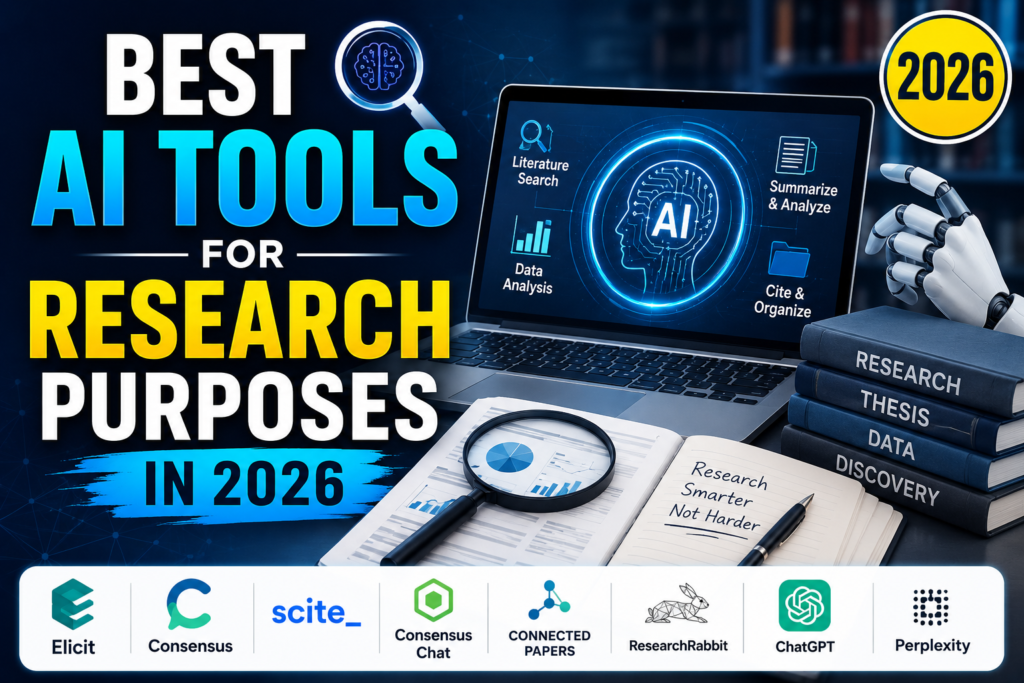
Research has become faster and more efficient in 2026 thanks to powerful AI-powered tools that help students, academics, researchers, and professionals discover credible sources, summarize complex papers, organize references, and generate insights in minutes. Whether you’re writing a research paper, conducting a literature review, preparing a thesis, or exploring a new topic, the right AI research tool can significantly reduce the time spent searching and analyzing information.
In this guide, we’ll explore the best AI tools for research purposes in 2026, comparing their features, strengths, pricing, and ideal use cases. From literature discovery and citation management to document summarization and evidence-based analysis, these tools can help you work more efficiently while improving the quality of your research. Whether you’re a beginner or an experienced researcher, this list will help you choose the best platform for your academic or professional needs.
What Makes a Research Tool Actually Useful?
Before jumping into the list, it helps to know what to look for. Not every tool suits every type of researcher.
Source quality — Can the tool pull from peer-reviewed journals, credible databases, or verified sources? Or does it just scrape random web pages?
Accuracy — Does the tool give you correct information, and does it cite where that information came from? This matters enormously. A tool that sounds confident but fabricates citations is actively harmful.
Output format — Do you need bullet-point summaries? Full reports? Organised notes? Different tools produce different output styles.
Integration — Does it work with tools you already use, like Google Docs, Notion, or Zotero?
Cost — Many research tools have free tiers, but the genuinely useful features are often behind a paywall. Knowing what you get for free vs. what requires a subscription saves you from nasty surprises.
With that in mind, here are the tools worth your time in 2026.
Best AI Tools for Research Purposes in 2026: List
1. Perplexity AI
Best for: Quick research, finding sources fast, summarising topics
Perplexity has become one of the most popular research tools in the last couple of years, and for good reason. It works like a search engine, but instead of giving you a list of links to click through, it gives you a direct answer with citations shown inline.

Type in a question like “What are the main causes of inflation in the UK in 2024?” and you get a clear, readable summary with numbered references you can click to verify. This alone saves a huge amount of time compared to opening ten different articles.
Practical example: A journalism student writing about climate policy can use Perplexity to quickly get an overview of recent IPCC findings, see which sources are being referenced, and then go read those sources in full. It cuts the initial research phase from hours to minutes.
Perplexity Pro unlocks access to academic-level sources and more detailed responses. The free version is still genuinely useful for everyday research.
Pros:
- Clean, readable output with visible citations
- Real-time web search (not outdated training data)
- Free tier available
- Works well for both broad overviews and specific questions
Cons:
- Can occasionally miss nuance on complex topics
- Not ideal for deep academic research requiring database access like JSTOR or PubMed
- Pro subscription needed for best results
2. Elicit
Best for: Academic research, literature reviews, finding papers
If you’re doing serious academic work, Elicit is one of the most useful tools available. It’s designed specifically for research — not general search. You type in a research question, and it finds relevant academic papers, extracts key findings, and lets you compare studies side by side.

What makes it stand out is the extraction feature. Instead of reading twenty full papers to find the methodology used in each study, Elicit can pull that specific column of information for you across all twenty papers at once. For anyone doing a literature review, this is a massive time-saver.
Practical example: A psychology student writing about the effectiveness of CBT for anxiety can ask Elicit to find papers on the topic, then extract data like sample size, study type, and outcome measures from each paper — all in a structured table. What used to take days can be done in an afternoon.
Pros:
- Built specifically for academic research
- Extracts specific data points from papers (not just summaries)
- Sourced from Semantic Scholar — a credible academic database
- Great for literature reviews and systematic research
Cons:
- Less useful for non-academic or general research
- Some features require a paid plan
- Coverage of very niche or recent topics can be patchy
- Not a replacement for reading the actual papers when detail matters
3. Consensus
Best for: Fact-checking with scientific backing, health and science research
Consensus is similar to Elicit in that it searches academic papers, but it focuses more on giving you a direct yes/no-style answer backed by research evidence. Think of it as a tool for questions like “Does intermittent fasting help with weight loss?” — it’ll surface what the research actually says, not just opinions.

It’s particularly useful for health, science, and social science topics where there’s a body of peer-reviewed literature to draw from.
Practical example: A nutritionist building a client programme wants to check whether the evidence supports a specific dietary approach. Instead of searching PubMed manually, they can ask Consensus and get a quick summary of what studies say, with links to the papers.
Pros:
- Evidence-based answers rather than opinion-based summaries
- Works well for health, science, and social research
- Good for quickly checking whether a claim is supported by literature
- Free tier is genuinely useful
Cons:
- Limited to topics covered by academic research
- Not useful for current events, business research, or niche topics
- Less useful for qualitative or humanities research
4. Semantic Scholar
Best for: Deep academic literature search, finding citations and related papers
Semantic Scholar is a free academic search engine run by the Allen Institute for AI. It indexes hundreds of millions of papers across every major scientific and academic field.
What makes it better than just using Google Scholar? The interface is cleaner, the filtering options are more powerful, and it shows you things like citation counts, highly cited papers, and papers that reference the one you’re reading. This makes it easier to trace how ideas develop across literature.
Practical example: A PhD student in computer science can search for foundational papers on transformer architecture, then use the “Citations” tab to find all the newer research that built on that work — creating a clear map of the field’s development.
Pros:
- Completely free
- Massive database covering most academic fields
- Good filtering (year, field, open access only)
- Shows citation networks, helping you trace research lineage
Cons:
- Interface isn’t as polished as some newer tools
- No automated summarisation — you still have to read the papers
- Less useful for non-academic research
5. Notion + Notion Web Clipper
Best for: Organising and storing research as you go
This one’s a bit different — it’s not a search tool, it’s an organisation tool. But it belongs on this list because research isn’t just about finding information; it’s about managing it effectively.
Notion lets you build a personalised research database. You can save articles, add your own notes, tag content by topic, and organise everything in a way that makes sense for your project. The Web Clipper browser extension lets you save any webpage or article directly into Notion with one click.
Practical example: A freelance writer working on a long-form piece about renewable energy in India uses Notion to save every article, report, and statistic they find. Each entry gets tagged with the topic, the source type, and whether they’ve read it. By the time they sit down to write, their research is already structured.
Pros:
- Excellent for organising large volumes of research
- Works across desktop and mobile
- Flexible — you can build whatever structure works for you
- Free tier covers most individual use cases
Cons:
- Not a search or discovery tool — you have to find the content elsewhere first
- Can get overwhelming if not maintained properly
- Advanced features require a paid plan
6. Zotero
Best for: Academic citation management, building bibliographies
Zotero is the gold standard for managing academic references. It’s free, open-source, and used by researchers and students worldwide. You can save sources from the web with one click, organise them into collections, and automatically generate citations and bibliographies in any format — APA, MLA, Harvard, Chicago, and more.
If you’re writing anything that requires a reference list, Zotero will save you significant time and prevent citation errors.
Practical example: A law student writing a dissertation saves every legal case, journal article, and book chapter to Zotero as they go. When the dissertation is finished, they generate the full bibliography in the required format in under a minute.
Pros:
- Completely free
- Browser extension makes saving sources effortless
- Supports hundreds of citation styles
- Works with Microsoft Word and Google Docs
- Strong community and long track record
Cons:
- Interface feels a little dated compared to newer tools
- Not useful for general note-taking or research discovery
- Requires some setup time to get comfortable
7. Connected Papers
Best for: Visualising how academic papers relate to each other
Connected Papers is a unique tool that creates a visual graph showing how papers connect through citations and shared references. You start with one paper, and it maps out the surrounding literature.
This is incredibly useful when you’re trying to understand a field quickly, find foundational works, or discover related research you might not have found through keyword search.
Practical example: A researcher new to the field of behavioural economics starts with one well-known paper. Connected Papers generates a visual map showing the key works that influenced it and the papers that cite it — giving them a fast overview of the field’s most important literature.
Pros:
- Unique visual approach to literature discovery
- Helps find related papers you wouldn’t find through keyword search
- Free for limited use
- Great for getting oriented in an unfamiliar topic area
Cons:
- Limited number of free graphs per month
- Works best for established fields with large citation networks
- Doesn’t provide summaries — just the map
8. ChatPDF / PDF-focused reading tools
Best for: Reading and extracting information from long PDFs
Whether it’s a 60-page government report, a lengthy academic paper, or a detailed whitepaper, reading long PDFs takes time. Tools like ChatPDF let you upload a document and ask questions about its contents directly. It finds the relevant section and shows you the answer with a reference to the exact page.
This is particularly useful for reports, legal documents, technical papers, and any long-form content where you need specific information without reading cover to cover.
Practical example: A policy analyst receives a 90-page Department for Education report. Instead of reading the whole thing to find the section on funding allocation for SEND students, they upload it and ask directly — getting the relevant section highlighted in seconds.
Pros:
- Massive time-saver for long documents
- Works with any PDF regardless of topic
- Free tier available for smaller files
- Useful across many professional contexts
Cons:
- Accuracy can vary depending on how the PDF is formatted
- Scanned or image-based PDFs (not text-searchable) can cause problems
- Not a substitute for reading the full document when full context matters
Pros and Cons of Using Research Tools in General
Pros
Speed — The biggest advantage. Tasks that used to take a full day can now be done in a few hours. Finding sources, summarising papers, extracting key data — all dramatically faster.
Breadth — These tools can surface research you might never have found through manual keyword searching. Especially true for citation-mapping tools like Connected Papers.
Organisation — Tools like Notion and Zotero turn research from a chaotic pile of tabs into a structured, searchable system.
Accessibility — You don’t need institutional access to a university library to do quality research anymore. Many of the best tools are free or low-cost.
Cons
Accuracy risks — Some tools can produce summaries that sound right but get details wrong. Always verify important claims against the source.
Over-reliance — There’s a risk of treating tool output as finished research rather than a starting point. These tools assist research — they don’t replace it.
Paywalls — The most powerful features are often behind subscriptions. Budget accordingly if you need professional-grade access.
Data privacy — Be thoughtful about uploading sensitive documents to third-party tools. Read the privacy policy before uploading confidential material.
FAQs: Research Tools in 2026
What’s the best free research tool for students?
For academic research, Elicit and Semantic Scholar are both free and genuinely powerful. For general research, Perplexity’s free tier is excellent. For citation management, Zotero is free and industry-standard.
Can I use these tools for a dissertation or thesis?
Yes, as a starting point. Use Elicit or Semantic Scholar to find relevant papers, Zotero to manage your references, and Notion to organise your notes. However, always read the actual papers and verify information — don’t cite based solely on tool-generated summaries.
Are these tools accurate?
Accuracy varies by tool and topic. Citation-based tools that pull from verified academic databases (Elicit, Semantic Scholar, Consensus) are more reliable than tools that summarise web content. Always cross-check important facts against sources.
What’s the difference between Perplexity and a regular search engine?
A search engine gives you links. Perplexity gives you a direct answer with sources cited inline. It’s faster for getting an overview, but a regular search engine is still better when you need to find a specific website or page.
Is Zotero better than Mendeley?
Both are solid. Zotero is fully free and open-source; Mendeley is owned by Elsevier and has some limitations on the free tier. Most academic researchers prefer Zotero for its flexibility and lack of commercial ties.
Can these tools replace a research librarian?
No — but they can handle a lot of the time-consuming legwork. A librarian brings expertise in research strategy, access to specialised databases, and knowledge of your specific field. These tools are assistants, not replacements.
Are there good research tools specifically for business or market research?
Yes, though many are expensive. Tools like Statista, SimilarWeb, and SEMrush serve specific business research needs. For competitive and market analysis, those are worth exploring separately.
Conlsion
Research in 2026 doesn’t have to be slow, scattered, or stressful. The tools covered here — from Perplexity for quick overviews to Elicit for deep academic work, Zotero for citation management, and Connected Papers for mapping a field — each solve a specific part of the research process.
The key is not to use all of them at once. Pick one or two that fit your workflow and your type of research, learn them properly, and use them consistently. A student doing a literature review will get the most from Elicit, Semantic Scholar, and Zotero. A journalist or content writer will find Perplexity and Notion far more useful.
Whatever combination you choose, treat these tools as a starting point — not the final word. The best research still involves reading carefully, thinking critically, and verifying what you find. These tools just help you get there faster.

