
The iPhone 15 Pro Max is one of the most eSIM-friendly phones Apple has ever made. In the US version, there’s no physical SIM tray at all — it’s fully eSIM only. Even the international variants support dual eSIM, which means you can run two numbers on the same device without swapping any cards.
That opens up a lot of flexibility. Whether you’re traveling abroad and want a local data plan, tired of your current carrier and want to switch without waiting for a SIM in the mail, or just want a backup number for work calls — an eSIM makes all of it easy.
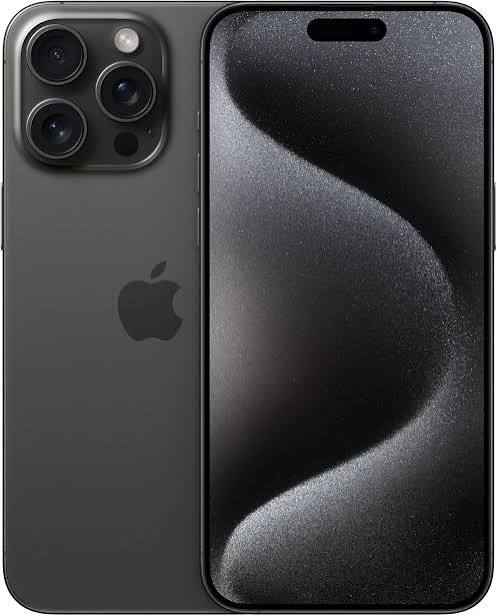
But with dozens of eSIM providers out there, picking the right one can feel overwhelming. This guide cuts through the noise and tells you which eSIMs actually work well on the iPhone 15 Pro Max, what each one is good for, and how to get set up in minutes.
The iPhone 15 Pro Max is fully compatible with eSIM technology, allowing you to activate a mobile plan digitally without inserting a physical SIM card. Whether you’re traveling internationally, using dual SIM functionality, or looking to avoid expensive roaming charges, choosing the right eSIM can help you stay connected with fast, reliable mobile data. Apple’s iPhone 15 Pro Max supports multiple eSIM profiles and dual active eSIMs in supported regions, making it an excellent choice for frequent travelers and business users.
Best eSIM for iPhone 15 Pro Max: In 2026, several eSIM providers offer affordable plans, instant activation, and coverage in more than 200 countries. Popular options such as Airalo, Saily, Holafly, Nomad, and Ubigi provide flexible data plans for short trips, long vacations, and everyday international connectivity. Each service differs in pricing, network coverage, data allowances, customer support, and app experience, so the best choice depends on your destination and usage needs.
In this guide, we’ll compare the best eSIMs for iPhone 15 Pro Max, highlighting their features, pricing, coverage, activation process, and pros and cons to help you choose the ideal eSIM for travel, business, or daily use in 2026.
What Makes an eSIM Good for iPhone 15 Pro Max?

Not all eSIMs are created equal. Before picking one, here are the things that actually matter:
Coverage. An eSIM is only as good as the network it runs on. Some providers lease network access from smaller carriers — which means slower speeds and dropped connections in certain areas. The best eSIM providers use major local networks or have their own infrastructure.
Data speed. For the iPhone 15 Pro Max — which supports 5G — you want an eSIM provider that gives you 5G access where available, not just throttled 4G LTE.
Price per GB. eSIM data can range from incredibly cheap to surprisingly expensive depending on the region and provider. Always calculate cost per GB before buying.
Ease of installation. One of the best things about eSIM is that you can install it in under two minutes. A good provider makes this simple — usually through a QR code or an app.
Validity period. Some eSIMs expire in 7 days, others last 30 days or longer. Match the plan to how long you actually need it.
Best eSIM Providers for iPhone 15 Pro Max in 2026: Best eSIM for iPhone 15 Pro Max
1. Airalo — Best Overall for International Travel
Airalo is the most widely used eSIM marketplace in the world, and for good reason. They offer eSIM plans for over 200 countries and regions, all installable in minutes directly from their app or website.

For the iPhone 15 Pro Max, the installation process is seamless. You buy a plan, get a QR code, scan it in Settings, and you’re connected. No physical SIM, no store visit, no waiting.
Airalo works with local carriers in each country, so speeds are generally solid. In most of Asia, Europe, and North America, you’ll get 4G LTE or 5G depending on what the local network supports.
Example: You’re flying from Mumbai to Bangkok for two weeks. Instead of hunting for a local SIM at the airport, you open the Airalo app the night before, buy a 15 GB Thailand plan for around $12–15, and arrive already connected.
Popular plans:
- Europe (39 countries): 10 GB for ~$27, 30-day validity
- Asia (Asia-Pacific): 10 GB for ~$18, 30-day validity
- USA: 10 GB for ~$17, 30 days
- India: Plans available via partner operators
Pros:
- Available in 200+ countries — widest coverage of any provider
- Easy app-based purchase and installation
- Competitive pricing, especially for Asia and Europe
- Works perfectly with iPhone 15 Pro Max’s eSIM setup
- Top-up options available if you run out of data
Cons:
- Data only — no calls or SMS on most plans
- Prices for North America and some Middle East regions can be high
- Customer support response times can be slow during peak travel periods
- You still need your primary SIM for calls and texts
2. Holafly — Best for Unlimited Data Plans
If you hate tracking how much data you’ve used, Holafly is worth a look. They specialize in unlimited data eSIM plans, which means you pay a flat rate and don’t think about it again.

The trade-off is that “unlimited” usually comes with a fair-use cap — typically around 1–5 GB per day at full speed, after which the connection is throttled to slower speeds. But for most travelers doing maps, Instagram, and WhatsApp, this is more than enough.
Holafly covers 170+ destinations, and their app makes installation on iPhone 15 Pro Max straightforward.
Example: You’re spending 10 days in Spain for a holiday. Instead of calculating how much data you’ll use for Google Maps, restaurant lookups, and video calls home, you grab a Holafly unlimited plan for Spain (~$49 for 10 days) and use it freely.
Popular plans:
- Spain: Unlimited, 10 days ~$49
- USA: Unlimited, 7 days ~$39
- Japan: Unlimited, 15 days ~$69
- Europe (multi-country): Unlimited, 30 days ~$89
Pros:
- Unlimited data — no tracking or rationing needed
- Good for heavy users: maps, video calls, streaming
- Simple flat-rate pricing
- Coverage in 170+ countries
- Solid customer support with live chat
Cons:
- More expensive than data-capped alternatives
- Speed throttled after daily fair-use threshold
- Data-only plans — no voice or SMS
- Not cost-effective for short, light-use trips
3. eSIM.me / Ubigi — Best for 5G on iPhone 15 Pro Max
For users who specifically want to take advantage of the iPhone 15 Pro Max’s 5G capability, Ubigi (formerly known for their 5G-focused approach) is one of the better options. They partner directly with major 5G networks and offer plans in the US, Europe, and parts of Asia with true 5G access where available.

Ubigi is particularly strong in France, Germany, the UK, and the US — where their 5G partnerships give you noticeably faster speeds than generic eSIM providers.
Example: You’re visiting London for a conference and need fast data for video calls and large file uploads. Ubigi’s UK plan routes you through a 5G network, giving you consistently fast speeds throughout central London.
Pros:
- Strong 5G network access where available
- Good performance in Europe and North America
- Clean app with data usage tracking
- Reliable for business travelers who need consistent speeds
Cons:
- Fewer destination countries than Airalo or Holafly
- Slightly higher prices per GB in some regions
- Less suited for remote or rural areas
4. Nomad — Best Budget Option
Nomad sits in a sweet spot between price and quality. They offer regional and country-specific eSIM plans at some of the lowest prices available, and their app is clean and easy to use on iPhone.

They cover around 160 countries,s and their data comes from reliable local networks. Plans are flexible — you can buy small top-ups or larger bundles depending on your trip.
Example: You’re taking a short 4-day trip to Malaysia and need maybe 5 GB to cover maps and messaging. Nomad’s Malaysia plan gives you 5 GB for around $7–9, which is excellent value.
Popular plans:
- Southeast Asia (regional): 10 GB ~$15, 30 days
- Europe: 10 GB ~$19, 30 days
- Australia: 10 GB ~$18, 30 days
Pros:
- Very competitive pricing — one of the cheapest per GB
- Regional plans cover multiple countries in one purchase
- Works well with iPhone 15 Pro Max
- Reliable data speeds on major local networks
Cons:
- Smaller brand — less name recognition than Airalo
- Customer support not as responsive as Holafly
- No unlimited data option
- Coverage in some remote regions can be inconsistent
5. Jio / Airtel eSIM — Best for India Use
If you’re based in India or frequently travel domestically, activating an eSIM directly through Jio or Airtel is the smartest move. Both carriers support eSIM on the iPhone 15 Pro Max, and the activation process is done through their official apps.
Jio eSIM: Activating Jio eSIM on iPhone 15 Pro Max is done through the MyJio app or by calling 199. You’ll need your existing Jio number to port to eSIM, or you can get a new Jio eSIM number. Jio’s plans start from ₹155/month and go up to large data bundles with OTT benefits.
Airtel eSIM: Airtel’s activation is similar — done through the Airtel Thanks app or by visiting a store. Plans range from ₹179/month for basic data to ₹599+ for premium plans with Disney+ Hotstar, Amazon Prime, and other bundled services.
Both work on 5G in major Indian cities — Jio’s 5G coverage is particularly broad across tier-1 and tier-2 cities in 2026.
Example: You just bought an iPhone 15 Pro Max and want to move your existing Airtel number to eSIM so you can keep your old number without a physical SIM. The Airtel Thanks app walks you through it in about 10 minutes.
Pros (Jio/Airtel eSIM):
- Full 5G support in India on iPhone 15 Pro Max
- Competitive pricing with Indian data bundles
- OTT benefits included in higher-tier plans
- Easy activation via app for existing customers
- Reliable nationwide coverage
Cons:
- Only works in India — not useful for international travel
- Activation may requirean in-store visit for new customers
- Porting process can occasionally take a few hours
Comparison Table
| Provider | Best For | Coverage | Data Type | Price Range |
|---|---|---|---|---|
| Airalo | International travel | 200+ countries | Data only | Low–Medium |
| Holafly | Heavy data users | 170+ countries | Unlimited data | Medium–High |
| Ubigi | 5G performance | 60+ countries | Data only | Medium |
| Nomad | Budget travelers | 160+ countries | Data only | Low |
| Jio / Airtel | India domestic use | India | Data + Calls + SMS | Low |
How to Install an eSIM on iPhone 15 Pro Max
Installing an eSIM on the iPhone 15 Pro Max takes about two minutes. Here’s exactly how it works:
Method 1: QR Code (Airalo, Holafly, Nomad, Ubigi)
- Purchase your plan from the provider’s app or website.
- You’ll receive a QR code via email or in-app.
- On your iPhone, go to Settings → Cellular → Add eSIM.
- Tap Use QR Code and scan the code.
- Follow the on-screen steps — the eSIM installs automatically.
- Label it (e.g., “Thailand Trip”) so you can identify it later.
Method 2: App-Based Activation (Jio, Airtel)
- Open the MyJio or Airtel Thanks app.
- Navigate to the eSIM activation section.
- Verify your number via OTP.
- Follow the prompts — the carrier sends an eSIM profile directly to your iPhone.
Method 3: Carrier Settings (Direct from iPhone): Some major carriers let you add their eSIM directly from Settings → Cellular → Add eSIM → Use Carrier’s App.
Once installed, you can switch between eSIMs from Settings → Cellular, or set one as your default data line and another for calls/SMS.
Tips for Using eSIM on iPhone 15 Pro Max
Store unused eSIMs for later. The iPhone 15 Pro Max can store multiple eSIM profiles. If you buy an Airalo eSIM for Japan this month, you can keep it on the device even after the plan expires — and if you return to Japan, just reactivate a new plan under the same label.
Set your primary SIM for calls and a local number. If you’re using a travel eSIM just for data, keep your Jio or Airtel line as the default for calls and SMS. Go to Settings → Cellular → Default Voice Line and select your local SIM.
Turn off data roaming on your primary SIM. When abroad, disable roaming on your home carrier SIM so you’re only using the travel eSIM for data. This avoids surprise roaming charges.
Check plan validity before you travel. Most eSIM plans start counting down from the moment of activation, not from when you actually arrive. Activate it on the day you land, not days before.
FAQs
Does the iPhone 15 Pro Max support eSIM in India?
Yes. The international variant of the iPhone 15 Pro Max (sold in India) supports both a physical nano-SIM and one eSIM simultaneously. The US variant is eSIM-only with support for multiple eSIM profiles. You can activate Jio, Airtel, or any compatible eSIM on the Indian model.
Can I use two eSIMs at the same time on the iPhone 15 Pro Max?
The iPhone 15 Pro Max supports Dual SIM — one physical SIM and one eSIM (on the Indian variant), or two active eSIMs simultaneously (on the US variant). Only one line uses 5G data at a time, but both can be active for calls and messaging.
Will an eSIM work immediately after purchase?
Usually yes. Most eSIM providers deliver the QR code instantly via email or in-app, and the installation process takes under two minutes. Some carriers may take up to 30 minutes to fully activate the profile, but this is uncommon.
Can I keep my existing number when switching to eSIM?
Yes, if you’re switching your Jio or Airtel physical SIM to eSIM (within the same carrier), you keep your existing number. This is called eSIM conversion, and it’s done through the carrier’s app or a store visit.
What happens if I lose my iPhone with an eSIM installed?
If you lose your phone, contact your carrier or eSIM provider to deactivate the profile remotely. For travel eSIMs, most providers let you pause or cancel the plan via their app. Unlike a physical SIM, an eSIM can’t be physically removed and used in another device.
Is eSIM more expensive than a physical SIM?
For travel use, eSIM plans are often cheaper than buying a local SIM at a foreign airport — and far cheaper than international roaming with your home carrier. For domestic use in India, Jio and Airtel eSIM plans are priced identically to their physical SIM plans.
Can I delete an eSIM I’m no longer using?
Yes. Go to Settings → Cellular → select the eSIM → Remove Cellular Plan. Note that once deleted, some providers require you to repurchase a plan if you want to reconnect — they don’t always let you reinstall the same QR code.
Does eSIM affect battery life on the iPhone 15 Pro Max?
Running two active SIMs uses slightly more power than a single SIM, but the difference in real-world use is minimal. If you want to preserve battery, you can keep a second eSIM installed but inactive (turned off in Settings → Cellular).
Conclsion
The iPhone 15 Pro Max is built for eSIM — and using one genuinely makes managing your connectivity easier, whether you’re at home in India or traveling across five countries in a month.
For international travel, Airalo is the go-to for most people. Wide coverage, fair prices, and a setup process that takes two minutes.
If you use a lot of data and don’t want to think about limits, Holafly is worth the extra cost. For budget-conscious travelers, Nomad delivers solid value without cutting too many corners.
And if you’re staying in India, just activate a Jio or Airtel eSIM directly — same price as a physical SIM, same coverage, none of the hassle of visiting a store for a SIM card.
Pick the one that fits how you actually use your phone, get it set up before your next trip, and you’ll wonder why you ever bothered with physical SIMs.

