
Finding a genuinely good free VPN for your iPhone is harder than it sounds. There are hundreds of options in the App Store, but most of them either throttle your speed to a crawl, cap your data at 500MB per month, or — in the worst cases — log your activity and sell it to advertisers. That last part defeats the entire purpose of using a VPN.
This guide cuts through the noise. Below you’ll find the best free VPNs that actually work on iPhone in the USA, what makes each one worth considering, and what the real limitations are. No sugarcoating.

Best Free VPN for iPhone in the USA. In today’s digital world, protecting your online privacy on an iPhone is more important than ever. Whether you’re browsing on public Wi-Fi, streaming content, shopping online, or accessing sensitive information, a reliable VPN can help keep your data secure. For users in the United States, finding the best free VPN for iPhone can be an excellent way to enhance online privacy without paying for a subscription.
A free VPN encrypts your internet connection, hides your IP address, and helps protect your personal information from hackers, advertisers, and other third parties. Many free VPN providers also offer access to US-based servers, allowing users to browse securely while maintaining fast and reliable connections. However, not all free VPNs are created equal, and it’s important to choose a service that prioritizes security, privacy, and performance.
Some of the most popular free VPNs for iPhone users in the USA include Proton VPN Free, Windscribe Free, hide.me Free, and PrivadoVPN Free. These services provide strong encryption, user-friendly iOS apps, and free plans that can help protect your online activities. While free VPNs may come with limitations such as data caps or fewer server locations, they can still be a great option for casual browsing and everyday privacy needs.
In this guide, we’ll explore the best free VPNs for iPhone in the USA, compare their features, and help you choose the right option based on your security, speed, and streaming requirements.
- Chake now- VPN Gratis USA, VPN of the USA, Best Free VPN in USA 2026
What to Look for in a Free iPhone VPN

Before jumping into the list, here’s a quick checklist of what separates a decent free VPN from a sketchy one:
No-logs policy. The VPN should not record what websites you visit or what you do online. Ideally, this policy has been independently audited — not just stated in a privacy policy.
Data limit. Most free VPNs cap how much data you can use. Some give you 500MB/month, others give 10GB. For light browsing and occasional use, 10GB is workable. For streaming or heavy use, it won’t cut it.
Speed. Free servers are often overcrowded because everyone’s using them. A good free VPN still delivers usable speeds for basic tasks.
iOS compatibility. The app needs to work cleanly on current iOS versions without constant crashes or connection drops.
No aggressive monetization. Some free VPNs are funded by showing ads or, worse, routing your traffic through other users’ connections (a practice used by Hola VPN that’s widely considered unsafe).
With that in mind, here are the top picks.
Best Free VPN for iPhone in the USA:-
1. Proton VPN — Best Overall Free VPN for iPhone
Proton VPN is the gold standard when it comes to free VPNs, and it’s not particularly close. The free tier gives you unlimited data — which is almost unheard of among free VPNs — with access to servers in three countries (the US, Netherlands, and Japan).
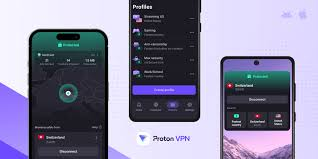
Why it stands out: Proton VPN is built by the same team behind ProtonMail, a privacy-focused email service based in Switzerland. The company has been independently audited, publishes transparency reports, and has open-sourced its apps. For a free product, that level of accountability is rare.
Real-world performance: On a free Proton VPN connection in the US, you can comfortably browse the web and check email. Streaming is hit or miss — speeds are slower than paid tiers, and some streaming platforms will block VPN connections anyway. But for protecting your connection on public Wi-Fi at a coffee shop or airport, it does the job well.
Limitations: The free plan is limited to one device at a time and doesn’t include access to streaming servers or the fastest server locations. You also can’t use Tor over VPN or the Stealth protocol on the free tier.
2. Windscribe — Best for Data Allowance
Windscribe‘s free plan gives you 10GB of data per month, which is generous by free VPN standards. You get access to servers in 10 countries, including US servers, which is important if you’re based in the US and just want to encrypt your connection.

Why it stands out: Windscribe has a strong privacy reputation and a transparent business model. The free tier isn’t a stripped-down bait-and-switch — it’s a fully functional version of the product with a data cap. You also get a built-in firewall (called ROBERT) that blocks ads and malware at the network level, even on the free plan.
Practical example: If you use your iPhone mainly for browsing social media, reading news, and occasionally checking maps, 10GB a month is probably enough. If you stream video regularly, you’ll burn through it in a few days.
Limitations: 10GB sounds like a lot until you start watching YouTube. Streaming is essentially off the table if you want that data to last the month. Speed can also vary significantly depending on which free server you connect to.
3. Tunnelbear — Best for Simplicity
If you want a VPN that just works without fiddling with settings, Tunnelbear is hard to beat. The app is clean, easy to navigate, and designed so that anyone — tech-savvy or not — can connect in seconds.

Why it stands out: TunnelBear has been independently audited multiple times, which puts it ahead of most free VPN providers on the trust front. The interface uses a bear-themed map to show server locations, which sounds gimmicky but actually makes it very intuitive to use.
Free tier: 500MB per month. That’s the big catch. 500MB is genuinely not much — it covers light browsing for a few days, but not much more.
Practical workaround: Tunnelbear runs a yearly “tweet for data” promotion where you can earn extra gigabytes by sharing a post about them. It’s a minor boost, but it’s something.
Limitations: The 500MB cap is a serious constraint for everyday use. Tunnelbear works best as a backup VPN you keep installed for specific situations — like connecting to an unsecured Wi-Fi network briefly — rather than something you run all the time.
4. Hide.me — Best for Speed on Free Tier
Hide.me offers 10GB of free data per month with access to five server locations. What sets it apart from others in this category is speed — the free servers tend to be less congested than competitors, which translates to noticeably better performance.
Why it stands out: Hide.me has a verified no-logs policy and supports a wide range of VPN protocols, including WireGuard, which is the fastest modern protocol available. Even on the free tier, you can use WireGuard on iOS, which gives you better speeds than older protocols.
Real-world use case: If you’re traveling within the US and want to connect to a secure tunnel for banking apps or sensitive logins, Hide.me’s free plan handles that comfortably. It’s also good for remote workers who need occasional secure access without committing to a paid subscription.
Limitations: Five server locations are limited. If you need to appear in a specific country or want variety in server choice, the free tier won’t satisfy that. Also, one simultaneous connection on the free plan.
5. Atlas VPN — Best for Streaming Attempts
Atlas VPN’s free plan is worth mentioning specifically because it includes servers in the US and offers unlimited data on those US servers. That’s a combination that most free VPNs don’t offer.
Why it stands out: For US-based users who just want to encrypt their connection without worrying about a data cap, Atlas VPN’s free plan is functional. The catch is that you’re limited to US, Netherlands, and Japan servers only on the free tier.
Limitations: Atlas VPN was acquired by Nord Security (the company behind NordVPN), and the free tier has been getting more restrictive over time. Speed on free servers can be inconsistent. It’s worth trying but doesn’t quite reach the reliability level of Proton VPN or Windscribe.
Free VPN vs. Paid VPN: What’s the Real Difference?
It’s worth being direct about this: free VPNs are fine for specific, limited use cases. For everything else, a paid VPN is meaningfully better.
Here’s a practical comparison:
Speed: Paid VPNs maintain dedicated infrastructure. Free tiers share the same servers across many more users, leading to congestion and slower speeds — especially during peak hours.
Data: Every major paid VPN offers unlimited data. Every major free VPN either caps data or throttles speeds after a certain point.
Server variety: Paid plans give you hundreds or thousands of servers across dozens of countries. Free tiers give you three to ten locations.
Privacy guarantees: Paid VPN companies have a business model that doesn’t depend on monetizing your data. Some free VPN providers — particularly obscure ones with no clear revenue source — have been caught logging and selling user data.
Streaming: Netflix, Hulu, Disney+, and other platforms actively block VPN IP addresses. Paid VPN services invest in regularly refreshing their IP pools to stay ahead of these blocks. Free tiers rarely do this.
If you’re using a VPN just to encrypt your connection on public Wi-Fi or occasionally mask your IP, a free option from this list will serve you well. If you want to stream, work remotely through a secure tunnel, or bypass geo-restrictions regularly, a paid plan is worth the $3–$5/month that mid-tier services typically charge.
Pros and Cons of Using a Free VPN on iPhone
Pros
It costs nothing. For users who only need occasional protection — traveling, using airport Wi-Fi, accessing a public hotspot — paying for a VPN makes no financial sense when solid free options exist.
Privacy on public networks. Even with limited data, having a VPN active when you connect to unsecured public Wi-Fi prevents basic snooping and man-in-the-middle attacks.
Easy to try before committing. Free tiers from reputable providers like Proton VPN and Windscribe give you a genuine taste of the product before deciding whether to upgrade.
Encrypts your DNS queries. Even when the VPN is on, it routes your DNS lookups through its own servers, which prevents your ISP from seeing which websites you’re visiting.
Cons
Data caps kill everyday use. Most free tiers give you between 500MB and 10GB per month. That sounds like a lot until you realize a single Netflix episode in standard definition uses about 1GB.
Slower speeds. Free servers are shared by many users. During peak times, this leads to noticeably slower browsing, longer load times, and buffering.
Fewer server options. Being restricted to 3–10 server locations means you can’t fine-tune your connection for specific needs like accessing content from a particular country.
Some free VPNs are dangerous. Not all free VPNs are built by reputable companies. There are VPN apps in the App Store that log your data, inject ads, or sell your browsing history. Stick to the providers listed here and avoid anything with no track record.
Battery drain. Running any VPN on an iPhone uses more battery than browsing without one, since all your traffic is being encrypted and rerouted. On a long day, this adds up.
Tips for Getting the Most Out of a Free iPhone VPN
Only enable it when you need it. You don’t need a VPN active when you’re on your home Wi-Fi with WPA2/WPA3 encryption. Save your data allowance for public networks or situations where privacy actually matters.
Use it for banking and sensitive logins. If you ever check your bank account or log into important accounts over public Wi-Fi, always turn on the VPN first. This is where free VPNs pay for themselves most clearly.
Pick a nearby server. Connecting to a server geographically close to you gives you the best speeds. If you’re in New York and connecting to a US server, pick the East Coast option if your VPN offers regional choices.
Keep the app updated. VPN providers regularly push security updates and performance improvements. An outdated app can leave you with known vulnerabilities.
Check if your iPhone has a VPN kill switch option. Some VPN apps for iOS include a kill switch that cuts your internet connection if the VPN drops unexpectedly. This prevents your real IP from leaking. Proton VPN’s free plan includes this feature.
Frequently Asked Questions
Is it safe to use a free VPN on an iPhone?
It depends entirely on the provider. Free VPNs from established companies like Proton VPN, Windscribe, and Hide.me are safe. Random no-name VPN apps with no privacy policy or audit history should be avoided. Always check whether a provider has a published no-logs policy and preferably an independent audit.
Can a free VPN slow down my iPhone?
Yes, to some extent. Any VPN adds a small amount of overhead since your traffic is being encrypted and rerouted. Free VPNs tend to be slower because their servers handle more users. For basic browsing, the slowdown is tolerable. For video calls or streaming, it’s more noticeable.
Can I use a free VPN to watch Netflix on iPhone?
Occasionally, but not reliably. Netflix actively detects and blocks VPN IP addresses. Free VPN servers are especially prone to being blocked because their IP addresses are widely known. For consistent Netflix access, a paid VPN with actively maintained streaming servers is the practical choice.
Do free VPNs work on 5G?
Yes. A VPN works independently of your connection type — whether you’re on Wi-Fi, 4G LTE, or 5G, the VPN encrypts your traffic the same way. On 5G, you’ll have more bandwidth available, which can partially offset the speed reduction from the VPN.
Does Apple’s iCloud Private Relay replace a VPN?
Not exactly. iCloud Private Relay (available with iCloud+ subscriptions) hides your IP address and encrypts DNS requests in Safari, but it only applies to Safari browsing on Apple devices. It doesn’t cover other apps or encrypt all traffic the way a VPN does. They serve different purposes and can be used together.
Which free VPN gives the most data on iPhone?
Proton VPN’s free plan offers unlimited data, making it the clear winner on that metric. Windscribe and Hide.me both offer 10GB per month, which is the next best option.
Is Proton VPN really free forever?
Yes, the free tier of Proton VPN is not a limited trial — it’s a permanently free option supported by paid subscribers. Proton explicitly states that the free plan is subsidized by paying customers, which is a sustainable and transparent model.
Can a free VPN protect me from hackers on public Wi-Fi?
Yes, in the sense that it encrypts your traffic so others on the same network can’t intercept it. A VPN won’t protect you from phishing attacks or malware, but it does close off the most common avenue for Wi-Fi eavesdropping.
Do I need to create an account to use a free VPN?
It depends on the provider. Proton VPN requires a free account (just an email address). TunnelBear also requires an account. Some providers like Windscribe let you use a limited version without an account, with a full free account giving more data. Creating an account typically unlocks the full free tier.
Will a VPN drain my iPhone battery faster?
Somewhat, yes. The encryption process uses processing power, and being connected to a remote server adds load. In practice, for light use, the battery impact is noticeable but not dramatic. Turning off the VPN when you don’t need it is the simplest way to manage this.
Conclsion
For most iPhone users in the USA, Proton VPN is the first thing to download — unlimited data, strong privacy credentials, and a genuinely usable free tier. If you find yourself hitting the speed limitations of free servers frequently, that’s usually the signal that upgrading to a paid plan makes sense.
Windscribe is a strong backup choice with its generous 10GB monthly limit, and Hide.me earns its spot for users who prioritize speed over server variety.
What you want to avoid is downloading a free VPN purely because it has a flashy App Store listing or promises “military-grade encryption” with no mention of who actually runs it. Stick to providers with transparent ownership, published privacy policies, and ideally independent audits — and you’ll be in good shape.

