
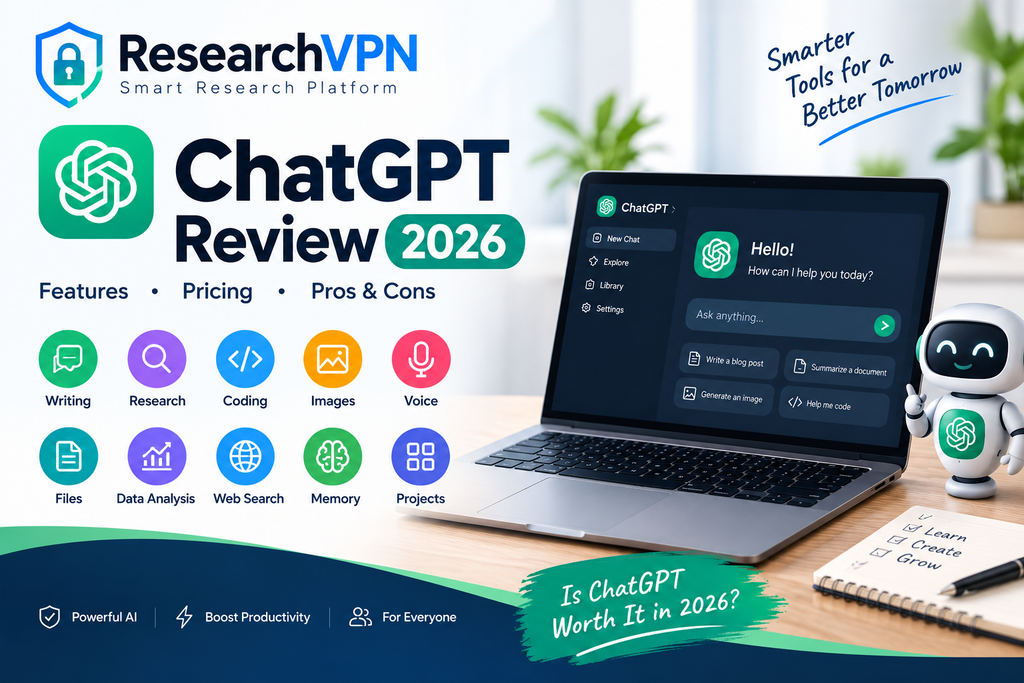
ChatGPT has grown far beyond a basic AI chatbot. In 2026, it can help users write and edit content, search the web, analyze files and data, create and edit images, communicate through voice, conduct detailed research, organize long-running projects, remember useful context, and connect with external apps and services.
For students, writers, developers, researchers, marketers, business owners, and everyday users, ChatGPT can act as a general-purpose productivity assistant. However, not every feature is available on every plan, and usage limits can vary.

ChatGPT has become much more than a simple chatbot. In 2026, it is a powerful all-in-one productivity assistant that can help with writing, research, coding, studying, data analysis, image creation, file analysis, voice conversations, and everyday tasks. OpenAI continues to expand ChatGPT with new models, tools, and features, making it useful for both beginners and professionals.
ChatGPT Review 2026:One of the biggest advantages of ChatGPT is its versatility. You can use it to write and rewrite content, summarize documents, translate languages, analyze PDFs and spreadsheets, search the web for current information, conduct deep research, create images, and solve complex problems. Features such as Memory, Projects, Canvas, Custom GPTs, Voice Mode, Data Analysis, and Deep Research make ChatGPT suitable for longer and more advanced workflows.
The 2026 version also brings several important developments. ChatGPT has expanded its ability to work with connected apps and external information, while newer model updates improve reasoning, coding, and professional work. Recent updates have also expanded voice capabilities, file handling, Projects, and image creation.
For everyday users, the biggest benefit is convenience: instead of switching between multiple tools for writing, research, brainstorming, analysis, and creative work, many tasks can be handled inside one ChatGPT conversation. However, features, limits, and availability can vary by plan, region, and device.
ChatGPT Review 2026, we’ll cover its latest features, pricing, advantages and disadvantages, performance, accuracy, privacy, use cases, and whether ChatGPT is worth using in 2026.
ChatGPT Review 2026: Quick Verdict
Overall Rating: 4.7/5
ChatGPT is one of the most versatile productivity platforms available in 2026. Its biggest strengths are its broad range of tools, natural-language interface, web access, file analysis, image capabilities, research features, memory, Projects, and growing ecosystem of connected apps.
The Free plan is a good starting point for casual users. Heavy users, professionals, researchers, developers, and businesses may benefit from paid plans with higher limits and access to additional capabilities.
What Is ChatGPT?

ChatGPT is OpenAI’s conversational assistant designed to understand natural-language instructions and help with a wide variety of tasks.
You can use it to ask questions, write and rewrite content, explain difficult topics, brainstorm ideas, translate text, solve problems, analyze information, work with files, search the web, create images, and more.
Its usefulness comes from combining conversation with additional tools rather than requiring users to learn complicated software.
ChatGPT Features in 2026
1. Chat and Conversational Assistance
The core ChatGPT experience lets you communicate naturally using everyday language.
You can ask follow-up questions, provide additional context, correct an answer, or request a different format.
For example, you can ask ChatGPT to:
- Explain a complicated topic simply
- Rewrite an article
- Create an outline
- Brainstorm business ideas
- Solve a problem
- Translate content
- Create a study plan
- Analyze an argument
- Summarize information
ChatGPT can also maintain conversational context within a chat, making multi-step conversations much easier.
2. Web Search
ChatGPT can search the web when current information is required.
This is particularly useful for:
- Latest news
- Current product information
- Recent company announcements
- Travel research
- Current prices
- New software updates
- Recent research
- Current events
Search results can include citations so users can check the underlying sources.
Best for: Users who need up-to-date information instead of relying only on the model’s existing knowledge.
3. Deep Research
Deep research is designed for more complicated research tasks.
Instead of simply answering a question, it can investigate information across multiple sources and produce a structured, cited report.
OpenAI has also added more control over deep research, including the ability to focus research on specific websites, use connected apps as sources, edit the research plan, monitor progress, and adjust the direction while research is underway.
Best for:
- Market research
- Academic research
- Competitor research
- Product comparisons
- Industry reports
- Literature reviews
- Long-form research
4. Image Generation and Image Editing
ChatGPT can create images from natural-language descriptions.
You can describe the image you want instead of learning complicated design software.
It can also work with uploaded images and help interpret or modify visual content. OpenAI’s capabilities documentation lists image analysis, image generation, and natural-language image editing among ChatGPT’s capabilities.
Possible uses include:
- Blog thumbnails
- Social-media graphics
- Product concepts
- Illustrations
- Marketing visuals
- Infographics
- Creative artwork
- Image editing
Important 2026 Update
OpenAI retired the official DALL·E GPT on August 30, 2026, while continuing image creation and editing through ChatGPT Images.
5. File Uploads and Document Analysis
ChatGPT can work with supported files such as PDFs, presentations, documents, spreadsheets, and other files.
You can upload a document and ask ChatGPT to:
- Summarize it
- Find important information
- Answer questions about it
- Extract data
- Rewrite sections
- Compare documents
- Explain complicated passages
This can save significant time when working with long documents.
6. Data Analysis
ChatGPT can help with data analysis by allowing you to upload spreadsheets, CSV files, PDFs, and other supported files and then ask questions about the data in natural language. It can identify trends, calculate statistics, clean and organize datasets, compare values, find unusual patterns, and explain results in simple language.
For example, you can upload a sales spreadsheet and ask ChatGPT to find the best-performing products, calculate monthly revenue, identify declining sales, create charts, or summarize key business insights. It can also help with calculations and generate analysis workflows using Python when needed.
ChatGPT can analyze structured data such as spreadsheets and CSV files.
It can help users:
- Clean data
- Find trends
- Calculate statistics
- Create visualizations
- Identify patterns
- Analyze datasets
- Make projections
OpenAI says ChatGPT can run code in a secure environment for data analysis and visualization.
Best for: Students, analysts, researchers, marketers, business owners, and anyone working with spreadsheets.
7. Voice Mode
Voice Mode allows users to communicate with ChatGPT through spoken conversation.
Instead of typing every question, you can speak naturally and receive spoken responses.
This can be useful when:
- Driving or walking
- Practicing a language
- Learning a subject
- Brainstorming ideas
- Having hands-free conversations
- Practicing interviews
Voice is available across supported platforms, with availability depending on plan and device.
8. Memory
Memory allows ChatGPT to remember useful information and preferences so future conversations can become more personalized.
For example, memory can help ChatGPT understand your preferences, recurring goals, or working style.
OpenAI has also improved memory so that it can keep useful context more up to date and reduce stale or contradictory memories. Users can review and manage memory settings.
Why it matters: You don’t always have to repeat the same background information in every conversation.
9. Projects
Projects are designed for long-running work.
You can keep related:
- Chats
- Files
- Instructions
- Context
inside a single project.
Projects can be useful for website development, research, content creation, studying, business planning, or other ongoing work. OpenAI says Projects are available across Free and paid subscription types globally.
Example
You could create a project called:
“My Website SEO Project”
Then keep your keyword research, content plans, articles, competitor information, and instructions together.
10. Canvas
Canvas provides an interactive workspace for writing, editing, and coding.
Instead of repeatedly asking ChatGPT to rewrite an entire document, you can work more directly on the content and request targeted changes.
It is useful for:
- Long-form writing
- Editing
- Coding
- Debugging
- Document development
OpenAI lists Canvas as one of ChatGPT’s built-in workspaces.
11. Custom GPTs
Custom GPTs allow users to create specialized versions of ChatGPT with customized instructions, knowledge files, and selected tools.
For example, you could create a custom assistant for:
- SEO writing
- Customer support
- Study help
- Coding
- Research
- Business analysis
Custom GPTs can also be shared or published depending on the available features and account type.
12. GPT Store
The GPT Store provides a directory of task-specific custom assistants.
Instead of building everything yourself, you can explore specialized GPTs created for areas such as:
- Education
- Writing
- Productivity
- Coding
- Research
- Business
This makes ChatGPT more like an ecosystem of specialized assistants rather than a single chatbot.
13. Apps and Connected Services
ChatGPT can connect with external apps and services where supported.
Connected apps can allow ChatGPT to search, reference, or work with information from services you already use.
Depending on the app and permissions, capabilities can include:
- Searching connected information
- Referencing files
- Deep research
- Synchronizing information
- Performing supported actions
Availability depends on the app, plan, region, workspace permissions, and interface.
14. Scheduled Tasks
Some ChatGPT users can schedule tasks for the future.
Depending on availability, tasks can be:
- One-time
- Recurring
- Scheduled
- Triggered by certain conditions
For example, a user could set up a recurring task to receive a particular type of update.
OpenAI’s current documentation includes Scheduled Tasks among ChatGPT’s capabilities.
15. Agent and Work Capabilities
OpenAI’s 2026 product updates have expanded ChatGPT’s ability to handle longer, multi-step workflows.
The newer ChatGPT Work experience is designed for more involved tasks, including research, analysis, work across connected apps and files, and creating finished documents, spreadsheets, presentations, reports, and Sites. It can also work with Scheduled Tasks.
This is particularly useful for users who want ChatGPT to do more than simply answer individual questions.
16. Coding and Programming

ChatGPT is also useful for software development.
It can help with:
- Python
- JavaScript
- HTML
- CSS
- Java
- C++
- SQL
- APIs
- Debugging
- Code explanations
- Documentation
- Architecture ideas
Developers can use ChatGPT as a coding assistant, learning tool, debugging partner, or brainstorming tool.
17. Study Mode and Learning
ChatGPT can also be used as a learning assistant.
Students can ask it to:
- Explain concepts step by step
- Create quizzes
- Generate practice questions
- Explain mistakes
- Build study plans
- Simplify difficult subjects
- Practice languages
Recent ChatGPT updates have also expanded interactive learning and quiz experiences.
18. Multimodal Input
ChatGPT can work with more than text.
Depending on the available features and plan, users can provide:
- Text
- Images
- Documents
- Data
- Voice
This allows ChatGPT to understand and work across different types of information.
19. Translation
ChatGPT can translate between languages and can also help explain differences in wording, tone, and cultural context.
It can be useful for:
- English translation
- Hindi translation
- Odia translation
- Business communication
- Travel phrases
- Language learning
However, professional or legal translations should still be reviewed by a qualified human when accuracy is critical.
ChatGPT Pricing in 2026
ChatGPT offers multiple subscription options, including:
| Plan | Best For |
|---|---|
| Free | Casual users |
| Go | Users needing more everyday access |
| Plus | Individual professionals and frequent users |
| Pro | Heavy and advanced users |
| Business | Teams |
| Enterprise | Large organizations |
Pricing, features, usage limits, and availability can change, so readers should check OpenAI’s current pricing page before purchasing.
ChatGPT Free vs Paid
ChatGPT Free
Best for:
- Casual users
- Students
- Basic writing
- General questions
- Occasional image generation
- Light research
Paid Plans
Paid plans can provide higher limits and broader access to advanced models and tools.
They are more suitable for:
- Professionals
- Developers
- Researchers
- Content creators
- Business users
- Heavy daily users
ChatGPT Pros and Cons
Pros
- Easy to use
- Wide range of capabilities
- Web search
- Deep research
- File analysis
- Data analysis
- Image generation
- Voice conversations
- Memory
- Projects
- Custom GPTs
- Coding assistance
- Multimodal interaction
- Connected apps
- Free plan available
Cons
- Some features have usage limits
- Advanced features may require paid plans
- Availability can vary by region and account
- Responses can sometimes contain incorrect information
- AI-generated information should be verified for important decisions
- Features and pricing can change over time
Is ChatGPT Accurate?
ChatGPT can provide highly useful answers, but it is not guaranteed to be correct every time.
For important subjects such as:
- Finance
- Medicine
- Law
- Academic research
- Business decisions
you should verify important claims using authoritative sources.
Using web search, citations, uploaded reference material, and precise prompts can improve reliability.
ChatGPT Privacy and Security
Privacy should be an important consideration when using any online assistant.
Avoid entering passwords, payment-card information, confidential credentials, or highly sensitive personal information unless you understand the relevant privacy and security controls.
For business and organizational use, administrators can also control connected apps, permissions, and workspace settings.
Who Should Use ChatGPT?
ChatGPT is particularly useful for:
Students
For learning, explanations, research, revision, and practice.
Bloggers and Writers
For brainstorming, drafting, editing, SEO planning, and content development.
Developers
For coding, debugging, explanations, and technical research.
Researchers
For information gathering, document analysis, and research workflows.
Business Owners
For planning, marketing, analysis, documentation, and productivity.
Creators
For scripts, ideas, images, captions, and creative development.
ChatGPT vs Traditional Search
Traditional search engines are excellent for discovering webpages and sources.
ChatGPT is different because it can take a user’s request, understand context, synthesize information, and provide a conversational response.
The two approaches can work together: use ChatGPT to understand and organize information, and verify important claims using reliable sources.
Is ChatGPT Worth It in 2026?
Yes—especially for users who need one tool for multiple productivity tasks.
The biggest advantage of ChatGPT is not one individual feature. It is the combination of conversation, web search, research, files, data analysis, images, voice, memory, Projects, coding, and connected services.
Casual users can start with the Free plan. People who use ChatGPT heavily for work, research, coding, content creation, or business may find a paid plan more valuable.
Frequently Asked Questions
Is ChatGPT free in 2026?
Yes. OpenAI offers a Free plan, although usage limits and access to some capabilities vary by plan.
What is the best ChatGPT feature?
There is no single best feature for everyone. Web search, deep research, file analysis, image generation, memory, Projects, and voice are among the most useful capabilities depending on the user’s needs.
Can ChatGPT search the internet?
Yes. ChatGPT can search the web for current information and provide source-backed responses when web search is available.
Can ChatGPT analyze PDFs?
Yes. Users can upload supported documents such as PDFs and ask ChatGPT to summarize, extract information, or answer questions about them.
Can ChatGPT create images?
Yes. ChatGPT supports image generation and image editing capabilities, subject to the user’s available plan and limits.
Can ChatGPT remember previous conversations?
ChatGPT has memory capabilities that can allow it to remember useful information and preferences, depending on settings and availability.
What are ChatGPT Projects?
Projects are workspaces where users can organize chats, files, instructions, and context around a long-running goal.
Can ChatGPT analyze Excel or CSV files?
Yes. ChatGPT can analyze structured data and create visualizations using its data-analysis capabilities.
Is ChatGPT good for coding?
Yes. ChatGPT can generate, explain, review, and troubleshoot code across many programming languages.
Is ChatGPT worth paying for?
For occasional users, the Free plan may be enough. Frequent users who need higher limits and advanced capabilities may find a paid plan worthwhile.
Conclsion
ChatGPT in 2026 is much more than a simple chatbot. It has developed into a broad productivity platform that combines conversational assistance with web search, deep research, file analysis, data analysis, image generation, voice, memory, Projects, Custom GPTs, coding, and connected apps.
Our overall rating: 4.7/5.
For casual users, start with the Free plan. For professionals, researchers, creators, developers, and heavy users, consider a paid plan if the additional features and usage limits match your workflow.
The most important thing to remember is that ChatGPT should be treated as a powerful assistant—not an unquestionable source of truth. Verify important information before making high-stakes decisions.