
Can I use the Same eSIM on iPhone and Apple Watch Airtel?
Yes, Airtel allows you to use the same mobile number on both your iPhone and Apple Watch through its cellular Apple Watch service. When you set up your Apple Watch with Airtel, the watch shares your existing Airtel number, enabling you to make calls, send messages, and use mobile data even when your iPhone is not nearby.
The setup does not require a separate phone number for the watch. Instead, Airtel’s Number Sharing feature links your Apple Watch cellular plan to the eSIM already active on your iPhone. This creates a seamless experience where both devices work together under the same Airtel account.
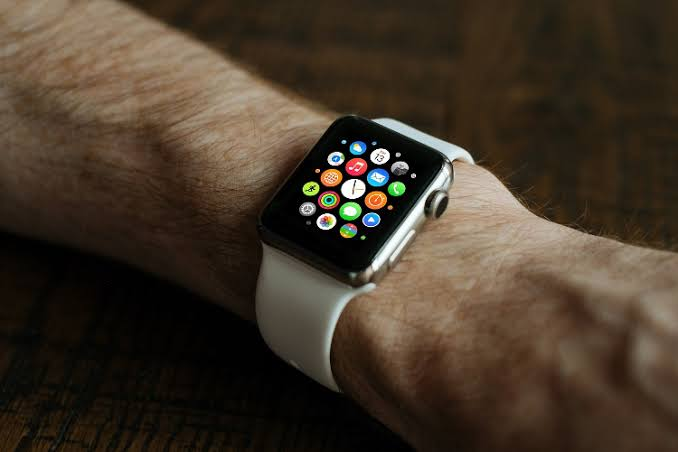
Before starting the setup, ensure that your iPhone supports eSIM, your Apple Watch is a cellular model, and both devices are running the latest software versions. You also need an active Airtel mobile connection with eSIM enabled on your iPhone.
In this guide, you’ll learn how Airtel’s Apple Watch cellular service works, the requirements for activation, setup steps, troubleshooting tips, and answers to common questions about using the same eSIM on your iPhone and Apple Watch.
If you’ve got an Airtel number on your iPhone and a cellular Apple Watch sitting on your wrist, this question has probably crossed your mind at least once. Do you need a separate SIM for the watch? Will it ring on the same number? What plan do you actually need?
The short answer: yes, you can use the same number on both your iPhone and Apple Watch via Airtel’s eSIM, but there are a few important conditions you need to meet first. Let’s break it all down clearly so you know exactly what to expect before you go hunting for the setting.
How Does the Apple Watch eSIM Actually Work?

Before getting into Airtel specifics, it helps to understand what’s happening under the hood.
The eSIM in an Apple Watch is a digital SIM card that’s already embedded inside the watch — there’s no physical chip to insert or remove. It allows you to activate a cellular plan directly on your watch without needing a physical SIM card.
The eSIM inside the Apple Watch is designed to let you keep the same cellular number as the one on your iPhone, which means when someone calls your Airtel number, both devices ring. You don’t get a second number for the watch. It’s the same number, shared across both devices.
You can use the same eSIM on both your iPhone and Apple Watch simultaneously, sharing the same phone number and cellular plan across devices.
Think of it like this: you’re at the gym, you leave your iPhone in the locker, but your watch is on your wrist. A call comes in on your Airtel number — your watch picks it up. That’s the whole point of this feature.
Which Apple Watch Models Support eSIM with Airtel?

Not every Apple Watch has cellular capability. You need to specifically buy the GPS + Cellular variant.
To use eSIM technology, you must have an Apple Watch Series 3 (GPS + Cellular) or a newer model. The standard GPS-only models don’t have the eSIM hardware built in, so no matter what plan you have, cellular won’t work on those.
Here’s a quick overview of compatible models:
- Apple Watch Series 3 (GPS + Cellular) — minimum supported
- Apple Watch Series 4, 5, 6, 7, 8, SE (Cellular) — all compatible
- Apple Watch Ultra, Ultra 2 — compatible
- Apple Watch Series 9 and newer — compatible
If you’re not sure which model you have, open the Watch app on your iPhone, go to My Watch > General > About. If your watch doesn’t have the “Mobile Data” option in the Watch app at all, it’s likely the GPS-only version.
What Airtel Plan Do You Need?

This is where most people run into confusion — and frustration.
To use Apple Watch Cellular, all you need is a compatible iPhone on iOS version 11.3 or above and an Airtel Postpaid number on My Plan or Infinity plan.
So the key requirement here: you must be on Airtel Postpaid.
Airtel is not providing eSIM facility for Apple Watch prepaid users. If you’re currently on Airtel prepaid and you want to use your Apple Watch on cellular, you’ll need to either switch to a postpaid plan or use the watch only on Wi-Fi and Bluetooth range of your iPhone.
Apple Watch Cellular can be used free of charge with any Airtel My Plan or Infinity plan. That’s actually a great deal — you don’t pay extra for adding the watch to your postpaid plan, at least on eligible Airtel plans. Always verify this with Airtel directly, as plans can change.
Does Your Apple Watch Get a New Number?
A common misconception is that adding cellular to your Apple Watch means getting a new phone number.
Apple Watch Cellular will have an electronic SIM, which will be used with your existing Airtel number — there is no new number assigned to the watch.
Your watch rings when your iPhone rings. WhatsApp messages, calls, FaceTime — all of it goes to the same number. The watch is essentially acting as an extension of your iPhone, not a standalone phone with its own identity.
Step-by-Step: How to Set Up Airtel eSIM on Apple Watch
Here’s the full process, assuming you already have an Airtel Postpaid plan active on your iPhone:
Step 1 — Check Compatibility
Open the Watch app on your iPhone and select the “Mobile Data” option. If the “Mobile Data” tab is absent, your Apple Watch may not be eSIM compatible. This is your first checkpoint.
Step 2 — Make Sure Both Devices Are Updated
Your iPhone and Apple Watch should be running the latest operating system versions, and your iPhone needs a stable Wi-Fi or cellular network connection during the setup process.
Step 3 — Open the Watch App and Add a Plan
Once you click on the “Mobile Data” option, select “Add a Plan.” This will bring up a list of carriers that support eSIM on Apple Watch. Select Airtel as your carrier.
Step 4 — Sign In with Your Airtel Credentials
Tap “Setup Mobile Data” to connect your Airtel Postpaid phone number and plan to your Apple Watch. Enter your Airtel Postpaid number as well as your self-care password. Examine your plan information and click “Sign Up” to begin the synchronisation process.
Step 5 — Wait for the Sync
Please wait at least 10 minutes while your Airtel postpaid number and plan get shared with your Apple Watch, and allow your Apple Watch to sync completely with your iPhone. Don’t restart anything during this time — just let it do its thing.
Step 6 — Confirm the Plan
After successfully activating the eSIM plan, the details of your carrier and plan will be displayed on the Watch app’s “Cellular” tab.
You should now see the green cellular dot on your watch face, which means it’s connected independently.
Practical Example: Real-World Use Case
Say you’re Ankit, living in Bengaluru, on an Airtel Postpaid Infinity plan with your iPhone 15. You just bought an Apple Watch Series 9 (GPS + Cellular).
You follow the steps above, enter your Airtel credentials in the Watch app, wait 10-15 minutes, and boom — your watch is now cellular-enabled. The next morning, you go for a run without your phone. Your Airtel number stays live on your wrist. A client calls your number, your watch buzzes, and you take the call right there on the track.
When you get back home and pick up your iPhone, everything is in sync — the call logs, messages, everything. One number, two devices, seamless.
Pros and Cons of Using Airtel eSIM on iPhone + Apple Watch
Pros
Freedom from your phone — The biggest advantage. Once cellular is activated, you genuinely don’t need to carry your iPhone everywhere. For workouts, quick grocery runs, or short walks, your watch handles everything.
Same number everywhere — No need to manage two numbers or inform contacts of a “watch number.” Calls and messages arrive on whichever device is handy.
No extra charge on eligible Airtel plans — Apple Watch Cellular can be used free of charge with any Airtel My Plan or Infinity plan, so you’re not necessarily paying a monthly add-on fee.
Works on 4G and national roaming — Apple Watch Cellular works on 4G and 3G networks, and can be used in national roaming, which is useful if you travel across states frequently.
Clean, physical-SIM-free setup — No SIM slot to worry about. The eSIM lives permanently inside the watch — nothing to lose, nothing to swap.
Cons
Postpaid only — This is the biggest limitation for a large chunk of Airtel users in India. If you’re on prepaid, you simply can’t activate this feature with Airtel right now without switching plans.
No international roaming — Apple Watch Cellular will not work in international roaming, which is a real downside for frequent international travellers.
Requires iPhone nearby for initial setup — You can’t set up the watch eSIM without your paired iPhone being present and connected to the internet.
Limited to one number at a time — Apple Watch Cellular can be paired and used with any one number at a time, so if you want to switch to a different SIM or carrier later, you’ll need to go through the setup process again.
Plan eligibility can be unclear — Not every Airtel postpaid plan automatically qualifies. Some users have reported confusion around which plans include watch support, so it’s worth calling Airtel support or visiting a store to confirm before you commit.
What If You’re on Airtel Prepaid?
If you’re a prepaid user and you want cellular on your Apple Watch, here are your realistic options:
Option 1 — Switch to Airtel Postpaid. Airtel’s My Plan Infinity plans start at a reasonable monthly price and include Apple Watch support. If you were already considering postpaid, this is a good reason to make the move.
Option 2 — Use without cellular. Your Apple Watch still works brilliantly as a fitness tracker, notification hub, and smart display — as long as your iPhone is within Bluetooth range. You don’t need cellular for most daily use cases.
Option 3 — Consider another carrier. If Airtel prepaid isn’t supported, alternatives include switching the watch to a supported postpaid/add-on plan or considering another carrier that supports Apple Watch prepaid eSIM. Jio, for instance, has been noted by some users as offering prepaid watch eSIM support in certain cases.
Common Issues and Quick Fixes
“Mobile Data” tab missing in Watch app — Your watch is either the GPS-only model or not compatible. Double-check the model number.
The setup option is greyed out — Make sure your iPhone is connected to Wi-Fi or cellular data during the setup, Bluetooth is on, and both devices are updated.
Activation failed or timed out — If activation fails, contact Airtel customer care or visit a nearby Airtel store with both the iPhone and the Apple Watch, and ask specifically about “Apple Watch eSIM / NumberShare / Watch plan.” Sometimes the plan needs to be manually enabled on the account backend.
Watch stopped working after switching from postpaid to prepaid — This is a known issue. The Apple Watch cellular feature stopped working for users who changed their Airtel plan from postpaid to prepaid, because prepaid doesn’t support the number-sharing feature. You’ll need to switch back to postpaid or use the watch in Bluetooth-only mode.
Frequently Asked Questions
Q: Will my Apple Watch get a different number when I add Airtel eSIM?
No. The Apple Watch will not have a new number — the electronic SIM is used with your existing Airtel number.
Q: Can I use Airtel prepaid on my Apple Watch?
Currently, Airtel does not officially support prepaid plans for Apple Watch eSIM activation in India. Postpaid on the My Plan or Infinity plan is required.
Q: Is there an extra monthly fee to use an Apple Watch with Airtel?
Apple Watch Cellular can be used free of charge with Airtel My Plan or Infinity plans. However, verify this with Airtel at the time of activation, as plan terms can change.
Q: Can the Apple Watch work independently without the iPhone?
Yes — once the eSIM is activated, the watch can make and receive calls, send messages, and use data independently. With eSIM technology, your Apple Watch can connect to cellular networks independently, allowing you to make calls, send messages, stream music, and more — all without needing your iPhone nearby.
Q: Does the Airtel Apple Watch eSIM work when I’m travelling in another state?
Yes, Apple Watch Cellular can be used in national roaming; it will not work in international roaming.
Q: What if I buy a new iPhone — will I need to set up the watch eSIM again?
If switching to a different Apple Watch, cancel the service on the current watch and re-register the new one. Similarly, if you change iPhones, re-pair your watch to the new iPhone and verify that the cellular plan is still showing correctly.
Q: Do I need KYC documents to activate Apple Watch eSIM on Airtel?
Some carriers require fresh KYC for adding a watch plan. It’s advisable to have your KYC documents ready when visiting an Airtel store for Apple Watch eSIM activation.
Q: Can two Apple Watches share the same Airtel number?
No. Apple Watch Cellular can be paired and used with any one number at a time.
Final Verdict
Using the same Airtel number on both your iPhone and Apple Watch is completely possible and genuinely useful — but it’s not for everyone right now. If you’re on Airtel Postpaid (My Plan or Infinity) and you have a GPS + Cellular Apple Watch, the setup is straightforward, and you don’t need to pay for an extra number or plan.
The main roadblock is the prepaid restriction. Airtel currently doesn’t extend the Apple Watch eSIM feature to prepaid users, which means a large portion of Indian users are locked out unless they switch plans.
If you do make the switch or you’re already on postpaid, this is a genuinely great feature. Leaving your phone at home during a morning run and still being reachable on your Airtel number — that’s the kind of small convenience that makes a real difference over time.
Sonnet 4.6 High

