
How to Create AI Tools for Free Using Claude API in 2026:-
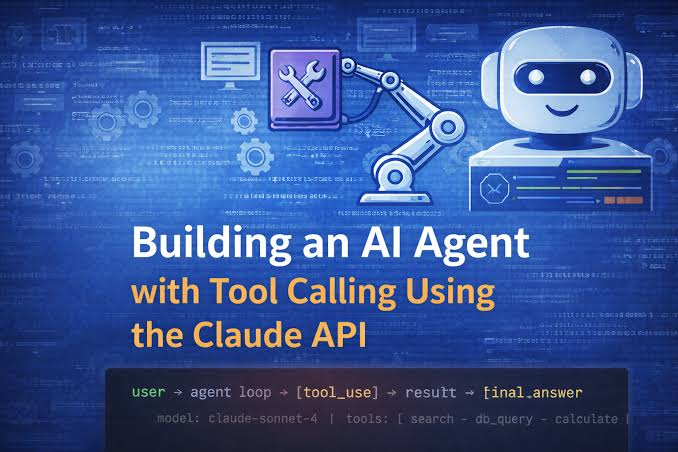
The Claude API is one of the most powerful ways to build AI tools in 2026 — and Anthropic provides free credits that let Indian developers, students, and entrepreneurs build and test AI applications without spending anything upfront. Combined with free hosting platforms like Vercel, free databases like Supabase, and free frontend frameworks — you can build, deploy, and validate a complete AI tool at zero cost.
This guide covers the complete process of creating AI tools for free using the Claude API in 2026fom account setup and free credits to building your first AI tool to deploying it publicly without paying for hosting.
- Check now the Problem – How to Build AI Tools?
Why Claude API for Free AI Tool Building
Before getting into the how, understanding why Claude API is particularly good for free AI tool building:
Free credits on signup: Anthropic provides free API credits when you create a new account — enough to build and test multiple AI tools without any payment.
Pay-as-you-go after free credits: Once free credits are exhausted, you pay only for what you use — no monthly subscription required. For low-traffic tools in early stages, monthly API costs can be under ₹500.
Best reasoning quality: Claude consistently outperforms competitors on complex reasoning, long document analysis, and nuanced content generation — your AI tool produces better outputs with less prompt engineering.
Large context window: Claude’s 200,000-token context window lets you build tools that process entire books, codebases, or document collections in a single API call — impossible with smaller context models.
Safety built-in: Claude’s built-in safety features reduce the risk of your AI tool generating harmful content — important for tools deployed to public users.
Indian developer friendly: Claude API works seamlessly from India — Indian credit cards accepted, no geographic restrictions, and strong performance on Hindi and Indian English content.
Step 1 — Create Your Anthropic Account and Get Free API Credits
Step 1: Go to console.anthropic.com in your browser
Step 2: Click Sign Up
Step 3: Enter your email address and create a password
Step 4: Verify your email address via the confirmation link
Step 5: Complete account profile:
- Name
- Use case (select “Personal/hobby project” or “Building a product”)
- Country: India ✅
Step 6: Free credits automatically added to your account
- Check current credit amount: Console → Billing → Credits
- Free credits sufficient for thousands of API calls during development ✅
Step 7: Generate your API key:
- Console → API Keys → Create Key
- Name your key: “my-first-ai-tool”
- Copy the key immediately — shown only once ✅
- Store securely — never share or commit to Git
Understanding API pricing (after free credits):
- Claude Sonnet 4.6: $3 per million input tokens / $15 per million output tokens
- 1 token ≈ 4 characters of text
- A typical AI tool interaction (500 word input + 200 word output) ≈ ₹0.50–₹2
- Monthly cost for 1,000 daily users doing 1 interaction each: ₹15,000–₹60,000
Extending free credits:
- Anthropic occasionally provides additional credits for developers building interesting tools
- Apply for Anthropic’s startup program for extended free access
- Open source projects may qualify for additional credits
Step 2 — Set Up Your Free Development Environment
Build your AI tool without paying for any development tools:
Option A — Replit (Recommended for Beginners)
Replit is a browser-based IDE — no installation, no local setup, runs entirely in your browser. Free tier sufficient for AI tool development.
Setup:
- Go to replit.com → Sign up for free
- Create New Repl → Select Python or Node.js
- Your development environment is ready in 30 seconds ✅
Replit free tier includes:
- 500MB storage
- Shared CPU and RAM
- Public URL for your tool (replit.app subdomain)
- Basic deployment ✅
Option B — Local Development (Recommended for Experienced Developers)
Python setup (most AI-friendly):
bash
# Install Python (if not already installed)
# Download from python.org

# Create project directory
mkdir my-ai-tool
cd my-ai-tool

# Create virtual environment
python -m venv venv
source venv/bin/activate  # Mac/Linux
venv\Scripts\activate     # Windows

# Install required packages
pip install anthropic flask python-dotenv
Node.js setup (best for web apps):
bash
# Install Node.js from nodejs.org

# Create project
mkdir my-ai-tool
cd my-ai-tool
npm init -y

# Install packages
npm install @anthropic-ai/sdk express dotenv
Setting Up Environment Variables (Critical Security Step)
Never hardcode your API key in your code:
bash
# Create .env file in your project root
touch .env

# Add your API key
echo "ANTHROPIC_API_KEY=your_key_here" >> .env

# Add .env to .gitignore (CRITICAL — prevents accidental key exposure)
echo ".env" >> .gitignore
python
# Load in Python
from dotenv import load_dotenv
import os
load_dotenv()
api_key = os.getenv("ANTHROPIC_API_KEY")
Step 3 — Build Your First Free AI Tool
Let’s build three progressively more complex AI tools — all free to build and deploy.
Tool 1 — AI Content Generator (Simplest)

A simple AI tool that generates blog post content from a keyword — perfect first project.
Python version:
python
import anthropic
import os
from dotenv import load_dotenv

load_dotenv()

client = anthropic.Anthropic(api_key=os.getenv("ANTHROPIC_API_KEY"))

def generate_blog_post(keyword: str, word_count: int = 500, language: str = "English") -> str:
    """Generate SEO-optimized blog post from keyword"""

    message = client.messages.create(
        model="claude-sonnet-4-6",
        max_tokens=1500,
        messages=[
            {
                "role": "user",
                "content": f"""Write a {word_count}-word SEO-optimized blog post about: {keyword}

Requirements:
- Language: {language}
- Include H2 subheadings
- Natural, conversational tone
- Practical examples
- SEO-friendly without keyword stuffing
- End with a clear conclusion

Write only the blog post — no preamble."""
            }
        ]
    )

    return message.content[0].text

# Test your tool
if __name__ == "__main__":
    keyword = input("Enter keyword: ")
    language = input("Language (English/Hindi): ") or "English"

    print("\nGenerating blog post...\n")
    post = generate_blog_post(keyword, language=language)
    print(post)

    # Save to file
    with open(f"{keyword.replace(' ', '_')}_post.txt", "w", encoding="utf-8") as f:
        f.write(post)
    print(f"\nSaved to {keyword.replace(' ', '_')}_post.txt")
Run your first AI tool:
bash
python content_generator.py
# Enter keyword: "best crypto apps India"
# Language: English
# AI generates complete blog post ✅
Tool 2 — AI Customer Service Chatbot
A conversational AI chatbot that answers questions based on your custom knowledge base:
python
import anthropic
import os
from dotenv import load_dotenv

load_dotenv()

client = anthropic.Anthropic(api_key=os.getenv("ANTHROPIC_API_KEY"))

# Your custom knowledge base — replace with your business information
KNOWLEDGE_BASE = """
Company: TechStore India
Products: Laptops, Smartphones, Accessories
Shipping: 3-5 business days across India, free shipping above ₹2,000
Returns: 30-day return policy, full refund for defective items
Payment: UPI, credit/debit cards, EMI available on orders above ₹5,000
Customer care: support@techstore.in, 9AM-6PM IST Monday-Saturday
Warranty: 1 year manufacturer warranty on all electronics
"""

conversation_history = []

def chat(user_message: str) -> str:
    """Process user message and return AI response"""

    # Add user message to history
    conversation_history.append({
        "role": "user",
        "content": user_message
    })

    # Generate response
    response = client.messages.create(
        model="claude-sonnet-4-6",
        max_tokens=500,
        system=f"""You are a helpful customer service agent for TechStore India.

Use ONLY the following information to answer customer questions:

{KNOWLEDGE_BASE}

If asked something not covered in the knowledge base, say:
"I don't have that information right now. Please contact support@techstore.in for detailed assistance."

Keep responses concise and helpful. Support both English and Hindi queries.""",
        messages=conversation_history
    )

    assistant_message = response.content[0].text

    # Add assistant response to history
    conversation_history.append({
        "role": "assistant",
        "content": assistant_message
    })

    return assistant_message

# Simple chat interface
if __name__ == "__main__":
    print("TechStore India Customer Service Bot")
    print("Type 'quit' to exit\n")

    while True:
        user_input = input("You: ").strip()

        if user_input.lower() == 'quit':
            print("Goodbye!")
            break

        if not user_input:
            continue

        response = chat(user_input)
        print(f"\nBot: {response}\n")
Test your chatbot:
You: What is your return policy?
Bot: Our return policy allows returns within 30 days for a full refund on defective items.

You: Do you accept UPI?
Bot: Yes, we accept UPI, credit/debit cards, and EMI on orders above ₹5,000.

You: shipping kitne din mein hoga?
Bot: Hamari shipping 3-5 business days mein India mein deliver ho jaati hai...
Tool 3 — AI Document Analyzer with Web Interface
A complete web application that analyzes uploaded documents — built for free with Flask:
python
# app.py — Complete Flask web application
from flask import Flask, request, jsonify, render_template_string
import anthropic
import os
from dotenv import load_dotenv

load_dotenv()

app = Flask(__name__)
client = anthropic.Anthropic(api_key=os.getenv("ANTHROPIC_API_KEY"))

# HTML template — complete web interface
HTML_TEMPLATE = """
<!DOCTYPE html>
<html>
<head>
    <title>AI Document Analyzer — Free</title>
    <meta name="viewport" content="width=device-width, initial-scale=1">
    <style>
        body { font-family: Arial, sans-serif; max-width: 800px; margin: 40px auto; padding: 20px; }
        h1 { color: #2d3748; }
        textarea { width: 100%; height: 200px; padding: 12px; border: 1px solid #e2e8f0; border-radius: 8px; font-size: 14px; }
        select { width: 100%; padding: 10px; margin: 10px 0; border: 1px solid #e2e8f0; border-radius: 8px; }
        button { background: #4f46e5; color: white; border: none; padding: 12px 24px; border-radius: 8px; cursor: pointer; font-size: 16px; width: 100%; }
        button:hover { background: #4338ca; }
        #result { margin-top: 20px; padding: 20px; background: #f7fafc; border-radius: 8px; white-space: pre-wrap; }
        .loading { color: #718096; font-style: italic; }
        label { font-weight: bold; color: #4a5568; }
    </style>
</head>
<body>
    <h1>🤖 AI Document Analyzer</h1>
    <p>Paste any text — AI will analyze it instantly. Free tool powered by Claude API.</p>

    <label>Paste your document or text:</label>
    <textarea id="document" placeholder="Paste your document, article, report, or any text here..."></textarea>

    <label>Select analysis type:</label>
    <select id="analysis_type">
        <option value="summary">📝 Summary</option>
        <option value="key_points">🎯 Key Points Extraction</option>
        <option value="sentiment">😊 Sentiment Analysis</option>
        <option value="action_items">✅ Action Items</option>
        <option value="questions">❓ Generate Questions</option>
        <option value="translate_hindi">🇮🇳 Translate to Hindi</option>
    </select>

    <button onclick="analyzeDocument()">Analyze with AI →</button>

    <div id="result"></div>

    <script>
        async function analyzeDocument() {
            const document = document.getElementById('document').value.trim();
            const analysisType = document.getElementById('analysis_type').value;
            const resultDiv = document.getElementById('result');

            if (!document) {
                resultDiv.innerHTML = '<p style="color:red">Please paste some text first.</p>';
                return;
            }

            resultDiv.innerHTML = '<p class="loading">Analyzing with Claude AI... ⏳</p>';

            try {
                const response = await fetch('/analyze', {
                    method: 'POST',
                    headers: {'Content-Type': 'application/json'},
                    body: JSON.stringify({
                        document: document,
                        analysis_type: analysisType
                    })
                });

                const data = await response.json();

                if (data.result) {
                    resultDiv.innerHTML = '<strong>AI Analysis:</strong><br><br>' + data.result.replace(/\\n/g, '<br>');
                } else {
                    resultDiv.innerHTML = '<p style="color:red">Error: ' + data.error + '</p>';
                }
            } catch (error) {
                resultDiv.innerHTML = '<p style="color:red">Error connecting to AI. Please try again.</p>';
            }
        }
    </script>
</body>
</html>
"""

ANALYSIS_PROMPTS = {
    "summary": "Provide a concise summary of the following document in 3-5 sentences:",
    "key_points": "Extract the 5 most important key points from the following document as a numbered list:",
    "sentiment": "Analyze the sentiment of the following text. Identify: overall sentiment (positive/negative/neutral), emotional tone, and key sentiment indicators:",
    "action_items": "Extract all action items, tasks, and next steps from the following document as a clear numbered list:",
    "questions": "Generate 5 thoughtful questions based on the following document that would help someone deeply understand the content:",
    "translate_hindi": "Translate the following text to Hindi. Maintain the original meaning and tone:"
}

@app.route('/')
def home():
    return render_template_string(HTML_TEMPLATE)

@app.route('/analyze', methods=['POST'])
def analyze():
    data = request.json
    document_text = data.get('document', '')
    analysis_type = data.get('analysis_type', 'summary')

    if not document_text:
        return jsonify({'error': 'No document provided'})

    if len(document_text) > 50000:
        return jsonify({'error': 'Document too long. Please use under 50,000 characters.'})

    prompt = ANALYSIS_PROMPTS.get(analysis_type, ANALYSIS_PROMPTS['summary'])

    try:
        message = client.messages.create(
            model="claude-sonnet-4-6",
            max_tokens=1000,
            messages=[
                {
                    "role": "user",
                    "content": f"{prompt}\n\n---\n\n{document_text}"
                }
            ]
        )

        return jsonify({'result': message.content[0].text})

    except anthropic.APIError as e:
        return jsonify({'error': f'API error: {str(e)}'})
    except Exception as e:
        return jsonify({'error': f'Unexpected error: {str(e)}'})

if __name__ == '__main__':
    app.run(debug=True, port=5000)
Run your web app:
bash
python app.py
# Open browser: http://localhost:5000
# Your AI document analyzer is running! ✅
Step 4 — Add Streaming for Better User Experience
Streaming shows AI responses word by word — much better UX than waiting for a complete response:
python
import anthropic
import os
from dotenv import load_dotenv

load_dotenv()

client = anthropic.Anthropic(api_key=os.getenv("ANTHROPIC_API_KEY"))

def generate_with_streaming(prompt: str):
    """Generate AI response with real-time streaming"""

    print("AI Response: ", end="", flush=True)

    with client.messages.stream(
        model="claude-sonnet-4-6",
        max_tokens=1000,
        messages=[{"role": "user", "content": prompt}]
    ) as stream:
        for text in stream.text_stream:
            print(text, end="", flush=True)

    print()  # New line after complete response

# Test streaming
generate_with_streaming("Write a short poem about Indian monsoon season")
Flask streaming endpoint:
python
from flask import Flask, Response, request
import anthropic
import json

app = Flask(__name__)
client = anthropic.Anthropic()

@app.route('/stream', methods=['POST'])
def stream_response():
    data = request.json
    prompt = data.get('prompt', '')

    def generate():
        with client.messages.stream(
            model="claude-sonnet-4-6",
            max_tokens=1000,
            messages=[{"role": "user", "content": prompt}]
        ) as stream:
            for text in stream.text_stream:
                yield f"data: {json.dumps({'text': text})}\n\n"
        yield "data: [DONE]\n\n"

    return Response(generate(), mimetype='text/event-stream')
Step 5 — Deploy for Free Using Vercel
Vercel’s free tier hosts your AI tool publicly — zero cost, global CDN, automatic HTTPS.
Convert Flask App to Vercel-Compatible Format
Step 1: Create project structure:
my-ai-tool/
├── api/
│   └── index.py      # Your Flask app
├── requirements.txt
├── vercel.json
└── .env.example
Step 2: Create vercel.json:
json
{
  "version": 2,
  "builds": [
    {
      "src": "api/index.py",
      "use": "@vercel/python"
    }
  ],
  "routes": [
    {
      "src": "/(.*)",
      "dest": "api/index.py"
    }
  ]
}
Step 3: Create requirements.txt:
anthropic==0.34.0
flask==3.0.0
python-dotenv==1.0.0
Step 4: Install Vercel CLI and deploy:
bash
# Install Vercel CLI
npm install -g vercel

# Login to Vercel
vercel login

# Deploy
vercel

# Follow prompts:
# Project name: my-ai-tool
# Directory: ./
# Override settings: No
Step 5: Add API key to Vercel:
bash
# Add environment variable
vercel env add ANTHROPIC_API_KEY

# Enter your API key when prompted
# Select: Production, Preview, Development
Step 6: Deploy to production:
bash
vercel --prod
# Your AI tool is live at: https://my-ai-tool.vercel.app ✅
Alternative Free Hosting Options
Railway (Alternative):
bash
npm install -g @railway/cli
railway login
railway init
railway up
# Free tier: $5/month credit (covers basic AI tool traffic)
Render (Alternative):
- Push code to GitHub
- Go to render.com → New Web Service
- Connect GitHub repo
- Build command:
pip install -r requirements.txt - Start command:
python api/index.py - Free tier available ✅
Hugging Face Spaces (Best for ML tools):
- Create an account at huggingface.co
- New Space → Select Gradio or Streamlit
- Upload your code
- Permanently free hosting ✅

Step 6 — Add Rate Limiting to Protect Free Credits
Prevent API cost overruns with simple rate limiting:
python
from flask import Flask, request, jsonify
from collections import defaultdict
import time
import anthropic
import os

app = Flask(__name__)
client = anthropic.Anthropic(api_key=os.getenv("ANTHROPIC_API_KEY"))

# Rate limiting storage
request_counts = defaultdict(list)

def is_rate_limited(ip_address: str, max_requests: int = 5, window_seconds: int = 60) -> bool:
    """Check if IP has exceeded rate limit"""
    now = time.time()

    # Clean old requests
    request_counts[ip_address] = [
        t for t in request_counts[ip_address]
        if now - t < window_seconds
    ]

    # Check limit
    if len(request_counts[ip_address]) >= max_requests:
        return True

    # Record request
    request_counts[ip_address].append(now)
    return False

@app.route('/generate', methods=['POST'])
def generate():
    ip = request.remote_addr

    # Check rate limit — 5 requests per minute per IP
    if is_rate_limited(ip, max_requests=5, window_seconds=60):
        return jsonify({
            'error': 'Rate limit exceeded. Please wait 1 minute before trying again.'
        }), 429

    data = request.json
    prompt = data.get('prompt', '')

    if not prompt:
        return jsonify({'error': 'No prompt provided'}), 400

    # Limit prompt length to control token usage
    if len(prompt) > 5000:
        return jsonify({'error': 'Prompt too long. Maximum 5,000 characters.'}), 400

    try:
        message = client.messages.create(
            model="claude-sonnet-4-6",
            max_tokens=500,  # Limit output to control costs
            messages=[{"role": "user", "content": prompt}]
        )

        return jsonify({'result': message.content[0].text})

    except anthropic.RateLimitError:
        return jsonify({'error': 'AI service busy. Please try again in a moment.'}), 503
    except anthropic.APIError as e:
        return jsonify({'error': 'AI service error. Please try again.'}), 500
Step 7 — Monitor API Usage and Costs

Track your Claude API usage to stay within free credits:
Anthropic Console monitoring:
- Go to console.anthropic.com
- Click Usage in the left sidebar
- View:
- Daily token usage
- Monthly spend
- Usage by model
- Remaining free credits
Set up usage alerts:
- Console → Settings → Billing
- Set spending limit: $5 (₹415) — prevents unexpected charges
- Email alert when 80% of limit reached ✅
Cost estimation for your tool:
python
def estimate_cost(input_text: str, output_tokens: int = 500) -> dict:
    """Estimate API cost before making call"""
    input_tokens = len(input_text) // 4  # Rough estimate

    # Claude Sonnet 4.6 pricing
    input_cost = (input_tokens / 1_000_000) * 3  # $3 per million
    output_cost = (output_tokens / 1_000_000) * 15  # $15 per million
    total_cost_usd = input_cost + output_cost
    total_cost_inr = total_cost_usd * 83  # Approximate USD to INR

    return {
        'input_tokens': input_tokens,
        'estimated_output_tokens': output_tokens,
        'estimated_cost_usd': round(total_cost_usd, 6),
        'estimated_cost_inr': round(total_cost_inr, 4)
    }

# Example
cost = estimate_cost("Write a blog post about cryptocurrency in India", 800)
print(f"Estimated cost: ₹{cost['estimated_cost_inr']}")
# Output: Estimated cost: ₹0.0166
Free AI Tool Ideas for Indian Developers
With Claude API free credits, these AI tools are worth building for the Indian market:
1. Hindi Content Generator
Generate blog posts, social media captions, and product descriptions in Hindi — high demand from Indian D2C brands and content creators.
2. Indian Crypto Tax Calculator
Input transactions → AI calculates 30% tax, 1% TDS, and generates an ITR-ready summary. Genuinely useful tool with Indian tax specifics.
3. Hinglish Customer Support Bot
AI chatbot that handles customer queries in Hinglish — a natural mix of Hindi and English that most Indian customers prefer.
4. Indian Legal Document Simplifier
Paste a complex legal document → AI explains in simple Hindi or English. Huge demand from Indian small business owners dealing with agreements and contracts.
5. WhatsApp Business Reply Generator
Input customer WhatsApp message → AI generates appropriate business reply in Hindi or English. Saves time for Indian SMBs managing WhatsApp customer service.
6. Product Description Generator for Indian E-Commerce
Input product name + features → AI generates Amazon India, Flipkart, and Meesho-optimized descriptions with INR pricing and India-specific benefits.
7. Indian Recipe AI
Describe available ingredients → AI generates Indian recipes with exact quantities in grams/cups and regional variations.
8. UPSC/Competitive Exam Prep AI
AI that answers UPSC, CAT, JEE questions and explains solutions — enormous market among Indian students.
Frequently Asked Questions
Q: Is Claude API really free to start in 2026?
Yes — Anthropic provides free credits on account creation. These credits cover substantial development and testing. After free credits, it’s pay-as-you-go with no monthly minimum.
Q: How much can I build with free Claude API credits?
Free credits typically support thousands of API calls — enough to build and test 3–5 complete AI tools, validate with real users, and determine if the tool is worth investing in.
Q: Do I need a credit card for Claude API free credits?
Check current Anthropic requirements at console.anthropic.com — credit card requirements for free tier access may change. Some free access is available without a payment method.
Q: Can I use Claude API from India?
Yes — Claude API works from India without restrictions. Indian credit cards and UPI-linked international cards work for billing after free credits. No geographic limitations on API access.
Q: How do I keep my Claude API tool free forever?
Use Vercel free hosting + low traffic = minimal API costs. For tools with heavy traffic, implement rate limiting to control costs. Very low-traffic tools (under 100 users/day) often cost under ₹500/month in API fees.
Q: What is the difference between Claude Sonnet and Claude Opus for free tools?
Use claude-sonnet-4-6 for most tools — excellent quality at lower cost. Claude Opus is more capable but significantly more expensive. For free credit conservation, Sonnet delivers the best quality-to-cost ratio.
Q: Can I build a commercial AI tool with Claude API?
Yes — Anthropic’s terms allow commercial use of Claude API. You can charge users for tools you build with Claude API. Read Anthropic’s usage policy at anthropic.com/legal for specific restrictions.
Q: How do I handle Hindi text in Claude API?
Claude handles Hindi natively — no special configuration needed. Simply send Hindi text in your prompt and specify “respond in Hindi” for Hindi output. Claude handles Devanagari script accurately.
Q: Is Python or JavaScript better for Claude API tools?
Python for AI-heavy tools (better AI library ecosystem, easier data processing). JavaScript/Node.js for web-first tools (better frontend integration, easier streaming). Both have official Anthropic SDK support.
Q: How do I prevent my Claude API key from being stolen?
Never hardcode in code, never commit to Git, always use environment variables, rotate keys immediately if exposed, set spending limits in Anthropic Console, and enable usage alerts.
Conclsion
Creating AI tools for free using the Claude API in 2026 is genuinely achievable — Anthropic’s free credits, Vercel’s free hosting, and Python’s free ecosystem eliminate upfront costs entirely.
The path is clear: Create an Anthropic account → Get free credits → Build with Python/Flask → Deploy on Vercel → Monitor usage → Add rate limiting.
For Indian developers, the opportunity is particularly strong — Hindi language support, India-specific problem spaces (crypto tax, legal documents, WhatsApp business, e-commerce), and a massive underserved market create ideal conditions for AI tools that solve genuine Indian market problems.
Start with the content generator (simplest) — get it working in an afternoon. Move to the chatbot — understand conversation management. Then build the document analyzer — a complete web application. Each step builds on the previous one, and all three are buildable within your free API credits.
Your first AI tool starts with a single API call. Make it today.

