
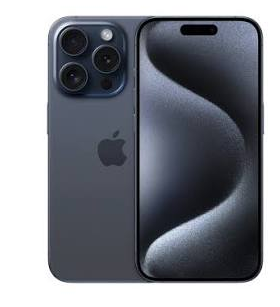
The iPhone 15 Pro is Apple’s most capable smartphone from the 2023 lineup — featuring the A17 Pro chip, titanium frame, Action Button, and USB-C with USB 3 transfer speeds. From an eSIM perspective, the iPhone 15 Pro carries a particularly important distinction depending on which variant you own: US models are eSIM-only (no physical SIM tray), while international models, including India, maintain the traditional nano-SIM + dual eSIM configuration.
This eSIM on iPhone 15 Pro dual-eSIM capability — available on the international iPhone 15 Pro — makes it one of the most flexible connectivity devices available in India in 2026, allowing users to run one physical SIM and two eSIMs simultaneously for a total of three active numbers.
This guide covers everything about using eSIM on the iPhone 15 Pro in 2026 — from the critical US vs international variant distinction to Jio, Airtel, and Vi activation to managing dual eSIM alongside physical SIM.
iPhone 15 Pro eSIM Specifications
| Feature | iPhone 15 Pro (India/International) | iPhone 15 Pro (US) |
|---|---|---|
| Physical SIM | ✅ nano-SIM | ❌ None (eSIM only) |
| eSIM support | ✅ Yes | ✅ Yes |
| Dual eSIM | ✅ Yes | ✅ Yes |
| Total active numbers | 3 (1 physical + 2 eSIM) | 2 (eSIM only) |
| Model numbers | A3291, A3292 | A3290, A3293 |
| Chip | A17 Pro | A17 Pro |
| USB-C | USB 3 speeds | USB 3 speeds |
| Action Button | ✅ | ✅ |
Critical distinction for Indian buyers:
Indian market iPhone 15 Pro (purchased from Apple India, Flipkart, Amazon India) is an international variant — has a physical SIM tray + dual eSIM. US-purchased iPhone 15 Pro has no physical SIM — eSIM only.
Verify Your iPhone 15 Pro Variant
Check Physical SIM Tray
International variant: SIM tray visible on left side of iPhone 15 Pro (below volume buttons)
US variant: No SIM tray — left side is smooth titanium
Check Model Number
Settings → General → About → Model Number (tap to see full number)
International models: A3291 (Global), A3292 (China)
US models: A3290, A3293
Check via *#06# (EID Confirmation)
Dial *#06# on iPhone 15 Pro:
- Two EIDs + IMEI + IMEI2 → international dual eSIM model
- Two EIDs + one IMEI → US eSIM-only model
iPhone 15 Pro eSIM — What’s Different from Previous iPhones

A17 Pro Chip eSIM Performance
The A17 Pro chip handles eSIM profile management with significantly improved efficiency:
- Faster eSIM profile downloads (typically under 30 seconds)
- More efficient dual SIM radio management
- Better battery efficiency running multiple active SIMs
- Improved network switching between physical SIM and eSIMs
Action Button + eSIM
iPhone 15 Pro’s exclusive Action Button can be configured to control SIM-related functions:
Settings → Action Button → select function:
- Shortcut: Create a Siri Shortcut that switches the default data SIM
- Focus: Activate Focus mode that changes SIM preferences
- Quick access to SIM settings without navigating menus
USB-C + eSIM Management
USB-C enables faster carrier profile management when connecting to Mac or PC:
- Faster configuration profile transfer via USB if carrier supports
- Better integration with Apple Configurator for enterprise eSIM management
Indian Carrier eSIM Support on iPhone 15 Pro
| Carrier | eSIM Support | Dual eSIM | Activation Method |
|---|---|---|---|
| Jio | ✅ Full | ✅ Yes | Settings → Cellular → Add eSIM |
| Airtel | ✅ Full | ✅ Yes | Airtel Thanks app or store |
| Vi | ✅ Full | ✅ Yes | Vi app or store |
| BSNL | ⚠️ Limited | ⚠️ Limited | Store visit |
Before activating eSIM on iPhone 15 Pro
Checklist:
- ✅ Stable Wi-Fi connection
- ✅ iOS updated — Settings → General → Software Update
- ✅ EIDs confirmed — dial *#06# and note both EID numbers
- ✅ QR code ready from carrier
- ✅ Phone unlocked (not carrier-locked)
- ✅ Apple ID signed in — Settings → your name
Where to Find eSIM Settings on iPhone 15 Pro (iOS 17/18)

iOS 18 (latest for iPhone 15 Pro):
Settings → Cellular → Add eSIM
iOS 17:
Settings → Cellular → Add eSIM
Alternative path:
Settings → Cellular → SIM card list → Add eSIM button
Quick access:
Settings app → search “eSIM” → direct link appears
How to Activate eSIM on iPhone 15 Pro — All Methods
Method 1: QR Code Activation (Recommended)
- Open Settings
- Tap Cellular
- Tap Add eSIM
- Tap Use QR Code
- Point the iPhone 15 Pro camera at the carrier QR code
- Tap Continue when plan details appear
- iPhone 15 Pro specific: Select which eSIM slot — Primary or Secondary
- Tap Add Cellular Plan
- Wait for activation (typically 30–60 seconds)
- Tap Done
Method 2: Activation Code (Manual)
- Settings → Cellular → Add eSIM
- Tap Enter Details Manually
- Type or paste the activation code from the carrier
- Select eSIM slot
- Tap Next → Complete activation
Method 3: Transfer from Nearby iPhone
iPhone 15 Pro supports eSIM Quick Transfer — move eSIM from previous iPhone wirelessly:
- Place old iPhone near iPhone 15 Pro
- Settings → Cellular → Add eSIM on new iPhone
- Tap Transfer from Nearby iPhone
- Follow on-screen instructions
- Both phones confirm transfer
- eSIM moves to iPhone 15 Pro — automatically deactivated on old device
Supported for transfer: Most carrier eSIMs — some carrier-specific profiles may require a new QR code.
Method 4: Jio eSIM on iPhone 15 Pro
Via Settings directly:
- Settings → Cellular → Add eSIM
- Tap Use QR Code
- Scan Jio-provided QR code
Via MyJio App:
- Open MyJio
- My Account → Get eSIM
- Verify OTP
- App generates QR → scan via Settings OR pushes directly to iPhone 15 Pro
- Confirm in Settings
Via SMS:
- Dial *#06# → note EID 1 or EID 2 (last 15 digits)
- Send “SIMCHG <15-digit EID>” to 199 from Jio number
- Reply 1 to confirm
- Receive QR → scan in Settings
Via Jio Store:
Visit with iPhone 15 Pro + Aadhaar → 10–15-minute activation.
Method 5: Airtel eSIM on iPhone 15 Pro

Via Airtel Thanks App:
- Open Airtel Thanks
- Account → Switch to eSIM
- Verify OTP
- App detects iPhone 15 Pro → generates QR or pushes profile
- If QR: Settings → Cellular → Add eSIM → Use QR Code → scan
- If push: Notification appears → tap to add → confirm in Settings
Method 6: Vi eSIM on iPhone 15 Pro
Via Vi App:
- Open Vi app
- My Account → SIM Services → Get eSIM
- Verify OTP
- Scan the provided QR via Settings → Cellular → Add eSIM
Setting Up Triple SIM on iPhone 15 Pro (International)
iPhone 15 Pro international supports: 1 physical nano-SIM + 2 eSIMs = 3 active numbers.
Step 1: Insert Physical SIM
Standard nano-SIM in SIM tray — carrier plan already active.
Step 2: Add First eSIM
Settings → Cellular → Add eSIM → complete activation → label as “Work” or “Data.”
Step 3: Add Second eSIM
Settings → Cellular → Add eSIM → second carrier activation → label as “Travel” or “International.”
Step 4: Configure Three Lines
Settings → Cellular → each line:
iPhone Labels (customize each):
- Physical SIM → “Jio Personal”
- eSIM 1 → “Airtel Work”
- eSIM 2 → “Travel eSIM”
Default Line settings:
- Default Voice: Select primary call line
- iMessage & FaceTime: Select line for Apple services
- Cellular Data: Select one active data line
- Allow Cellular Data Switching: Toggle — iPhone automatically uses the other SIM if the primary data SIM has no signal
Best Triple SIM Setups for iPhone 15 Pro Indian Users
Power User Setup:
- Physical: Airtel (primary calls + backup data)
- eSIM 1: Jio (best 5G data speeds)
- eSIM 2: International eSIM (Airalo — pre-loaded for travel)
Business Setup:
- Physical: Personal Jio number
- eSIM 1: Corporate Airtel number
- eSIM 2: International data (active during travel)
Coverage Optimization:
- Physical: Jio 5G (data)
- eSIM 1: Airtel (voice quality)
- eSIM 2: Vi (specific regional coverage)
Digital Nomad Setup:
- Physical: Indian number (banking OTPs — always active)
- eSIM 1: Current country data plan
- eSIM 2: Backup international plan
iPhone 15 Pro Specific eSIM Features
iOS 18 eSIM Improvements
iPhone 15 Pro with iOS 18 includes several eSIM enhancements:
Improved eSIM backup:
iCloud backs up eSIM configuration settings — easier restoration when setting up a new device.
Better carrier detection:
iOS 18 automatically detects the strongest available carrier signal when iPhone 15 Pro has multiple active SIMs.
eSIM usage analytics:
Settings → Cellular → each line → data usage breakdown per SIM — understand which line consumes most data.
A17 Pro Neural Engine + eSIM
A17 Pro’s Neural Engine assists with:
- Predictive SIM switching based on location
- Automatic carrier selection optimization
- Battery-efficient dual radio management
Apple Watch Integration
If paired with Apple Watch with cellular:
- Apple Watch shares cellular plan from iPhone 15 Pro
- Watch uses eSIM to mirror iPhone’s primary voice line
- Both physical SIM and eSIM numbers can be mirrored to Watch depending on carrier
iPhone 15 Pro Camera + eSIM QR Scanning
iPhone 15 Pro’s advanced camera system improves QR code scanning for eSIM activation:
- Better low-light QR scanning
- Faster recognition at various angles
- Less need for perfect QR code presentation conditions
iPhone 15 Pro US Variant — eSIM Only Setup for Indian Use
If you have a US iPhone 15 Pro (no physical SIM tray) and want to use it in India:
Challenge: No physical SIM tray — all connectivity via eSIM.
Setup for India use:
Option 1 — Jio eSIM (Primary):
- Note EID from *#06# (both EIDs)
- Visit Jio store with US iPhone 15 Pro + Aadhaar
- Explain eSIM-only device — store activates on EID 1
- Jio eSIM active — full 5G access
Option 2 — Airtel eSIM:
- Airtel Thanks app → Switch to eSIM
- Scan QR via Settings → Add eSIM
- Airtel active on EID 1
Option 3 — Both Jio + Airtel eSIM:
- Jio eSIM on EID 1
- Airtel eSIM on EID 2
- Two active numbers without physical SIM
- Three total numbers possible with second carrier on remaining slot
Carrier lock concern for US variant:
US iPhone 15 Pro purchased from Apple US (unlocked) or fully paid AT&T/Verizon works globally. Carrier-locked US variants may reject Indian carrier eSIM profiles — purchase unlocked US variant for India eSIM compatibility.
Managing eSIM Profiles on iPhone 15 Pro
View All eSIM Plans
Settings → Cellular → list of all cellular plans
Switch Active eSIM
Settings → Cellular → tap eSIM plan → Turn On This Line
(Turns off previously active eSIM in same slot)
Delete eSIM Profile
Settings → Cellular → tap eSIM plan → Delete eSIM → confirm
Warning: Permanently deletes from iPhone. Contact carrier for re-issuance before deleting.
Store Multiple Profiles
iPhone 15 Pro stores multiple eSIM profiles — only 2 eSIMs are active simultaneously, but additional profilesare stored for switching:
Settings → Cellular → scroll down → see all stored plans
International Travel with iPhone 15 Pro eSIM
iPhone 15 Pro is ideally suited for international travel:
Pre-departure:
- Purchase Airalo or Nomad international eSIM
- Add to iPhone 15 Pro eSIM slot 2
- Physical SIM stays in tray (Indian number always active)
- Jio/Airtel eSIM remains active on slot 1
After landing:
- Settings → Cellular → International eSIM → Turn On This Line
- Set as Cellular Data line
- Indian lines remain active for calls and OTPs
Smart data switching:
Enable “Allow Cellular Data Switching” — iPhone 15 Pro automatically uses the available data SIM when the preferred one has no signal.
Return to India:
- Settings → Cellular → turn off international eSIM
- Re-enable Indian eSIM or set physical SIM as data
- International eSIM stored for next trip
Common eSIM Problems on iPhone 15 Pro and Fixes
“Add eSIM” not visible in Settings
Fix 1: Update iOS — Settings → General → Software Update
Fix 2: Verify carrier unlock — a locked iPhone rejects third-party eSIMs
Fix 3: Reset network settings — Settings → General → Transfer or Reset iPhone → Reset → Reset Network Settings
Activation takes longer than expected
Normal: A17 Pro typically activates eSIM in 30–60 seconds. Up to 5 minutes is acceptable.
If stuck beyond 5 minutes: Cancel → retry with a fresh QR code from the carrier.
eSIM shows “No Service” after activation
Fix 1: Toggle Airplane Mode on → wait 10 seconds → toggle off
Fix 2: Settings → Cellular → tap affected eSIM → toggle off → wait → toggle on
Fix 3: Restart iPhone 15 Pro (Side button + Volume down → slide to power off)
Fix 4: Settings → Cellular → tap eSIM → Network Selection → Automatic
Dual eSIMs causing battery drain
Normal: Running 3 active lines (1 physical + 2 eSIM) uses more battery than a single SIM.
Mitigation: Deactivate eSIM lines not currently needed:
Settings → Cellular → unused eSIM → Turn Off This Line
Reactivate when needed — profile remains stored.
US iPhone 15 Pro rejecting Indian eSIM
Cause: US carrier-locked device
Fix: Contact original US carrier to unlock. Unlocked US iPhone 15 Pro accepts Indian carrier eSIM profiles.
QR Code scan failing
Fix: iPhone 15 Pro camera should handle QR easily — if failing:
- Increase brightness on QR code display device
- Try manual entry method instead
- Request digital QR (email/SMS) rather than printed
iPhone 15 Pro vs Other Phones — eSIM Comparison
| Feature | iPhone 15 Pro | Samsung S25 Ultra | Google Pixel 9 Pro | OnePlus 13 |
|---|---|---|---|---|
| Physical SIM | ✅ (non-US) | ✅ | ✅ | ✅ |
| eSIM slots | 2 | 2 | 2 | 2 |
| Total numbers | 3 (non-US) | 3 | 3 | 3 |
| eSIM transfer | ✅ (Nearby iPhone) | ❌ Manual | ✅ Built-in | ❌ Manual |
| US variant | eSIM only | Physical SIM | Physical SIM | Physical SIM |
| Update years | 6+ years iOS | 7 years Android | 7 years Android | 4 years Android |
iPhone 15 Pro advantage: eSIM Quick Transfer between iPhones is seamless — upgrading to a new iPhone transfers the eSIM without carrier contact.
Frequently Asked Questions
Does iPhone 15 Pro support dual eSIM in India?
Yes — the Indian market iPhone 15 Pro (international variant) supports dual eSIM alongside a physical SIM, giving 3 total active numbers. US-purchased eSIM-only iPhone 15 Pro supports 2 eSIMs (no physical SIM) for 2 active numbers.
Can I use Jio eSIM on iPhone 15 Pro?
Yes — Jio fully supports eSIM on iPhone 15 Pro. Activate through the MyJio app (My Account → Get eSIM), via SMS to 199 with EID, or by visiting a Jio store with Aadhaar.
What is the difference between the US and Indian iPhone 15 Pro for eSIM?
Indian/international iPhone 15 Pro has a physical SIM tray + 2 eSIM slots = 3 total numbers. US iPhone 15 Pro has no physical SIM tray — eSIM only = 2 total numbers maximum. For Indian use, the international variant is more flexible.
How do I transfer eSIM from old iPhone to iPhone 15 Pro?
Settings → Cellular → Add eSIM → Transfer from Nearby iPhone. Place the old iPhone near the iPhone 15 Pro → follow the prompts → the eSIM transfers wirelessly. Some carriers require a new QR code — check carrier support for Quick Transfer.
What happens to iPhone 15 Pro eSIM when iOS updates?
iOS updates preserve all eSIM profiles and configurations — no reactivation required after software updates. eSIM settings survive iOS updates intact.
Can I use international travel eSIM on iPhone 15 Pro while keeping Indian number?
Yes — add the international eSIM to slot 2, keep Jio/Airtel on slot 1 or a physical SIM. Set the international eSIM as data when abroad; the Indian line remains active for calls and OTPs. Switch back when returning to India.
Conclusion
The iPhone 15 Pro’s dual eSIM capability — on international variants available in India — makes it one of the most connectivity-flexible devices available in 2026. The combination of a physical SIM, eSIM slot 1, and eSIM slot 2, giving three simultaneously active numbers, represents the pinnacle of mobile connectivity for Indian power users.
Setup is straightforward on iOS 18 — Settings → Cellular → Add eSIM → scan QR from MyJio or Airtel Thanks app → activate in under 60 seconds. The A17 Pro chip handles triple SIM management efficiently with minimal battery impact.
For Indian users who bought the naniPhone 15 Pro in India — you have the most capable eSIM configuration available. Check EID via *#06#, update to iOS 18, connect to stable Wi-Fi, and activate your preferred carrier eSIM within minutes.
For those who purchased a US iPhone 15 Pro and want to use it in India — visit a Jio or Airtel store with your eSIM-only device and Aadhaar — both carriers support eSIM activation for eSIM-only iPhones and can get you connected on both EID slots for full Indian carrier access.

