
Picking a laptop for coding is not as simple as grabbing the one with the highest specs or the biggest price tag. A laptop that’s great for gaming might overheat during a long compile session. One that looks stunning might have a keyboard you hate typing on after three hours.
This guide is written for developers — whether you’re a student learning Python, a web developer juggling multiple projects, or a backend engineer running Docker containers and virtual machines all day. Here’s what actually matters, what to buy, and what to avoid.

Best Laptops for Coding in 2026. The right laptop for coding is very important because developers spend many hours writing code, testing programs, running software, and multitasking. A good coding laptop should offer fast performance, a comfortable keyboard, long battery life, and enough power to handle development tools smoothly. Whether someone is learning programming or working professionally, the right laptop can improve productivity and reduce frustration.
One of the most important things in a coding laptop is the processor (CPU). A powerful processor helps compile code faster, run multiple applications, and handle programming environments smoothly. Modern processors from Intel and AMD are commonly recommended. For most developers, at least an Intel Core i5, Ryzen 5, or higher is ideal.
RAM is another major factor. Coding often requires browsers, IDEs, emulators, databases, and multiple tabs running at the same time. A minimum of 8GB RAM is good for beginners, but 16GB RAM is recommended for professional programming, app development, AI tools, and multitasking. Developers working with virtual machines or video editing may even prefer 32GB RAM.
Storage type also matters. SSD storage is much faster than traditional hard drives and helps the laptop boot quickly, open files faster, and improve overall speed. A 512GB SSD is usually a good balance for coding and daily work. Faster storage improves the experience when handling large projects and software packages.
The keyboard and display are extremely important because programmers type for long hours. A comfortable keyboard with good key travel reduces hand fatigue and improves typing speed. A Full HD or higher-resolution screen provides clearer text and better eye comfort during long coding sessions. Many developers prefer 14-inch or 15-inch displays for a balance between portability and workspace.
Battery life is important for students, freelancers, and remote workers. A laptop with long battery backup allows coding from cafés, libraries, classrooms, or while traveling without constantly searching for a charger. Lightweight laptops are also easier to carry every day.
Popular coding laptops include the Apple MacBook Air, Dell XPS 15, Lenovo ThinkPad X1 Carbon, and ASUS ROG Zephyrus. Many developers choose macOS for iOS and web development, while Windows laptops are widely used for software engineering, gaming development, and general programming.
Overall, the best laptop for coding is one that combines performance, reliability, comfort, and battery life. Investing in a good coding laptop can save time, improve focus, and make learning or professional development much smoother.
What Makes a Laptop Good for Coding?
Before jumping into recommendations, here’s a quick breakdown of what to prioritize:
Processor (CPU): Coding is CPU-intensive, especially when compiling code, running local servers, or working with containers. A fast multi-core processor makes a real difference.
RAM: 16GB is the minimum for comfortable coding in 2026. If you run Docker, virtual machines, or have 30 browser tabs open alongside your IDE, 32GB is worth it.
Storage: Go for an SSD, always. A 512GB SSD is the baseline. 1TB is better if you work with large codebases or datasets.
Display: You’ll stare at this screen for 8+ hours. A sharp, comfortable display matters more than most people admit. 1080p is fine; 1440p is better.
Keyboard: Underrated. A bad keyboard slows you down and causes fatigue. Test it if you can before buying.
Battery life: If you code at cafés, client offices, or anywhere away from a desk, battery matters a lot. Some powerful laptops last only 4–5 hours under load.
Build quality and thermals: A laptop that throttles under sustained load will frustrate you within weeks.
Best Laptops for Coding in 2026
1. Apple MacBook Pro 14-inch (M4 Pro) — Best Overall
If budget isn’t a constraint, the MacBook Pro 14 with the M4 Pro chip is simply the best coding laptop you can buy right now. It’s not hype — it earns it.
Why developers love it: The M4 Pro handles compilation tasks that used to take minutes in seconds. Running a large Next.js build, compiling a Rust project, or spinning up multiple Docker containers — the MacBook Pro barely breaks a sweat. And it does all of this while staying cool and quiet. No fans screaming, no throttling.
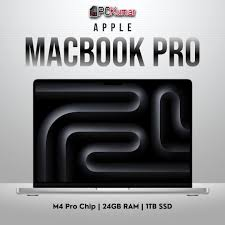
Practical example: A full-stack developer running a local Kubernetes cluster with three microservices, a PostgreSQL database, and a Next.js frontend can do all of this comfortably on the M4 Pro with 24GB unified memory — while still having Chrome open with 15 tabs.
Display: The 14.2-inch Liquid Retina XDR display is sharp enough that you’ll notice the difference when reading code for long hours. Text is crisp, colors are accurate, and the 120Hz refresh rate makes scrolling feel smooth.
Battery: 15–18 hours of real-world use. You can leave your charger at home for a full workday.
The catch: macOS. If your work or team requires Windows-only tools, this isn’t for you. And the price — starting around $1,999 — is steep.
Pros:
- Exceptional performance for all coding tasks
- Silent and cool under sustained workloads
- Outstanding battery life
- Best-in-class keyboard and trackpad
- Unix-based OS is developer-friendly
Cons:
- Expensive
- macOS may not suit everyone
- Limited upgrade options after purchase
- Ports are better than before, but still fewer than Windows laptops
Best for: Professional developers, full-stack engineers, and anyone who wants the best without compromise.
2. Dell XPS 15 (2026) — Best Windows Laptop for Coding
The Dell XPS 15 has been a developer favorite for years, and the 2026 model continues that tradition. It packs a 15.6-inch OLED display, Intel Core Ultra 9 processor, and up to 64GB RAM into a slim, premium chassis.

Why it works for coding: The larger screen real estate is genuinely useful when you have your editor, terminal, and browser open side by side. The OLED display makes long coding sessions easier on the eyes compared to standard LCD screens.
With 32GB RAM and a 1TB SSD configuration, it handles heavy development workloads smoothly — Node.js servers, Android emulators, data science notebooks, whatever you throw at it.
Practical example: A developer working on a React Native app can run the Android emulator, a local Express server, and have VS Code open with multiple extensions running — without noticeable slowdown.
Battery: About 8–10 hours for light use, 5–6 hours under coding load. Bring your charger for full-day sessions.
Pros:
- Gorgeous OLED display
- Plenty of RAM and storage options
- Strong performance on Windows
- Good port selection (USB-A, USB-C, SD card)
- Upgradeable RAM and storage
Cons:
- Gets warm under sustained load
- Fan noise during heavy tasks
- Battery life is average compared to the MacBook
- Premium price ($1,500–$2,200 depending on config)
Best for: Windows developers who want a premium, high-performance machine with a great display.
3. Lenovo ThinkPad X1 Carbon Gen 13 — Best for Productivity and Travel
The ThinkPad X1 Carbon is the laptop that enterprise developers and road warriors keep coming back to. It weighs around 1.12 kg, has one of the best keyboards in the laptop world, and is built to handle the abuse of daily travel.

Why developers like it: The keyboard is the star. ThinkPad keyboards have a reputation for a reason — the key travel, tactile feedback, and layout are excellent for people who type code all day. Add a 14-inch 2.8K OLED display option, and you have a portable powerhouse.
It runs on Intel Core Ultra processors, supports up to 64GB RAM, and comes with Thunderbolt 4 ports for docking at a desk setup.
Practical example: A developer who splits time between home and client offices uses the X1 Carbon with a Thunderbolt dock at their desk — connecting to dual monitors, a keyboard, and ethernet with one cable. When they’re on the move, the laptop handles everything solo without missing a beat.
Battery: Around 12–14 hours of real-world use, which is impressive for a Windows laptop.
Pros:
- Exceptional keyboard
- Lightweight and travel-friendly
- Long battery life
- Military-grade durability (MIL-SPEC tested)
- Excellent port variety
Cons:
- Integrated graphics only — not suitable for GPU-heavy tasks
- Pricey for what you get spec-wise ($1,400–$1,900)
- Display options can be confusing across configurations
Best for: Developers who travel frequently, work in enterprise environments, or simply type a lot.
4. ASUS ROG Zephyrus G14 (2026) — Best for Developers Who Also Game
The ROG Zephyrus G14 sits at an interesting crossroads. It’s a gaming laptop, yes — but the AMD Ryzen 9 processor and NVIDIA RTX 4070 GPU make it an excellent coding machine too, especially if your work involves graphics, game development, or heavy data processing.

Why it works for coding: The combination of a fast AMD CPU and discrete GPU means you can run demanding workloads while also having the option to unwind with games after work. It’s a single machine that genuinely does both well.
The 14-inch QHD+ display at 165Hz is sharp and smooth. The 32GB RAM handles multitasking without complaint.
Practical example: A developer building a 3D web application using Three.js benefits from the dedicated GPU for rendering previews locally. They also use the same laptop for Unity game prototyping on weekends.
Battery: 6–9 hours for regular use, less under gaming or heavy workloads. Not the best, but acceptable.
Pros:
- Powerful CPU + GPU combination
- Sharp, high-refresh display
- Compact for a gaming laptop
- Great value for the specs
- Handles both coding and gaming
Cons:
- Battery life could be better
- Gets hot under gaming load
- Slightly thick compared to ultrabooks
- Fan noise at full load
Best for: Developers who also need GPU power — game development, 3D rendering, or heavy parallel processing.
5. Acer Swift 14 (2026) — Best Budget Laptop for Coding
Not everyone wants to spend $1,500+ on a laptop. The Acer Swift 14 makes a strong case for budget-conscious developers. It comes with an AMD Ryzen 7 processor, 16GB RAM, 512GB SSD, and a clean 14-inch 2.8K OLED display — all for around $800–$1,000.

Why it works: For web development, Python scripting, learning to code, or most everyday development tasks, the Swift 14 is more than capable. It’s light, has a solid keyboard, and the OLED display is genuinely a nice surprise at this price point.
Practical example: A computer science student running VS Code, a local Python environment, and a few browser tabs for documentation has zero complaints with the Swift 14. It handles everything smoothly without spending MacBook money.
Battery: Around 10–12 hours, which is excellent for this price range.
Pros:
- Affordable ($800–$1,000)
- OLED display at this price is rare
- Good battery life
- Lightweight
- Capable for everyday development
Cons:
- 16GB RAM ceiling on most configurations
- Not suitable for heavy Docker work or VMs
- Build feels slightly less premium than pricier options
- GPU is integrated only
Best for: Students, beginner developers, or professionals with lighter coding workloads who don’t want to overspend.
6. Framework Laptop 16 — Best for Customization
Framework is doing something genuinely different. Their laptops are fully modular — you can replace the RAM, SSD, ports, and even the display yourself. For developers who want full control over their hardware and hate the idea of a laptop becoming e-waste in three years, Framework is worth serious attention.

The Framework 16 comes with AMD Ryzen 9 options, up to 64GB RAM, and the unique ability to add a discrete GPU module. It runs Linux beautifully, which is a big deal for many developers.
Practical example: A Linux developer buys the Framework 16 with 32GB RAM and a 1TB SSD. Two years later, they upgraded the RAM to 64GB and added a larger SSD — spending a fraction of what a new laptop would cost.
Pros:
- Fully upgradeable and repairable
- Excellent Linux compatibility
- Modular port system
- Great for long-term ownership
- Good performance for the price
Cons:
- Heavier than most ultrabooks
- Battery life is average
- Less polished than Dell or Apple in terms of fit and finish
- Smaller community support compared to mainstream brands
Best for: Linux developers, privacy-focused users, and anyone who wants a laptop they can maintain and upgrade over years.
Quick Comparison Table
| Laptop | Price Range | RAM | Best For |
|---|---|---|---|
| MacBook Pro 14 (M4 Pro) | $1,999+ | 24–96GB | Best overall, macOS users |
| Dell XPS 15 | $1,500–$2,200 | 16–64GB | Windows power users |
| ThinkPad X1 Carbon Gen 13 | $1,400–$1,900 | 16–64GB | Travel, productivity |
| ASUS ROG Zephyrus G14 | $1,200–$1,600 | 16–32GB | Coding + gaming |
| Acer Swift 14 | $800–$1,000 | 16GB | Budget, students |
| Framework Laptop 16 | $1,049+ | 16–64GB | Linux, customization |
Pros and Cons of Buying a Coding Laptop in 2026
Pros of the Current Market
- Laptop performance has genuinely caught up to desktops for most coding tasks
- OLED displays are now available at mid-range prices
- Battery life has improved dramatically across the board
- ARM-based chips (like Apple M4) deliver desktop-class performance without the heat
Cons and Things to Watch Out For
- Soldered RAM and storage on many laptops — what you buy is what you’re stuck with
- Premium price jumps for relatively small spec bumps
- Thermal throttling is still a problem on thin Windows laptops under sustained load
- Free-to-use developer tools increasingly assume Linux or macOS — Windows can add friction
Frequently Asked Questions
How much RAM do I need for coding in 2026?
16GB is the comfortable minimum. If you use Docker, run VMs, or work with large datasets — go for 32GB. Students learning to code can manage with 16GB fine.
Is MacBook really better than Windows for coding?
For many developers, yes. macOS is Unix-based, which means the terminal behaves similarly to Linux servers. Tools like Homebrew, native SSH, and container support work smoothly. That said, Windows with WSL2 (Windows Subsystem for Linux) has closed the gap significantly.
Can I code on a budget laptop under $800?
Yes, absolutely. If you’re learning web development, writing Python scripts, or doing frontend work, you don’t need a $2,000 machine. The Acer Swift 14 or even older ThinkPad models in good condition will handle it.
Do I need a dedicated GPU for coding?
For most developers, no. Web development, backend engineering, and mobile development don’t need a GPU. You only need one if you’re doing game development, 3D rendering, or working with graphics-heavy tasks.
Is a 14-inch or 15-inch screen better for coding?
It depends on your workflow. A 14-inch laptop is lighter and more portable. A 15-inch screen gives more screen space for multi-panel layouts in your editor. If you work at a desk most of the time with an external monitor, the screen size on the laptop matters less.
Which laptop is best for coding if I use Linux?
The Framework Laptop 16 and ThinkPad X1 Carbon have excellent Linux support. The Framework laptop is particularly popular in Linux communities. Dell’s XPS line also has a Developer Edition that ships with Ubuntu pre-installed.
How long should a coding laptop last?
A well-specced laptop bought in 2026 should comfortably handle development work for 4–6 years. Choosing one with upgradeable RAM and storage (like the Framework) extends that further.
Conclsion
There’s no single best laptop for every developer. It comes down to your budget, your operating system preference, whether you travel a lot, and what kind of development work you do.
If money is no object — get the MacBook Pro 14 with M4 Pro. You won’t regret it. If you’re on Windows and want something premium — the Dell XPS 15 is hard to beat. Traveling constantly? The ThinkPad X1 Carbon is built for exactly that.
On a budget? The Acer Swift 14 punches well above its price tag and will handle most coding tasks without breaking a sweat.
Whatever you pick, prioritize RAM, a fast SSD, and a keyboard you actually enjoy typing on. Those three things will affect your daily experience more than any benchmark score.

