
Yes — an eSIM and a normal (physical) SIM can work together on the same phone at the same time. This is one of the most useful features on modern smartphones, and most phones released in the last four years support it.
This guide explains exactly how it works, which phones support it, how to set it up in India, and what you can and cannot do with both SIMs active simultaneously.
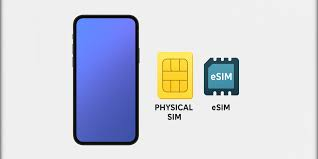
Can an eSIM and a normal SIM work together in 2026? yes eSIM and a physical SIM card can work together in 2026, provided your smartphone supports Dual SIM functionality. As eSIM technology becomes the global standard, more users are combining an eSIM with a traditional nano-SIM to manage work and personal numbers, reduce roaming costs while traveling, and switch between mobile networks without replacing a physical SIM card.
Whether you’re using the latest iPhone, Samsung Galaxy, Google Pixel, or another compatible Android device, dual-SIM support has become more powerful than ever. In 2026, many smartphones allow you to use one SIM for calls and messages while assigning the other for mobile data, giving you greater flexibility, stronger network coverage, and better control over your mobile connectivity.
If you’re asking “Can I use an eSIM and a normal SIM at the same time?”, “Is Dual SIM with eSIM supported on my phone?”, or “Which carriers allow eSIM and physical SIM together in 2026?”, you’re in the right place. This comprehensive guide answers the most common questions with up-to-date information, step-by-step setup instructions, compatibility lists, advantages, disadvantages, and expert recommendations.
By the end of this guide, you’ll understand how eSIM and physical SIM technology works together, which devices and mobile carriers support it, when it makes sense to use both SIMs simultaneously, and how to get the best performance from your smartphone in 2026.
Can an eSIM and a normal SIM work together in 2026? (step by step)
What Happens When You Use Both SIMs Together

When you use an eSIM and a normal SIM together, your phone maintains two active connections at the same time. Both your numbers are active — calls and messages come in on both, and you can make calls or send messages from either number.
The technical term for this is Dual SIM Dual Standby (DSDS). It means:
- Both SIMs are on standby — ready to receive calls and messages
- You choose which SIM handles mobile data
- Only one SIM handles data at a time (not both simultaneously)
- Both numbers show on your phone — you see which SIM is receiving a call before you answer
Think of it like having two phone numbers on one device — your Jio eSIM and your Airtel physical SIM, for example, both working at the same time on the same phone.
Which Phones Support eSIM + Normal SIM Together
iPhones
Every iPhone from the iPhone XS (2018) and later supports eSIM. For Indian users:
- iPhone 14, 15, 16 series (India models) — One eSIM + one physical nano-SIM slot. Full dual SIM support.
- iPhone 13, 12, 11, XS series — One eSIM + one physical nano-SIM. Full dual SIM support.
Note: iPhone 14 and later models sold in the USA have no physical SIM slot (eSIM only). Indian models all have both.
Samsung Galaxy
- Galaxy S25, S24, S23, S22, S21 series — eSIM + physical SIM supported
- Galaxy Z Fold and Z Flip series (3rd gen onwards) — eSIM + physical SIM supported
- Galaxy A54, A55, A35 — Select variants support eSIM + physical SIM
Google Pixel
- Pixel 4 and later — All support eSIM + physical SIM simultaneously
OnePlus, Motorola, Oppo
- Select flagship models support eSIM + physical SIM — check your specific model’s specifications.
How to Check If Your Phone Supports It
Android: Go to Settings > About Phone > look for an EID number. If you see an EID, your phone supports eSIM. Then go to Settings > Network & Internet > SIMs — if there is space for two SIMs, you can use both together.
iPhone: Go to Settings > Cellular. If you can add a second line, dual SIM is supported.
Popular Combinations Used in India
Jio eSIM + Airtel physical SIM — Most popular. Use Jio for data (widest 5G coverage) and Airtel for calls (strong voice quality in most cities). Or reverse, depending on your area.
Airtel eSIM + Jio physical SIM — Same idea with the carriers reversed. Useful if Airtel has better 5G in your city.
Jio eSIM + BSNL physical SIM — Used in areas where BSNL has better rural or semi-urban coverage alongside Jio data.
Work number + Personal number — Many professionals run a work number on eSIM and personal number on physical SIM (or vice versa) — one phone, two completely separate numbers.
How to Set Up eSIM + Normal SIM Together

Step 1: Make Sure Your eSIM Is Active
If you have not already activated your eSIM, contact your carrier (Jio or Airtel) through their app or by calling customer care. They will send a QR code to your registered email — scan it to activate the eSIM.
Step 2: Insert Your Physical SIM
Insert your normal SIM card into the SIM tray. Your phone automatically detects both the eSIM and the physical SIM.
Step 3: Set Your Preferences
On Android (Samsung example): Settings > Connections > SIM Manager
You will see both SIMs listed. Set:
- Default for calls — Which number makes outgoing calls (or “Ask every time”)
- Default for SMS — Which number sends text messages
- Mobile data — Which SIM handles internet data
On iPhone: Settings > Cellular
Set:
- Default Voice Line — Which number is used for outgoing calls
- Cellular Data — Which SIM handles mobile data
- Allow Cellular Data Switching — Turn this on so iPhone automatically uses the other SIM if your main data SIM has no signal
Step 4: Label Your SIMs
Give each SIM a name so you always know which is which:
- Android: Tap each SIM in SIM Manager and rename it (e.g., “Jio Data” and “Airtel Calls”)
- iPhone: Settings > Cellular > tap each plan > rename it
What You Can Do With Both SIMs Active
Receive calls on both numbers — If someone calls your Jio number, it rings. If someone calls your Airtel number, it also rings. You see which number is being called before answering.
Make calls from either number — Set a default, or choose each time you dial which number shows as your caller ID.
Send SMS from either number — Set a default SMS SIM, or choose per message.
Use data from either SIM — Switch your data SIM anytime in settings. Useful when travelling to a location where one carrier has better coverage.
Access carrier-specific apps on both — JioTV and JioHotstar work with your Jio eSIM. Airtel Thanks and Xstream work with your Airtel SIM. Both accessible on the same phone.
Keep work and personal completely separate — Different voicemail, different call history, same device. No more carrying two phones.
What You CANNOT Do With Both SIMs Active
Use data on both SIMs at the same time — Only one SIM handles internet data at a time. You cannot have Jio and Airtel data both active simultaneously. You choose one, or set automatic switching.
Make two calls at the same time — On most phones (DSDS), if you are on a call on one SIM, incoming calls on the other SIM go to voicemail. You cannot be on two calls at once.
Get double mobile data speed — Both SIMs being active does not combine their data speeds. Only one is used for data at any given moment.
Use VoLTE on both SIMs simultaneously on all phones — Some phones only support VoLTE (HD voice calls over 4G) on one SIM at a time. Check your specific phone’s specifications.
Managing Data When Using Both SIMs

Since only one SIM handles data at a time, here is how to manage it effectively:
Set your primary data SIM: Go to SIM Manager (Android) or Cellular settings (iPhone) and choose which SIM is your default for data.
Switch when needed: If you are in an area where your secondary carrier has better coverage, switch the data SIM in settings. Takes about 5 seconds.
iPhone auto-switching: If you enable “Allow Cellular Data Switching” on iPhone, it automatically uses the other SIM when your primary data SIM has no signal. Very useful for travel.
Which SIM for data in India:
- Jio has the widest 5G coverage across Indian cities in 2026
- Airtel has strong 5G in major metros and better international roaming
- Most users set Jio as primary data SIM and Airtel for calls, or vice versa based on their area
Effect on Battery Life
Running two SIMs does use slightly more battery because both radio modules are active. In real-world use:
- On a modern phone with a good battery (4,500mAh+), the difference is small — typically 5–10% more drain
- The impact is bigger in weak signal areas where your phone works harder to maintain both connections
- If battery is critical for a day, temporarily disable the SIM you are not using: SIM Manager > toggle off
Common Questions About eSIM + Normal SIM Together
Q: Do both numbers ring when someone calls?
Yes. Both SIMs receive calls independently. Your screen shows which number is being called before you answer.
Q: Can I use WhatsApp on both numbers?
WhatsApp is linked to one number. On Android, you can run two WhatsApp accounts using the dual app or clone feature in Settings. On iPhone, this is more limited — you can use WhatsApp on one number and WhatsApp Business on the other.
Q: Is there any extra charge for using two SIMs?
No. Jio and Airtel charge for your plan only — using the SIM alongside another carrier’s SIM has no additional cost from either carrier.
Q: Will the eSIM and physical SIM interfere with each other?
No. They operate completely independently on your phone. Each SIM connects to its own carrier network, and there is no interference.
Q: Can I receive calls on one SIM while using data on the other?
On most phones (DSDS), when you receive a call on either SIM, data may briefly pause. On phones with VoLTE support on both SIMs, voice calls run over data and data continues uninterrupted during calls.
Q: If I switch to a new phone, do I have to set up dual SIM again?
Yes. The eSIM needs to be transferred to the new phone via your carrier’s app or customer care. The physical SIM just moves to the new phone’s SIM tray. After both are active, set up your preferences again.
Q: Can I have two eSIMs instead of one eSIM and one normal SIM?
Some newer phones support Dual eSIM — two eSIM profiles simultaneously. iPhone 15 and 16 series (Indian models), Google Pixel 8 and later, and some Samsung S24+ models support this. In this case, no physical SIM is needed at all.
Q: Does using both SIMs affect 5G?
No. 5G is available on whichever SIM is currently active for data. When you switch data SIMs, you switch which carrier’s 5G network you are on. Both can use 5G — just not simultaneously.
Setting Up Calls for Specific Contacts
A useful feature on both Android and iPhone is setting which SIM is used by default for specific contacts.
Android: Open a contact > Edit > look for “Default SIM” or “Preferred SIM” option > select which SIM always calls this contact.
iPhone: Open a contact > Edit > Default voice line > choose which SIM calls this person.
Practical use: Set all your office contacts to call from your work number automatically. Family calls from your personal number. No need to think about it each time.
Troubleshooting
One SIM shows “No Service”: Go to SIM Manager and confirm both SIMs are enabled. Toggle the affected SIM off and back on. Restart the phone if it persists.
Calls going to voicemail on second SIM: This is normal DSDS behaviour when you are on a call on the other SIM. Set up voicemail on both numbers so callers can leave messages.
Data not working after switching SIM: Toggle mobile data off and back on after switching. Restart the phone if data does not connect within 30 seconds.
Cannot see both SIMs in settings: Make sure your eSIM is properly activated (contact your carrier if not). Check that your phone model supports dual SIM — look for the EID number in Settings > About Phone.
Conclsion
Using an eSIM and a normal SIM together is one of the most practical features on modern smartphones — and in India, the Jio eSIM + Airtel physical SIM (or reverse) combination gives you the best of both networks without carrying two phones.
The setup takes about 10 minutes: activate your eSIM through your carrier’s app, insert your physical SIM, go to SIM Manager, set your default SIMs for calls and data, and label them clearly.
The main things to remember:
- Both numbers are always active — calls and SMS work on both
- Only one SIM handles data at a time — choose your preferred data SIM
- Battery impact is small — typically 5–10% more drain
- You cannot make two simultaneous calls (on most phones)
If you have a modern phone — iPhone 12 or later, Samsung Galaxy S21 or later, or any recent Pixel — you almost certainly support this feature. Check your settings and try it.

