
eSIM on Apple Watch Ultra: Everything You Need to Know Before You Go Phone-Free
If you’ve been eyeing the Apple Watch Ultra and wondering whether you can actually leave your iPhone at home, yes, you can. Thanks to built-in eSIM support, the Apple Watch Ultra can make calls, send texts, stream music, and even navigate without your phone nearby. But how does it all work, and is it worth activating?

This guide breaks it all down — from setup to real-world use — so you know exactly what to expect.
- Chake now – How to set up eSIM on Apple Watch
What Is an eSIM, and Why Does It Matter on Apple Watch Ultra?
A traditional SIM card is a small physical chip you slot into a phone. An eSIM (embedded SIM) works the same way but is built directly into the device — no card slot, no swapping.
On the Apple Watch Ultra, the eSIM lets the watch connect to your carrier’s cellular network independently. That means it can function on its own when your iPhone is out of range — at the gym, on a trail run, during a swim, or anywhere else you’d rather not carry your phone.
The Apple Watch Ultra was specifically designed for extreme use — ultra-marathons, open water swimming, mand ountaineering. Having cellular connectivity built in makes it genuinely useful as a standalone device, not just an iPhone accessory.
Does Apple Watch Ultra Have a Built-In eSIM?

Yes. Every Apple Watch Ultra model — including the original Ultra (2022) and Ultra 2 (2023) — comes with an integrated eSIM. There’s no Wi-Fi-only version like there is with the standard Apple Watch Series lineup.
This was a deliberate design choice. Apple Watch Ultra is built for people who push beyond normal limits, and those people need connectivity even when they’re far from their phone.
Which Carriers Support eSIM on Apple Watch Ultra?
Most major carriers in the US, UK, Australia, Canada, and many other countries support Apple Watch cellular plans. In the United States, that includes:
Outside the US, networks like EE, Vodafone, O2 (UK), Telstra (Australia), Rogers, Bell, Telus (Canada), and many European carriers are supported.
Before you activate, check Apple’s carrier support page or call your carrier directly. Carrier support varies by country and plan type.
One important note: your Apple Watch must use the same carrier as your iPhone. You can’t pair an AT&T iPhone with a T-Mobile Apple Watch plan.
How to Set Up eSIM on Apple Watch Ultra

Setting up cellular on your Apple Watch Ultra is straightforward. Here’s how to do it step by step.
Step 1: Make Sure You Have the Right Plan
Contact your carrier and add an Apple Watch cellular plan to your existing account. Most carriers charge an additional monthly fee — typically $10–$15/month in the US — on top of your phone plan. This isn’t a separate plan; it shares your iPhone’s number and data.
Step 2: Open the Watch App on Your iPhone
Go to Watch app → Cellular → Set Up Cellular. Your iPhone will guide you through the carrier-specific activation process.
Step 3: Follow the On-Screen Instructions
Depending on your carrier, you may need to:
- Log in to your carrier account
- Verify your identity
- Accept new plan terms
The process usually takes 5–10 minutes. Your watch doesn’t need to be near a cellular tower during setup — Wi-Fi works fine for the initial activation.
Step 4: Confirm Cellular Is Active
Once setup is complete, you’ll see green dots next to the cellular signal bars on your watch. You can test it by enabling Airplane Mode on your iPhone and making a call from your watch.
What Can You Do with eSIM on Apple Watch Ultra?
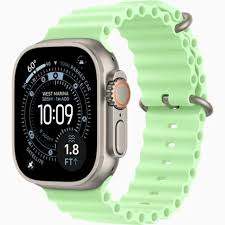
With cellular activity, your Apple Watch Ultra can do a lot more than you might expect.
Make and Receive Calls
Your watch uses the same phone number as your iPhone. Someone calls your number — your watch rings. You can answer directly from your wrist using the built-in speaker and microphone. It’s not perfect for long conversations, but it works well for quick calls.
Practical example: You’re on a long trail run with no phone. A family member calls to check in — you answer from your watch without breaking stride.
Send and Receive Messages
iMessage and SMS both work on the watch. You can reply using voice dictation, emoji, or preset responses. Siri can compose a full message for you.
Practical example: You finish a swim workout and want to let your partner know you’re on the way home. A quick “Done, heading back” via voice is all it takes.
Stream Music and Podcasts
Apple Music and Spotify both work with cellular on the Apple Watch Ultra. You can stream directly to Bluetooth earbuds — no phone, no downloaded playlists needed.
Practical example: Running without your phone, but you want a fresh playlist? Stream directly from Apple Music on your watch.
Get Directions and Navigation
Maps works independently over cellular. If you get lost on a hike, you can pull up your location, search for a route back, and follow turn-by-turn directions — all from your wrist.
This is especially relevant for Apple Watch Ultra users who venture into remote areas. Combined with the Ultra’s offline maps feature (on Ultra 2), it’s a genuinely capable navigation tool.
Emergency SOS
Even without your iPhone, you can contact emergency services from your watch. Apple Watch Ultra also has a siren — 86 decibels — which can alert people nearby if you’re injured and can’t speak.
Pros and Cons of Using eSIM on Apple Watch Ultra
Pros
True independence from your phone.e You can leave your iPhone at home and stay connected. For athletes, outdoor enthusiasts, and people who value lighter pockets, this is a real benefit.
Same number, no confusion. Calls and texts go to your existing number. Nobody needs a different contact for your watch.
Safety net in an emergency.s If you’re injured on a run, stuck somewhere remote, or separated from your phone, the watch can still call for help.
Works seamlessly. Apple’s integration between iPhone and Watch is tight. Switching between phone and watch connectivity happens automatically — you don’t manage it manually.
No physical SIM to lose or damage.e Especially relevant for the Apple Watch Ultra’s outdoor use cases — no ports, no exposed SIM tray.
Cons
Extra monthly cost: Carriers charge an additional fee for the watch plan. Over a year, that adds up to $120–$180 depending on your carrier.
The battery drains faster on the cellular. Using LTE consumes significantly more battery. Apple Watch Ultra has excellent battery life — up to 60 hours in Low Power Mode — but active cellular use will shorten that considerably.
Must share carrier with iPhone.e You can’t mix carriers. If you switch phone carriers, you need to re-activate the watch plan, too.
Limited app selection without an iPhone nearby. Not every app works in standalone mode. Apps need to be specifically built to support independent operation. Many popular apps still require the iPhone to be nearby.
Call quality isn’t great. The speaker is small. In noisy environments — wind, traffic, crowds — calls can be hard to hear,r or your voice may sound muffled to the other person.
Does eSIM Work When You’re Traveling Internationally?
This is where things get more complicated. Apple Watch Ultra’s eSIM is typically locked to your home carrier. Unlike your iPhone (which may support international roaming more flexibly), the watch usually can’t switch to a local carrier abroad.
What that means practically:
- If your carrier offers international roaming and your plan includes it, your watch may work abroad — but check with your carrier first.
- You generally can’t add a local eSIM to your watch the way you might on an iPhone.
- In countries where your carrier doesn’t have a roaming agreement, the watch will fall back to Wi-Fi only.
If you’re traveling frequently and connectivity matters, confirm your carrier’s international watch roaming policy before you rely on it.
eSIM on Apple Watch Ultra vs. Standard Apple Watch Series
The Apple Watch Ultra and Ultra 2 are always cellular. But the standard Apple Watch Series 10, for example, comes in both GPS-only and cellular variants. Here’s how they compare:
| Feature | Apple Watch Ultra | Apple Watch Series (Cellular) |
|---|---|---|
| eSIM included | Always | Only cellular model |
| Carrier options | Same as iPhone | Same as iPhone |
| Battery life (LTE) | ~36 hours (normal) | ~18 hours |
| International support | Carrier-dependent | Carrier-dependent |
| Target use | Extreme outdoor/sports | Everyday use |
For most people who want occasional phone-free connectivity, the standard cellular Apple Watch is fine. The Ultra’s advantage is battery life, durability, and features built for demanding environments.
Tips to Get the Most Out of Cellular on Apple Watch Ultra
Turn off your cellular when you don’t need it. If your iPhone is nearby, there’s no reason for the watch to maintain its own LTE connection. Go to Control Center on your watch and toggle cellular off — this helps battery life significantly.
Download music and podcasts in advance. Even with cellular, streaming drains battery faster than playing downloaded content. If you’re heading out for a long run or hike, download playlists beforehand.
Use Low Power Mode strategically. On Ultra 2, Low Power Mode can extend battery life dramatically. It limits some features but keeps cellular active for calls and messages.
Test standalone mode before you rely on it. Before a big race or remote trip, put your iPhone in another room, enable cellular on your watch, and make a test call. Confirm everything works as expected.
Keep software updated. watchOS updates often improve cellular stability and compatibility. Don’t skip them.
Common Issues and How to Fix Them
Cellular won’t activate during setup. Make sure your carrier supports Apple Watch plans and that your iPhone’s iOS is up to date. Sometimes, simply restarting both devices and trying again fixes it.
Watch shows cellular signal,l bcan’tn’connectte.ct Try disabling and re-enabling cellular on the watch. If the issue persists, contact your carrier — it may be an account configuration problem on their end.
Poor call quality. Move somewhere quieter. Wind is particularly bad for the watch’s microphone. Positioning your wrist closer to your mouth helps.The battery drains
BThe batterydrains too fast on LTE. Check which apps are using cellular data in the background. In the Watch app on iPhone, go to Cellular and review which apps have cellular access — disable it for apps that don’t need it.
Frequently Asked Questions
Can I use Apple Watch Ultra without a cellular plan?
Yes. The watch works fine as a GPS-only device without an active cellular plan. You’ll need your iPhone nearby for connectivity features.
Does Apple Watch Ultra support eSIM in India?
Yes. Several Indian carriers, including Airtel, Jio, and Vi (Vodafone Idea), support Apple Watch cellular plans. Check with your specific carrier for current availability and pricing.
Can I have two phone numbers on Apple Watch Ultra?
No. The watch mirrors your iPhone’s number through your carrier plan. It doesn’t support a separate or additional number.
What happens if I cancel my cellular plan?
Your watch continues working as a GPS + Wi-Fi device. It connects to your iPhone normally when nearby. You just lose standalone cellular capability.
Is the eSIM on the Apple Watch Ultra removable or replaceable?
No. It’s embedded in the hardware. If your watch needs to be repaired or replaced, your carrier can transfer the eSIM profile to a new device.
Do I need to activate cellular immediately when I buy the watch?
No. You can set it up any time through the Watch app on your iPhone. There’s no deadline or activation required out of the box.
Will my Apple Watch Ultra work with a prepaid carrier plan?
It depends on the carrier. Most major prepaid plans don’t support Apple Watch cellular add-ons. Postpaid plans are generally required. Check with your carrier before assuming it’s compatible.
Does the cellular work during swimming or water activities?
Yes. The Apple Watch Ultra is rated to 100 meters of water resistance (EN 13319-certified for diving). Cellular still works after exposure to water — though you obviously can’t make calls while underwater.
Conclsion
The eSIM on Apple Watch Ultra isn’t a gimmick — it’s a genuinely useful feature for anyone who regularly moves through the world without a phone nearby. Whether you’re racing an ultramarathon, swimming open water, hiking remote trails, or just someone who hates carrying a phone everywhere, cellular connectivity on the Ultra delivers real value.
The setup is simple, the experience is seamless when it works, and for athletes or outdoor adventurers, the peace of mind alone is worth the extra monthly cost. Just go in with realistic expectations — battery drains faster on LTE, call quality has limits, and international roaming isn’t always straightforward.
But as a tool for staying connected without being tethered to your phone? It does exactly what it promises.

