
In today’s fast-changing digital world, having the right tools can make your life and work much easier. With technology advancing rapidly, many free tools are available to help you write, design, organize, and automate tasks efficiently. This guide will explore the most useful free tools available in 2026 and show you practical ways to use them. Whether you’re a student, professional, or small business owner, these tools can save you time and boost your productivity.

Free AI Tools and Their Uses 2026:-
1. Writing and Editing Tools
Good writing is essential for work, school, and communication. Free writing and editing tools in 2026 go beyond spelling and grammar checks. They help you improve style, clarity, and even structure your ideas.
Grammarly – Perfect for Polished Writing
Grammarly is a tool that checks your text for grammar, punctuation, style, and tone. It can be used in emails, documents, or even social media posts. Grammarly is a powerful tool designed to help anyone write more clearly, accurately, and professionally. Whether you’re drafting emails, writing essays, or creating content for social media, Grammarly works behind the scenes to catch mistakes and enhance your writing style.
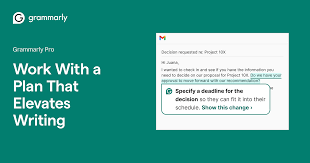
At its core, Grammarly checks your text for spelling, grammar, and punctuation errors. It also provides suggestions to improve sentence structure, clarity, and word choice. For instance, it can help replace repetitive words, suggest more precise vocabulary, or even adjust your tone depending on the audience—formal, friendly, or persuasive.
A practical example: imagine you’re writing a business email. Grammarly can quickly identify a misplaced comma, suggest a stronger opening sentence, and even ensure your closing is polite yet professional. For students, it can highlight overused phrases and improve essay readability. Bloggers and content creators benefit from its tone detection and vocabulary enhancement features, ensuring posts are engaging and error-free.
Practical Use: Imagine you are writing an important email to a client. Grammarly can suggest better phrasing, detect errors, and ensure your tone is professional.
Pros:
- Easy to use on desktop and mobile
- Offers real-time suggestions
- Can check for plagiarism
- Real-time grammar and spelling corrections.
- Tone detection for more effective communication.
- Vocabulary enhancement suggestions.
- Works across web browsers, Microsoft Word, Google Docs, and email platforms.
- Offers a free version with basic checks.
Cons:
- The free version has limited features
- Occasional over-suggestions for simple sentences
- Advanced features require a premium subscription.
- Relies on internet connectivity for full functionality.
Hemingway Editor – Clear and Concise
Hemingway Editor helps you write in a clear, simple style. It highlights complex sentences and suggests simpler alternatives. Hemingway Editor is a simple yet highly effective writing tool that helps you make your content clear, bold, and easy to read. It focuses on improving readability by highlighting sentences that are too long, complex, or difficult to understand. Instead of just correcting grammar, it pushes you to write directly and straightforwardly.
One of its standout features is color-coded feedback. Long or confusing sentences are marked in yellow or red, while unnecessary adverbs and passive voice are also highlighted. This makes it easy to spot weak areas in your writing and fix them instantly. The tool also provides a readability score, helping you understand whether your content is suitable for a general audience.
For example, if you’re writing a blog post or article, Hemingway Editor can help you simplify complicated sentences and remove fluff. This is especially useful for online content, where readers prefer short and easy-to-scan text. It’s also helpful for students and professionals who want to make their writing more impactful.
Practical Use: Bloggers or students can use it to make their essays or posts easy to read. For example, turning a long, confusing sentence into a short and engaging one.
Pros:
- Free online version
- Highlights readability issues
- Encourages concise writing
- Improves clarity and readability.
- Highlights complex sentences and passive voice.
- Simple and distraction-free interface.
- Helps create concise and powerful writing.
Cons:
- No integration with other apps in the free version
- Focuses only on style, not content accuracy
- Limited grammar checking compared to advanced tools.
- No deep style or tone suggestions.
- Some suggestions may oversimplify creative writing.
2. Design and Visual Tools
Creating visuals doesn’t have to be complicated or expensive. Free design tools make it easy to create professional-looking graphics, presentations, and videos.
Canva – Design Made Simple
Canva is one of the most popular free design tools. It offers templates for social media, presentations, posters, and more. Canva is a user-friendly design platform that makes it easy for anyone to create professional-looking graphics without needing advanced design skills. Whether you’re working on social media posts, presentations, posters, or thumbnails, Canva provides ready-made templates that you can customize in just a few clicks.
One of Canva’s biggest strengths is its drag-and-drop interface. You can simply choose a template, add text, upload images, and adjust colors or fonts to match your style. It also offers a huge library of icons, stock photos, videos, and design elements, making it easy to create eye-catching visuals quickly.
For example, if you’re managing a blog or YouTube channel, you can design thumbnails, banners, and posts that look clean and professional. Small business owners can create marketing materials like flyers and ads without hiring a designer. Students can use it to build presentations that stand out.
Practical Use: You can create an Instagram post using a pre-made template, add your text, and download it in minutes.
Pros:
- User-friendly drag-and-drop interface
- Thousands of templates and free images
- Works online without installation
Cons:
- Some premium templates are paid
- Advanced features are limited in the free plan
Runway – Video Editing for Everyone
Runway is a video editing tool that allows users to make professional videos quickly. It includes features like background removal, motion tracking, and color correction. Runway is a modern video editing platform that makes creating and editing videos simple, even for beginners. It is designed to help users produce high-quality videos without needing advanced technical skills or expensive software. Whether you’re a content creator, marketer, or student, Runway provides powerful tools in an easy-to-use interface.
One of the key strengths of Runway is its smart editing features. You can quickly cut clips, remove backgrounds, add effects, and enhance video quality with just a few clicks. It also supports tasks like automatic captions, object removal, and scene editing, which usually take much more time in traditional editors.
For example, if you’re running a YouTube channel, you can use Runway to edit videos faster by trimming clips, adding subtitles, and improving visuals without spending hours learning complex tools. Social media creators can quickly produce short videos with engaging effects, while businesses can create promotional content efficiently.
Practical Use: Small businesses can create promotional videos without hiring expensive editors. For example, turning raw clips into a polished 60-second ad.
Pros:
- Intuitive interface
- Real-time video editing
- Cloud-based with collaboration options
Cons:
- The free version has limited export options
- Some advanced effects require paid access
3. Productivity and Organization Tools
Staying organized is crucial in 2026. Free productivity tools help manage tasks, notes, and projects efficiently.
Notion – All-in-One Workspace
Notion is a versatile tool for note-taking, task management, and project organization. You can create databases, calendars, and even team workflows. Notion is a powerful productivity tool that combines notes, tasks, databases, and collaboration features into a single platform. It’s designed to replace multiple apps by giving you one organized space to manage your work and personal life efficiently.

One of Notion’s biggest advantages is its flexibility. You can create simple to-do lists, detailed project trackers, content calendars, or even full knowledge bases. Everything is customizable—you can add text, images, tables, checklists, and links, all within the same page. This makes it suitable for individuals as well as teams.
For example, if you’re running a blog or YouTube channel, you can use Notion to plan content, track ideas, and manage publishing schedules. Students can organize class notes and assignments in one place, while professionals can manage projects, deadlines, and team collaboration smoothly.
Practical Use: Students can organize lecture notes by subjects, while teams can track project progress in one place.
Pros:
- Flexible workspace for personal and team use
- Free version offers most core features
- Easy to customize templates
Cons:
- Can feel overwhelming for beginners
- Offline access is limited in the free plan
Zapier – Automate Repetitive Tasks
Zapier helps you automate tasks between apps. For example, automatically saving email attachments to cloud storage or posting new blog updates to social media. Zapier is a powerful automation tool that helps you connect different apps and automate repetitive tasks without needing technical skills. It works by creating simple workflows, called “Zaps,” that trigger actions automatically based on your setup.

For example, you can create a Zap that saves email attachments from Gmail directly to Google Drive, or automatically shares your new blog posts on social media platforms. Instead of doing the same tasks again and again, Zapier handles them in the background, saving you time and effort.
One of the biggest advantages of Zapier is its wide compatibility. It connects with thousands of apps like Gmail, Slack, Trello, Shopify, and more. This makes it especially useful for business owners, marketers, and content creators who use multiple tools daily.
Practical Use: A freelancer can save hours each week by automating repetitive tasks such as sending invoices or updating spreadsheets.
Pros:
- Supports thousands of apps
- Simple automation setup
- The free plan is sufficient for basic tasks
Cons:
- Complex workflows require a paid plan
- Limited monthly task runs in the free version
4. Learning and Research Tools
Education and research are easier than ever with free tools that help you find information, summarize content, or learn new skills.
Perplexity – Quick Answers
Perplexity allows users to ask questions and get detailed answers with sources. It’s like having a research assistant on your computer. Perplexity AI is a fast and efficient tool designed to give clear, direct answers to your questions in seconds. Instead of scrolling through multiple websites, it provides summarized responses along with sources, helping you find information quickly and easily.

One of its biggest strengths is simplicity. You just type a question, and it delivers a concise answer that’s easy to understand. It also allows follow-up questions, making it feel like a smooth conversation rather than a traditional search process. This is especially useful when you’re researching a topic and need quick, reliable insights without wasting time.
For example, if you’re writing an article or doing homework, you can use Perplexity to gather key points, explanations, or facts in seconds. Content creators can quickly research ideas, while students can understand complex topics in a simpler way.
Practical Use: If you need quick information for a school project or market research, Perplexity can provide concise explanations and references.
Pros:
- Fast and easy to use
- Summarizes complex topics
- Provides source links
Cons:
- The free version may have daily limits
- Accuracy depends on data sources
Quizlet – Learn Smarter
Quizlet helps you learn and memorize information with flashcards, quizzes, and games. Quizlet is a popular learning platform that helps students study more effectively using digital flashcards, quizzes, and interactive learning tools. It is designed to make studying easier, faster, and more engaging compared to traditional methods.

One of Quizlet’s main features is its flashcard system, where you can create your own study sets or choose from millions of pre-made ones. It also offers different study modes like Learn, Write, Match, and Test, which help reinforce memory in fun and interactive ways. This variety keeps learning interesting and improves retention.
For example, if you’re preparing for exams, you can use Quizlet to revise key concepts, memorize definitions, or practice questions. Language learners can use it to remember vocabulary, while students in any subject can quickly review important topics before tests.
Practical Use: Students can create flashcards for exam preparation or use shared study sets from other users.
Pros:
- Interactive learning
- Free access to millions of study sets
- Mobile-friendly
Cons:
- Some features, like offline mode, require a premium
- The quality of shared sets can vary
5. Content Creation and Social Media Tools
Creating engaging content is essential for brands and individuals. Free tools in 2026 make it easier to produce posts, videos, and graphics that attract attention.
Copy.ai – Fast Content Writing
Copy.ai generates text for blogs, social media, ads, or emails in minutes. Copy.ai is a useful tool designed to help users create content quickly and efficiently. Whether you need blog ideas, social media captions, product descriptions, or email drafts, it can generate ready-to-use text in just a few seconds.

One of its biggest advantages is speed. Instead of spending hours thinking about what to write, you can simply enter a topic or a few keywords, and it will provide multiple content suggestions. This makes it especially helpful for marketers, bloggers, and business owners who need to produce content regularly.
For example, if you’re running an online store, you can use Copy.ai to write product descriptions quickly. Content creators can generate post ideas or captions for platforms like Instagram and Twitter, while freelancers can draft emails or proposals with ease. It helps reduce writer’s block and keeps your workflow moving smoothly.
Practical Use: A small business owner can quickly create a Facebook ad copy using Copy.ai’s templates, saving hours of brainstorming.
Pros:
- Fast content generation
- The free plan is sufficient for small projects
- Provides multiple variations
Cons:
- Requires editing for accuracy and tone
- The free plan has usage limits
Pictory – Quick Video from Text
Pictory converts long text into short, engaging videos. Pictory is a simple and efficient tool that helps you turn written content into engaging videos within minutes. It is especially useful for people who want to create videos without learning complex editing software or spending hours on production.

One of its key features is the ability to convert text, blog posts, or scripts into short videos automatically. You just paste your content, and Pictory selects relevant visuals, adds subtitles, and creates a complete video. It also offers voiceover options, stock footage, and music to enhance your content.
For example, if you run a blog, you can turn your articles into videos for platforms like YouTube or Instagram. Marketers can quickly create promotional videos, while educators can transform lessons into visual content for better engagement. This saves time and helps you reach a wider audience.
Practical Use: Bloggers can turn an article into a 60-second video to share on social media, expanding reach and engagement.
Pros:
- Simple to use
- Free templates available
- Good for repurposing content
Cons:
- Limited video length in the free version
- Customization options are restricted
6. Security and Privacy Tools
Protecting your online data is important. Some free tools help secure browsing, store passwords safely, and keep files private.
Proton VPN – Safe and Fast Browsing
Proton VPN allows secure internet access and protects your online activity. Proton VPN is a reliable tool designed to protect your online privacy while ensuring fast and secure internet access. It works by encrypting your internet connection and hiding your IP address, making your online activity safer from hackers, trackers, and unwanted surveillance.

One of the key strengths of Proton VPN is its strong focus on privacy. It follows a strict no-logs policy, meaning it does not track or store your browsing data. It also offers secure servers in multiple countries, allowing you to access content from different regions while keeping your connection protected.
For example, if you’re using public Wi-Fi at a café or airport, Proton VPN helps keep your personal information safe. It’s also useful for accessing websites or services that may be restricted in certain locations. For content creators and remote workers, it provides a secure way to browse and manage online tasks.
Practical Use: If you’re working remotely in a public Wi-Fi hotspot, Proton VPN ensures your data stays private.
Pros:
- Free plan with reliable security
- Easy to set up
- No logs policy
Cons:
- The free plan is limited to a few server locations
- Speed can vary during peak times
LastPass – Password Manager
LastPass stores and autofills your passwords securely. LastPass is a secure and convenient tool that helps you store and manage all your passwords in one place. Instead of remembering multiple complex passwords, you only need to remember one master password, and LastPass takes care of the rest.

One of its key features is automatic password saving and autofill. When you log in to a website, LastPass can fill in your credentials instantly, saving time and reducing the risk of typing errors. It also helps generate strong, unique passwords for each account, improving your overall online security.
For example, if you use multiple platforms like email, social media, and banking apps, LastPass ensures that each account has a strong password without you needing to memorize them all. This is especially useful for professionals and online business owners who manage many accounts daily.
Practical Use: Managing multiple accounts becomes easier and safer, as you don’t need to remember every password.
Pros:
- Free version available
- Secure storage for passwords
- Generates strong passwords
Cons:
- Free version limited to one device type
- Requires trust in cloud storage
FAQs
1. Are these tools really free?
Yes, all the tools mentioned have free plans. Some have premium features, but the free versions are enough for basic and intermediate use.
2. Can these tools replace paid software?
For many everyday tasks, yes. However, professional-level features often require paid versions. For casual users, free versions are sufficient.
3. Are these tools safe to use?
Most reputable free tools are safe. However, always download from official websites and avoid sharing sensitive data unnecessarily.
4. Do I need an internet connection to use them?
Some tools, like Grammarly and Canva, work best online. Others, like Hemingway Editor, have offline versions. Check individual tool requirements.
5. Can I use these tools for business?
Absolutely. Many small businesses, freelancers, and startups use free tools to save costs while improving productivity and content quality.
6. What are the best free tools for writing in 2026?
The most popular free tools for writing include Grammarly for grammar and style, and Hemingway Editor for clear, concise sentences. Both tools help improve readability, professional tone, and writing speed.
7. Can free design tools replace paid software?
Yes, for most everyday tasks. Tools like Canva and Runway allow you to create professional graphics and videos without paying. However, advanced features like high-resolution exports or premium templates may require paid plans.
8. How can productivity tools help me save time?
Productivity tools like Notion and Zapier help you organize tasks, notes, and workflows efficiently. You can automate repetitive tasks, track projects, and collaborate with teams, which can save hours every week.
9. Are learning and research tools reliable?
Yes, tools like Perplexity and Quizlet provide reliable summaries, answers, and study resources. Always cross-check critical information, especially for academic or professional purposes.
10. Can free content creation tools help my business?
Absolutely. Copy.ai and Pictory can quickly generate text and videos for marketing, social media, or website content, helping small businesses save time and increase engagement.
11. Are free security tools safe to use?
Yes, reputable tools like Proton VPN and LastPass are secure and protect your data online. Always download from official websites and avoid sharing sensitive information on untrusted platforms.
12. Do I need technical knowledge to use these tools?
Not at all. Most free tools are designed for beginners and professionals alike. They come with tutorials, templates, and intuitive interfaces to make usage simple.
13. Can these free tools be used on mobile devices?
Yes. Most tools, including Grammarly, Canva, Notion, and Quizlet, have mobile apps or mobile-friendly websites, allowing you to work efficiently from your phone or tablet.
14. Are there any limitations to free versions?
Yes, free versions often limit features like the number of exports, automation tasks, or access to premium templates. For casual or small-scale use, free plans are usually sufficient.
15. How do I choose the right tool for my needs?
Consider what task you want to accomplish. For writing, choose Grammarly or Hemingway; for design, Canva; for organization, Notion; for content creation, Copy.ai. Test the free versions first before deciding if the premium is necessary.
Conclusion
Free tools in 2026 are more powerful than ever. Whether you want to write better, design visuals, stay organized, learn faster, create content, or protect your online privacy, there is a tool to help. Using these tools wisely can save time, improve quality, and make your work more efficient.
Start exploring today with tools like Grammarly, Canva, Notion, Runway, Copy.ai, and Proton VPN. Each has unique features that cater to different needs. Even on a tight budget, you can achieve professional results without spending a dime.

