
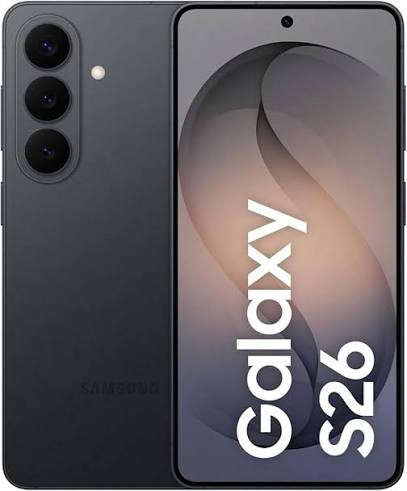
The Samsung Galaxy S26 comes with full eSIM support — no physical SIM card required if you prefer going fully digital. Whether you’re activating an eSIM with Jio, Airtel, Vi, or an international eSIM provider for travel, this step-by-step guide walks you through the entire process from start to finish.
How to activate an eSIM on the Galaxy S26: eSIM activation on the Galaxy S26 is faster and simpler than on previous Samsung models — but the exact steps vary depending on your carrier and whether you’re scanning a QR code, using a carrier app, or activating directly through Samsung’s settings. This guide covers all three methods.
- Check now: How to Add an eSIM on Samsung S26.
Does Samsung Galaxy S26 Support eSIM?
Yes — the Samsung Galaxy S26, S26+, and S26 Ultra all support eSIM. Here are the key eSIM specs across the S26 lineup:
| Model | Physical SIM | eSIM | Dual SIM Support |
|---|---|---|---|
| Galaxy S26 | 1x Nano SIM | Yes ✅ | Dual SIM (1 physical + 1 eSIM) |
| Galaxy S26+ | 1x Nano SIM | Yes ✅ | Dual SIM (1 physical + 1 eSIM) |
| Galaxy S26 Ultra | 1x Nano SIM | Yes ✅ | Dual SIM (1 physical + 1 eSIM) |
Important for Indian buyers: The Indian variant of the Galaxy S26 supports eSIM with all major Indian carriers — Jio, Airtel, and Vi (Vodafone Idea). BSNL eSIM support is limited and being rolled out gradually.
eSIM storage: The Galaxy S26 can store multiple eSIM profiles simultaneously, but only one eSIM can be active at a time alongside your physical SIM.
What You Need Before Activating eSIM on Galaxy S26

Before starting the activation process, make sure you have:
From your carrier:
- An active account with Jio, Airtel, Vi, or your chosen carrier
- eSIM activation request submitted to your carrier (via app, store visit, or customer care)
- QR code from your carrier (sent via SMS, email, or shown at store) — OR carrier app activation ready
On your Galaxy S26:
- Stable Wi-Fi or mobile data connection
- Samsung Galaxy S26 running One UI 7 or later (check: Settings → Software Update)
- Device not SIM-locked to another carrier (unlocked devices work with any carrier eSIM)
- Battery above 20% — don’t start eSIM activation on low battery
For international eSIM (travel):
- Account with an international eSIM provider (Airalo, Holafly, Maya Mobile, etc.)
- QR code from your chosen eSIM provider downloaded or printed
How to activate an eSIM on the Galaxy S26:
Method 1 — Activate eSIM on Galaxy S26 via QR Code (All Carriers)
This is the most universal method — works with Jio, Airtel, Vi, and all international eSIM providers.
Step 1: Request eSIM from Your Carrier
For Jio:
- Open MyJio app → Go to Profile → SIM Services → Get eSIM
- Or call Jio customer care: 199
- Or visitthe nearest Jio Store with your Aadhaar card
- Jio will send an eSIM QR code to your registered email/SMS within 2–4 hours
For Airtel:
- Open Airtel Thanks app → My Account → Manage SIM → Switch to eSIM
- Or SMS “eSIM” to 121 from your registered Airtel number
- Or visit the nearest Airtel store
- Airtel sends QR code within 2–4 hours after KYC verification
For Vi (Vodafone Idea):
- Open Vi app → My Account → Manage SIM → Convert to eSIM
- Or call Vi customer care: 199
- Or visit a Vi store with a photo ID and Aadhaar
- Vi sends QR code via email within 4–6 hours
Step 2: Open eSIM Settings on Galaxy S26
- Open Settings on your Galaxy S26
- Tap Connections
- Tap SIM Manager
- Tap Add eSIM or Add Mobile Plan
Step 3: Scan the QR Code
- Tap Scan QR Code
- Point your Galaxy S26 camera at the QR code sent by your carrier
- Wait for the code to be recognized — this takes 2–5 seconds
- Tap Confirm when the carrier plan details appear on screen
Step 4: Activate the eSIM Profile
- Your Galaxy S26 will connect to your carrier’s server to download the eSIM profile.
- This typically takes 30–90 seconds with a stable internet connection
- Once downloaded, tap Activate to enable the eSIM
Step 5: Configure SIM Settings
After activation, configure how your two SIMs (physical + eSIM) work together:
- Go to Settings → Connections → SIM Manager
- Set your Default SIM for calls — choose physical SIM or eSIM
- Set your Default SIM for SMS — choose physical SIM or eSIM
- Set your Default SIM for mobile data — choose physical SIM or eSIM
- Enable Allow SIM switching if you want automatic switching based on signal strength
Recommended setup for Indian dual SIM users:
- Primary number (calls + SMS): Physical SIM (Jio/Airtel)
- Data SIM: eSIM (whichever carrier has better data rates in your area)
- Or: Primary: Airtel physical SIM (calls), Data: Jio eSIM (for JioFiber/Jio 5G data)
Method 2 — Activate eSIM on Galaxy S26 via Carrier App
Some Indian carriers allow direct eSIM activation through their official apps — no QR code scanning required.
Jio eSIM Activation via MyJio App

- Open the MyJio app on your Galaxy S26
- Tap your profile icon → SIM Services
- Select Get eSIM or Convert to eSIM
- Verify your identity via OTP sent to your registered number
- Accept terms and tap Activate eSIM
- MyJio will trigger automatic eSIM profile download — no QR code needed
- Tap Confirm when prompted by your Galaxy S26
Time required: 5–10 minutes
KYC required: Yes — Aadhaar-based video KYC or store verification
Airtel eSIM Activation via Airtel Thanks App

- Open the Airtel Thanks app
- Go to My Account → Manage SIM
- Tap Switch to eSIM
- Complete video KYC (takes 3–5 minutes)
- Airtel Thanks will push the eSIM profile directly to your Galaxy S26
- Accept the profile installation when prompted
- Tap Activate to complete
Time required: 10–15 minutes including KYC
Note: Your physical Airtel SIM will be deactivated once eSIM is active — remove it from the tray
Method 3 — Activate eSIM on Galaxy S26 via Samsung Settings (Manual Entry)
For international eSIM providers or carriers that provide activation codes instead of QR codes:
- Go to Settings → Connections → SIM Manager
- Tap Add eSIM
- Tap Enter Activation Code Manually
- Type or paste the activation code provided by your eSIM provider
- Tap Connect
- Wait for profile download (30–90 seconds)
- Tap Activate to enable
This method works with providers like Airalo, Holafly, Maya Mobile, and other international eSIM providers that send activation codes via email rather than QR codes.
How to Activate an International eSIM on Galaxy S26 for Travel
Traveling abroad from India? An international eSIM lets you avoid expensive roaming charges while keeping your Indian number active on your physical SIM.
Best International eSIM Providers for Indian Travelers in 2026
| Provider | Coverage | Price Range | Activation Method |
|---|---|---|---|
| Airalo | 200+ countries | ₹500 – ₹3,000 | QR code / App |
| Holafly | 160+ countries | ₹800 – ₹4,000 | QR code |
| Maya Mobile | Asia focus | ₹400 – ₹2,000 | QR code |
| Nomad eSIM | 100+ countries | ₹600 – ₹3,500 | QR code / App |
| Airtel International eSIM | Select countries | ₹999 – ₹5,000 | Airtel Thanks app |
Step-by-Step: International eSIM on Galaxy S26
- Purchase an international eSIM plan from your chosen provider before traveling (activate at home on Wi-Fi)
- Receive QR code via email from your provider
- On Galaxy S26: Settings → Connections → SIM Manager → Add eSIM
- Scan the QR code
- Download and install the international eSIM profile
- Do not activate yet — keep it installed but inactive
- When you land at your destination, go to SIM Manager and switch the international eSIM to active
- Your Indian physical SIM stays in the tray — you can still receive calls and SMS on your Indian number
Data tip for Indian travelers: Keep mobile data set to your international eSIM. Set calls and SMS to your Indian physical SIM. This way you have local data rates abroad while staying reachable on your Indian number.
Managing Multiple eSIM Profiles on Galaxy S26
The Galaxy S26 can store multiple eSIM profiles simultaneously — useful if you frequently switch between carriers or use different eSIMs for travel.
How to Switch Between eSIM Profiles
- Go to Settings → Connections → SIM Manager
- Under eSIM, you’ll see all installed profiles
- Tap the profile you want to activate
- Toggle it on
- The previously active eSIM will automatically deactivate
How to Delete an eSIM Profile
- Go to Settings → Connections → SIM Manager
- Tap the eSIM profile you want to remove
- Tap Delete or Remove eSIM
- Confirm deletion
Important: Deleting an eSIM profile permanently removes it from your device. If you want to use that carrier again, you’ll need to request a new eSIM QR code from them. Some carriers charge for reissuing eSIM QR codes — check your carrier’s policy before deleting.
How to Rename eSIM Profiles
- Go to Settings → Connections → SIM Manager
- Tap the eSIM profile
- Tap the pencil/edit icon next to the profile name
- Enter a custom name (e.g., “Jio Data,” “Airtel Primary,” “Dubai Travel”)
- Tap Save
Renaming profiles makes it much easier to manage multiple eSIMs — especially if you have both a domestic and international eSIM installed simultaneously.
eSIM Activation Troubleshooting — Galaxy S26
Problem: QR Code Not Scanning
Solutions:
- Clean your camera lens — smudges affect QR recognition
- Increase screen brightness on the device displaying the QR code
- Try scanning from a printed QR code instead of a screen
- Ensure adequate lighting — don’t scan in very low light
- Restart the camera and try again
- If QR still fails, ask your carrier for a manual activation code instead
Problem: eSIM Profile Download Failing
Solutions:
- Check your Wi-Fi connection — switch to a different network if possible
- Disable VPN if active — VPNs can interfere with eSIM server connections
- Restart your Galaxy S26 and try again
- Check if your carrier’s eSIM servers are experiencing downtime
- Ensure your device software is updated to the latest One UI version
Problem: eSIM Activated But No Signal
Solutions:
- Toggle Airplane Mode on and off — forces network re-registration
- Go to Settings → Connections → Mobile Networks → Network Operators → Search Now
- Select your carrier manually from the list
- Restart your device
- Contact carrier customer care — your eSIM profile may need manual provisioning on their end
Problem: “This Device is SIM Locked” Error
Solutions:
- Your Galaxy S26 may be locked to another carrier (common with operator-branded devices)
- Contact the original carrier to request an unlock code
- Samsung unlocked (open market) devices don’t have this problem
- Most Indian retail Galaxy S26 units are sold unlocked — this issue mainly affects devices bought abroad or through carrier contracts
Problem: eSIM Not Showing in SIM Manager
Solutions:
- Restart your Galaxy S26
- Check One UI version — update if not on latest version
- Go to Settings → General Management → Reset → Reset Network Settings (this won’t delete data)
- Contact Samsung Support if the issue persists — hardware eSIM chip may need diagnostics
Problem: Jio eSIM Activation Stuck at Verification
Solutions:
- Ensure your Jio account KYC is complete — incomplete KYC blocks eSIM activation.
- Try the MyJio app method instead of QR code.
- Visit the nearest Jio Store for in-person activation — store staff can complete activation instantly
- Call Jio customer care: 199
eSIM vs Physical SIM on Galaxy S26 — Which Should You Use?
| Feature | Physical SIM | eSIM |
|---|---|---|
| Setup | Insert card | Digital activation |
| Switching carriers | Replace card | Switch profile digitally |
| Travel convenience | Carry multiple SIMs | Instant international eSIM |
| Risk of loss/damage | Card can be lost | No physical card to lose |
| Emergency replacement | Visit store for new SIM | Can be reactivated remotely |
| Carrier support in India | All carriers | Jio, Airtel, Vi ✅ |
| Best for | Primary number | Data SIM, travel SIM |
Recommended setup for most Indian Galaxy S26 users:
- Slot 1 (Physical): Your primary number (Jio or Airtel) for calls and SMS
- eSIM: Secondary data SIM or international travel eSIM when needed
Frequently Asked Questions
Q: Does Samsung Galaxy S26 support eSIM in India?
Yes. The Galaxy S26, S26+, and S26 Ultra all support eSIM in India. Compatible Indian carriers include Jio, Airtel, and Vi.
Q: Can I use two eSIMs simultaneously on Galaxy S26?
The Galaxy S26 supports one active eSIM at a time alongside one physical SIM. You can store multiple eSIM profiles, but only one can be active simultaneously.
Q: How long does Jio eSIM activation take on Galaxy S26?
Jio eSIM activation typically takes 2–4 hours after submitting your request via MyJio app or Jio Store. The actual profile download, once you have the QR code, takes under 2 minutes.
Q: Can I switch back from eSIM to physical SIM on Galaxy S26?
Yes. Simply insert your physical SIM and go to Settings → Connections → SIM Manager to set it as your active SIM. Your eSIM profile remains installed and can be reactivated anytime.
Q: Is eSIM free on Jio and Airtel for Galaxy S26?
Jio charges a nominal eSIM issuance fee (typically ₹ 0 for existing customers converting from a physical SIM). Airtel eSIM conversion is generally free for existing customers. New connections may have standard SIM activation charges.
Q: Can I activate Airtel eSIM on Galaxy S26 without visiting a store?
Yes — Airtel supports full digital eSIM activation via the Airtel Thanks app, including video KYC. No store visit required.
Q: What happens to my physical SIM when I activate eSIM on Galaxy S26?
If you’re converting an existing number from physical SIM to eSIM, your physical SIM will be deactivated by your carrier. If you’re adding a new number as eSIM, your physical SIM continues working normally.
Q: Can I use an international eSIM on Galaxy S26 while keeping my Indian SIM active?
Yes — this is one of the biggest advantages of dual SIM + eSIM. Keep your Indian physical SIM active for calls and SMS while using an international eSIM for local data rates abroad.
Q: Does eSIM work on Galaxy S26 5G in India?
Yes. eSIM on the Galaxy S26 supports 5G where available — including Jio 5G and Airtel 5G networks across major Indian cities.
Q: How many eSIM profiles can I store on Galaxy S26?
The Galaxy S26 can store up to 10–12 eSIM profiles simultaneously, though only one can be active at a time alongside your physical SIM.
Conclsion
Activating eSIM on your Samsung Galaxy S26 is straightforward once you know which method to use. For Indian users, the QR code method via Jio or Airtel is the fastest and most reliable — request your QR code through the carrier app, scan it in SIM Manager, and you’re live in under five minutes.
The real power of eSIM on the Galaxy S26 comes from the flexibility it offers — a permanent Indian number on your physical SIM, a data-optimized eSIM for domestic use, and instant international eSIM activation when you travel. No SIM swapping, no carrying multiple cards, no roaming shock.
Set it up once, and your Galaxy S26 handles the rest.

