
Want to use an eSIM on the Samsung Galaxy S26 Ultra in 2026? The good news is that the S26 Ultra supports eSIM technology, allowing you to activate a compatible mobile plan without inserting a physical SIM card. This can be especially useful if you want to use two numbers, switch carriers, travel internationally, or keep your physical SIM slot available.
Setting up an eSIM on the Samsung Galaxy S26 Ultra is generally straightforward. You can add a mobile plan by scanning a carrier-provided QR code or, when supported by your carrier, using an activation method provided directly through the phone. However, the exact steps can vary depending on your carrier, country, and software version.

In this guide, you’ll learn how to use an eSIM on the Samsung S26 Ultra, including how to add and activate an eSIM, switch between SIM profiles, use eSIM with a physical SIM, troubleshoot activation problems, and remove an eSIM when you no longer need it. We’ll also cover the key requirements you should check before starting so you can activate your eSIM without unnecessary issues.
So you have just unboxed your shiny new Samsung S26 Ultra. The display is stunning. The camera is incredible. And there is no physical SIM card slot in sight.
eSIM in the Samsung S26 Ultra, you are staring at the phone wondering how on earth you are going to get connected; take a deep breath. It is simpler than it looks. eSIM technology has been around for several years, and by 2026, it will have become the standard for flagship phones.
This guide walks you through everything you need to know about using an eSIM on your Samsung S26 Ultra. Whether you are travelling, switching carriers, or just setting up your new phone for the first time, we have got you covered.
- Check now – How to delete an eSIM Profile on Samsung 2026
What Actually Is an eSIM?
Let us start with the basics. eSIM stands for embedded SIM. Unlike the physical plastic card you are used to popping in and out of your phone, an eSIM is a tiny chip built directly into your device.
Think of it like this. A physical SIM is like a key that unlocks your network. You need to carry it, swap it, and not lose it. An eSIM is like a digital key stored in your phone. You can download it, activate it, and switch between networks without ever touching a tiny piece of plastic.
The S26 Ultra is a dual-SIM device. It supports two eSIM profiles simultaneously, or you can use one physical nano-SIM if you still have one lying around. For most people, having two eSIMs is the way to go.
Why You Should Switch to eSIM on Your S26 Ultra
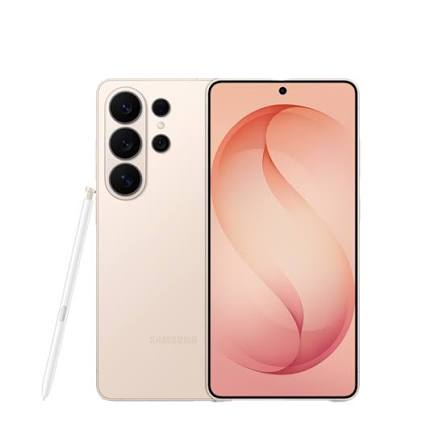
There are several good reasons to make the switch.
No more losing or damaging SIM cards. We have all been there. You drop the SIM card on the floor and spend ten minutes searching for it. With eSIM, that problem disappears.
Instant switching between carriers. You can store multiple eSIM profiles on your phone and switch between them with a couple of taps. This is a lifesaver when you travel.
Better security. If your phone gets stolen, a thief cannot simply pop out your SIM card and use it in another device. The eSIM is locked to your phone.
Dual-SIM without the hassle. With two eSIMs, you can have a personal number and a work number on the same phone without juggling physical cards.
Saves space inside the phone. Without a SIM tray, manufacturers can use that space for a bigger battery or other components. The S26 Ultra packs a massive 6000mAh battery, and the eSIM design helped make that possible.
Before You Start: What You Will Need
Setting up an eSIM on your S26 Ultra is straightforward, but you need a few things first.
Your eSIM activation details. This is usually a QR code from your carrier, or an activation code they send you via email. Some carriers also use an app. Check with your provider before you start.
A stable internet connection. You need Wi-Fi or mobile data to download the eSIM profile. Wi-Fi is your safest bet, especially if you are setting up the phone for the first time.
Your carrier’s support for eSIM. Most major carriers worldwide support eSIM in 2026. In Nigeria, the main networks—MTN, Glo, Airtel, and 9mobile—all offer eSIM services. If you are travelling, check that your destination carrier supports eSIM.
Your Samsung account. This is not always required, but it helps keep your eSIM profiles backed up if you need to transfer them.
How to use an eSIM in the Samsung S26 Ultra 2026: (step by step)
Method 1: Setting Up eSIM Using a QR Code

This is the most common method. Your carrier will give you a QR code either physically or digitally. Here is how to use it.
Step 1: Open Settings
Go to your home screen and swipe down to access the notification shade. Tap the gear icon to open Settings.
Step 2: Navigate to Connections
In the Settings menu, tap on Connections. This is where all your network and connectivity options live.
Step 3: Tap SIM Manager
Scroll down and tap on SIM Manager. This section shows you all the SIMs currently on your phone.
Step 4: Select Add eSIM
Tap on Add eSIM. The phone will start looking for available eSIMs.
Step 5: Scan the QR Code
You will see options to scan a QR code or enter details manually. Tap Scan QR Code. Point your camera at the QR code provided by your carrier. The phone reads the code and begins the download.
Step 6: Confirm and Activate
Once the profile downloads, you will see the details of your plan. Tap Continue or Activate. The phone will register your eSIM with the network.
Step 7: Set Your Preferences
The phone will ask if you want to use this eSIM for calls, messages, and data. You can also choose which SIM to use as your default. Set it up the way you like, and you are ready to go.
Method 2: Setting Up eSIM via Carrier App
Many carriers now have their own apps that handle eSIM activation automatically. This is often the easiest way, especially for local networks.
For MTN Nigeria users:
MTN offers eSIM through the myMTN app. Download the app, log in to your account, and look for the eSIM option. Follow the prompts, and the profile is pushed directly to your phone.
For Airtel Nigeria users:
Airtel has an online portal where you can request an eSIM. After verification, you receive an email with the QR code or activation details. Open your S26 Ultra, go to SIM Manager, and scan the code.
For Glo users:
Glo supports eSIM through their customer service. Contact them, provide your details, and they will send the activation information to your registered email.
The carrier app method usually involves fewer steps. The app communicates with Samsung’s eSIM system and installs the profile automatically.
Method 3: Manual Entry (Without a QR Code)

Sometimes your carrier gives you an activation code instead of a QR code. This happens when you are travelling, and the carrier sends you an email with a code. Here is how to set it up.
Step 1: Go to SIM Manager
Open Settings, tap Connections, then SIM Manager.
Step 2: Tap Add eSIM
Select Add eSIM from the menu.
Step 3: Choose Enter Details Manually
Instead of scanning a QR code, tap the option that says Enter details manually or Activation code. The wording may vary depending on your software version.
Step 4: Enter the Activation Code
Type in the SM-DP+ address and the activation code your carrier provided. These are usually a series of letters and numbers.
Step 5: Download and Activate
Follow the on-screen instructions. The phone downloads the profile and activates it on the network.
Traveling with eSIM on the S26 Ultra
This is where eSIM really shines. In 2026, buying a travel eSIM has become incredibly easy. You can purchase one from an app before you even leave home.
Popular travel eSIM providers:
Airalo has been around for years and supports over 200 countries and regions. You download the app, choose a data plan for your destination, and install the eSIM directly from the app. The integration with the S26 Ultra is seamless.
Nomad is another solid option. They offer flexible data plans for travelers and partner with local networks to give you good coverage.
Holafly offers unlimited data plans for many destinations. If you are going on a long trip, their daily plans can be good value.
How it works:
You download the travel eSIM app, select your destination and data package, and pay. The app pushes the eSIM profile to your phone. You then activate it when you land, and you have data immediately without hunting for a local SIM card.
A practical example:
Say you are flying from Lagos to London. Before you leave, you buy a travel eSIM for the UK from Airalo. When your plane lands at Heathrow, you turn on your S26 Ultra, and data is already working. No need to find a shop, no need to swap SIMs, and no expensive roaming charges.
Using Dual eSIM on the S26 Ultra
The S26 Ultra supports two eSIMs simultaneously. This is useful in many situations.
Use Case 1: Personal and Work
You can have your personal number and your work number on the same phone. Set your personal SIM as the default for calls and messages, and your work SIM for data. Or mix it up however works for you.
Use Case 2: Local and Travel
Keep your Nigerian eSIM active for calls and messages, and add a travel eSIM for data when you are abroad. You can turn off the data on your Nigerian eSIM to avoid roaming charges while keeping it active for incoming calls.
Use Case 3: Testing Different Networks
If you are in an area with patchy coverage, you can have eSIMs from two different carriers. Switch between them to get the best signal.
How to manage dual eSIM:
Go to Settings > Connections > SIM Manager. You will see both eSIMs listed. Tap on each one to change its settings. You can choose which SIM is used for:
- Mobile data
- Calls
- Messages
There is also a setting called “Always use this SIM for data” to prevent accidental roaming charges.
Transferring eSIM to a New Samsung Phone
Upgrading from an older Samsung phone to the S26 Ultra? Transferring your eSIM is much easier than it used to be.
If you have a Samsung account:
Go to Settings > Accounts and Backup > Transfer eSIM. Both phones need to be on the same Samsung account. The phones will communicate, and the eSIM profile transfers to the new device. The old profile deactivates automatically.
If you do not have a Samsung account:
Contact your carrier. They can generate a new QR code for you. Scan it on the S26 Ultra, and the eSIM activates. The old eSIM on your previous phone will deactivate when the new one activates.
Before you sell or give away your old phone:
Always remove your eSIM profile first. Go to Settings > Connections > SIM Manager, tap the eSIM, and select Remove or Delete. This ensures your profile is not still active on the old device.
Troubleshooting Common eSIM Issues
Even with the best technology, sometimes things go wrong. Here are some common eSIM problems and how to fix them.
Issue: QR Code Not Scanning
Clean your camera lens first. Sometimes a smudge causes the scan to fail. If it still does not work, tap the option to enter details manually. The QR code contains the same information as the activation code.
Issue: Profile Downloaded but Not Activating
Make sure you have an internet connection. The phone needs to contact the carrier’s network to activate. If you are on Wi-Fi, try switching to mobile data. If that does not work, restart the phone and try again.
Issue: No Signal After Activation
Go to Settings > Connections > Mobile Networks. Check that the network mode is set to auto. You can also manually select your carrier from the network operators list.
Issue: eSIM Not Showing in SIM Manager
Restart your phone. Sometimes a reboot refreshes the network settings and the eSIM appears. If it still does not, you may need to contact your carrier to resend the activation details.
Issue: Cannot Add More Than One eSIM
The S26 Ultra supports two active eSIMs at a time. If you try to add a third, you will get an error. You need to remove one of the existing eSIMs before adding a new one. Go to SIM Manager, tap an existing eSIM, and select Remove.
Issue: Roaming Not Working
Make sure data roaming is enabled in your settings. Go to Settings > Connections > Mobile Networks > Data Roaming and toggle it on. Also check that your eSIM plan includes roaming in your destination.
Pros and Cons of eSIM on the S26 Ultra
Like any technology, eSIM has advantages and disadvantages. Here is a balanced look.
Pros
Convenience is the biggest selling point. You can switch carriers without physically swapping cards. This is a game-changer for frequent travellers.
Security is another major advantage. If your phone is stolen, the eSIM stays locked. No one can simply pop it out and use it in another device.
Dual-SIM without the clutter makes life easier. Two active numbers on one phone without carrying extra cards or using a SIM ejector tool.
Better device design. Without the SIM tray, manufacturers can make phones more water-resistant and pack in larger batteries. The S26 Ultra benefits from this.
Instant activation when you travel. No more searching for a local shop or dealing with a language barrier. Buy a travel eSIM online and activate it instantly.
Cons
Carrier dependency is a real downside. If your carrier does not support eSIM, you are stuck. Most major carriers do support it in 2026, but smaller or regional networks may not.
Switching phones is slightly more complicated. With a physical SIM, you simply pop it out and put it in the new phone. With an eSIM, you have to go through a transfer process or get a new QR code. It is not difficult, but it is an extra step.
Travelling to some countries may still be a problem. While most developed countries support eSIM, some developing nations are still catching up. Always check eSIM availability for your destination.
Removing an eSIM before selling your phone is an important step that some people forget. If you do not remove it, the next owner could potentially access your plan (though carriers usually deactivate the old profile when a new one activates).
Limited number of profiles. The S26 Ultra can store multiple eSIM profiles but can only keep two active at once. If you travel to many countries, you may need to manage your profiles and remove unused ones.
Frequently Asked Questions
Does the Samsung S26 Ultra support eSIM?
Yes, absolutely. The S26 Ultra fully supports eSIM technology. It can hold multiple eSIM profiles and keep two active simultaneously. It also supports one physical nano-SIM card if you still have one.
Can I use eSIM with Nigerian networks?
Yes. All major Nigerian carriers support eSIM in 2026:
- MTN Nigeria offers eSIM through the myMTN app.
- Airtel Nigeria supports eSIM with a QR code via their online portal or customer service.
- Glo offers eSIM through customer support.
- 9mobile also supports eSIM.
Contact your carrier directly to get started.
Can I have two eSIMs active at the same time?
Yes, the S26 Ultra supports dual active eSIMs. This means you can have two numbers active simultaneously. For example, you could have a personal number and a work number, or your local number and a travel eSIM.
What if my carrier does not support eSIM?
If your carrier does not support eSIM, you can still use a physical nano-SIM card. The S26 Ultra has a SIM tray slot alongside the eSIM functionality. However, more and more carriers are adopting eSIM, so it is worth checking again in a few months.
Can I convert my physical SIM to eSIM?
Yes, most carriers allow this. Contact your carrier and request an eSIM conversion. They will usually send you a QR code or provide an app to activate your eSIM. Your physical SIM will stop working once the eSIM is activated.
Do I need Wi-Fi to set up an eSIM?
Yes, you need an internet connection to download the eSIM profile. Wi-Fi is the most reliable option, especially during initial phone setup. Once the eSIM is active, you can use mobile data.
Is eSIM secure?
Yes, eSIM is generally more secure than physical SIM cards. The eSIM chip is embedded in the phone, so a thief cannot remove it. The profile is also encrypted and tied to your specific device.
What happens if I reset my S26 Ultra?
If you do a factory reset, your eSIM profiles are usually removed. You will need to download them again from your carrier. Some carriers automatically restore the profiles when you log in to your Samsung account. To avoid losing your eSIM, check with your carrier before resetting.
Can I use the same eSIM on two phones?
No, an eSIM profile is tied to a single device. If you try to activate the same profile on another phone, the original one will be deactivated. This is a security feature to prevent cloning.
Does eSIM drain the battery faster?
No, eSIM uses a similar amount of power to a physical SIM. The S26 Ultra’s 6000mAh battery easily handles dual eSIMs without any noticeable impact on battery life.
How much does an eSIM cost?
The eSIM itself is usually free. Your mobile plan costs the same whether you use a physical SIM or an eSIM. Travel eSIMs have their own pricing, which varies by provider, data amount, and destination.
Can I delete an eSIM profile?
Yes. Go to Settings > Connections > SIM Manager, tap the eSIM you want to remove, and select Remove or Delete. The profile will be deleted from your phone. You can always add it again later if needed.
How many eSIM profiles can I store?
The S26 Ultra can store multiple eSIM profiles—some sources say up to 10 or more. However, only two can be active at the same time. If you need to use a third, you must deactivate or remove one of the active ones first.
Conclsion
The Samsung S26 Ultra is a powerhouse of a phone, and its eSIM capabilities are a big part of what makes it so versatile. Yes, there is a learning curve if you are used to physical SIM cards. But once you make the switch, you will likely wonder why you did not do it sooner.
The convenience of adding and switching between carriers instantly, especially when travelling, is hard to overstate. The security benefits are real. And the dual-SIM flexibility gives you options that were difficult to manage before.
If you are still unsure, start simple. Set up your primary eSIM using the QR code from your carrier. Use it for a few weeks. Once you are comfortable, add a second eSIM for travel or work. You will quickly see how seamless it can be.
The days of fumbling with a SIM ejector tool are behind us. The S26 Ultra is ready for the future, and now you know exactly how to use it.

