
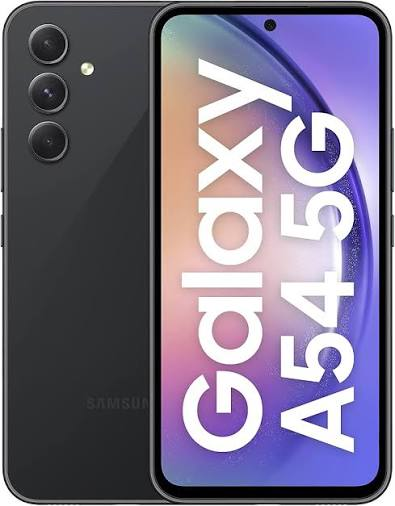
The Samsung Galaxy A54 is one of the most popular mid-range smartphones in India — offering flagship-level features at a significantly more accessible price point. And yes, the Galaxy A54 fully supports eSIM technology — making it one of the few mid-range phones in India to do so.
eSIM on Samsung Galaxy A54 Whether you bought your A54 new or secondhand, setting up an eSIM takes less than 10 minutes and gives you genuine flexibility — dual SIM without a physical card swap, instant carrier switching, and international travel plans downloaded directly to your phone.
This guide covers everything you need to know about using eSIM on the Samsung Galaxy A54 — from checking compatibility to activating with Jio, Airtel, and Vi, managing dual SIM settings, and fixing common issues.
Does Samsung Galaxy A54 Support eSIM?
Yes — the Samsung Galaxy A54 (SM-A546) supports eSIM. However, this is notable because eSIM support in the mid-range segment is less universal than in flagship phones.
Important variant check:
- SM-A546B/DS (Global/India variant) — ✅ eSIM supported
- SM-A546E/DS (India specific) — ✅ eSIM supported
- Some regional variants — ⚠️ Check EID
How to Confirm eSIM Support on A54
Method 1 — Dial code:
Dial *#06# — if an EID number appears alongside IMEI numbers, eSIM is supported on your specific unit.
Method 2 — Settings check:
Settings → Connections → SIM Manager → if Add eSIM option is visible, phone is ready.
Samsung Galaxy A54 eSIM — Key Specs
| Feature | Galaxy A54 |
|---|---|
| Physical SIM | ✅ 1x nano-SIM |
| eSIM support | ✅ Yes |
| Dual eSIM | ❌ No (single eSIM only) |
| Total active numbers | Up to 2 (1 physical + 1 eSIM) |
| One UI version | One UI 5.1 / 6 |
| Android version | Android 13/14 |
Note: Unlike the S24 Ultra which supports dual eSIM, the A54 supports single eSIM alongside one physical SIM — giving you two active numbers total.
Indian Carriers Supporting eSIM on Galaxy A54
| Carrier | eSIM Support | Activation Method |
|---|---|---|
| Jio | ✅ Yes | MyJio app or SMS |
| Airtel | ✅ Yes | Airtel Thanks app or store |
| Vi (Vodafone Idea) | ✅ Yes | Vi app or store |
| BSNL | ⚠️ Limited | Store visit required |
Before You Activate eSIM on Galaxy A54
Checklist:
- ✅ Stable Wi-Fi connection — required during eSIM profile download
- ✅ One UI updated — Settings → Software Update → install all pending updates
- ✅ QR code ready — from carrier app, email, or store
- ✅ Phone unlocked — carrier-locked A54 may reject third-party eSIM profiles
- ✅ EID confirmed — dial *#06# to verify eSIM support
- ✅ Active physical SIM with signal — OTP verification required
Where to Find SIM Manager on Galaxy A54 (One UI 5/6)

One UI 6 (Android 14):
Settings → Connections → SIM Manager
One UI 5.1 (Android 13):
Settings → Connections → SIM Manager
The A54 uses the same SIM Manager interface as newer Samsung models — clean and straightforward.
How to Activate eSIM on Samsung Galaxy A54 — All Methods
Method 1: QR Code Activation (Recommended)
Standard method — works with all Indian carriers:
- Open Settings
- Tap Connections
- Tap SIM Manager
- Tap Add eSIM
- Select Scan QR code
- Point A54 camera at carrier’s QR code
- Tap Confirm when profile details appear
- Wait 30–60 seconds for download and installation
- Tap Done
eSIM now appears in SIM Manager alongside physical SIM.
Method 2: Activation Code (Manual Entry)
Use when QR code was sent to same device being activated:
- Settings → Connections → SIM Manager
- Tap Add eSIM
- Select Enter activation code
- Type or paste activation code from carrier
- Confirm and wait for installation
Method 3: Jio eSIM on Galaxy A54

Via MyJio App:
- Open MyJio app
- Go to My Account → Get eSIM
- Verify with OTP
- App detects A54 and pushes eSIM profile directly
Via SMS:
- Send “SIMCHG <last 15 digits of EID>” to 199
- Reply 1 to confirm
- Receive QR code → scan using Method 1
Note for A54 EID: The A54 has one EID. Dial *#06# — one EID number appears (unlike S24 Ultra which shows two). Use this single EID for all Jio eSIM requests.
Method 4: Airtel eSIM on Galaxy A54

Via Airtel Thanks App:
- Open Airtel Thanks app
- Account → My Plan → Manage → Switch to eSIM
- Verify with OTP
- Select Scan QR or let app push profile
- Complete activation steps
Via Airtel Store:
Visit with Galaxy A54 and Aadhaar card — activation takes 10–15 minutes.
Method 5: Vi eSIM on Galaxy A54
Via Vi App:
- Open Vi app
- My Account → SIM Services → Get eSIM
- Verify identity with OTP
- Complete in-app activation
Method 6: Store Activation
Visit Jio, Airtel, or Vi store with:
- Samsung Galaxy A54
- Aadhaar card
- Registered mobile number
Carry your EID (screenshot *#06# screen) for faster processing.
Setting Up Dual SIM on Samsung Galaxy A54
A54 supports one physical nano-SIM + one eSIM simultaneously.
Configure After Activation
- Settings → Connections → SIM Manager
- Both SIMs appear — rename each:
- Physical SIM: e.g., “Jio Personal”
- eSIM: e.g., “Airtel Work”
Set Default SIM Preferences
Calls:
- Choose default call SIM
- Or select Always ask — A54 prompts which SIM to use per call
SMS:
- Select primary messaging SIM
Mobile Data:
- Choose one SIM for internet
- Switch anytime from SIM Manager or quick settings
Best Dual SIM Setups for A54 Indian Users
Setup 1 — Personal + Work:
- Physical SIM: Jio (personal number + data)
- eSIM: Airtel (work number)
Setup 2 — Best Network Coverage:
- Physical SIM: Airtel (strong voice in your area)
- eSIM: Jio (better 4G data speeds)
Setup 3 — Cost Optimization:
- Physical SIM: Primary number
- eSIM: Cheaper data-only plan for heavy internet use
Setup 4 — Travel Setup:
- Physical SIM: Indian number (always active for OTPs and banking)
- eSIM: International travel plan (Airalo/Nomad — download before departure)
A54-Specific eSIM Considerations
Mid-Range vs Flagship eSIM Experience
The A54’s eSIM functionality is identical to flagship Samsung models — same activation process, same SIM Manager interface, same carrier support. The only difference is single eSIM (vs dual eSIM on S24 Ultra).
A54 Battery and eSIM
The A54 has a 5,000mAh battery — running dual SIM (physical + eSIM) has minimal impact on battery life. The Exynos 1380 chip handles dual SIM efficiently.
A54 5G and eSIM
The Galaxy A54 5G supports 5G networks — both physical SIM and eSIM can use 5G where available from Jio and Airtel. Only one SIM can be active for data at a time.
Secondhand A54 eSIM Considerations
If you bought a secondhand A54:
- Dial *#06# first — confirm EID is present
- Check SIM Manager for any existing eSIM profiles
- Factory reset recommended before adding your own eSIM
- Verify phone is carrier-unlocked
Managing eSIM Profiles on A54
A54 stores multiple eSIM profiles but activates only one at a time alongside physical SIM.
Switch Between Stored Profiles
- Settings → Connections → SIM Manager
- Tap eSIM profiles
- Select stored profile to activate
- Tap Enable
- Wait 1–2 minutes for network registration
Delete eSIM Profile on A54
- Settings → Connections → SIM Manager
- Tap active eSIM
- Tap Delete eSIM profile
- Confirm
Important: Deletion is permanent on device. Contact carrier to re-issue before deleting paid plans.
Common eSIM Problems on Galaxy A54 and Fixes
“Add eSIM” option not visible
Fix 1: Update One UI — Settings → Software Update.
Fix 2: Dial *#06# — confirm EID appears. No EID = your A54 variant may not support eSIM.
Fix 3: Phone may be carrier-locked — contact seller or carrier to unlock.
QR code scan failing
Fix: Clean rear camera. Increase brightness on device displaying QR code. Use manual activation code as alternative.
eSIM downloaded but shows “Not activated”
Fix: Restart A54 after installation. SIM Manager → tap eSIM → toggle off and on. Wait 3 minutes for network registration.
Mobile data not working after eSIM activation
Fix: Settings → Connections → SIM Manager → Mobile Data → confirm correct SIM selected. Check APN settings — carrier app usually configures automatically.
OTP not received during activation
Fix: Physical SIM must have active signal. OTP goes to registered number via physical SIM — ensure signal is strong.
eSIM activation fails repeatedly
Fix: Try different Wi-Fi network. Some networks block eSIM provisioning ports. Switch from home Wi-Fi to mobile data hotspot from another device for activation.
“SIM not provisioned” error
Fix: Carrier-side activation incomplete. Call Jio (199), Airtel (121), or Vi (199) — provide EID and request re-push of eSIM profile.
eSIM vs Physical SIM on Galaxy A54
| Feature | Physical SIM | eSIM |
|---|---|---|
| Move to another phone | ✅ Instant | ❌ Carrier re-issuance needed |
| Dual SIM capability | ✅ With eSIM | ✅ With physical SIM |
| Travel flexibility | ❌ Buy local SIM | ✅ Download plan instantly |
| Risk of physical loss | ✅ Can lose SIM | ❌ Built into device |
| Carrier switching | Slow | Fast (digital) |
| India carrier support | ✅ Universal | ✅ Jio/Airtel/Vi |
Transferring eSIM to A54 from Another Phone
Switching to A54 from another device:
- Get A54’s EID — dial *#06# and note EID
- Contact carrier — inform switching to Galaxy A54
- Provide new EID — carrier deactivates old device and generates new QR code
- Scan QR code on A54 using Method 1
- Number, plan, balance — all remain unchanged
Frequently Asked Questions
Does Samsung Galaxy A54 support eSIM in India?
Yes. The Galaxy A54 (SM-A546B and SM-A546E variants) sold in India supports eSIM. Confirm by dialing *#06# — if an EID number appears, eSIM is supported.
Can I use eSIM and physical SIM simultaneously on A54?
Yes. A54 supports one physical nano-SIM and one eSIM active simultaneously — two active numbers total.
Does A54 support dual eSIM like S24 Ultra?
No. The A54 supports single eSIM only (plus one physical SIM) — total two active numbers. The S24 Ultra supports dual eSIM giving three active numbers total.
Will my existing Jio or Airtel number work on A54 eSIM?
Yes. Both Jio and Airtel support converting existing numbers from physical SIM to eSIM on the A54. Your number, plan, and balance transfer completely.
Does switching to eSIM cost anything on A54?
Jio charges approximately ₹10–₹25 for eSIM issuance. Airtel charges a nominal SIM replacement fee. Your existing recharge and data balance are unaffected.
Can I use international travel eSIM on A54?
Yes. Download travel eSIM from Airalo, Nomad, or Holafly on A54. Keep Indian physical SIM active for OTPs and banking — use travel eSIM for local data abroad.
What happens to eSIM if I factory reset A54?
Factory reset permanently deletes all eSIM profiles. Before resetting, contact your carrier to arrange re-issuance. After reset, dial *#06# for EID and provide to carrier for new QR code.
Is Galaxy A54 FE eSIM compatible?
The Galaxy A54 does not have an FE variant — you may be thinking of the A55 or S21 FE. The standard A54 is the model with eSIM support in this series.
Conclusion
The Samsung Galaxy A54 handles eSIM setup smoothly — particularly after updating to One UI 6. The process is identical to flagship Samsung models despite the A54 being a mid-range phone, which speaks to how well Samsung has standardized eSIM support across its lineup.
Whether you activate through QR code scanning, the Jio or Airtel app, or visit a carrier store, the process takes under 10 minutes and works reliably on all three major Indian carriers.
Verify your EID first by dialing *#06#, update One UI to the latest version, connect to Wi-Fi, and you are ready to activate — dual SIM on your A54 is set up in minutes.

