
Customer service is the backbone of any successful business. But let us be honest—running a support team is expensive. Hiring staff, training them, and keeping them motivated takes time and money. And customers expect answers immediately, not in a few hours or days.
This is where automation comes in. In 2026, businesses of all sizes use smart tools to handle customer inquiries, resolve issues, and keep people happy without needing a massive support team.
But with so many options available, it is hard to know which ones actually work. Some tools are great for small businesses. Others are built for enterprises with thousands of customers. Some handle simple questions. Others can resolve complex issues without human intervention.
This guide breaks down the best tools for automating customer service in 2026. We look at what each one does, who it works best for, and where it falls short. No jargon, no fluff—just practical advice to help you choose the right tool for your business.
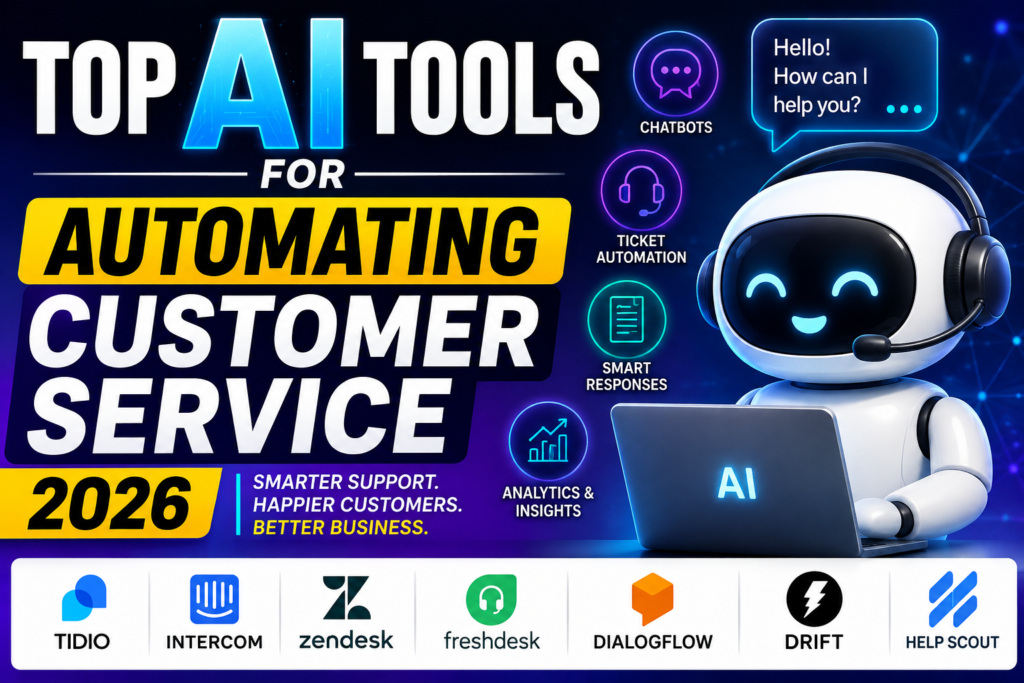
Top AI Tools for Automating Customer Service 2026. Customer expectations are higher than ever in 2026. People want fast answers, 24/7 support, personalized interactions, and quick solutions across websites, apps, email, and messaging platforms. For businesses handling hundreds or thousands of customer requests, manually responding to every question can be expensive and time-consuming. This is where AI-powered customer service automation tools can help.
The best AI customer service tools can automate repetitive support tasks such as answering frequently asked questions, routing tickets, summarizing conversations, suggesting responses, analyzing customer sentiment, and assisting support teams with knowledge-base information. Businesses can use these capabilities to reduce response times while allowing human agents to focus on complex customer problems.
What Are AI Customer Service Automation Tools?
AI customer service automation tools are software platforms that use technologies such as natural-language processing, machine learning, and conversational AI to assist with customer support. Depending on the platform, they can work through live chat, chatbots, email, help desks, social messaging, and voice channels.
In 2026, popular solutions range from dedicated AI customer-service platforms to AI features built directly into established help-desk software. The right choice depends on your business size, support volume, existing software, budget, and automation requirements.
Advantages of Automating Customer Service With AI
- 24/7 customer support: Automated systems can handle common questions outside normal business hours.
- Faster responses: Customers can receive immediate answers to frequently asked questions.
- Lower repetitive workload: Support agents spend less time answering the same basic questions.
- Better scalability: Automation can help businesses handle increasing support volumes without expanding teams at the same rate.
- Personalized support: Some platforms can use customer and conversation context to provide more relevant responses.
- Faster ticket routing: Customer requests can be categorized and directed to the appropriate team.
- Useful customer insights: Conversation data can reveal recurring problems, customer sentiment, and support trends.
- Improved agent productivity: AI can summarize conversations, suggest replies, and help agents find relevant information.
However, automation should not completely replace human support. Complex, sensitive, or unusual customer issues may still require a trained human agent and appropriate escalation process.
What to Look for in an AI Customer Service Tool
When comparing the top AI tools for automating customer service in 2026, consider chatbot quality, automation workflows, knowledge-base integration, ticket management, omnichannel support, analytics, integrations, security, pricing, and human-agent handoff.
For small businesses, ease of setup and affordability may be the biggest priorities. Larger organizations may need advanced automation, CRM integrations, enterprise security, analytics, and support for high-volume customer interactions.
In this guide, we’ll compare the best AI tools for customer service automation in 2026, explain their key features, advantages, limitations, pricing considerations, and ideal use cases, and help you choose the right solution for your business.
Why Customer Service Automation Matters Now More Than Ever
Before we dive into the tools, let us talk about why this matters in 2026.
Customer expectations have changed. People want instant responses. They do not want to wait on hold or send an email and hope for a reply within 24 hours. If a business does not respond quickly, they move to a competitor.
At the same time, running a support team has become more expensive. Wages have risen. Training costs have increased. And finding good talent is harder than ever.
Automation helps bridge this gap. It handles the routine questions so your human team can focus on complex issues. It works 24/7, never gets tired, and can handle thousands of conversations at once.
The best part? The tools available in 2026 are much more sophisticated than they were a few years ago. They understand context, remember past conversations, and can even detect when a customer is frustrated.
What to Look for in a Customer Service Automation Tool
Not every tool is right for every business. Here is what you should consider before choosing one:
Ease of setup. Can you get it running in minutes, or does it take weeks? Some tools are plug-and-play. Others require extensive configuration.
Integration with your existing tools. Does it work with your CRM, helpdesk, e-commerce platform, and messaging apps? The more integrated it is, the less manual work you have to do.
Language support. If your customers speak multiple languages, you need a tool that handles them well.
Channel coverage. Can it handle email, chat, social media, phone, and WhatsApp? The more channels it covers, the more consistent your customer experience will be.
Customisation. Can you train the tool to understand your specific products, services, and policies?
Analytics. Can you see how well it is performing? Metrics like resolution rate, response time, and customer satisfaction are essential.
Pricing. Is it affordable for your business size? Some tools charge per user, others per conversation, and others have flat monthly fees.
Security and compliance. Does it handle customer data responsibly? This is especially important if you operate in regulated industries.
The Best Customer Service Automation Tools in 2026
Here are the top tools that businesses are using to automate customer service this year.
1. Zendesk: The Industry Standard

Best for: Growing businesses that want a complete, all-in-one solution.
Zendesk has been around for years, and it remains one of the most popular customer service platforms. In 2026, its automation features have become significantly more powerful.
What makes it stand out:
Zendesk’s smart workflows automatically route tickets to the right agent or department. It can also suggest replies to your support team, saving them time on repetitive responses.
The tool includes a feature that answers customer questions automatically. It can handle common inquiries about shipping, returns, pricing, and product availability without any human involvement.
Zendesk works across email, chat, social media, and messaging apps. Everything goes into one place, so your team does not have to switch between different apps.
What it is like to use:
Setting up Zendesk takes some effort, but once it is running, it is smooth. The interface is clean and intuitive. You can easily track how many tickets are being resolved automatically versus those needing human help.
One user from an e-commerce company told me they reduced their average response time from four hours to under two minutes after implementing Zendesk’s automation. That is a massive improvement in customer satisfaction.
Pros:
- Complete platform with everything in one place
- Strong automation for routing and responses
- Works across multiple channels
- Good analytics and reporting
- Large app ecosystem for integrations
Cons:
- Can be expensive as you grow
- Setup requires some technical knowledge
- Some advanced features require higher-tier plans
- May be overkill for very small businesses
Who should choose this: Growing businesses that need a complete customer service platform with strong automation. Good for mid-sized companies and enterprises.
2. Intercom: The Conversation-Focused Tool

Best for: Businesses that prioritise live chat and messaging.
Intercom started as a live chat tool, but it has evolved into a complete customer service platform. Its automation features are some of the most advanced on the market.
What makes it stand out:
Intercom’s automated chatbot is designed to have natural, human-like conversations. It can handle complex queries, ask clarifying questions, and even escalate to a human when needed.
The tool also includes message automation. You can send targeted messages to customers based on their behaviour—like a discount offer when someone abandons their cart.
Intercom integrates with email, chat, WhatsApp, and social media. All conversations are centralised in one inbox.
What it is like to use:
Intercom has a clean, modern interface. Building automation flows is visual and intuitive—you can drag and drop different actions to create a conversation path.
One user in the SaaS space said Intercom reduced their support volume by 60% because the automated chatbot handled most routine questions. Their human team only had to step in for complex technical issues.
Pros:
- Natural, human-like conversations
- Visual, easy-to-build automation flows
- Good for both support and marketing
- Strong integrations
- Good analytics
Cons:
- One of the more expensive options
- Better for chat than email support
- Some features are complex for beginners
- Pricing is based on active users, which can get costly
Who should choose this: Businesses that rely heavily on live chat and messaging. Good for SaaS companies, e-commerce stores, and tech-focused businesses.
3. Freshdesk: The Affordable Alternative

Best for: Small and medium businesses that want Zendesk-like features at a lower price.
Freshdesk is Zendesk’s biggest competitor. It offers a similar feature set but at a more affordable price point, making it popular with smaller businesses.
What makes it stand out:
Freshdesk’s automation includes automatic ticket routing, reply suggestions, and customer intent detection. It can automatically tag tickets based on the customer’s language or the issue they are reporting.
The tool includes a customer portal where people can find answers to common questions without contacting support at all. This reduces ticket volume significantly.
Freshdesk works across email, chat, social media, and phone. The interface is clean and straightforward.
What it is like to use:
Freshdesk is easier to set up than Zendesk. The interface is simpler, and the automation builder is intuitive. Small businesses can get running in a few hours.
One user in the retail space told me they reduced their support team size by 30% while maintaining the same response times. The automation handles the easy questions, and humans handle the hard ones.
Pros:
- More affordable than Zendesk and Intercom
- Easy to set up and use
- Good automation features
- Strong ticketing system
- Good for small and medium businesses
Cons:
- Fewer advanced features than premium options
- Some automation features locked behind higher plans
- Interface is less polished than competitors
- Reporting is basic on lower tiers
Who should choose this: Small and medium businesses that want good automation without the enterprise price tag. Great for bootstrapped companies.
4. Ada: The Conversational Automation Specialist
Best for: High-volume customer service with complex queries.
Ada is a specialised platform for conversational automation. It is designed for businesses that receive a very high volume of support requests.
What makes it stand out:
Ada is built specifically for automating conversations. It handles millions of interactions per month for some of the world’s biggest brands.
The tool can handle complex, multi-step conversations. It can verify customer identity, check order status, process returns, and even complete transactions without human help.
Ada integrates with all major helpdesks, CRMs, and messaging platforms. It can pull customer data from your existing systems to provide personalised responses.
What it is like to use:
Ada takes more effort to set up than simpler tools, but the results are worth it. The automation is highly accurate because you can train it on your specific products and policies.
One user in the airline industry said Ada now handles 80% of customer inquiries completely without human involvement. Their support team focuses only on complex issues like cancellations and rebookings.
Pros:
- Designed specifically for high-volume automation
- Can handle complex, multi-step conversations
- Highly customisable
- Strong integration capabilities
- Scalable for large enterprises
Cons:
- More expensive than general-purpose tools
- Requires more setup effort
- Overkill for small businesses
- Best for large enterprises
Who should choose this: Large businesses with high support volume, especially in industries like travel, finance, and retail.
5. Zoho Desk: The Zoho Ecosystem Player
Best for: Businesses already using Zoho’s other products.
Zoho Desk is part of the Zoho suite of business tools. If you already use Zoho CRM or Zoho Books, this is a natural fit.
What makes it stand out:
Zoho Desk integrates seamlessly with other Zoho products. You can pull customer data from Zoho CRM and use it to personalise responses.
The automation includes rule-based routing, reply suggestions, and a self-service knowledge base. It also includes a feature that helps agents find answers quickly from past tickets.
Zoho Desk works across email, chat, social media, and phone. The interface is clean and professional.
What it is like to use:
Zoho Desk is easy to set up and use, especially if you are already familiar with Zoho products. The automation is straightforward, and the knowledge base reduces ticket volume significantly.
One user in the consulting space told me Zoho Desk reduced their support ticket volume by 40% within three months. Customers found answers in the knowledge base instead of submitting tickets.
Pros:
- Affordable pricing
- Good integration with Zoho ecosystem
- Clean, professional interface
- Good automation features
- Strong knowledge base
Cons:
- Not as powerful as Zendesk or Intercom
- Best for existing Zoho users
- Some features require higher plans
- Fewer integrations outside Zoho ecosystem
Who should choose this: Existing Zoho users who want a customer service tool that fits their ecosystem. Good for small and medium businesses.
6. Gorgias: The E-Commerce Specialist
Best for: Online stores and e-commerce businesses.
Gorgias is designed specifically for e-commerce businesses. It integrates directly with platforms like Shopify, Magento, and BigCommerce.
What makes it stand out:
Gorgias pulls order data directly from your e-commerce platform. This means you can help customers with order status, returns, and product questions without leaving the support interface.
The automation can handle order-related inquiries automatically. It can check order status, process returns, and even offer refunds without human involvement.
Gorgias also includes automation for replies. It suggests responses based on the customer’s question and order history.
What it is like to use:
Gorgias is straightforward to set up if you already use Shopify or another major platform. The integration is seamless, and your support team has everything they need in one place.
One user in the fashion retail space told me Gorgias reduced their response time from six hours to under one hour. The order data integration meant agents could answer questions without switching between apps.
Pros:
- Designed specifically for e-commerce
- Direct integration with major platforms
- Order data available in the support interface
- Good automation for order-related inquiries
- Easy to set up
Cons:
- Only suitable for e-commerce businesses
- More expensive than general-purpose tools
- Some features require higher plans
- Limited outside the e-commerce space
Who should choose this: Online stores and e-commerce businesses of all sizes. Especially useful for businesses with high order volume.
7. Help Scout: The Simple, Human-Focused Tool
Best for: Businesses that want simple automation without losing the human touch.
Help Scout takes a different approach. It focuses on keeping interactions human while using automation to support your team, not replace them.
What makes it stand out:
Help Scout’s automation includes a knowledge base, automated workflows, and smart reply suggestions. It helps your team work faster without making conversations feel robotic.
The tool has a clean, minimal design that focuses on the customer conversation. It does not overwhelm your team with unnecessary features.
Help Scout works across email, chat, and social media. The focus is on email support, which is still the most common channel for customer service.
What it is like to use:
Help Scout is incredibly easy to set up and use. The interface is clean, and your team will pick it up quickly. The automation is subtle but effective.
One user in the software space told me Help Scout’s reply suggestions cut their response time in half. The team still writes personalised responses, but they spend less time on common questions.
Pros:
- Simple, clean interface
- Focuses on human conversations
- Good automation for email support
- Affordable pricing
- Easy to set up
Cons:
- Less advanced than other tools
- Not ideal for complex automation
- Limited chat and social media support
- Best for smaller teams
Who should choose this: Small businesses and startups that want to automate without losing the human touch. Good for companies that value personalised service.
8. UltaHost Support Automation: The All-in-One Solution
Best for: Small to medium businesses seeking an integrated hosting and support solution.
UltaHost offers a complete package that combines hosting with customer service automation. It is a good choice for businesses that want everything in one place.
What makes it stand out:
UltaHost includes ticketing systems, a knowledge base, and live chat. The platform is designed to handle customer support across multiple channels.
The automation includes automated replies and knowledge base suggestions. The tool is designed to reduce ticket volume by helping customers find answers themselves.
What it is like to use:
UltaHost’s support tools are integrated with their hosting platform. This makes it convenient if you already use them for hosting. The automation is straightforward and effective.
Pros:
- All-in-one solution including hosting
- Affordable pricing
- Good for small businesses
- Integrated with hosting and domain services
Cons:
- Less specialised than dedicated customer service tools
- Not as feature-rich as Zendesk or Intercom
- Best for businesses also needing hosting
- Limited advanced automation features
Who should choose this: Small businesses that need both hosting and customer service tools in one place.
Comparing the Top Tools
| Tool | Best For | Starting Price | Channels | Automation Strength |
|---|---|---|---|---|
| Zendesk | Growing businesses | $55/user/month | Email, chat, social, phone | Strong |
| Intercom | Chat-focused businesses | $39/month | Email, chat, social | Very strong |
| Freshdesk | Small-medium businesses | $18/user/month | Email, chat, social, phone | Good |
| Ada | High-volume enterprises | Custom | All major channels | Exceptional |
| Zoho Desk | Zoho ecosystem users | $20/user/month | Email, chat, social, phone | Good |
| Gorgias | E-commerce businesses | $10/month | Email, chat, social | E-commerce focused |
| Help Scout | Human-focused support | $25/user/month | Email, chat | Good for email |
| UltaHost | Hosting + support | Varies | Email, chat, knowledge base | Basic |
Practical Examples of Automation in Action
Example 1: E-Commerce Returns
A customer wants to return a pair of shoes they ordered online. Instead of waiting for a human agent, the automation handles the entire process. It verifies the customer’s identity, checks the order date, confirms the return policy, generates a shipping label, and processes the refund. The customer gets a confirmation email, and the support team is never involved.
Example 2: SaaS Billing Questions
A customer sees an unexpected charge on their credit card from your SaaS product. The automation pulls their subscription data, confirms the charge is correct, and explains exactly what the charge is for. If the customer is still confused, the automation offers to connect them with a human agent.
Example 3: Travel Booking Changes
A customer wants to change their flight date. The automation verifies their identity, checks availability on the new date, calculates the price difference, and processes the change. The customer gets a new itinerary within minutes.
Example 4: Software Troubleshooting
A customer is having trouble logging into your software. The automation walks them through common solutions—checking their password, resetting it, clearing their browser cache. If the problem persists, the automation identifies the issue and escalates to a technical support agent with all the details already documented.
Pros and Cons of Customer Service Automation
Pros
24/7 availability. Automated tools work around the clock. Customers can get help at 3 am on a Sunday.
Consistent responses. Automation does not get tired or have bad days. Every customer gets the same quality of service.
Scalability. Handle thousands of conversations without hiring hundreds of people.
Cost savings. Reduce your support team size or prevent it from growing as your business expands.
Faster response times. Automation responds in seconds, not hours or days.
Data collection. Every interaction provides data you can use to improve your products and services.
Agent satisfaction. Human agents enjoy their jobs more when they are not answering the same routine questions over and over.
Cons
Limited empathy. No matter how sophisticated the tool, it does not truly understand human emotions. Some customers need to talk to a real person.
Setup complexity. Setting up automation properly takes effort. Badly configured automation frustrates customers.
Initial cost. Implementing automation requires an upfront investment, even if it pays off later.
Maintenance. Automation needs regular updates as your products and policies change.
Potential for errors. If the automation misunderstands something, it can provide wrong information.
Customer frustration. Some people simply prefer talking to a human.
Loss of personal touch. Over-automation can make customers feel like they are talking to a robot.
Frequently Asked Questions
What is customer service automation?
It is the use of tools to handle customer inquiries and resolve issues without human involvement. This includes answering common questions, routing tickets to the right person, and suggesting replies to support agents.
Do I need automation if I have a small business?
Yes, to some degree. Even small businesses benefit from automated responses and knowledge bases. You do not need the most expensive tools, but some automation helps you provide faster service.
Will automation replace my customer service team?
No, it augments them. Automation handles routine questions so your team can focus on complex issues that require human judgment and empathy. Most businesses still have support teams, just smaller ones.
Which tool is best for e-commerce?
Gorgias is designed specifically for e-commerce and integrates directly with platforms like Shopify. It is the best choice for online stores.
How much does customer service automation cost?
Costs range from $10 per month for basic tools to thousands per month for enterprise solutions. Most small businesses pay between $50 and $200 per month.
Can automation handle complex customer service issues?
Yes, but only to a point. Tools like Ada can handle complex, multi-step conversations. However, some issues require human judgment, emotional intelligence, and creativity.
How long does it take to set up automation?
It depends on the tool and the complexity of your requirements. Simple tools can be set up in hours. Complex enterprise solutions may take weeks or months.
Does automation work in multiple languages?
Yes, most modern tools support multiple languages. Some support dozens of languages with varying levels of accuracy.
Can automation integrate with my existing tools?
Most customer service tools integrate with popular CRMs, helpdesks, e-commerce platforms, and messaging apps. Check the tool’s integrations before purchasing.
Is customer service automation safe and secure?
Yes, when implemented properly. However, you should ensure the tool is compliant with relevant regulations like GDPR or CCPA, especially if you handle sensitive customer data.
Conclsion
Customer service automation is no longer optional. In 2026, it is a necessity for businesses that want to provide fast, efficient support without breaking the bank.
The best tool for your business depends on your size, industry, and priorities. If you want a complete platform with everything in one place, Zendesk is a solid choice. If you rely heavily on live chat, Intercom is worth the investment. If you run an e-commerce store, Gorgias is designed for you. And if you are on a budget, Freshdesk or Zoho Desk offer good features at affordable prices.
Start small. Automate the most common questions first. A knowledge base is usually the easiest place to begin. As you get comfortable, expand to chatbots and automated workflows.
The goal is not to eliminate human interaction. It is to make human interaction more meaningful. When customers reach a human agent, they should have a complex issue that needs real attention. Everything else should be handled automatically.

