
Which eSIM supports the Apple Watch?
Apple Watch has changed how people stay connected. You can leave your phone at home, go for a run, and still get calls, messages, and notifications right on your wrist. But to do that, your Apple Watch needs its own cellular connection — and that’s where eSIM comes in.
If you’re wondering which eSIM supports the Apple Watch, you’re not alone. A lot of people get confused because the eSIM on your Apple Watch works differently from the one on your iPhone or Android phone. This guide will walk you through everything you need to know — which carriers support it, how it works, what to watch out for, and whether it’s worth activating.

Not every eSIM works with an Apple Watch. To use cellular features on an Apple Watch, you need a carrier that officially supports Apple Watch cellular service and smartwatch eSIM activation. Simply having a regular eSIM is not enough.
Apple Watch GPS + Cellular models use a special carrier setup that allows the watch to share connectivity with your iPhone. Because of this, the carrier must provide Apple Watch support in addition to standard eSIM services.
In India, major carriers that commonly support Apple Watch cellular service include:
- Airtel
- Jio
Before purchasing a cellular Apple Watch, check whether your carrier supports your specific Apple Watch model and cellular plan. Apple maintains an official list of supported carriers worldwide.
Key Points –
- Made by Apple as a premium smartwatch.
- Works best with an iPhone and uses the watchOS operating system.
- Tracks health data such as heart rate, sleep, workouts, and daily activity.
- Includes fitness features for running, cycling, swimming, and gym workouts.
- Supports notifications, calls, messages, and app alerts directly from the wrist.
- Available in different models including Series, SE, and Ultra versions.
- Some models offer GPS, cellular connectivity, and emergency safety features.
- Features a Retina OLED display with touch controls and a Digital Crown.
- Supports contactless payments through Apple Pay.
- Can connect with AirPods, Apple Fitness+, and other Apple devices for a seamless ecosystem experience.
- Popular for health monitoring, fitness tracking, communication, and productivity.
- First released in 2015 and became one of the world’s best-selling smartwatches.
Requirements for Apple Watch eSIM

- A GPS + Cellular Apple Watch model
- A supported carrier with Apple Watch service
- An eligible iPhone cellular plan
- The latest iOS and watchOS versions
- Carrier activation through the Apple Watch app on iPhone
For the official carrier compatibility list, visit:
Apple Watch Cellular Carriers
If a carrier supports only phone eSIMs but does not support Apple Watch cellular plans, the watch’s eSIM feature will not activate.
What is an eSIM on an Apple Watch?
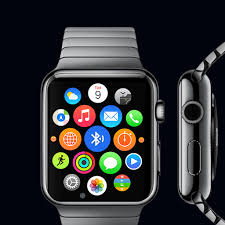
An eSIM (embedded SIM) is a built-in chip inside your device that works like a physical SIM card, but you don’t need to insert anything. On Apple Watch, the eSIM is soldered directly into the hardware, and you activate a cellular plan through your carrier — all from your iPhone.
The key thing to understand: Apple Watch does not use a standalone eSIM plan. It works as an extension of your existing iPhone’s phone number. When someone calls your number, both your iPhone and Apple Watch ring at the same time. You don’t get a separate number for the watch (in most cases).
This setup is called Apple Watch Cellular, and it’s only available on the cellular models of Apple Watch — not the GPS-only versions.
Which Apple Watch Models Support eSIM?

Before checking carrier compatibility, make sure your watch actually supports cellular. Here are the models that have eSIM built in:
- Apple Watch Series 3 (cellular version)
- Apple Watch Series 4, 5, 6, SE (1st gen) — cellular versions
- Apple Watch Series 7, 8, SE (2nd gen) — cellular versions
- Apple Watch Series 9, Ultra, Ultra 2
- Apple Watch Series 10
If your watch says GPS + Cellular on the box or in Settings, it has eSIM support. If it just says GPS, it does not.
How the Apple Watch eSIM Works
The Apple Watch eSIM doesn’t operate independently the way an iPhone eSIM does. Here’s a simple breakdown of how it functions:
- Your Apple Watch shares your iPhone’s phone number via eSIM.
- When your iPhone is nearby (on the same Wi-Fi or Bluetooth range), the watch uses your phone’s connection.
- When you leave your phone behind, the watch switches to its own cellular connection using the eSIM.
- Calls, texts, and data all work through the same number — your iPhone’s number.
Think of it like this: you’re at the gym, phone locked in your locker. Someone calls you. The call comes in on your Apple Watch directly through LTE. You answer it from your wrist. That’s the eSIM doing its job.
Which Carriers Support Apple Watch eSIM?
This is the most important part. Not every carrier supports Apple Watch cellular, and the ones that do may only support it in certain countries or on specific plans.
United States
Most major US carriers support Apple Watch eSIM:
- AT&T — Offers NumberSync, which connects your Apple Watch to your iPhone’s number. Available on most postpaid plans.
- T-Mobile — Supports Apple Watch through DIGITS, their multi-device plan. Works on most individual and family plans.
- Verizon — Offers One Number service for Apple Watch. Available on select unlimited plans.
- US Cellular — Supports Apple Watch cellular on qualifying plans.
Most prepaid carriers in the US (like Mint Mobile, Visible, or Cricket) do not support Apple Watch cellular. This is one of the bigger limitations if you’re on a budget carrier.
United Kingdom
- EE — One of the earliest UK carriers to support Apple Watch eSIM. Works on most pay-monthly plans.
- O2 — Supports Apple Watch cellular through their Digital eSIM service.
- Vodafone — Offers OneNumber service, allowing your Apple Watch to share your number.
- Three — Also supports Apple Watch cellular on eligible plans.
India
As of now, Apple Watch cellular connectivity through eSIM is limited in India. Jio and Airtel offer eSIM support for iPhones, but full Apple Watch cellular pairing depends on your plan and region. It’s worth calling your carrier directly to check the current status, as this is changing.
Australia
- Telstra, Optus, and Vodafone Australia all support Apple Watch cellular through eSIM pairing.
Canada
- Rogers, Bell, and Telus support Apple Watch cellular plans. Usually billed as a small monthly add-on to your existing plan.
Europe
Most major carriers across Germany, France, Spain, and other EU countries support Apple Watch eSIM through their standard cellular plans. Check with your local carrier to confirm plan eligibility.
How to Set Up eSIM on Apple Watch
Setting up eSIM on Apple Watch is straightforward once you’ve confirmed your carrier supports it. Here’s how to do it:
Step 1: Check Compatibility
- Make sure you have a cellular Apple Watch model.
- Confirm your carrier supports Apple Watch cellular.
- Make sure your iPhone and Apple Watch are running the latest software.
Step 2: Open the Watch App on iPhone
- Go to Watch app → Cellular.
- Tap Set Up Cellular.
Step 3: Follow Carrier Instructions
- The app will guide you through your specific carrier’s activation process.
- Some carriers redirect you to their app or website to complete the setup.
- You may need to agree to an additional monthly charge (usually $5–$15/month, depending on the carrier).
Step 4: Confirm Activation
- Once activated, you’ll see a green dot or signal bars in the Watch app under Cellular.
- Test it by walking away from your phone and checking if the watch stays connected.
The whole process usually takes 5–10 minutes, though some carriers take up to 24 hours to fully activate.
Pros and Cons of Using eSIM on Apple Watch
Pros
Stay connected without your phone.e This is the biggest benefit. Whether you’re running, swimming, or just want to travel light, your Apple Watch handles calls and messages on its own.
Same number, no confusion. Everyone calls your regular number. No one needs to know a separate number to reach you on your watch.
Emergency SOS anywh.ere If you’re ever in a situation where you don’t have your phone, your Apple Watch can still call emergency services using its own cellular connection.
Seamless switch. hing The watch automatically shifts between using your iPhone’s connection and its own cellular. You don’t have to do anything manually.
Great for fitness and outdoor use, the Apple Watch Ultra and Series 9 are built for outdoor adventures. With eSIM, you can track your route and still be reachable in remote areas.
Cons
Extra monthly cost.Your cost. Almost every carrier charges an additional fee to add an Apple Watch to your plan — typically $5 to $15 per month in the US. Over a year, that adds up.
Not all carriers support it. If you’re on a prepaid or budget carrier, there’s a good chance you can’t activate Apple Watch cellular at all. You’d have to switch carriers or upgrade your plan.
The battery drains faster on the cellular.r When the Apple Watch is using LTE on its own, battery life drops noticeably. A full day of mixed use is possible, but heavy cellular use can drain the battery in a few hours, depending
Depending on your iPhone’s account, you can’t use the Apple Watch eSIM on a completely different carrier from your iPhone. The watch has to be added to the same account. This limits flexibility.
No independent number in most cases.s For most users, the Apple Watch shares your iPhone number. If you want a completely separate number on your watch, that’s not how this system works (except in rare configurations).
Common Questions People Ask
Can I use a third-party eSIM like Airalo or Holafly on an Apple Watch?
No. Third-party travel eSIM providers like Airalo, Holafly, or Nomad are designed for iPhones, iPads, or other devices — not Apple Watch. Apple Watch eSIM only works through your carrier as an extension of your iPhone’s plan. You cannot manually install a travel eSIM on your Apple Watch.
What if I travel internationally with my Apple Watch?
When you travel internationally, your Apple Watch cellular may not work unless your carrier offers international roaming for the watch. Some carriers (like T-Mobile) include international data, but calling support varies. Before traveling, check with your carrier whether Apple Watch cellular works abroad and what the charges are.
For short trips, many people simply turn off cellular on the watch while abroad to avoid unexpected roaming charges, and rely on Wi-Fi or their iPhone’s connection instead.
Can I use an Apple Watch without activating cellular eSIM?
Absolutely. If you buy a GPS + Cellular model but don’t activate the eSIM, your watch will still work normally — it just won’t have an independent cellular connection. It’ll use Bluetooth or Wi-Fi to stay connected to your iPhone. You only need cellular if you regularly want to use the watch without your phone nearby.
Does Apple Watch work with prepaid plans?
In most cases, no. Apple Watch cellular is typically only available on postpaid plans from major carriers. Prepaid plans generally don’t support adding a watch to the line. If you’re on a prepaid plan and want this feature, you’d need to switch to a postpaid plan.
Will Apple Watch eSIM work if I switch carriers?
Yes, but you’ll need to go through the setup process again with your new carrier. You’ll remove the current eSIM plan from the Watch app and set up a new one through the new carrier. Both carriers must support Apple Watch cellular.
Tips to Get the Most Out of Apple Watch eSIM
Turn on cellular only when you need it. You don’t have to keep cellular running all the time. When your iPhone is nearby, the watch uses Bluetooth. Turn on cellular manually when you’re heading out without your phone. This saves battery.
Use Workout mode with cellula.r When you start an outdoor workout, your watch will stay connected and track your route. If you get an emergency call or message during a run, you’ll still receive it.
Check signal strength in your area. ea Your Apple Watch uses your carrier’s LTE network. If your carrier has poor coverage in your area, the watch will struggle too. Use your iPhone to check signal strength in places you typically go without your phone.
Keep software up to date. Cellular connectivity issues are often fixed in watchOS updates. Keeping your watch updated ensures you’re getting the best performance from the eSIM feature.
Set up Emergency SOS on your cell. ular In the Watch app, make sure Emergency SOS is enabled. This allows your watch to call for help even if your iPhone is nowhere near you — a genuinely useful safety feature.
Is Apple Watch eSIM Worth It?
That depends entirely on your lifestyle.
If you’re an active person — runner, cyclist, swimmer, hiker — who regularly leaves your phone behind, Apple Watch cellular is absolutely worth the extra cost. The peace of mind of staying reachable and being able to call for help in an emergency alone makes it valuable.
If you mostly wear your watch at home, at the office, or in situations where your iPhone is always with you, the cellular feature adds little practical value. In that case, you’re better off saving the monthly carrier fee and just using GPS mode.
For parents buying an Apple Watch for a child or teen, the cellular feature is genuinely useful — your child can be reachable even without carrying a full phone.
FAQs
Q: Which eSIM supports Apple Watch?
Apple Watch uses eSIM through your mobile carrier. Supported carriers include AT&T, T-Mobile, Verizon (US), EE, O2, Vodafone, Three (UK), Telstra, Optus (Australia), and many others. The watch must be added to your existing postpaid plan as a connected device.
Q: Can I install an eSIan Mon on an Apple Watch manually?
No. Unlike iPhones, you cannot scan a QR code or manually install an eSIM profile on an Apple Watch. The activation is done entirely through the Apple Watch app on your iPhone, guided by your carrier.
Q: Does Apple Watch eSIM work on all plans?
No. It typically requires a postpaid plan. Most prepaid and budget plans do not support Apple Watch cellular. Check with your carrier to confirm your plan is eligible.
Q: Can two Apple Watches share one eSIM plan?
No. Each Apple Watch requires its own line or add-on with the carrier. However, you can have multiple watches paired to the same iPhone in terms of setup — each with its own separate cellular add-on.
Q: How much does it cost to activate eSIM on an Apple Watch?
In the US, it typically costs $5–$15 per month as an add-on to your existing plan. Pricing varies by carrier and plan type. Some carriers offer it free for a trial period.
Conclsion
The Apple Watch eSIM is a well-built feature, but it has a specific design. It doesn’t work like a phone eSIM, where you can shop around for plans and install them yourself. It works as a direct extension of your iPhone number through your carrier.
The carriers that support it — AT&T, T-Mobile, Verizon, EE, Vodafone, O2, and others — have made the setup process simple. The monthly fee is modest. And once it’s active, the experience of using your watch independently is genuinely freeing.
If your carrier supports it and you’re on a postpaid plan, it’s worth trying. Most carriers let you add it without a long-term commitment, so you can test it for a month and see if it fits your routine.
Just remember: check your carrier first, confirm your Apple Watch model supports cellular, and follow the setup steps through the Watch app on your iPhone. The whole thing takes less than ten minutes.

