
If you’ve been thinking about getting an Apple Watch, you’ve probably stumbled across the word “eSIM” at some point. And if you’re not a tech person, that word alone can make the whole buying decision feel more complicated than it needs to be.
So let’s cut through the noise.
This article explains what eSIM means for the Apple Watch, whether you actually need it, what happens if you don’t have it, and how to figure out what’s right for your situation. No jargon. No fluff.

The Apple Watch is a popular smartwatch developed by Apple that combines fitness tracking, communication, health monitoring, and smart features into a compact wearable device. First introduced in 2015, the Apple Watch has evolved into one of the most advanced smartwatches available, offering powerful performance and seamless integration with the iPhone ecosystem.
Does the Apple Watch need eSIM? Apple Watch helps users stay connected by allowing them to make calls, send messages, check notifications, and use apps directly from their wrist. Models with GPS + Cellular support can even work independently from the iPhone using eSIM technology. Users can stream music, use maps, and access emergency services without carrying their phones everywhere.
Health and fitness are major highlights of the Apple Watch. It includes features such as heart rate monitoring, ECG support, blood oxygen tracking, sleep analysis, calorie counting, and workout tracking for activities like running, cycling, swimming, and yoga. Advanced safety tools such as Fall Detection, Crash Detection, and Emergency SOS improve personal safety during emergencies.
The Apple Watch also supports productivity and lifestyle features, including Apple Pay, Siri voice assistant, calendar reminders, weather updates, and smart home controls. With customizable watch faces and interchangeable bands, users can personalize the watch to match their style and daily needs.
Modern models like the Apple Watch Series 8, Apple Watch Series 9, and Apple Watch Ultra 2 provide faster processors, brighter displays, and improved battery efficiency. The device is especially popular among fitness enthusiasts, professionals, and iPhone users who want a convenient and powerful wearable companion.
- Check now– eSIM on Apple Watch Airtel and eSIM on Apple Watch Ultra, How Does eSIM on Apple Watch Work?
Does the Apple Watch need eSIM?Apple Watch: Need eSIM?
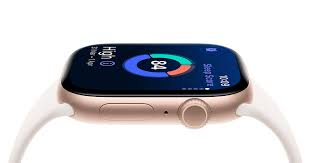
Most cellular versions of the Apple Watch use an eSIM to connect to mobile networks without needing a physical SIM card. An eSIM is a digital SIM built directly into the watch, allowing users to make calls, send messages, stream music, and use mobile data even when the iPhone is not nearby.
Apple offers two main versions of the watch: GPS and GPS + Cellular. The GPS-only model does not require an eSIM because it depends on a nearby iPhone or Wi-Fi connection. However, the GPS + Cellular model needs an active eSIM plan from a supported carrier such as Airtel, Jio, or Vi (Vodafone Idea) in India.
Setting up eSIM on the watch is usually done through the Watch app on an iPhone. Users can activate the mobile plan by signing into their carrier account and following the setup instructions. Once activated, the watch can work independently for calls, navigation, emergency features, and fitness tracking.
eSIM technology also saves space inside the watch, making the device lighter and more compact. It improves convenience because users do not need to insert or swap physical SIM cards. For travelers and professionals, the cellular Apple Watch with eSIM provides better connectivity and flexibility throughout the day.
What Is eSIM, and Why Does Apple Watch Use It?

An eSIM is a built-in digital SIM card. Instead of popping a physical SIM tray into your device, your carrier activates a line directly onto the chip inside. The Apple Watch uses eSIM because it’s too small to hold a physical SIM card slot.
On Apple Watch models with cellular, the eSIM is what allows your watch to connect to a mobile network on its own — without your iPhone nearby. You can take calls, reply to messages, stream music, and use Siri, all from your wrist.
Without eSIM, your Apple Watch can only work over Wi-Fi or through a Bluetooth connection to your iPhone. That’s fine for a lot of people — but it does limit what the watch can do when you’re away from your phone.
Two Versions: GPS vs. GPS + Cellular

Every Apple Watch comes in two versions:
1. GPS only.y This is the base model. It connects to your iPhone over Bluetooth or to a known Wi-Fi network. It does not have eSIM. It cannot work independently of your phone.
2. GPS + Cellular This version has eSIM built in. It can connect to your carrier’s mobile network when your iPhone is not around. This is the model people are usually asking about when they wonder about eSIM.
The GPS + Cellular model typically costs $100 more upfront. On top of that, most carriers charge an extra monthly fee — usually around $10–$15 — to add your watch to your existing plan.
Does the Apple Watch Actually Need eSIM to Work?
No. The Apple Watch does not need eSIM to function.
The GPS-only version works perfectly well for most people. It tracks your workouts, shows notifications, monitors your heart rate, tracks sleep, answers Siri questions (when your iPhone is around), and does just about everything else the cellular model does — except work on its own.
Think of it this way: if your phone is usually within Bluetooth range (about 30 feet), the GPS-only watch handles everything. You won’t notice a difference in day-to-day use.
eSIM only becomes relevant when you want your Apple Watch to work independently — when your iPhone is not nearby.
When eSIM Actually Makes a Difference
There are specific situations where the cellular version with eSIM genuinely changes things. Here are the most common ones:
Running or Working Out Without Your Phone
This is probably the most popular reason people choose cellular. If you go for a run and leave your phone at home, a cellular Apple Watch can still stream your Spotify playlist, track your route with GPS, and alert emergency contacts if something goes wrong. With a GPS-only watch, you’d need your phone in your pocket or armband to do any of that.
Water Sports and Swimming
Carrying a phone while swimming is not realistic. If you’re swimming laps, surfing, or even just doing water aerobics, a cellular watch lets you stay connected without the phone.
Keeping Kids Connected
Some parents give their children an Apple Watch instead of a phone. With eSIM and Family Setup (available on newer Apple Watch models), a child can make calls, receive messages, and share their location — all from the watch, without needing their own iPhone. This is a popular option for kids who are old enough to have some independence but maybe not ready for a full smartphone.
Travel and Leaving Your Phone at the Hotel
If you’re exploring a city and want to leave your phone locked in the hotel safe, a cellular watch keeps you connected. You can use Apple Maps, take calls, and even use Apple Pay to pay for things.
Medical and Fitness Use Cases
For people who use their Apple Watch for health monitoring — like those with heart conditions, older adults, or people in cardiac rehab programs — cellular ensures that features like Emergency SOS and fall detection can contact emergency services even if the phone is not around.
When eSIM Is Not Worth It
For a lot of users, eSIM is a feature they pay for but rarely use. Here’s when the GPS-only model makes more sense:
You always have your phone with you. If your phone never leaves your side — at work, at the gym, around the house — you don’t need the watch to work independently. The GPS model handles everything through Bluetooth just fine.
You’re on a tight budget. The price difference adds up. Between the $100 premium at purchase and roughly $10–$15 per month in carrier fees, you’re spending significantly more over two years just for a feature you might use once in a while.
You’re buying for someone who isn’t very active. If the main use cases are notifications, Apple Pay, and health tracking in everyday settings, GPS-only is plenty.
You’re in a region with limited carrier support. Not every carrier supports Apple Watch eSIM. In some countries, eSIM activation can be tricky or require specific plan tiers. Before paying extra, it’s worth checking with your carrier first.
Pros and Cons of Apple Watch eSIM (Cellular Model)
Pros
- Full independence from your iPhone. Leave your phone at home and still stay connected.
- Emergency features work anywhere. Emergency SOS and fall detection can reach help even without your phone nearby.
- Better for active lifestyles. Ideal for runners, swimmers, cyclists, and anyone who works out without carrying a phone.
- Works with Family Setup. Let’s kids and older family members use the watch without their own iPhone.
- Stream music and podcasts without a phone. Apple Music, Spotify, and Podcasts work directly from the watch over LTE.
Cons
- Higher upfront cost. Cellular models cost around $100 more than the GPS-only version.
- Monthly carrier fee. Most carriers charge $10–$15/month to add a watch line. That’s $120–$180 per year.
- The battery drains faster on the cellular. Using LTE on the watch chews through battery more quickly than Bluetooth mode.
- Limited carrier support in some regions. Not all carriers or countries support Apple Watch eSIM.
- You still need an iPhone to set it up. Even though the watch can work independently later, initial setup always requires a paired iPhone.
How Does eSIM Setup Work on Apple Watch?
If you have a cellular Apple Watch, setting up eSIM is relatively straightforward:
- Open the Watch app on your iPhone.
- Go to Cellular and tap Set Up Cellular.
- Your carrier’s app or setup page will open.
- Follow the steps to add your watch to your existing mobile plan.
- Once activated, your watch shares your phone number, so calls and texts go to both devices.
The process takes about 5–10 minutes. Most major carriers — including AT&T, Verizon, T-Mobile, EE, Vodafone, Airtel, and Jio — support Apple Watch eSIM, though the exact steps vary by carrier.
One thing to note: your Apple Watch shares your iPhone’s number. When someone calls you, both your watch and phone ring. You can answer whichever is closer.
Does Apple Watch eSIM Work Internationally?
This is a common question for people who travel.
The short answer: it depends on your carrier and your destination.
Some carriers offer international roaming for Apple Watch, but many don’t extend roaming plans to smartwatches. If you travel abroad, your watch may lose cellular connectivity even if your iPhone works fine with an international SIM or eSIM.
One workaround is to use a travel eSIM on your iPhone and keep your original SIM active for the watch — but this only works on iPhone models that support dual SIM or dual eSIM.
If international connectivity is important to you, check with your carrier before relying on your watch’s eSIM abroad.
Apple Watch Models and eSIM Availability
Not every Apple Watch model has offered cellular. Here’s a quick breakdown:
- Apple Watch Series 3 and earlier — Some had GPS + Cellular, but Series 3 is now discontinued and no longer supported.
- Apple Watch Series 4 through Series 9 — All available in GPS + Cellular variants.
- Apple Watch SE (1st and 2nd gen) — Available in GPS + Cellular. Good budget option.
- Apple Watch Ultra and Ultra 2 — Cellular only. eSIM is always included.
- Apple Watch Series 10 — Available in GPS + Cellular.
If you’re buying second-hand, double-check whether the model you’re considering is GPS-only or GPS + Cellular, since the physical appearance is nearly identical and many listings don’t make it obvious.
Frequently Asked Questions
Can I use an Apple Watch without activating the eSIM?
Yes. You can buy a GPS + Cellular Apple Watch and never activate the cellular plan. The watch will still work — it just won’t have independent network access. You only need to activate eSIM if you want the watch to connect to mobile data on its own.
Will my Apple Watch eSIM work if I switch carriers?
You’ll need to deactivate the eSIM from your old carrier and set it up again with the new one. This is usually done through the Watch app. It’s not automatic — both carriers need to support Apple Watch eSIM, and your new plan needs to include watch connectivity.
Can the Apple Watch have a different number from my iPhone?
In most cases, no. The watch typically mirrors your iPhone’s number through a feature called NumberShare or a similar program, depending on your carrier. Both devices ring when someone calls your number.
What happens to the eSIM if I sell or trade in my Apple Watch?
Before selling, you should unpair your watch from your iPhone. This process automatically erases the watch and removes the eSIM. Always unpair through the Watch app first — don’t just factory reset from the watch itself.
Does the Apple Watch eSIM work on prepaid plans?
This depends on the carrier. Some prepaid plans support adding a watch line, but many don’t. If you’re on a prepaid plan, contact your carrier to check before purchasing a cellular watch.
How much data does the Apple Watch use?
Very little compared to a phone. Streaming music over LTE uses the most data, but general use — notifications, maps, calls — is minimal. Most people stay well within their plan limits. Some carriers even offer unlimited data for watch lines.
Can I use two Apple Watches on one iPhone?
Yes, but with some restrictions. You can pair multiple Apple Watches to one iPhone, but only one can be active at a time. Each watch needs its own eSIM line if both are cellular models.
Do I need to keep my iPhone nearby even with eSIM?
No, that’s the whole point of cellular. With eSIM activated and a data plan, you can leave your phone behind, and the watch connects directly to the mobile network. Your iPhone doesn’t need to be on the same Wi-Fi or anywhere near you.
Conclsion: Do You Need eSIM on Apple Watch?
Here’s the honest answer: most people don’t need it, but some people genuinely benefit from it.
If you’re an active person who regularly leaves the house without your phone — for workouts, swimming, cycling, or errands — the cellular model is worth considering. The peace of mind from having emergency features active, plus the freedom to stream music and stay reachable, adds real value.
If you’re mostly using your Apple Watch around the house, at the office, or in situations where your phone is always nearby, the GPS-only model does the job well. Save the money, skip the monthly carrier fee, and put it toward something else.
The eSIM feature on Apple Watch isn’t essential. It’s a convenience upgrade — and whether it’s worth it depends entirely on how you live your life. This is the most important, fabulous, and useful.

