
If you’ve recently bought an Apple Watch or are planning to get one, you might be wondering — can I use eSIM on it? The short answer is yes, but only on certain models and with a compatible carrier. Let’s walk through everything clearly so you know exactly what to expect.
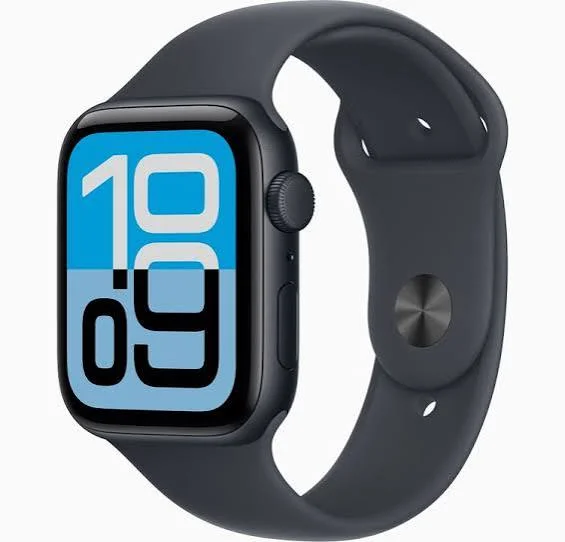
Yes, you can use an eSIM on an Apple Watch, but it depends on your Apple Watch model, your iPhone, and whether your mobile carrier supports Apple Watch cellular service. An eSIM (embedded SIM) is built directly into compatible Apple Watch models, allowing you to make calls, send messages, stream music, and use mobile data without carrying your iPhone nearby.
Cellular versions of the Apple Watch, including recent SE, Series, and Ultra models, support eSIM technology. To activate it, you need a compatible iPhone, the latest watchOS software, and a carrier plan that supports Apple Watch cellular connectivity. Once activated, your watch can share the same phone number as your iPhone through your carrier’s network.
Using an eSIM on Apple Watch is especially useful for workouts, travel, or situations where carrying your phone is inconvenient. Before purchasing a cellular Apple Watch, check with your mobile carrier to confirm eSIM and Apple Watch support in your region. With the right setup, your Apple Watch can stay connected almost anywhere, even when your iPhone is not with you.
What Is eSIM and Why Does It Matter for Apple Watch?

An eSIM is a digital SIM card built directly into your device. Unlike a physical SIM that you insert and remove, an eSIM is programmed wirelessly by your carrier. You don’t need to pop open a tray or handle any small plastic card.
For Apple Watch, eSIM is what makes the watch truly independent. With eSIM, your watch can make calls, send texts, and use data — even when your iPhone isn’t nearby. That’s the whole point of having a cellular Apple Watch.
So if you want your Apple Watch to work on its own (say, when you’re out for a run without your phone), eSIM support is what makes it possible.
Which Apple Watch Models Support eSIM?

Not every Apple Watch can use eSIM. Only the cellular (GPS + Cellular) versions support it. The GPS-only models do not have eSIM capability.
Here’s a quick breakdown:
Models that support eSIM:
- Apple Watch Series 3 (GPS + Cellular) and later
- Apple Watch SE (2nd generation, GPS + Cellular)
- Apple Watch Ultra and Ultra 2
- Apple Watch Series 4, 5, 6, 7, 8, 9, and 10 (all in GPS + Cellular variant)
Models that do NOT support eSIM:
- Apple Watch Series 1 and 2
- Any Apple Watch labeled “GPS only”
- Apple Watch SE (1st generation, GPS only)
The easiest way to check yours: go to Settings > General > About on your watch. If you see a line called “MEID” or “IMEI,” your watch has cellular eSIM support.
How Does eSIM Work on Apple Watch?

When you set up eSIM on your Apple Watch, it gets its own mobile number — usually the same number as your iPhone, shared through a feature Apple calls “NumberShare” or just phone number sharing.
Here’s how the connection works in simple terms:
- Your iPhone and Apple Watch share the same phone number.
- Calls and messages come to both devices at the same time.
- When you leave your iPhone behind, the Apple Watch stays connected via its own eSIM and cellular data.
- When your iPhone is nearby, the watch typically uses the iPhone’s Bluetooth/Wi-Fi connection to save battery.
Think of it this way: if you’re going for a 30-minute jog without your phone, your watch can still receive a call from your family, stream music via Apple Music, and send a quick voice reply — all through the watch’s eSIM.
How to Set Up eSIM on Apple Watch
Setting up eSIM on your Apple Watch is done through the Watch app on your iPhone. Here’s the step-by-step process:
Step 1: Check carrier compatibility
First, make sure your mobile carrier supports Apple Watch eSIM. Most major carriers do — including Airtel and Jio in India, and carriers like Verizon, AT&T, T-Mobile, EE, and Vodafone internationally.
Step 2: Open the Watch app on your iPhone
Go to Watch app > Cellular > Set Up Cellular.
Step 3: Follow the on-screen steps
Your carrier’s plan page will open. You’ll typically need to:
- Log in to your carrier account
- Select or confirm an add-on plan for your Apple Watch
- Accept the terms
Step 4: Wait for activation
The eSIM gets downloaded and activated within a few minutes. You’ll see a confirmation once it’s done.
Step 5: Test it
Walk away from your iPhone (or turn off Bluetooth and Wi-Fi on your iPhone temporarily). Then try making a call from your watch to confirm the eSIM is working.
Note: Some carriers charge an extra monthly fee for Apple Watch cellular — typically around ₹149–₹299/month in India or $10–$15/month in the US. Check with your carrier before setting it up.
Does Apple Watch eSIM Work Internationally?
Here’s where things get a bit tricky. Apple Watch eSIM typically works only with your home carrier’s network. International roaming on Apple Watch is supported on Apple Watch Series 7 and later — but only on select carriers and in specific countries.
For example, if you’re an Airtel subscriber in India and travel to the UK, your watch may or may not stay connected on cellular, depending on whether Airtel supports international roaming for Apple Watch on that network.
Practical tip: Before travelling, call your carrier and specifically ask about Apple Watch international roaming. Don’t assume it works just because your iPhone roams fine.
Pros and Cons of Using eSIM on Apple Watch
Pros
1. Freedom from your phone
This is the biggest win. You can go for a run, swim at the beach, or leave your phone at home and still stay connected. Calls, texts, and even emergency SOS all work independently.
2. Emergency safety
If something happens to you outdoors and you don’t have your iPhone, the watch can still call emergency services. For solo hikers or people with medical conditions, this is a genuine safety benefit.
3. Cleaner experience
No physical SIM to swap. You add the plan digitally, and it’s done. If you switch watches, you transfer the eSIM setup through the Watch app without visiting a store.
4. Same number, no confusion
Calls and messages arrive at your watch with the same number as your iPhone. People calling you don’t need to know a different number.
5. Fitness-friendly
For athletes and fitness enthusiasts, not carrying a phone during workouts while staying connected is a huge quality-of-life improvement.
Cons
1. Extra monthly cost
Almost all carriers charge an additional fee to add Apple Watch to your plan. Over a year, that adds up.
2. Battery drain
When the watch is using cellular on its own (not connected to your iPhone), the battery drains significantly faster. A watch that normally lasts 18 hours might drop to 6–8 hours in cellular-only mode.
3. Limited international use
As mentioned, roaming for Apple Watch eSIM isn’t universally supported. Travelers often get frustrated when their watch goes offline abroad.
4. Carrier lock-in
The eSIM on Apple Watch is tied to your carrier. Switching carriers means setting up the eSIM again, and not all carriers are compatible.
5. Only works with iPhone
Apple Watch eSIM only works in combination with an iPhone. You can’t use it as a completely standalone device without ever pairing it to an iPhone first. Android users cannot use Apple Watch at all.
Common Questions About Apple Watch eSIM
Here are a few scenarios people often ask about:
“Can I use a different number on my Apple Watch eSIM?”
No. The Apple Watch shares your iPhone’s number. You can’t have a separate independent number on it (unlike some Android smartwatches which allow this in certain configurations).
“Can I use Apple Watch eSIM without any plan?”
You can own an Apple Watch cellular model without activating cellular. It’ll still work as a GPS-only watch when paired with your iPhone. You only pay if you want standalone connectivity.
“What happens to calls when my iPhone is off?”
If your iPhone is turned off but your watch is connected to cellular, calls to your number will go to your watch. It handles calls independently in this state.
Apple Watch eSIM vs Regular Smartwatch SIM
Some Android smartwatches use a physical nano SIM. Others support eSIM. Here’s how Apple Watch eSIM compares:
| Feature | Apple Watch eSIM | Physical SIM (some Android watches) |
|---|---|---|
| Setup method | Wireless, through Watch app | Requires physical SIM card |
| Number sharing | Same as iPhone | Separate number usually |
| Carrier flexibility | Limited to paired carrier | Can swap SIMs |
| International roaming | Limited (Series 7+) | Depends on SIM/carrier |
| Design impact | Sleeker (no SIM tray) | Slightly bulkier |
Tips to Get the Most Out of Apple Watch eSIM
1. Keep cellular mode off when near your iPhone
Go to Watch app > Cellular > toggle off when you don’t need it. This preserves battery life and keeps the watch connected via Bluetooth instead.
2. Enable Wi-Fi calling as a backup
Some carriers support Wi-Fi calling on Apple Watch. Enable it in Settings > Phone > Wi-Fi Calling. This helps your watch stay connected at home even with poor cellular signal.
3. Check coverage before going out
If you’re relying on Apple Watch cellular during a long outdoor activity, quickly check carrier coverage for that area first. Weak signal burns battery faster as the watch hunts for signal.
4. Keep your watch OS updated
eSIM compatibility and carrier profile updates come through watchOS updates. Always keep your watch updated through the Watch app on your iPhone.
Frequently Asked Questions (FAQs)
Q1: Can I use eSIM on Apple Watch without iPhone nearby?
Yes — that’s the whole point of cellular eSIM on Apple Watch. Once activated, the watch can make calls, send messages, and stream data completely independently when your iPhone isn’t around.
Q2: Does every Apple Watch have eSIM?
No. Only Apple Watch models with “GPS + Cellular” in the name have eSIM. GPS-only models don’t support it.
Q3: Can I use Apple Watch eSIM with Airtel or Jio in India?
Yes. Both Airtel and Jio support Apple Watch eSIM cellular plans in India. Check their websites or visit a store to confirm current plans and pricing.
Q4: Can I set up Apple Watch eSIM without going to a carrier store?
Yes. For most carriers, setup is fully digital through the Watch app on your iPhone. You may need to log in to your carrier account but you don’t need to visit a physical store.
Q5: What happens if I get a new iPhone? Does the eSIM transfer?
Yes. When you set up a new iPhone and restore your Apple Watch, the cellular plan typically transfers automatically. If not, the Watch app will prompt you to re-activate it.
Q6: Can I remove eSIM from Apple Watch?
Yes. Go to Watch app > Cellular > your plan > Remove Plan. This cancels the cellular link on the watch. Your iPhone plan remains unaffected.
Q7: Does Apple Watch eSIM work on all carriers?
No, not all carriers support it. Apple maintains an updated list at apple.com/watch/cellular with supported carriers by country. Always check before buying a cellular Apple Watch.
Q8: Will using cellular on Apple Watch affect my iPhone’s data plan?
That depends on your carrier’s plan. Most carriers offer a shared data plan where the watch uses data from your existing mobile plan. Some have a small separate data allocation for the watch.
Conclusion
Using eSIM on Apple Watch is genuinely useful — especially if you live an active lifestyle or want the peace of mind of staying connected even without your phone. The setup is straightforward, and once it’s working, it runs silently in the background.
That said, it does come with trade-offs: extra monthly cost, faster battery drain, and limited international support. Whether it’s worth it really comes down to how often you leave your iPhone behind.
If you frequently go for outdoor runs, gym sessions, or activities where carrying a phone isn’t practical — Apple Watch eSIM can be a solid addition to your daily routine. For everyone else, a GPS-only model will likely serve just as well at a lower cost.

