
How Does eSIM on Apple Watch Work?
If you have ever wondered whether your Apple Watch can make calls or stream music without your iPhone nearby, the answer is yes, and eSIM is what makes that possible.
But how exactly does it work? What is an eSIM, why is it built into the watch, and do you actually need it? This guide walks through it all in plain language, with no unnecessary jargon.
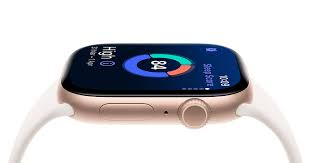
Using an eSIM on an Apple Watch allows the watch to connect to mobile networks without needing a physical SIM card. With cellular support, the watch can make calls, send messages, stream music, use maps, and receive notifications even when your iPhone is not nearby. The eSIM is digitally activated through your mobile carrier and linked to your phone number. Popular carriers like Airtel and Jio support eSIM services for Apple Watch in India. After setup through the Watch app on an iPhone, the Apple Watch automatically switches between Bluetooth, Wi-Fi, and cellular networks for the best connection and battery efficiency. This feature is especially useful during workouts, travel, or outdoor activities when carrying a phone is inconvenient.
- Check now–eSIM on Apple Watch Airtel
First, What Is an eSIM?
A traditional SIM card is a small plastic chip you slot into a phone. It stores your carrier information and connects you to a mobile network. You have probably swapped one before — maybe when changing phones or traveling abroad.

An eSIM (embedded SIM) does the same job, but it is built directly into the device. There is no physical card to insert or remove. Instead, your carrier information is downloaded and stored digitally inside the chip. You activate it through software, not by handling a physical card.
eSIMs are now in iPhones, iPads, laptops, and of course, Apple Watch. On the watch, this is particularly useful because the device is too small to house a regular SIM card slot.
Which Apple Watch Models Support eSIM?
Not every Apple Watch has cellular capability. There are two versions of most Apple Watch models:

- GPS only — connects to the internet only via Wi-Fi or by staying near your iPhone
- GPS + Cellular — has a built-in eSIM and can connect to a mobile network independently
If your watch has a red circle on the Digital Crown (the knob on the side), it is the cellular model. If there is no red circle, it is GPS only and does not support eSIM.The
Apple Watch Series 3 was the first model to include cellular connectivity. Every cellular Apple Watch since then — Series 4, 5, 6, 7, 8, 9, Ultra, Ultra 2, and SE (second generation) — has an eSIM built in.
How Does the eSIM on Apple Watch Actually Work?

Here is the short version: your Apple Watch uses the same phone number as your iPhone. It does not get a separate number. When you are away from your iPhone, your watch can receive and make calls, send messages, and use data — all through that shared number.
Here is a more detailed breakdown of how it works end-to-end.
Step 1: You Set Up a Cellular Plan
To activate the eSIM on your Apple Watch, you need a carrier plan that supports the Apple Watch. Not all carriers offer this, and those that do usually charge a small monthly add-on fee (in India, this is typically ₹99–₹199/month depending on the carrier).
You set this up through the Apple Watch app on your iPhone. Go to Watch app → Cellular → Set Up Cellular. Your carrier’s setup flow runs inside the app. Once complete, your watch’s eSIM is provisioned with your plan details.
Step 2: The Watch Gets Its Own Connection
Once activated, your Apple Watch has its own connection to your carrier’s network — independent of your iPhone. It uses a technology called MVNO (Mobile Virtual Network Operator) pairing in some cases, but more commonly, it uses your carrier’s standard LTE network.
The watch supports LTE and UMTS (a type of 3G). It does not support 5G, but LTE is more than sufficient for calls, messages, and streaming.
Step 3: iPhone and Watch Share the Same Number
Your Apple Watch does not get a new phone number. It shares your iPhone’s number through a feature called Apple Watch Mirroring (handled at the carrier level). When someone calls your number, both your iPhone and Apple Watch ring. Texts come to both devices. This is seamless — the other person does not know whether you are on your phone or your watch.
Step 4: When You Leave Your Phone Behind
This is where the magic is. The moment your Apple Watch moves out of Bluetooth range of your iPhone (roughly 10 metres), and there is no known Wi-Fi network nearby, it automatically switches to cellular. You do not tap anything or toggle a setting — it happens on its own.
You can check which connection your watch is using by swiping up on the watch face to open the Control Centre. You will see icons for Wi-Fi, cellular, and a green iPhone icon (when connected to your phone).
What Can You Do With eSIM on Apple Watch?
Here is what becomes possible once your watch has an active cellular plan:
Make and receive phone calls. Your watch has a built-in speaker and microphone. Calls sound surprisingly good for a wrist device. Useful when your hands are occupied — cooking, cycling, or carrying bags.
Send and receive iMessages and SMS. Full messaging works. You can reply using Siri, scribble text, or use quick reply options.
Stream Apple Music or Spotify. If you have Apple Music or Spotify on your watch, you can stream directly over cellular — no need to download tracks in advance or carry your phone.
Get turn-by-turn directions. Apple Maps on your watch works over cellular. You can leave your phone at home and still navigate on foot.
Use Siri. Siri on Apple Watch works over cellular for web searches, reminders, timers, and more.
Emergency SOS. Even without your iPhone, your watch can call emergency services and share your location. This is one of the most genuinely useful safety features on the device.
Activity and health notifications. These work locally on the watch regardless of connectivity.
A Practical Example: Morning Run Without Your Phone
Imagine you are going for a 40-minute run early in the morning. You do not want to carry your phone. With a cellular Apple Watch, here is what your morning looks like:
- You leave your phone on the nightstand
- Your watch connects to cellular within seconds of going out of Bluetooth range
- Your Spotify playlist streams directly to your AirPods via the watch
- A friend calls — you answer from your wrist
- You get a text from your partner asking you to pick up eggs — you read it on your watch and reply with a thumbs up.
- You finish your run, the workout is logged, and your heart rate data is saved.d
- When you get home, everything syncs to your iPhone automatically
None of that required your phone. That is the eSIM doing its job quietly in the background.
Setting Up Cellular on Apple Watch: Step-by-Step
- Open the Watch app on your iPhone
- Tap Cellular
- Tap Set Up Cellular
- Follow the on-screen instructions — you will be directed to your carrier’s setup page.
- Agree to any additional plan terms and confirm the monthly add-on charge
- Wait for activation — this usually takes a few minutes, sometimes up to an hour
- Once complete, you will see a green dot next to your carrier name in the Cellular settings
If your carrier is not listed during setup, it either does not support Apple Watch cellular, or you are on a plan that does not include it. Contact your carrier directly in that case.
Supported carriers in India include: Airtel, Jio, and Vi (Vodafone Idea). Availability of the Apple Watch cellular add-on may vary by plan type.
Pros and Cons of Using eSIM on Apple Watch
Pros
Freedom from your phone. The ability to leave your phone behind — even occasionally — is genuinely freeing. Short trips to the grocery store, gym sessions, or morning runs become simpler.
Same number, no confusion. Because your watch shares your iPhone’s number, there is zero disruption to how people reach you. No one needs to save a new contact or dial a different number.
Emergency safety net. If you are in an accident, suffer a fall, or experience a medical emergency and your phone is not with you, your watch can still call for help. The combination of crash detection, fall detection, and cellular connectivity is a real safety upgrade.
Works automatically. There is no manual switching. The watch handles the transition from Bluetooth to Wi-Fi to cellular on its own, based on what is available.
Compact design. Because eSIM is embedded, the watch remains slim. No SIM tray means one less opening, which also helps with water resistance.
Cons
Extra monthly cost. Cellular plans for Apple Watch are an add-on. In India, expect to pay ₹99–₹199/month on top of your existing mobile plan. It is not huge, but it is an ongoing expense.
Battery drain. Cellular connectivity uses significantly more power than Bluetooth. A full day of heavy cellular use on your watch can cause the battery to drop faster than expected. Most users notice the difference when they do workouts away from their phone with music streaming.
Not all carriers support it. If you are on a smaller regional carrier or a prepaid plan, Apple Watch cellular may not be available.
Limited to the same carrier as your iPhone. In most cases, you cannot set up Apple Watch cellular on a different carrier than your iPhone. They must be on the same account.
No 5G. Apple Watch supports LTE but not 5G. For most use cases — calls, messages, light streaming — this does not matter. But if you were hoping for the same speeds as your iPhone, you will not get them.
Dependent on iPhone for full features. Even with cellular, some features still need your iPhone nearby or need to sync later. Third-party apps, for example, may not work fully without a connection to your phone.
Common Questions and Issues
My watch says “No Cellular” even though it is activated. What do I do?
First, check if you are in an area with LTE coverage from your carrier. Indoor spaces with thick walls sometimes have a poor signal. If you are in a good coverage area, try toggling airplane mode on and off on the watch. If it persists, go to the Watch app → Cellular and check that your plan shows as active. Occasionally, restarting both devices resolves it.
Does my watch use data from my phone plan?
Technically, your cellular Apple Watch is on its own add-on plan, not pulling from your iPhone’s data pool. The plans are separate line items on your bill, though they are linked to the same account.
Can I use the Apple Watch eSIM when traveling internationally?
This depends entirely on your carrier’s international roaming support for Apple Watch. Some carriers support it; many do not. Check with your carrier before traveling. International eSIM plans specifically for Apple Watch are not yet widely available in the way standalone travel eSIMs are for phones.
What happens to my eSIM if I upgrade to a new Apple Watch?
Your eSIM data does not physically transfer — it is locked to the hardware. When you set up a new Apple Watch, you go through the cellular setup process again in the Watch app. Your carrier reassigns the plan to the new device. The process is straightforward and usually takes just a few minutes.
Can I have cellular on an Apple Watch without an iPhone?
For initial setup, yes — you need an iPhone running iOS 16 or later. The Watch app is the only way to configure the cellular plan. After setup, the watch can operate independently. But Apple Watch is still designed to be paired with an iPhone for full functionality, software updates, and app management.
FAQs
Do I need a cellular Apple Watch, or is GPS enough?
It depends on your lifestyle. If you always have your phone on you, GPS is perfectly fine. Cellular makes sense if you exercise regularly without your phone, travel light, or want the peace of mind that emergency features work even when your phone is not around.
Is eSIM on Apple Watch the same as eSIM on iPhone?
They serve the same function — connecting to a carrier without a physical SIM — but they are separate eSIMs. Your iPhone has its own eSIM, and your Apple Watch has its own embedded eSIM. They share a number but are independent hardware components.
Can I remove or change the eSIM on Apple Watch?
No. The eSIM is soldered into the watch and cannot be removed. You can change or cancel your carrier plan at any time through the Watch app, but the hardware itself stays fixed.
Does Apple Watch eSIM work with family sharing?
Yes. You can set up cellular for an Apple Watch that belongs to a family member — this is called Family Setup. It allows children or elderly family members without their own iPhone to use a cellular Apple Watch, with a separate number assigned to their device.
What is the difference between eSIM and regular SIM in terms of security?
eSIMs are generally considered more secure than physical SIMs because they cannot be physically stolen or swapped. SIM swap fraud — where someone tricks a carrier into transferring your number to a new SIM — is still possible with eSIM, but the eSIM itself being embedded reduces one category of physical theft risk.
Will eSIM on the Apple Watch drain my battery faster?
Yes, when cellular is actively being used. If you are away from your phone and streaming music over cellular while doing a workout, expect higher battery drain. On normal days, when your watch stays near your phone and uses Bluetooth, the battery impact of having cellular capability is minimal.
Conclsion
The eSIM on Apple Watch is one of those features that feels almost invisible when it works well — and that is by design. You do not think about it. You go for a run, leave your phone behind, and everything just works. Calls come through. Messages arrive. Music plays. If you fall, help can still reach you.
Setting it up takes less than ten minutes through the Watch app, and once it is done, you barely have to think about it again. The main things to weigh are the monthly cost of the cellular add-on and whether your carrier supports it. If those boxes are checked, the upgrade from GPS-only to cellular is one that most users do not regret.
For anyone who lives an active life, travels often, or simply wants a lighter pocket — the cellular Apple Watch with eSIM is worth considering seriously.

