
Samsung S26 Ultra, and you’ve been loving the convenience of an eSIM. But now you’re ready to switch things up—maybe you’re traveling, selling your phone, or just want to clean up your network settings.
Whatever your reason, deleting an eSIM on the S26 Ultra is easier than you might think. But before you dive in, there are a few things you should know to avoid any headaches down the road.
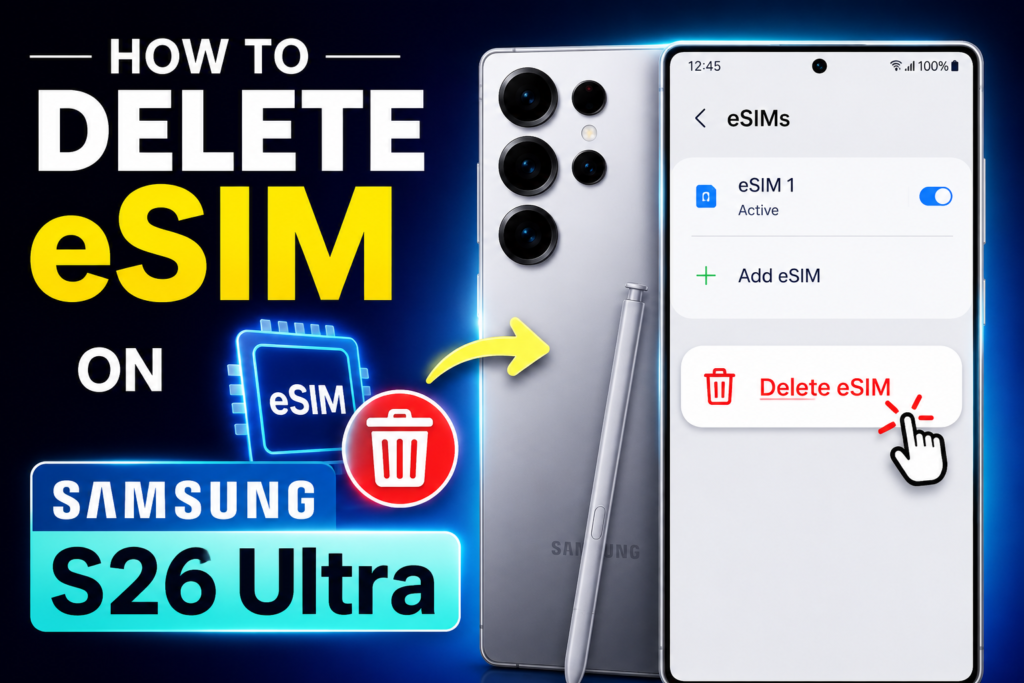
walk you through exactly how to delete an eSIM on your Samsung S26 Ultra, share real-world examples, and give you the pros and cons so you can make the right choice for your situation. No tech jargon, no confusing steps—just plain talk that actually helps.
How to Delete an eSIM on Samsung S26 Ultra 2026: Got a new carrier plan? Selling your phone? Or just cleaning up old eSIM profiles that are cluttering your SIM manager? Whatever the reason, deleting an eSIM on the Samsung Galaxy S26 Ultra is easier than most people think — and you can do it in under a minute.
This guide covers everything you need to know: how to remove a single eSIM, how to wipe all eSIMs at once, what happens when you delete one, common mistakes to avoid, and answers to the questions most people search for.
What Is an eSIM — Quick Recap
An eSIM (embedded SIM) is a digital version of the traditional physical SIM card. On the Samsung Galaxy S26 Ultra, it’s built directly into the phone’s hardware, so there’s no plastic card to pull out.
You can store multiple eSIM profiles on the device and switch between them without swapping anything physically. That’s great for travellers who want a local data plan abroad, or for people running a personal and a work number on the same handset.
But just like a physical SIM, there are times when you need to remove one — maybe you’ve switched carriers, you’re handing the phone to someone else, or a travel eSIM has expired, and you want a clean slate.
- Check now: Problem – How to add an eSIM on Samsung S26 Ultra
What Exactly Is an eSIM Anyway?
Before we get into the deletion process, let’s quickly cover what an eSIM actually is—because knowing what you’re dealing with makes the whole process make a lot more sense.
An eSIM (embedded SIM) is basically a digital version of that tiny plastic card you’ve been popping in and out of phones for years. Instead of physically swapping cards, you download a cellular plan directly to your phone. Your Samsung S26 Ultra can store multiple eSIM profiles, but you can only use one or two at a time depending on your carrier and phone settings.
Think of it like having a wallet full of credit cards, but you can only use one card for each transaction. Deleting an eSIM is like cutting up one of those digital cards—it’s gone, and you’ll need a new one if you want that plan back.
Why Would You Want to Delete an eSIM?

People delete eSIMs for all sorts of reasons. Here are a few real-world scenarios:
Scenario 1: Switching Carriers
You found a better deal with a different carrier, and you’re ready to make the switch. Deleting the old eSIM ensures you’re not accidentally using an outdated plan or getting charged for service you don’t want anymore.
Scenario 2: Traveling Abroad
You bought a temporary local eSIM for your trip to Japan, but now you’re back home in the US. Deleting that travel eSIM keeps your network settings tidy and prevents any accidental roaming charges.
Scenario 3: Selling Your Device
You’re upgrading to a new phone and planning to sell your S26 Ultra. Deleting your eSIM is crucial for protecting your personal information and making the phone ready for its next owner.
Scenario 4: Troubleshooting Network Issues
Sometimes your phone acts up—calls drop, data stops working, or you can’t connect to 5G. Deleting and reinstalling your eSIM can often fix these glitches.
Scenario 5: Clearing Out Old Profiles
You’ve accumulated several old eSIM profiles from past trips or plans, and you just want to clean house. Less clutter means less confusion when you’re trying to pick the right line for calls or data.
Before You Delete: What You Need to Know
Here’s where most people mess up—deleting an eSIM without thinking ahead. Trust me, I’ve been there, and it’s not fun scrambling to get service back when you actually need it.
Check with Your Carrier First
Some carriers require you to contact them before deleting an eSIM—especially if you’re on a contract or have a plan tied to your device. While most modern carriers make it easy, a quick call or chat can save you from accidentally losing your number permanently.
Back Up Your eSIM Information
Before you hit that delete button, save your eSIM activation details. Your carrier usually provides a QR code or an activation code when you first set up the eSIM. If you don’t have this saved, ask your carrier for a new one before deleting. This way, if you change your mind later, you can reinstall it without a headache.
Understand That Deletion Is Permanent
When you delete an eSIM, it’s gone from your device. You can’t recover it from your phone’s settings—you’ll need to download or reactivate the plan from scratch. Some carriers charge a fee for reactivation, so keep that in mind.
Know Your Active Line
If you only have one eSIM and you delete it, your S26 Ultra might be left without any cellular service until you install a new plan. Make sure you either have a physical SIM card in the phone or another eSIM ready to go.
How to Delete an eSIM on Samsung S26 Ultra: Step-by-Step
Alright, you’ve weighed the pros and cons, and you’re ready to go. Follow these steps carefully, and you’ll have that eSIM deleted in no time.
Method 1: The Standard Way (Settings Menu)

This is the most common way to delete an eSIM, and it works for 99% of users.
Step 1: Open Settings
Swipe down from the top of your screen twice to open the Quick Settings panel, then tap the gear icon in the top-right corner. Alternatively, just find the Settings app in your app drawer.
Step 2: Go to Connections
In the Settings menu, tap on “Connections.” This is where your phone manages everything network-related—Wi-Fi, Bluetooth, mobile networks, and SIM cards.
Step 3: Tap on SIM Manager
Under the “Connections” menu, you’ll see “SIM Manager.” Tap it to view all your active SIMs and eSIMs.
Step 4: Select the eSIM You Want to Delete
You’ll see a list of all SIM cards and eSIMs on your device. Each one will be labeled with the carrier name or a custom name you assigned. Tap on the eSIM you want to remove.
Step 5: Tap “Remove” or “Delete”
At the bottom of the eSIM details page, you’ll see a “Remove” or “Delete” option. Tap it.
Step 6: Confirm Deletion
Your phone will ask you to confirm your decision. Tap “Remove” again to confirm. And just like that, the eSIM is gone.
Method 2: Using the Quick Access Button

If you want a faster route, Samsung has tucked a quick-delete option right in the SIM Manager.
Step 1: Go to Settings > Connections > SIM Manager.
Step 2: Tap the three-dot menu icon in the top-right corner.
Step 3: Select “Remove eSIM” or “Delete eSIM.”
Step 4: Choose the eSIM you want to delete and confirm.
Method 3: Through the Device Care Menu
This method is a bit more hidden but works in some cases where the standard method isn’t available.
Step 1: Open Settings > Device Care.
Step 2: Tap “Storage.”
Step 3: Look for “Cached Data” and clear it. This sometimes forces the eSIM manager to refresh, making the deletion option appear more clearly in the SIM Manager.
Note: This method isn’t guaranteed to work for everyone—it’s more of a troubleshooting trick for stubborn phones.
Method 4: From the Lock Screen (Quick Settings)
In a pinch, you can quickly manage your eSIM from the lock screen.
Step 1: Swipe down from the top of your screen.
Step 2: Long-press the mobile data icon or tap the small arrow next to it.
Step 3: Select “SIM Manager” from the dropdown menu.
Step 4: Follow the same deletion steps from Method 1.
What Happens After You Delete an eSIM?
Once you’ve deleted the eSIM, your S26 Ultra will immediately remove that profile from your device. Here’s what you can expect:
- No More Service on That Line: Your phone will lose connectivity to that carrier’s network. If you have other SIMs or eSIMs, your phone may switch to those automatically.
- The Profile Disappears: The eSIM listing will be gone from your SIM Manager. It’s like it was never there.
- No Residual Data: Samsung phones are built to clear all associated data when you delete an eSIM—your personal info, call logs, and SMS messages tied to that line will be removed.
- Battery Performance May Improve: If your phone was constantly searching for a signal on a poor-performing eSIM, you might notice slightly better battery life afterward.
- You Can Install a New eSIM: The slot is now empty, and you can scan a new QR code or enter activation details to set up a fresh eSIM.
Common Issues and How to Fix Them
Even though deleting an eSIM is straightforward, sometimes things don’t go as planned. Here are some hiccups you might encounter and how to solve them.
The “Delete” Button Is Grayed Out
If the option to delete an eSIM isn’t available, it could mean:
- The eSIM is currently active and being used for an essential network feature.
- Your carrier has locked the eSIM from deletion for security reasons.
- Your phone is in a restricted mode (like a corporate-owned device).
Solution: Try restarting your phone first. If that doesn’t work, check if you have another active network line. Sometimes the phone won’t let you delete the only active line. Add a physical SIM or connect to Wi-Fi and try again. If it’s still grayed out, contact your carrier.
The eSIM Disappeared Before I Could Delete It.
This one’s weird but happens—especially with temporary or travel eSIMs. Sometimes an eSIM can automatically expire and vanish from your settings.
Solution: If the eSIM is already gone, you don’t need to do anything. But if you’re concerned about lingering data, reboot your phone and check your network settings.
My Phone Won’t Let Me Install a New eSIM After Deleting One.
This is rare, but it can happen if the eSIM slot is “stuck” thinking it still holds a profile.
Solution: Go to Settings > Connections > SIM Manager > More Settings > Reset Mobile Network Settings. This will clear all network configurations, including any ghost eSIM profiles. You’ll need to re-enter Wi-Fi passwords and Bluetooth pairings, but it should fix the issue.
Carrier Says I Still Have an Active Plan
You deleted the eSIM, but your carrier’s app or website still shows the plan as active.
Solution: The deletion happens on the device, but the carrier’s system may take a few hours to update. If it’s been more than 24 hours, contact your carrier’s support and let them know you’ve removed the profile.
eSIM vs. Physical SIM: A Quick Comparison
While you’re making decisions about your S26 Ultra, it’s worth comparing eSIMs with traditional SIM cards. This can help you decide whether to stick with eSIMs in the future or go back to physical cards.
| Feature | eSIM | Physical SIM |
|---|---|---|
| Convenience | Instant activation, no physical card needed | Need to insert or swap the card |
| Switching Carriers | Usually faster—just scan a QR code | Must physically replace the SIM |
| Travel | Easy to buy local plans online | Need to buy a physical SIM at a store |
| Security | Harder to steal (it’s embedded) | Can be removed and used in another phone |
| Device Compatibility | Limited to eSIM-supported phones | Works on almost any phone |
| Cost | Often cheaper for short-term plans | Carrier may charge for a new SIM |
| Storage | Can store multiple profiles | Only one card per slot |
| Switching Phones | Must re-activate on the new device | Just pop the card out and in |
Pros and Cons of Deleting an eSIM
Before you permanently remove an eSIM, consider the upsides and downsides.
Pros
| Pro | Why It Matters |
|---|---|
| Frees up space | Frees up your network list and reduces confusion when switching between lines |
| Better privacy | Removes all personal data tied to that carrier, especially important when selling |
| Faster troubleshooting | Quickly fixes network issues without a factory reset |
| Simplifies billing | No more accidental roaming charges from old travel SIMs |
| Improves battery life | Stops your phone from searching for a signal on a disconnected eSIM |
| Prepares for new plans | Makes it easy to install a new eSIM without conflicts |
Cons
| Con | Why It’s a Problem |
|---|---|
| Lose access permanently | You can’t undo the deletion—you’ll need a new activation code |
| Carrier reactivation fees | Some carriers charge money to re-issue an eSIM |
| No immediate service | If this was your only line, you’ll lose cellular connectivity |
| Downtime during travel | If you delete a travel eSIM mid-trip, you may have no data |
| Carrier delays | The carrier’s system may lag, billing you for a plan you’ve “deleted” |
| Learning curve | Not everyone is comfortable managing digital SIMs |
Frequently Asked Questions
1. Can I recover a deleted eSIM on my Samsung S26 Ultra?
No. Once you delete an eSIM, it’s gone from the device. To get it back, you’ll need to reinstall it using a QR code or activation details from your carrier. Some carriers store your eSIM profile in their app for easy re-download.
2. Will deleting an eSIM affect my physical SIM card?
Not at all. Your physical SIM (if you have one installed) will continue working normally. The two operate independently.
3. How many eSIMs can I store on the S26 Ultra?
The S26 Ultra can store multiple eSIM profiles—usually up to 10 or more depending on the region and carrier. But only one can be active at a time (unless you’re using Dual SIM, which allows two active lines, including a mix of physical and eSIM).
4. What happens to my contacts and messages when I delete an eSIM?
Your contacts and messages are stored on your phone or cloud account, not on the eSIM. Deleting the eSIM won’t affect them at all.
5. Do I need a new QR code to reinstall a deleted eSIM?
Yes. You’ll need to request a new QR code or activation code from your carrier. Some carriers store this in their app, so check there first.
6. Can I delete an eSIM without a Wi-Fi connection?
Yes. You don’t need an internet connection to delete an eSIM—it’s a local operation on your phone. However, you’ll need Wi-Fi or a working cellular connection to reinstall a new eSIM later.
7. Will deleting an eSIM factory reset my phone?
No. Deleting an eSIM only removes that specific cellular profile. Your apps, photos, settings, and other data stay intact.
8. Is it safe to delete an eSIM when selling my phone?
Absolutely. In fact, it’s a best practice. Delete all eSIMs and do a factory reset to ensure your personal data is fully wiped before handing over your phone.
9. How do I know which eSIM is active?
In the SIM Manager, active eSIMs will show a “Connected” status or have signal bars next to them. You can also see which line is used for calls and data in the same menu.
10. Does deleting an eSIM cancel my plan?
Not automatically. Deleting the eSIM removes the profile from your phone, but the plan may still be active on your carrier’s end. You’ll need to contact your carrier to officially cancel the service and avoid future charges.
Pro Tips for Managing eSIMs on the S26 Ultra
Here’s the insider advice I wish someone had told me when I first started using eSIMs:
Label Your eSIMs Immediately
When you install a new eSIM, the S26 Ultra prompts you to name it. Use something descriptive like “T-Mobile Personal” or “Japan Travel 2026.” This saves you from guessing which eSIM is which later.
Keep QR Codes in a Safe Place
Screenshot the activation QR code and save it to your secure folder or cloud storage. If you delete the eSIM later and need to reinstall, you’ll have it handy.
Use the eSIM for Your Main Number.
If you have a choice, set your primary number as an eSIM. It’s more convenient and harder to lose than a tiny plastic card.
Test Before You Delete
If you’re replacing an eSIM with a new one, install the new eSIM first, make sure it works, then delete the old one. This way, you’re never without service.
Check for Carrier Apps
Some carriers have their own apps that let you manage eSIMs directly. T-Mobile’s app, for instance, offers one-click activation and deactivation.
Restart Your Phone After Major Changes
After deleting an eSIM or making any major network change, restart your S26 Ultra. This helps clear any residual glitches and ensures your phone refreshes its connections properly.
Conclsion
Deleting an eSIM on the Samsung S26 Ultra is a breeze once you know the steps. The process is intuitive, the settings are easy to navigate, and Samsung has made sure you can manage your digital SIMs without a headache.
But remember—deleting an eSIM is permanent. Always double-check that you have another line ready to go, or at least a Wi-Fi connection to set up a new one. And if you’re planning to sell or give away your phone, deleting your eSIM is one of the most important things you can do to protect your privacy.
Whether you’re switching carriers, troubleshooting a network issue, or just spring cleaning your digital life, now you know exactly how to handle it. Your S26 Ultra is a powerhouse—learning these small but essential features will make your experience even better.
Got any questions that I didn’t cover? Drop a comment or reach out to your carrier—they’re usually happy to help with eSIM-specific issues.

